
Importing products
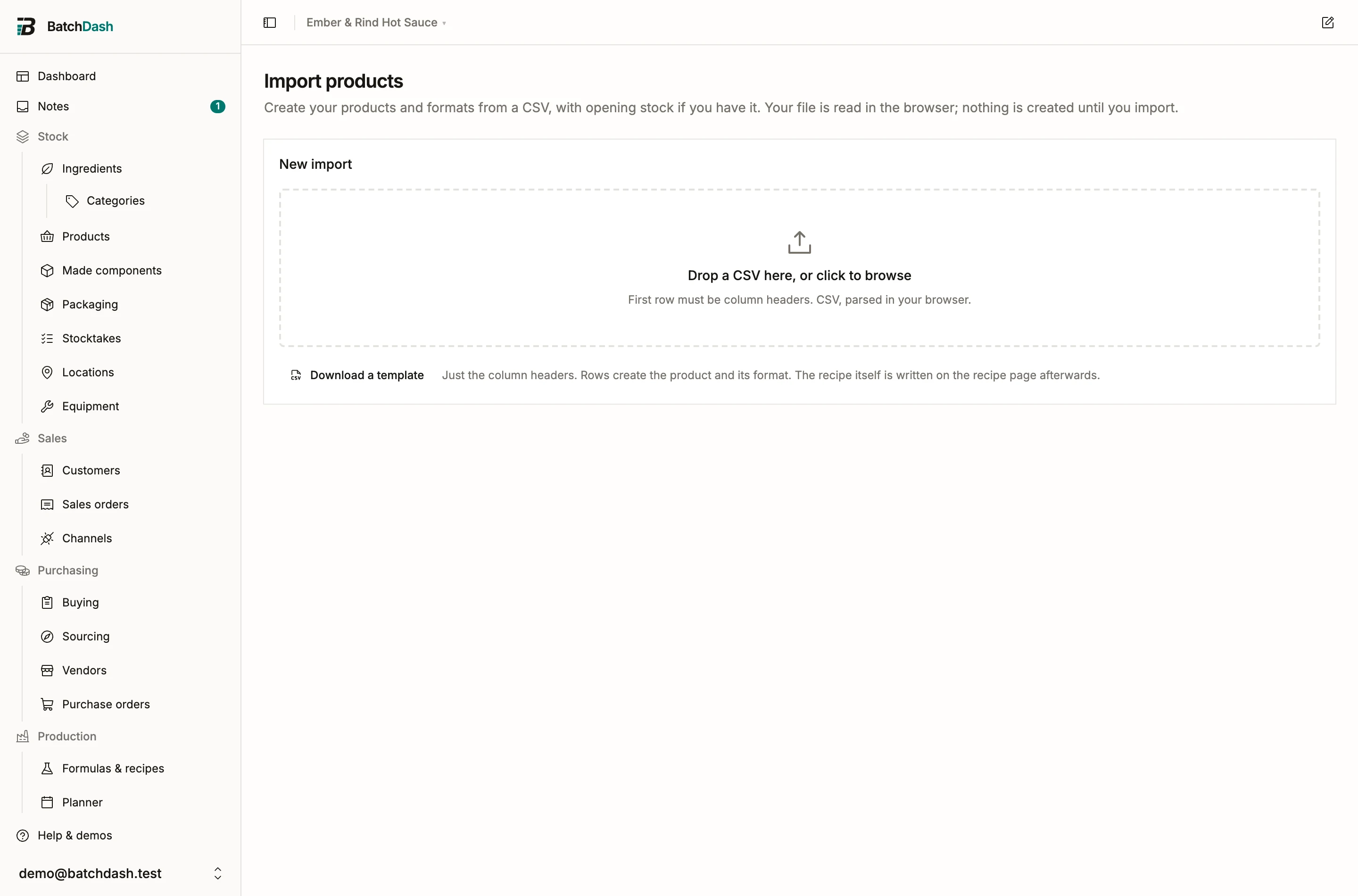
You sell a list of products and want them in BatchDash before writing a single recipe. The products import turns one row into a product: a recipe to fill in later (or none at all, for a product you buy ready-made), one sales format, and the stock you already hold in that format. It is the door in for a maker arriving from another tool. The upload, mapping and per-row checks work the same for every import kind; see CSV imports for that flow. You reach it from the Import menu on the Products page.
Columns
Section titled “Columns”| Field | Required | What goes in it |
|---|---|---|
| Name | Yes | The product’s name, which becomes the recipe’s name, e.g. “Smoked habanero hot sauce” |
| Code | No | Your recipe code; left blank, BatchDash makes one from the name |
| Category | No | The product category the row’s new format is filed in, e.g. Sauces |
| Subcategory | No | A subcategory inside that category, e.g. Hot sauces. Needs a Category beside it |
| Format | No | The container noun: jar, pouch, tube. Blank means one unnamed default format |
| Fill quantity | No | What the format holds, e.g. 250. Give the unit with it |
| Fill unit | No | The unit of that fill: ml, g, kg, L |
| Variant | No | One short word for this version of the recipe: a scent, a flavor, a colorway |
| Barcode number | No | The format’s GTIN, 8, 12, 13 or 14 digits |
| SKU | No | Your own code for the format, unique in your workspace |
| Made or bought | No | made or bought: whether you make the product or buy it ready-made. Blank means made |
| Opening stock | No | Units on hand of this format, in the format’s own unit |
| Unit cost | No | What one unit cost you, to make or to buy; with an opening stock, it seeds the product’s cost figure |
Common header names map on their own: “barcode” finds Barcode number, “on hand” finds Opening stock, “make or buy” and “sourcing” find Made or bought, “range” and “collection” find Category, “sous-categorie” finds Subcategory. Anything else you match by hand under Column mapping. Download a template gives you the headers ready to fill.
What a row creates
Section titled “What a row creates”A committed row creates a product recipe with no ingredient lines, the format described by the row, and the sellable line you will count stock on. The recipe itself is written afterwards on its recipe page: the import knows the product’s name, never its ingredients. Until its first ingredient line, the product waits for it: the recipe stays off the Formulas list and the run form, and the product’s page offers Write its recipe (a product before its recipe).
A row with no format, no fill and no variant creates the recipe with one unnamed default format, the same shape as a product created by hand. A row with “jar”, 250 and ml creates a “250 ml jar” format on it. Three rows named “Smoked habanero hot sauce” with three formats create one recipe and three formats, because the second and third rows attach to the recipe the first one made.
Filing products in a category
Section titled “Filing products in a category”A row’s Category and Subcategory file the product it creates in a product category: the format the row describes, never the recipe. Each cell is one name, taken whole: “Fruits / vegetables” in the Category cell is one category with that name, slash included. A Subcategory with no Category beside it is refused on its row (“A subcategory needs its category.”).
A category that does not exist yet is marked on its row before anything is written: if you can manage categories, the import creates it once and files every row that names it there, whatever the case or the accents (“sauces” is Sauces); if you cannot, the row imports with no category and says so. A name over 80 characters brings its row in with no category, and says so too. A row that adds a format to a product you already have leaves every format where it is filed.
A products file you exported comes back the same way: its category and subcategory columns are these two fields.
Made here or bought ready-made
Section titled “Made here or bought ready-made”The Made or bought cell takes made or bought (fabriqué or acheté in a French file, and a few near words such as make, buy or resale). A new product row that says bought creates a product with no recipe at all: its format, its SKU and barcode, and the stock you hold, ready for a vendor’s price and its deliveries (sellable products). That takes a workspace that buys products ready-made; elsewhere the row waits with “Products bought ready-made are not enabled for this workspace.” Any other word in the cell is flagged with a message that names the two words.
On a product you already have, the cell is a check, never a change. A row that says bought about a product you make is flagged “This product is made here. Clear the cell, or write “made”.“ and the other way round, “This product is bought ready-made. Clear the cell, or write “bought”.“ Clear the cell and the row attaches its format like any other.
Attaching to an existing recipe
Section titled “Attaching to an existing recipe”A row whose code matches one of your recipes attaches its format to that recipe instead of creating a new one. Failing a code, an exact name match does the same when exactly one recipe carries that name. When several recipes share the name, the row is flagged “Several recipes carry this name. Map it to the right one.” and Map to recipe on the row lets you choose; the same picker overrides any match you disagree with.
A recipe holds at most eight formats. A row that would add a ninth is flagged “This recipe already has 8 formats.”; a row describing a format the recipe already has is flagged “This recipe already has this format.”; a blank-format row on a recipe that already has its default format is flagged “This product already exists.” None of these rows is imported until you change it.
Opening stock and unit cost
Section titled “Opening stock and unit cost”Opening stock posts only for formats the import creates, so re-running the same file never double-counts. It goes in as one opening stock lot on the format, with no lot code, at your default place and dated the day you import; the product page lists it with its other lots. With a unit cost, the lot is costed and the product’s unit cost figure starts from it; without one, the quantity is on hand uncosted and the cost card says what is missing, exactly like a product created before its first batch. A unit cost without an opening stock is ignored: there is nothing to cost.
A product on the shelf in several lots, each with its code, best-before and place, comes in better through the opening stock import. Leave Opening stock blank here, then bring the lots in once the products exist.
Barcode, SKU and variant
Section titled “Barcode, SKU and variant”A barcode number is checked for length and for its check digit; a bad one flags the row with the reason. A SKU is at most 32 characters of unaccented letters, digits, hyphens, dots, underscores and slashes, stored in capitals, and must be free in your workspace; “This SKU is already used.” flags a taken one, in your records or earlier in the file. A variant is at most 60 characters and composes after the recipe name wherever the product shows, as described in sellable products.
Packs have their own file
Section titled “Packs have their own file”The products file leaves packs out. Packs come in through their own file, Packs in the Import menu of the Products page, written like the one Export gives you: one row per pack, with what it holds in one cell (“12 × Smoked habanero hot sauce · 250 ml jar”). A row names a pack you have by its SKU, or by its name when it is not sold, and updates only what you tick. Put the cartons above the cases that hold them. See exporting your data.
What a row cannot do
Section titled “What a row cannot do”It cannot write recipe content, attach a packaging set, set prices, add a vendor’s price or record a batch. Those live on the recipe page, the product page and the runs; a vendor’s prices can also come in through the offers import. Products count against your plan’s recipe quota, one per product the import creates, bought ones included: a batch that would cross the limit is refused before any of its rows is written, and the message names the limit.