
Cost breakdown
The cost panel on the formula page answers the question you actually have: what does this batch cost, and what does that make one jar?
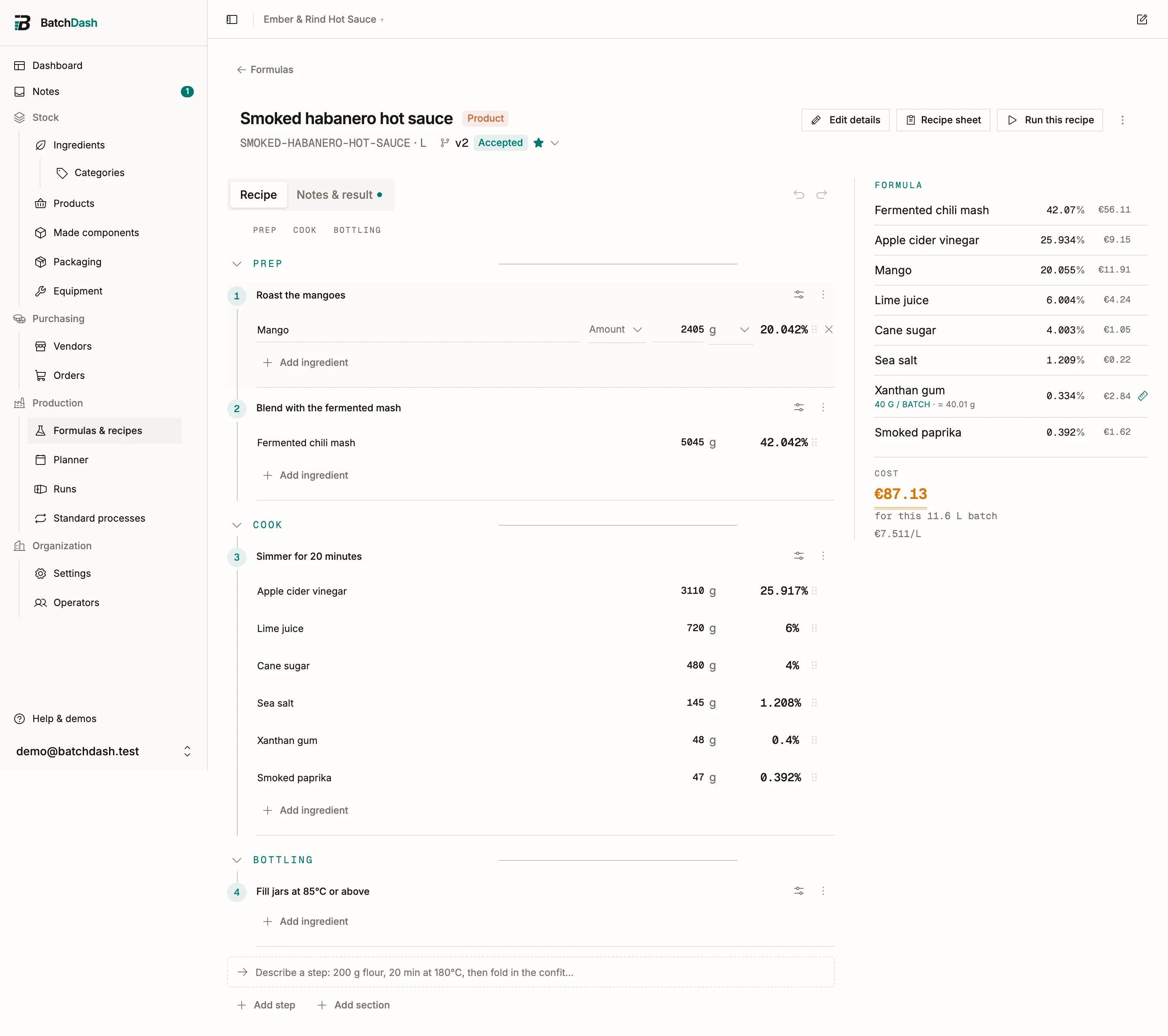
Per-line cost
Section titled “Per-line cost”Each ingredient line is priced at its mass times the ingredient’s weighted average cost (WAC): the average of what you really paid across deliveries, fees included. See weighted average cost and fees and landed cost. A component line is priced from its own recipe instead; see sub-formulas.
A variant made from another, like pitted cherries made from cherries, has a price before you ever buy it. With none of it in stock at a price, it costs its source divided by what 100 g of the source gives: cherries at €6.00/kg giving 88 g of pitted cherries per 100 g price the pitted at €6.82/kg, plus the pitting time when your costing counts labor. The line reads “made from Cherries” so you know which figure it used. When the yield has a range (85 to 92 g), an ⓘ beside the cost per unit gives the two ends, “€3.26 to €3.53 as yields swing” for 500 g of pitted cherries; the headline stays at the expected figure.
Batch and unit figures
Section titled “Batch and unit figures”From the lines, the panel works upward to:
- the cost of the batch you weighed (“for this 2 480 g batch”);
- the cost per output unit, read as per liter, per kg or per 100 g depending on the recipe’s output unit;
- the cost per portion, once the recipe has a portion size (“€0.61 per jar”).
Yield is part of the math: the money spent on input is divided by what actually comes out, so an 80% yield makes every finished gram dearer. See yield and batch size.
An ingredient you break down is priced as bought: ten eggs cost ten eggs, whether the shells weigh 7% or 10%. The panel’s percentage is what went in; the cost is what you paid.
When a price changes
Section titled “When a price changes”Costs are never copied into formulas; they are read live. Receive a delivery at a new price and the ingredient’s WAC moves, and every formula using that ingredient re-costs immediately, sub-formulas included. The “Cost / unit” column on the formulas list follows too. If chilis jump 20%, you see it in the sauce the same day. To trace where a price moved, open the vendor’s price history.
When it can’t cost
Section titled “When it can’t cost”“Can’t cost this yet” means one of two things: a line has no price at all (no delivery and no vendor offer yet), or a component has no accepted version. The panel names the offending lines, so the fix is concrete: give the ingredient an offer or a delivery, or accept a version of the component.