
Products you buy ready-made
Not everything on your shelf comes out of your kettle. The crackers you sell next to your preserves, the wick trimmers beside the candles, the gift bags you resell: you buy them finished. A product bought ready-made lives in Products like the ones you make, with its own lots, stock, cost and sales, and it is bought through the same purchasing flow as your ingredients. It has no recipe and never goes through a batch.
This module is part of the larger plans.
Create it
Section titled “Create it”Open Products and click New product. Under Where it comes from, choose I buy it ready-made, then give it a name, its format (a noun such as bag or jar, and a fill if it has one), and if you like a variant, a SKU and a barcode number. Create opens its page.
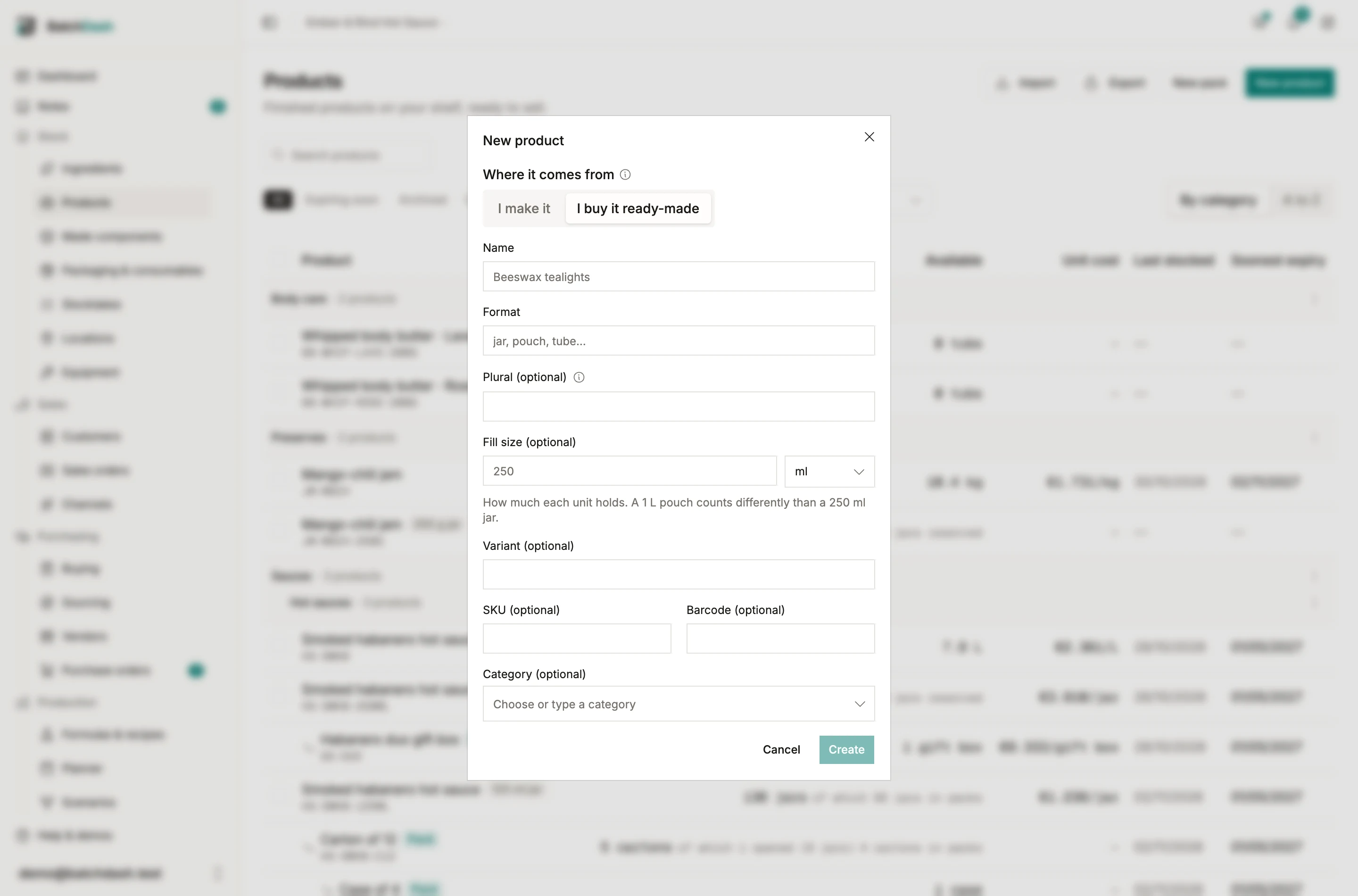
A product bought ready-made counts against your plan’s formulas and products limit, like a pack. More formats are added from its page with Add presentation, as for any product. A list you keep in a spreadsheet comes in with the products import: its made or bought column says which is which.
Edit on its page holds the name as the product’s own. No recipe name stands behind it to fall back on, so the box cannot be left empty. Keeps for and Date type sit in the same dialog: “A delivered lot with no date of its own gets one from this.”
Price it per vendor
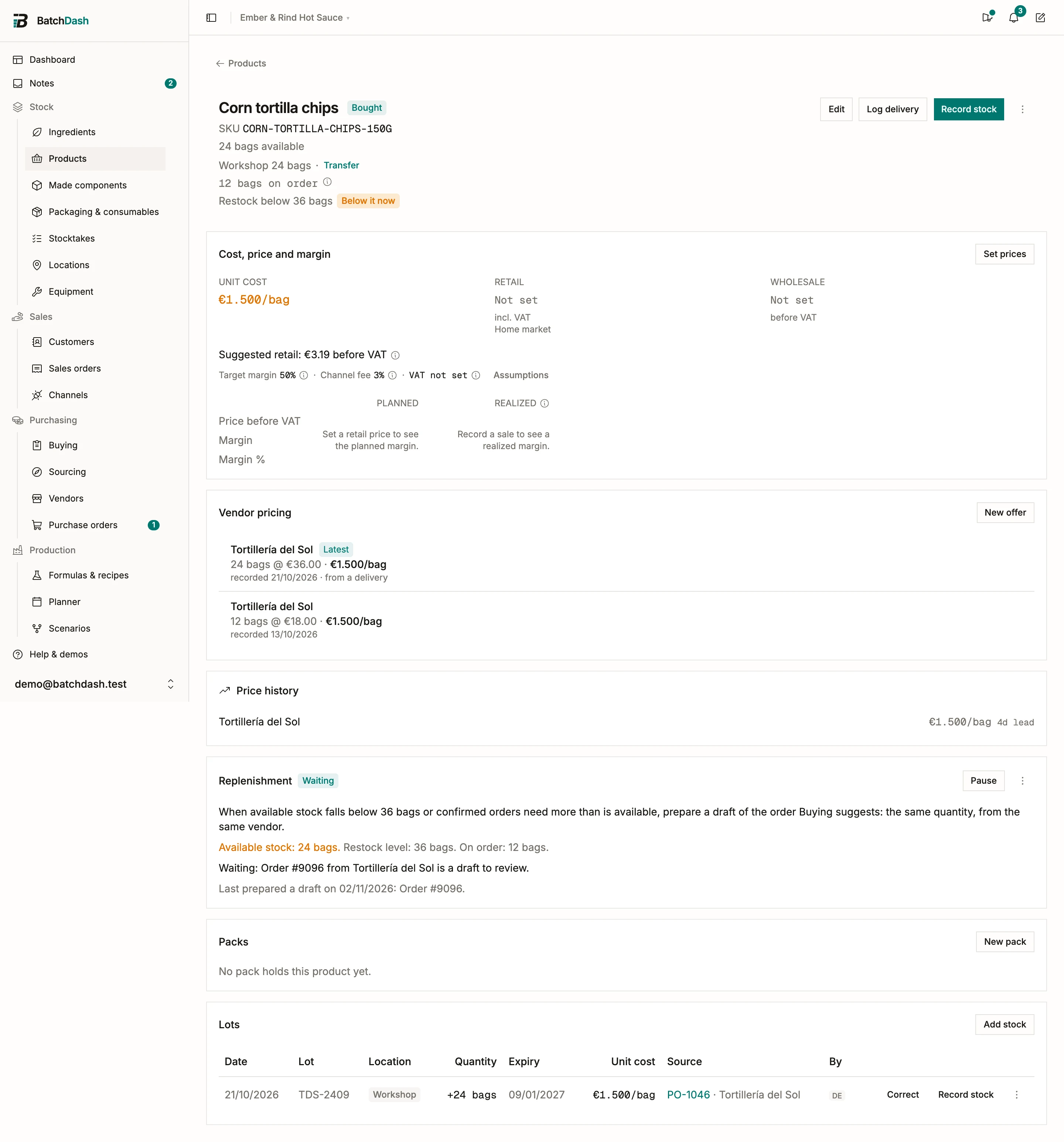
Section titled “Price it per vendor”On the product’s page, Vendor pricing holds what each vendor charges, in the product’s own unit: €18.00 for 12 bags reads as €1.50 a bag. It works the way it does for an ingredient: several vendors side by side, the price history under them, a preferred vendor, a price marked as checked when it has not moved. Until the first delivery, the product’s unit cost is estimated from the latest price, and the cost card says so.
A Restock level sets the stock below which Buying suggests it. It reads what you could still promise: what is on the shelf, less what confirmed sales orders already reserve. With automatic draft orders, a rule in the product’s Replenishment card goes one step further and prepares that order as a draft for you to review.
Order it and receive it
Section titled “Order it and receive it”Pick the product on a purchase order line like an ingredient; Order again and Add from offers carry it too. Receiving it books a lot: its code, its best-before, its place, and its landed cost, fees and currency included. A delivery split into two lots books two lots.
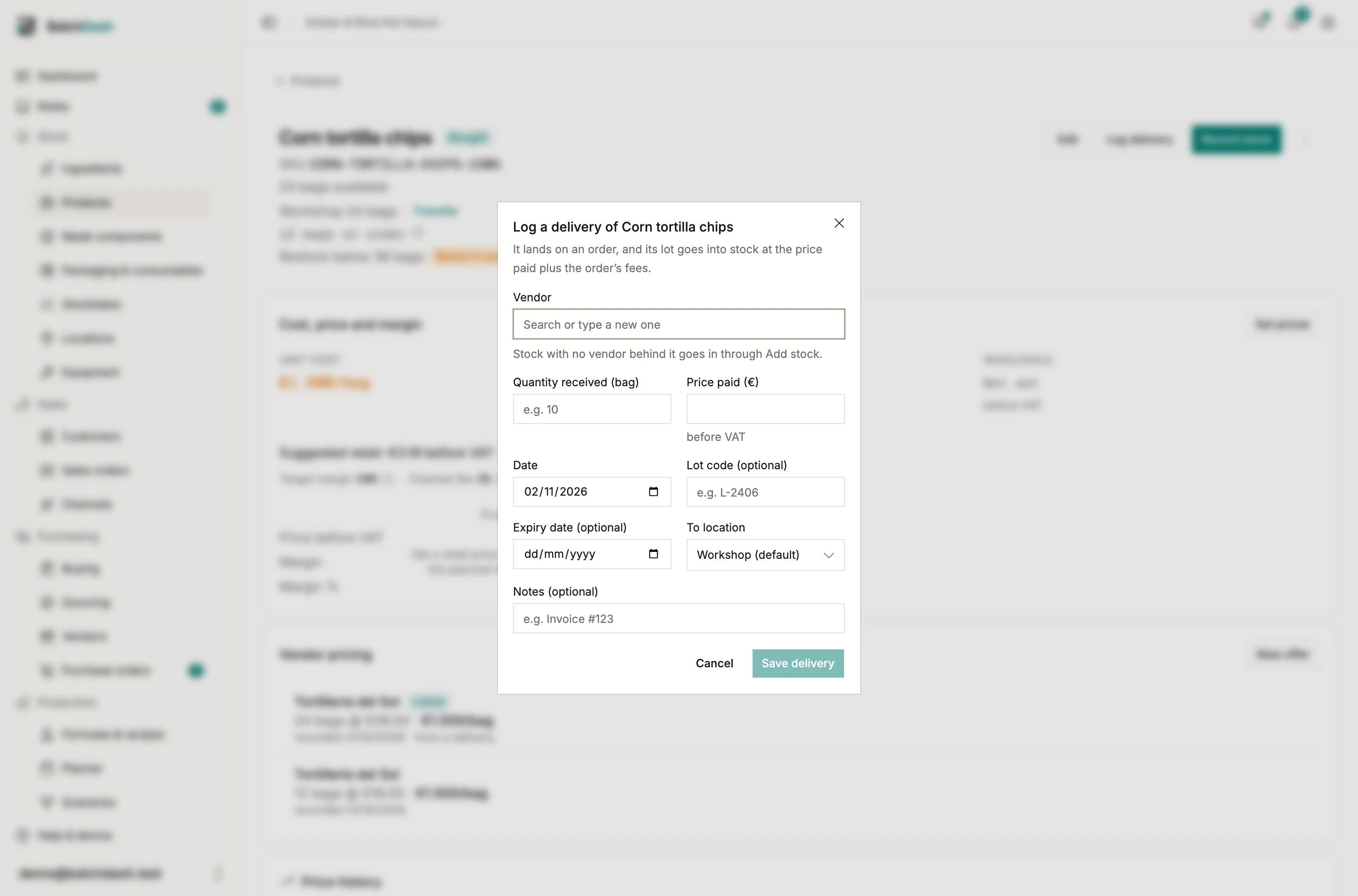
When a delivery arrives with no order behind it, Log delivery on the product’s page files one for you: pick the vendor, type what came in and what you paid, and the lot is booked.
The page’s Lots card lists every lot with where it came from: a delivery links to its order, opening stock reads as such. With nothing delivered yet, the card says Nothing delivered yet and offers Log delivery. Open orders show under the header as “24 bags on order”.
Sell it and trace it
Section titled “Sell it and trace it”It sells like anything on your shelf: on a sales order, through a connected shop, or with Record stock. Its margin reads against the average of what you paid for it. It can go into a pack, and a scenario checking an order takes it from the shelf first, then puts the rest on the buy list. The trace of one of its lots goes back to the vendor and the order it came on, and forward to every customer who received it.
What it never does
Section titled “What it never does”A product bought ready-made has no recipe, no versions and no batches: it never shows among your formulas, a run never makes it, and no rule plans a batch of it. The rule it can carry prepares a draft purchase order instead (automatic draft orders). If a vendor makes one of your own recipes for you, that is a co-packed product instead.