
Team workload and labor cost
Give the board a little about each person and it will tell you how full their week is and roughly what it costs. Set it up once under Organization → Operators.
What to set per person
Section titled “What to set per person”- Working days are the days they normally work. Anything planned outside them gets an amber advisory dot, which is a nudge and never a block.
- Weekly capacity is how many hours of planned work their week holds. Leave it empty if you would rather not track it.
- Hourly cost is what an hour of their time costs you. It drives the labor figures.
Reading a row
Section titled “Reading a row”Each operator row on the week board carries their totals.
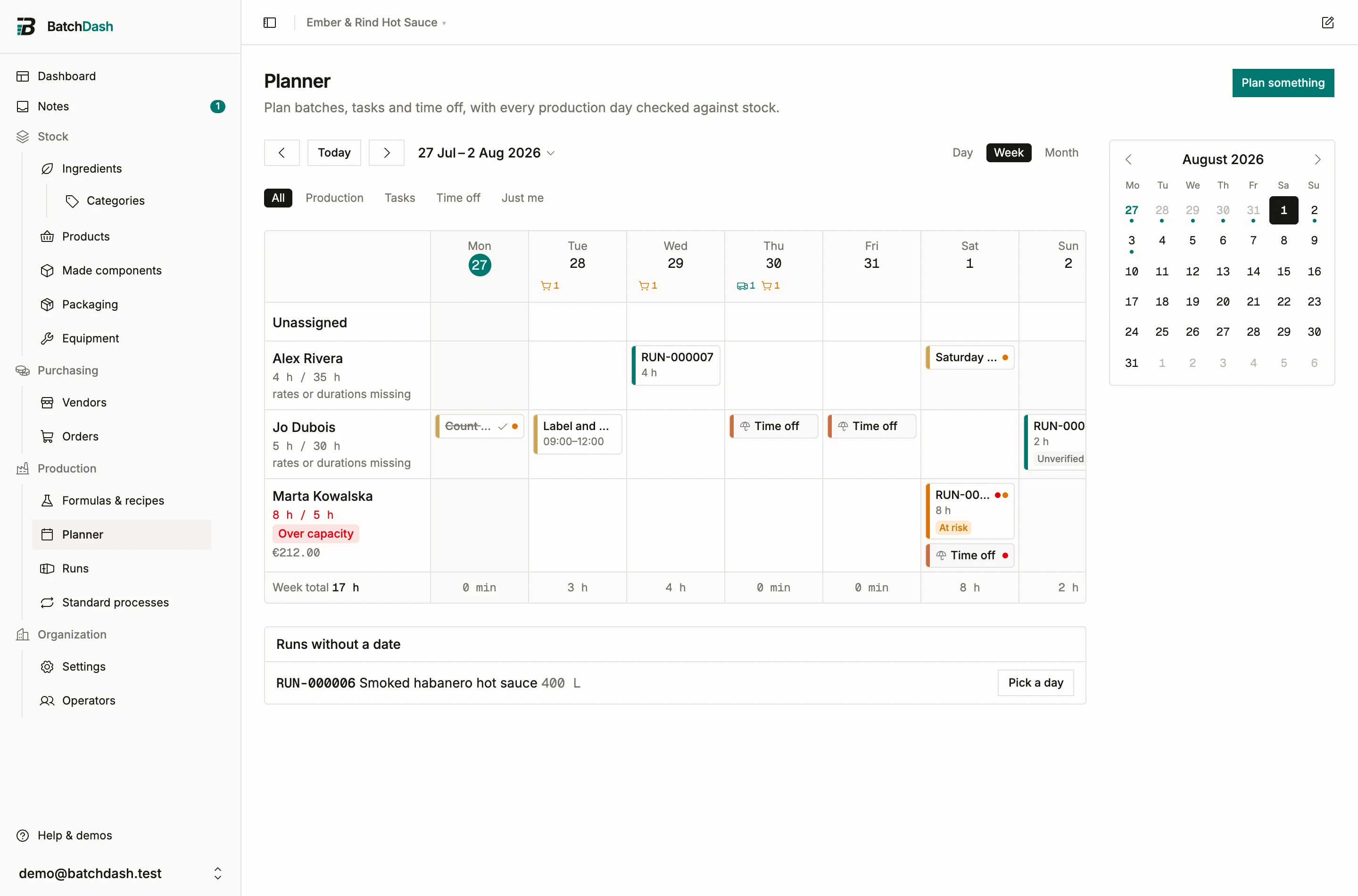
The hours read as planned against capacity, so 8 h / 5 h means eight hours planned into a five-hour week. Past capacity the figure turns red and an Over capacity badge appears. Below it sits the labor cost for the week.
Why a cost sometimes says it is missing
Section titled “Why a cost sometimes says it is missing”When the board cannot work out a cost, it says rates or durations missing rather than show a figure it guessed.
That marker appears when any entry contributing to the total has no duration, or when somebody on one of those entries has no hourly rate. Fill in the gap and the number arrives. The hours keep totaling either way, since those are known even when the money is not.
How the numbers are worked out
Section titled “How the numbers are worked out”- Planned minutes come from the duration on each entry, whether typed directly or derived from a start and end time.
- Labor cost is the duration times the hourly rate, summed across everyone assigned. Two people on a four-hour job is eight hours of labor.
- Time off contributes no minutes and no cost. An absence is not workload.
- Done tasks still count: marking a task done changes nothing about what was planned.
What this is not
Section titled “What this is not”This is a planning aid, and it is worth being plain about the edges:
- It does not clock anybody in or out. Nothing here records hours actually worked.
- It is not payroll. There is no gross-to-net, no contributions, no payslip.
- It knows nothing about overtime rules, breaks or rest periods in your country.
- These are planned figures. What a batch actually cost in labor is a separate question, answered on the batch itself. See what counts in a unit cost.
Treat the figures as what you planned to spend, useful for spotting an impossible week before it starts.
When the day is projected to end
Section titled “When the day is projected to end”Under each day the board also shows a projected finish, stacked from the first thing set for that day. It turns amber when it lands past somebody’s working day. See how long a batch takes.