
Put into packs, open, count and move
A separable pack is filled from a lot of its product: the jars stay in the product’s stock and the packs count them. This page covers everything that happens to those packs on the shelf.
Put into packs
Section titled “Put into packs”On the product’s page, open the ⋮ menu of a lot and click Put into packs. Each line is a pack and how many of it to fill:
- The count says how many fit, “of 5”, and stops there. The lines below it refit as you type.
- A case is filled from the cartons above it in the same dialog, so “5 cartons, 1 case” puts four of the cartons into the case.
- The pack’s own packaging, the shipping box, is used up, and kept apart from the jars’ cost.
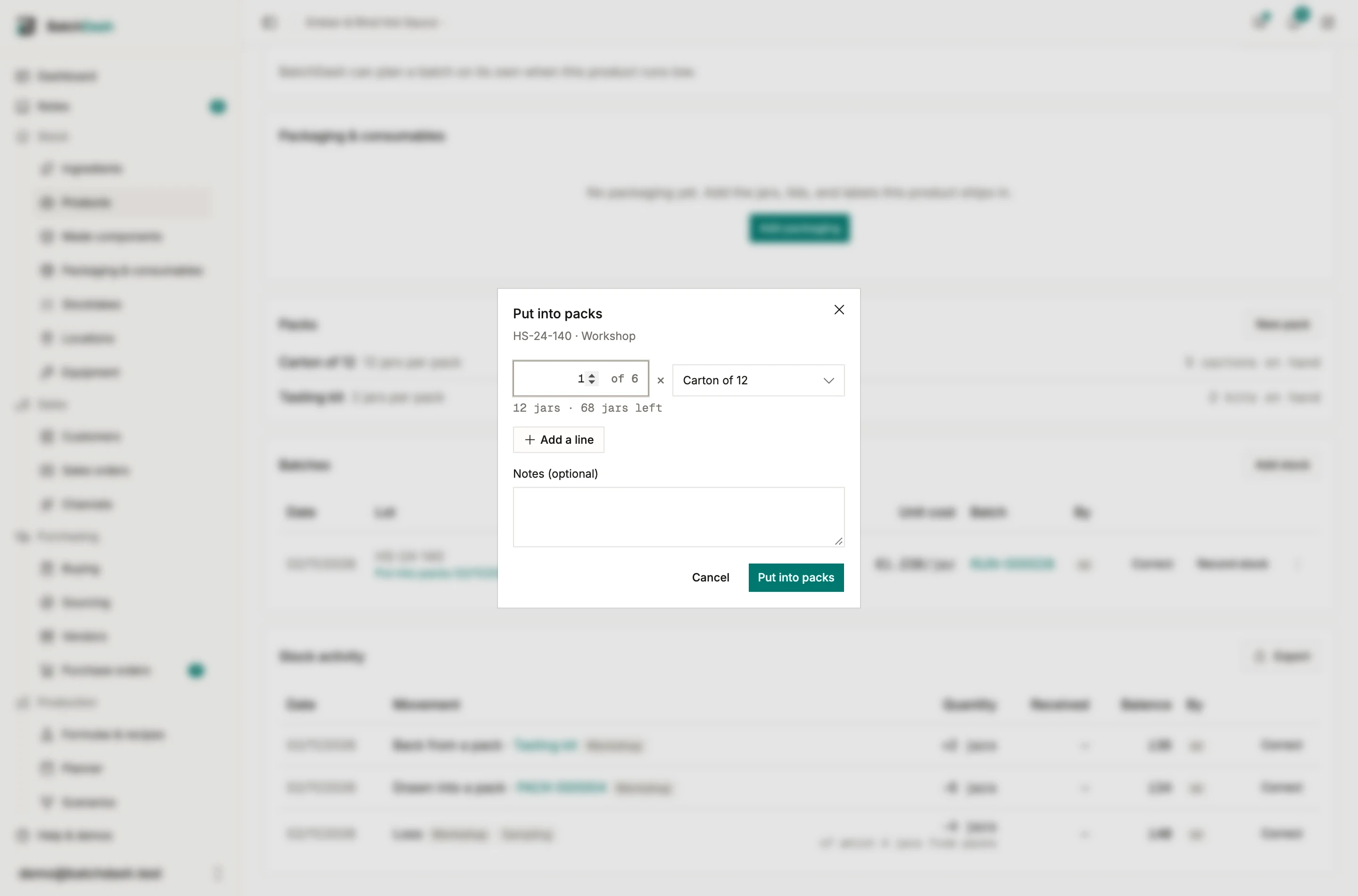
The packs carry the lot’s code, its best before and its place. The lot’s row then reads “of which 56 in packs” and links to the record.
The record
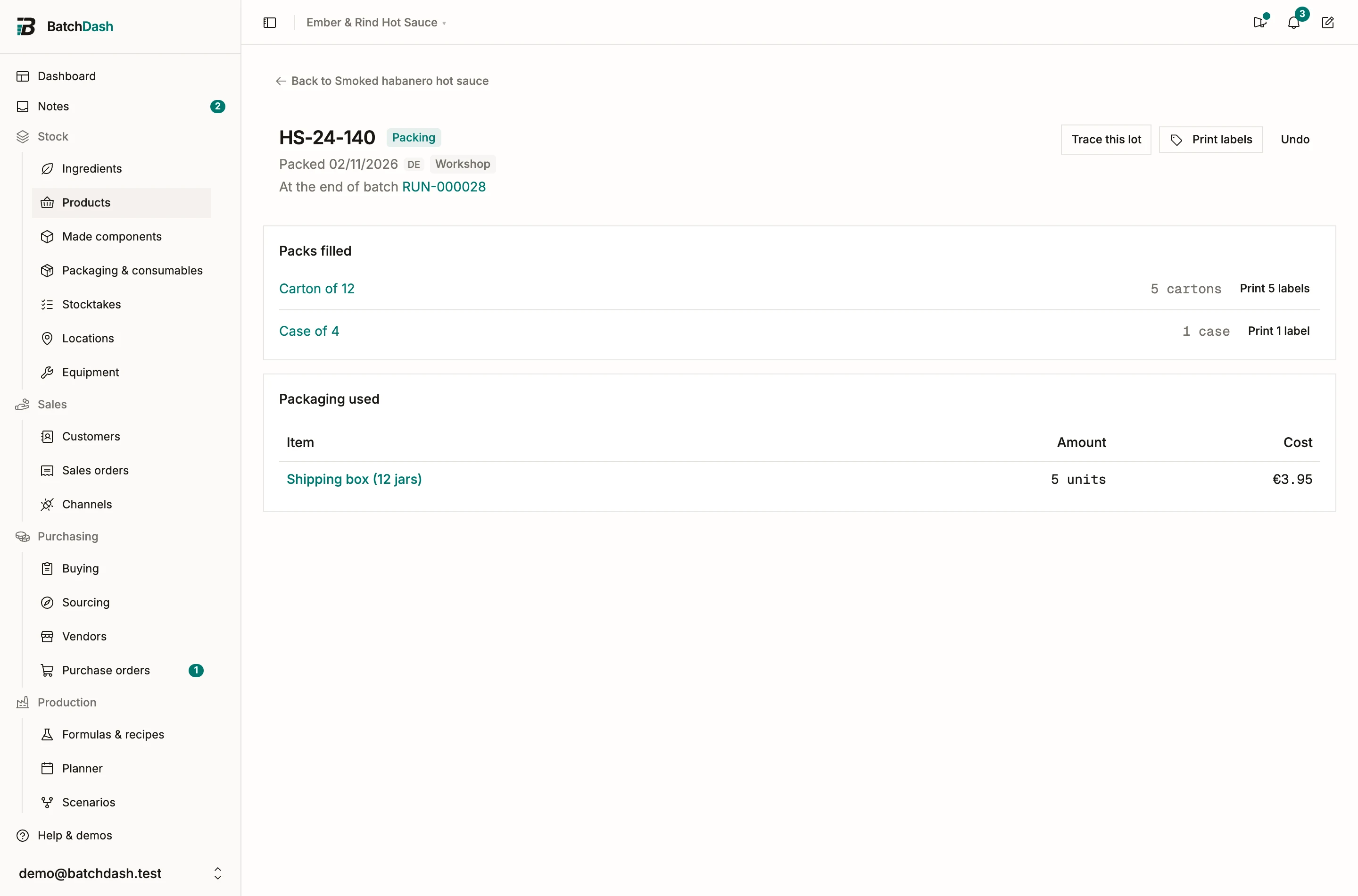
Section titled “The record”Each time a lot goes into packs, the app keeps a record: when, from which lot, the packs filled and the packaging used. Print labels prints one label per pack, for the whole record or one line. Undo takes the packs apart again, as long as none of them left or was opened.
When a batch ends
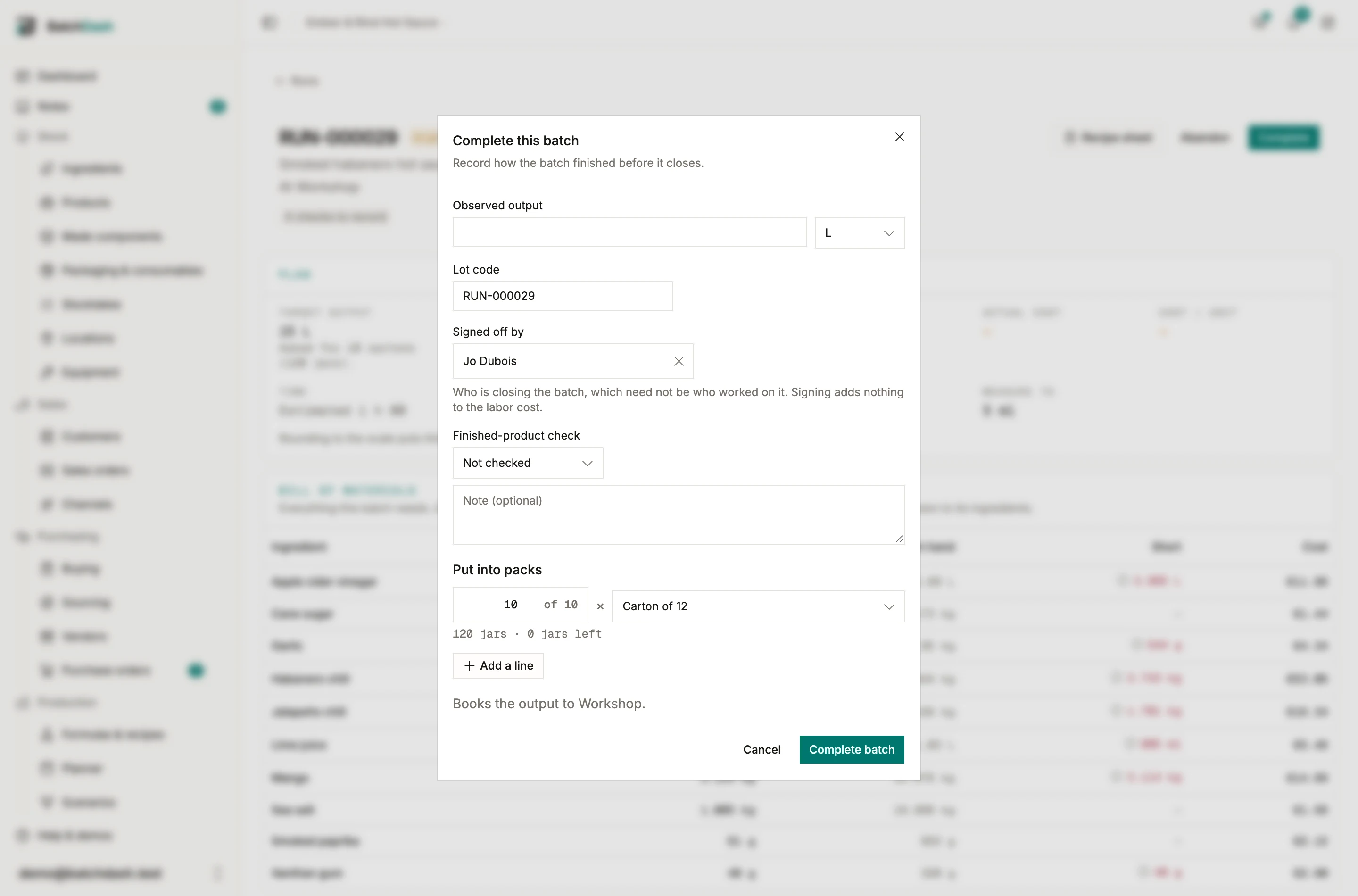
Section titled “When a batch ends”Completing a batch offers the same lines under Put into packs, filled in with the packs you used last time, as many as the batch makes. A batch planned in packs (“40 cartons”) offers the cartons it was planned for. Recording a production of a product with no recipe does the same.
Opened packs
Section titled “Opened packs”Click Open in the ⋮ menu of a pack’s lot when you take jars out of a carton. The carton stays a carton, with what is left in it, and the Opened packs card on the pack’s page lists it: “8 jars of 12”. From there, Top up puts jars back in, Unpack puts its jars back outside packs, and Record stock takes from it.
Whatever leaves the product takes its jars from outside packs first, then from opened packs, then from full ones, and the movement says so: “of which 4 jars from packs”. In Record stock, name a lot and Taken from lets you say where the jars came from.
Counting in packs
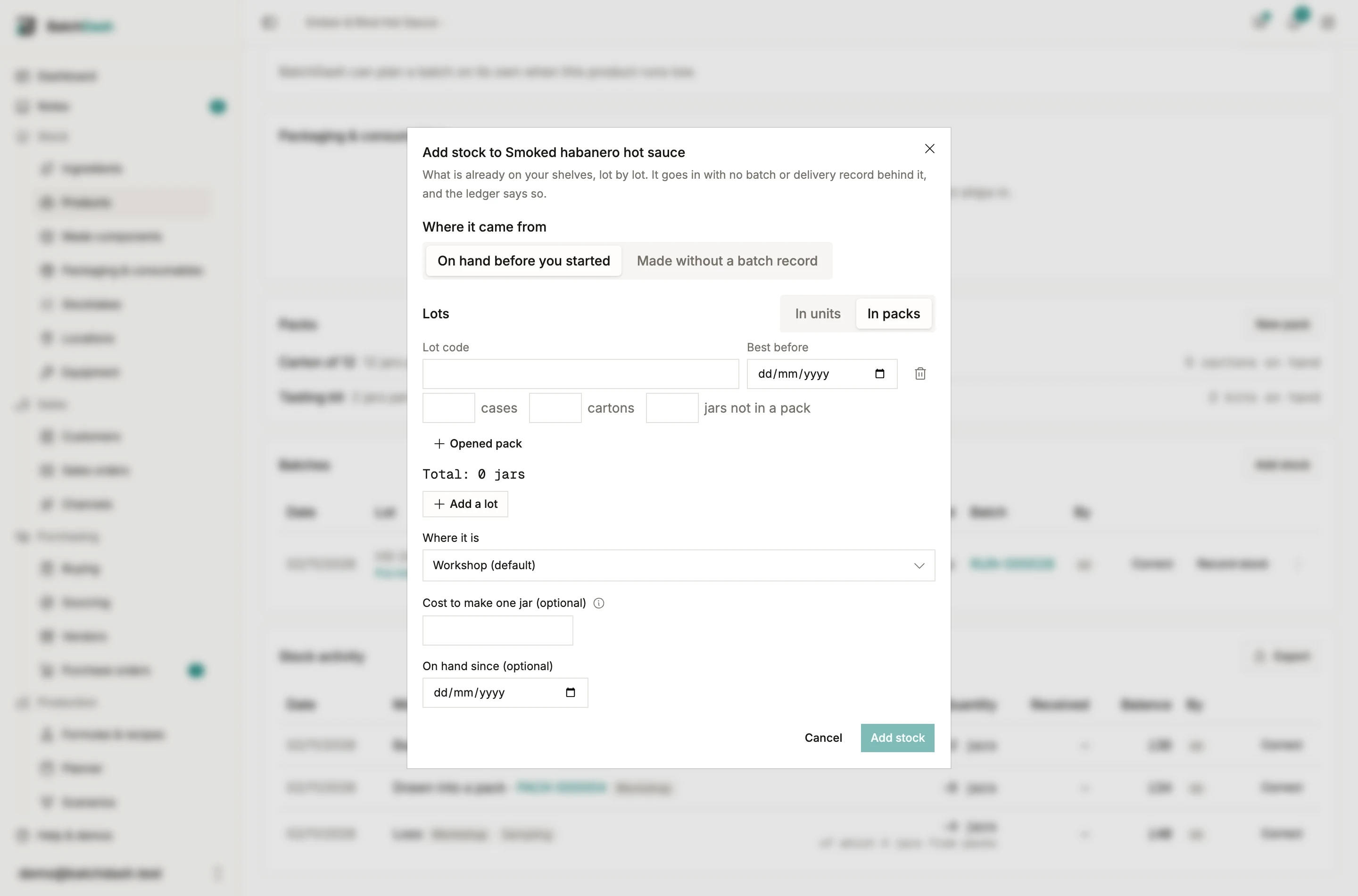
Section titled “Counting in packs”A stocktake counts a product with packs in its packs: the full ones, each opened pack with what is left in it, and the units outside packs. The book’s figures sit in grey in each box, so you type only what differs. Add stock and a product delivery switch between In units and In packs the same way.
Moving packs
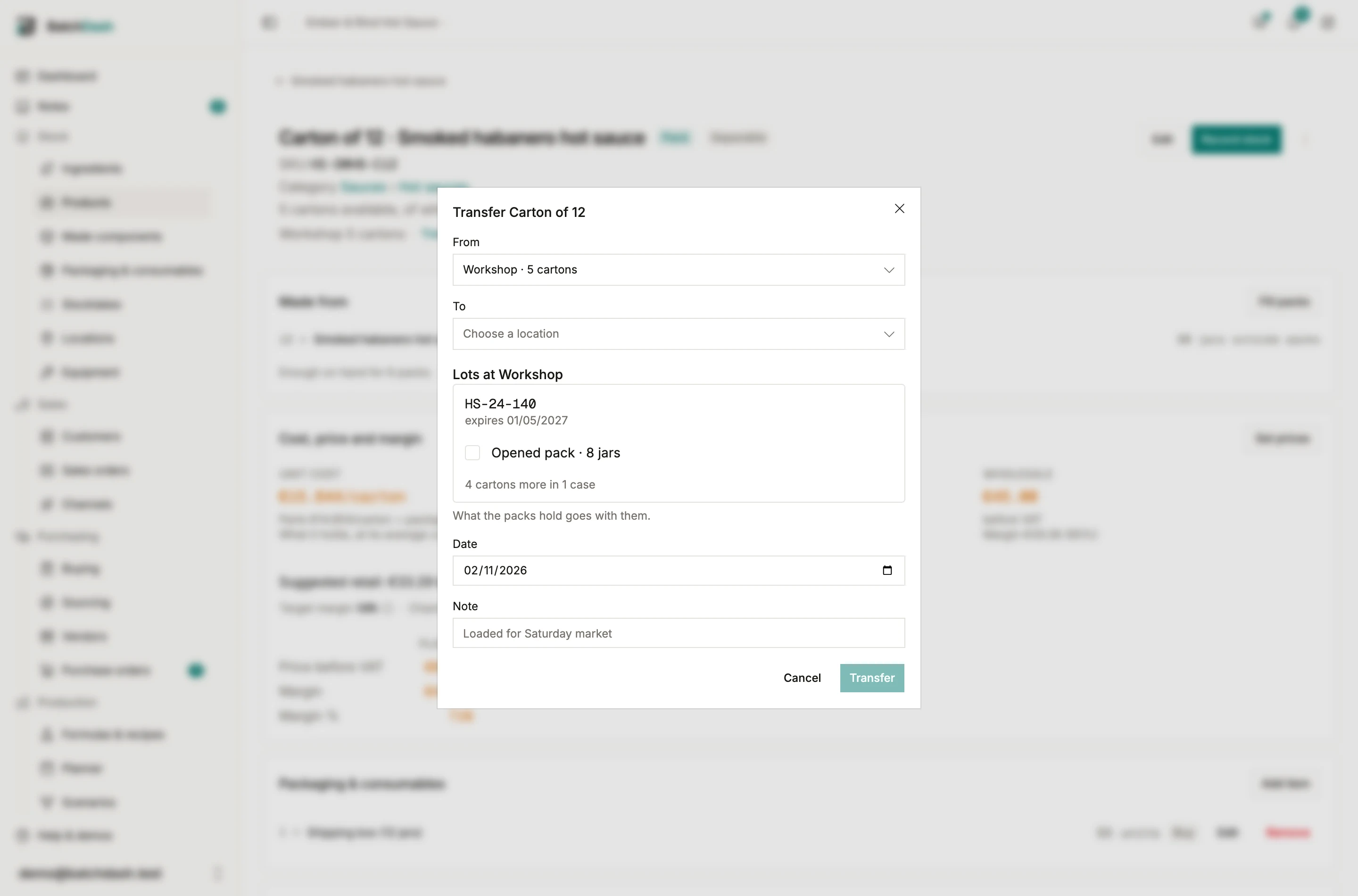
Section titled “Moving packs”Transfer on the pack’s page moves packs with what they hold: a whole lot, some of its packs, a case with its cartons, or an opened pack. Moving some of a lot’s packs splits the lot: the part at the new place keeps the lot’s code.
Tracing
Section titled “Tracing”Trace a batch’s lot and it lists the packs filled from it, after the lot itself. Trace a carton’s lot and it leads to the batch inside, then to its run and ingredients.