
Order labels from a print service
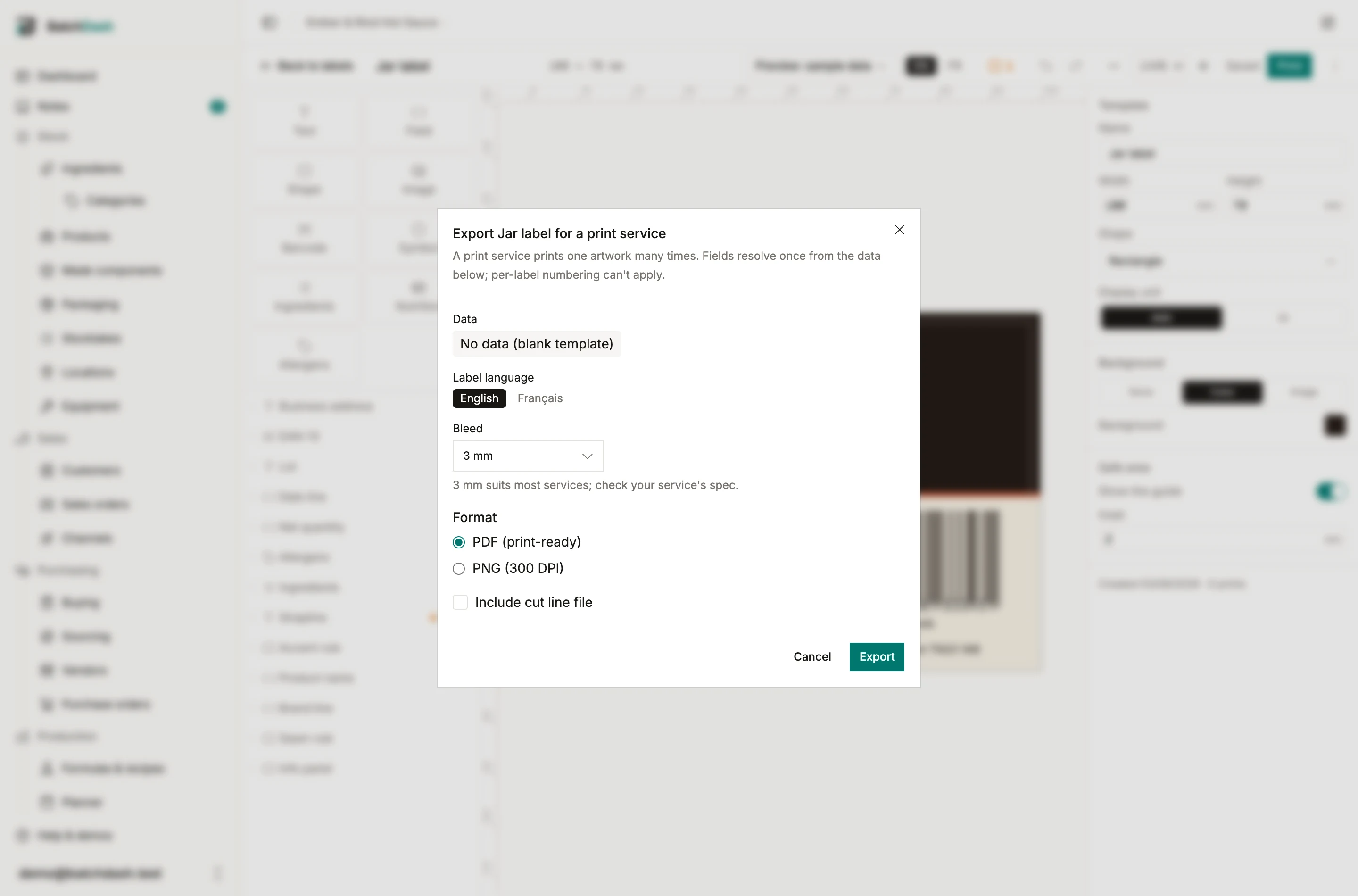
Your own printer prints many labels; a print service prints one label many times. Export for print service, in the editor’s menu, produces the file that second world asks for: one artwork, with the technical margins a press needs, and a spec sheet beside it.
One thing cannot survive the trip: per-label numbering. A service prints the same image thousands of times, so a serial counter would print “1” on every sticker. The dialog says so before you export.
What the export contains
Section titled “What the export contains”A zip: artwork.pdf (or PNG at 300 DPI if you choose), optionally dieline.pdf, and a README.txt that states the trim size, the bleed, the color space and the cut line’s name. The README exists so the service’s prepress person reads your numbers instead of guessing them.
Bleed, in plain words
Section titled “Bleed, in plain words”Cutting machines wobble by a fraction of a millimeter. If your artwork stopped exactly at the edge, that wobble would leave white slivers on some labels. Bleed is your background continuing past the cut line, usually by 3 mm, so a slightly-off cut still lands on ink. The export extends the file; elements keep their positions against the finished size.
CMYK, in plain words
Section titled “CMYK, in plain words”Screens mix light (RGB); presses mix ink (cyan, magenta, yellow, black). A file left in RGB gets converted by the service on their machine, with their settings, and the color that comes back may not be the color you saw. Exporting in CMYK does the conversion here, so what you approve is what they print. It takes a few seconds; the dialog says when the file is ready and the download also lands in the print log.
The cut line file
Section titled “The cut line file”A die-cut label (a circle, an oval, a rounded sticker) needs a file that says where to cut. The convention is a separate hairline drawn in a spot color the cutter recognizes. Services differ on the color’s name: most want CutContour, Avery asks for Stanza, others say Dieline or Thru-cut. The export offers the known names and takes any other; if the name is wrong for your service, their machine treats the line as artwork and prints it, which is how a magenta outline ends up on a batch of stickers.
Recommended services
Section titled “Recommended services”After an export, the dialog lists a few printing services that fit the file, chosen for your market. Some of those links pay us a commission; the line under the cards says so plainly, and the fit descriptions are ours, not theirs.