
Shipping and returns
Shipping is where the order meets the ledger: each shipped line books the same sale movement the quick flow books, at your real unit cost, with the line’s price and the order’s reference on the row.
Ship a line
Section titled “Ship a line”Ship on a line opens the lot picker. Pick lots by name, or pick nothing: with no rows the line ships from the released lots expiring first, which is the right answer most days, and the dialog says so. The picker shows each lot’s remaining balance, the batch it came from, its expiry, and what other orders or runs already count on it. Shipped on is today; last night’s van run, recorded the morning after, goes on the day it left.
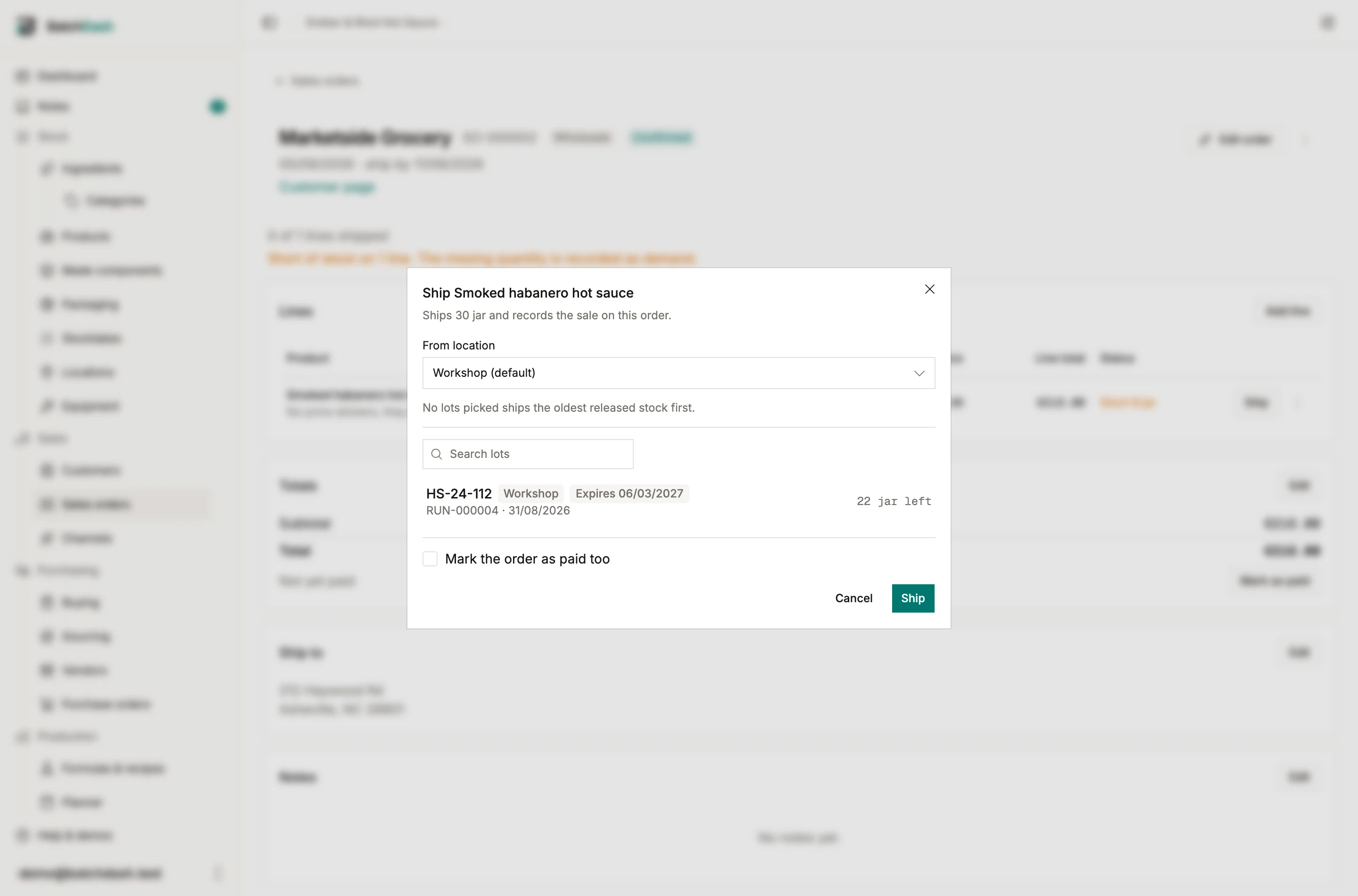
Held lots (waiting on a release check) appear in the list but cannot be picked; the release gate always wins. A line short of released stock follows your organization’s negative-stock policy, exactly as the quick flow does: warn offers Ship anyway, block refuses and names the shortfall, assist backfills a corrective batch.
Ship all
Section titled “Ship all”When the whole order goes into one van, Ship all ships every covered line from the lots expiring first and skips the short ones. The toast says what happened: “Shipped 3 lines. 1 is waiting on stock.” Ship line by line when you care which lot goes to whom.
An order in another currency
Section titled “An order in another currency”An order printed in euros on a franc book needs a rate before anything leaves. The sale is booked in your own currency, at the rate the order carries, so with no rate there is no figure to book. Each line then reads “Set the exchange rate first” where Ship would be, and Ship all is disabled beside the same sentence. Set it from Booked at in the order’s totals card. The first shipment fixes the rate, because a sale already on the ledger is not booked twice.
Shipping part of a line
Section titled “Shipping part of a line”A line ships whole. When a buyer takes 40 of the 60 now and the rest next week, split the line: edit it down to 40, add a second line of 20, ship the first. The order goes Partially shipped and the remaining 20 stay reserved. Quantity-level shipments are planned; until then, split the line.
Returns
Section titled “Returns”Units come back. On a shipped line, open the ⋮ menu and pick Record a return:
- The quantity, up to what shipped minus what already came back; the hint states the ceiling.
- What happens to it. Back into stock puts the units back on the lot they shipped from, sellable again, at the cost they carried. Write off records the return and changes nothing else: the units were unsellable.
- An optional date and note.
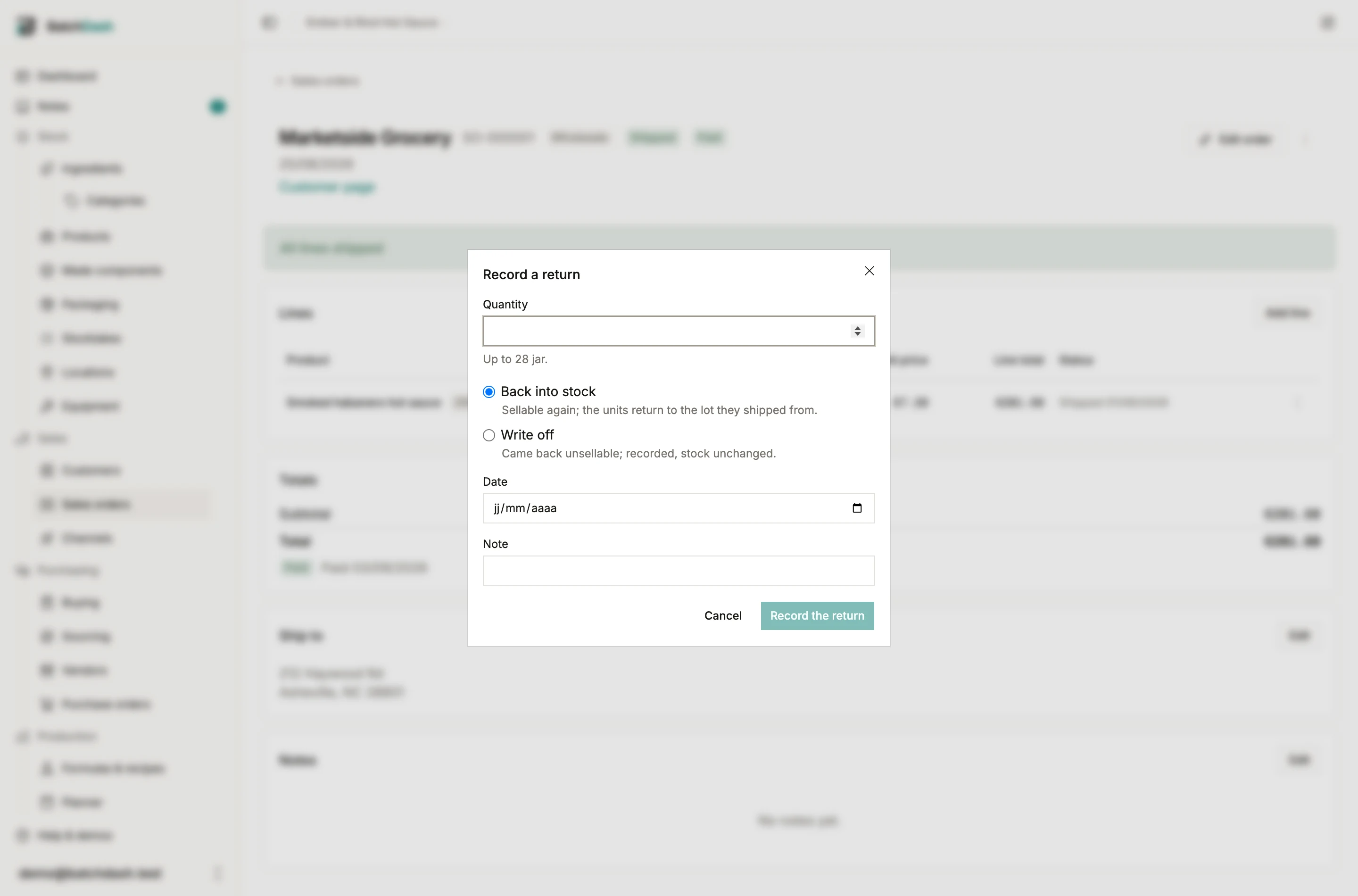
A return does not touch the money: the totals and the paid flag stay what they were, and a refund lives in your accounting tool. The return is one ledger row, with no claims process behind it.
Where it all lands
Section titled “Where it all lands”Every movement born from an order shows in the product’s Activity with the order’s reference as a link, and the order shows what shipped and returned per line. Rows born from an order are corrected through the order, never edited as loose movements, so the document and the ledger cannot disagree.
Every shipped line is also a trace fact. Trace follows the lot it drew to this order and its customer, and the recall summary counts it.