
How long a batch takes
Tell a recipe how long it takes and the planner stops asking you to guess a block length. Two numbers do it, and both stay yours to change.
The two numbers
Section titled “The two numbers”Open a recipe, go to Notes & result, and fill in the How long it takes block.
- Setup is the part that does not change with the batch: heating the kettle, getting the tools out, cleaning down after.
- Per unit is the part that grows with it, in minutes per unit of output.
Under the fields, a line recomputes as you type: A batch of 40 L: about 3 h 50. The time is split in two because a single number would say a 10× batch takes 10× as long, which is wrong for every real process.
Leave a field empty to say nothing. Empty is a real answer, and it is not the same as zero.
Per step, if you want it
Section titled “Per step, if you want it”Every step has the same pair, under How long it takes in the step’s settings. Once any step carries a time, the steps are what count and the recipe-level pair steps aside. The two are never added together.
Step times pay for themselves twice: they feed the list below, and they let a tool that is costed by the hour be charged for the hours it actually ran. See what counts in a unit cost.
Components count too
Section titled “Components count too”A batch that makes its own ganache spends time on the ganache. When a recipe uses another recipe as an ingredient, that component’s estimate joins the total at the quantity your batch needs, and a component’s own components follow the same rule. A production process applied to a run, like pasteurizing the finished batch, adds its estimate the same way. So does a variant the batch makes on the day: pitting 568 g of cherries at 8 minutes a kilo, plus 5 minutes to set up, adds about 10 minutes.
Only what the batch makes itself counts. A component it takes from stock, or from a batch of it planned on another day, adds no time here: that batch carries its own block. A step’s Wait time never lengthens a block either, since nobody stands at the pot while it waits. It decides when the batch is ready for the batches that take from it, which the planner checks for you (see batches that wait for another).
The run page shows the estimate from the moment the run exists. It is the number you plan the day around, so it does not wait for the batch to be over.
Where the time goes
Section titled “Where the time goes”With step times set, the recipe grows a small Where the time goes card: one row per step, longest first, with a bar for its share of the batch. Components get their own rows, so a batch that spends most of its time inside one says so plainly.
It sorts by minutes rather than by process order, because the question it answers is “what is this batch waiting on”. Process order would bury it three rows down.
A suggestion from your own batches
Section titled “A suggestion from your own batches”After three completed production batches that recorded a duration, the block adds a line like:
Your last 5 batches between 8 L and 40 L averaged 3 h 40 at this size.
It comes with a Use this button that fills both fields. It never applies itself. A figure that changes on its own is a figure nobody trusts again.
The count and the range are there so you can judge the suggestion rather than take it. Five batches spread from 8 L to 40 L is a fit worth using; five batches all at the same size tell you nothing about how the time scales, so no suggestion appears at all.
On the planner
Section titled “On the planner”Plan a batch, from the board or from its own page, and the duration field starts at the estimated length, rounded up to the quarter hour. Then it is yours: change it before saving, stretch or shrink the block after, and it stays where you put it. The estimate seeds a block, it never re-imposes one.
Under each day the board shows a projected finish: the day’s blocks stacked back to back from the first thing set for it. When that lands past somebody’s working day, the time turns amber and says how far past.
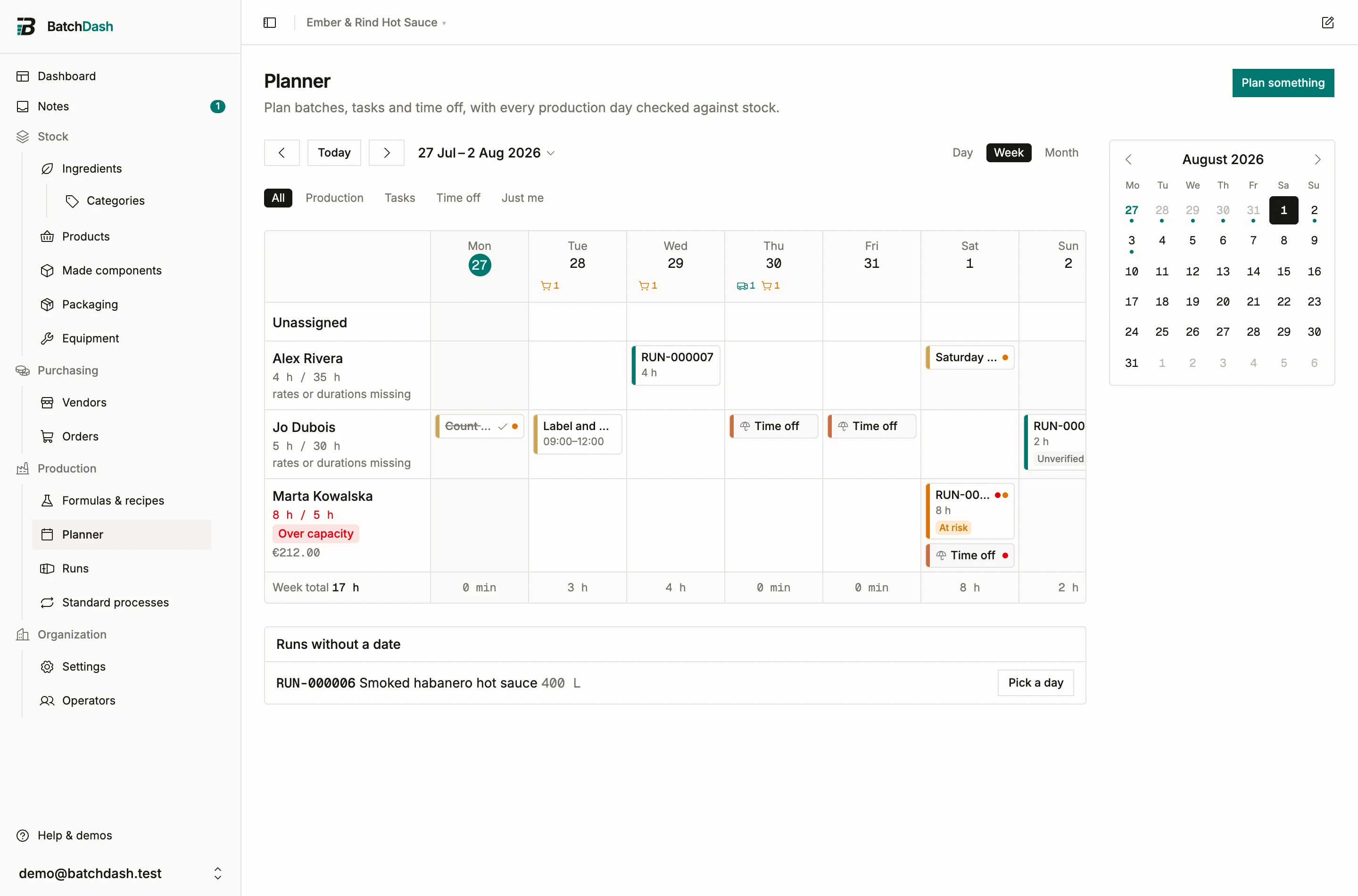
The projection is simple. It stacks what you planned; it does not move anything, and it never decides the order for you.
After the batch
Section titled “After the batch”A finished block that took more than a quarter longer or shorter than planned carries ran long or ran short. Hover it for both figures: 3 h 20 against an estimate of 2 h 30. Inside 25% nothing shows, because a badge on every block is noise.
The batch you just ran becomes one of the points the next suggestion is fitted to.
What it needs
Section titled “What it needs”Time estimates ride with the full cost model. Without that capability the fields do not appear, blocks keep their usual default length, and nothing is compared afterward. The projected finish stays either way, because it reads the lengths of the blocks you planned rather than any estimate. See what counts in a unit cost.