Production processes
A recipe describes how the product is made. Some steps belong to the batch instead: pasteurizing the finished sauce, sanitizing jars before a fill. A production process captures those steps once, and you attach them to a run where they apply.
The recipe stays clean. The same jam can run with pasteurization for shelf-stable jars, and without it for the batch that goes straight to the fridge.
Define the process
Section titled “Define the process”- On the Standard processes page, click New standard process and pick Production process.
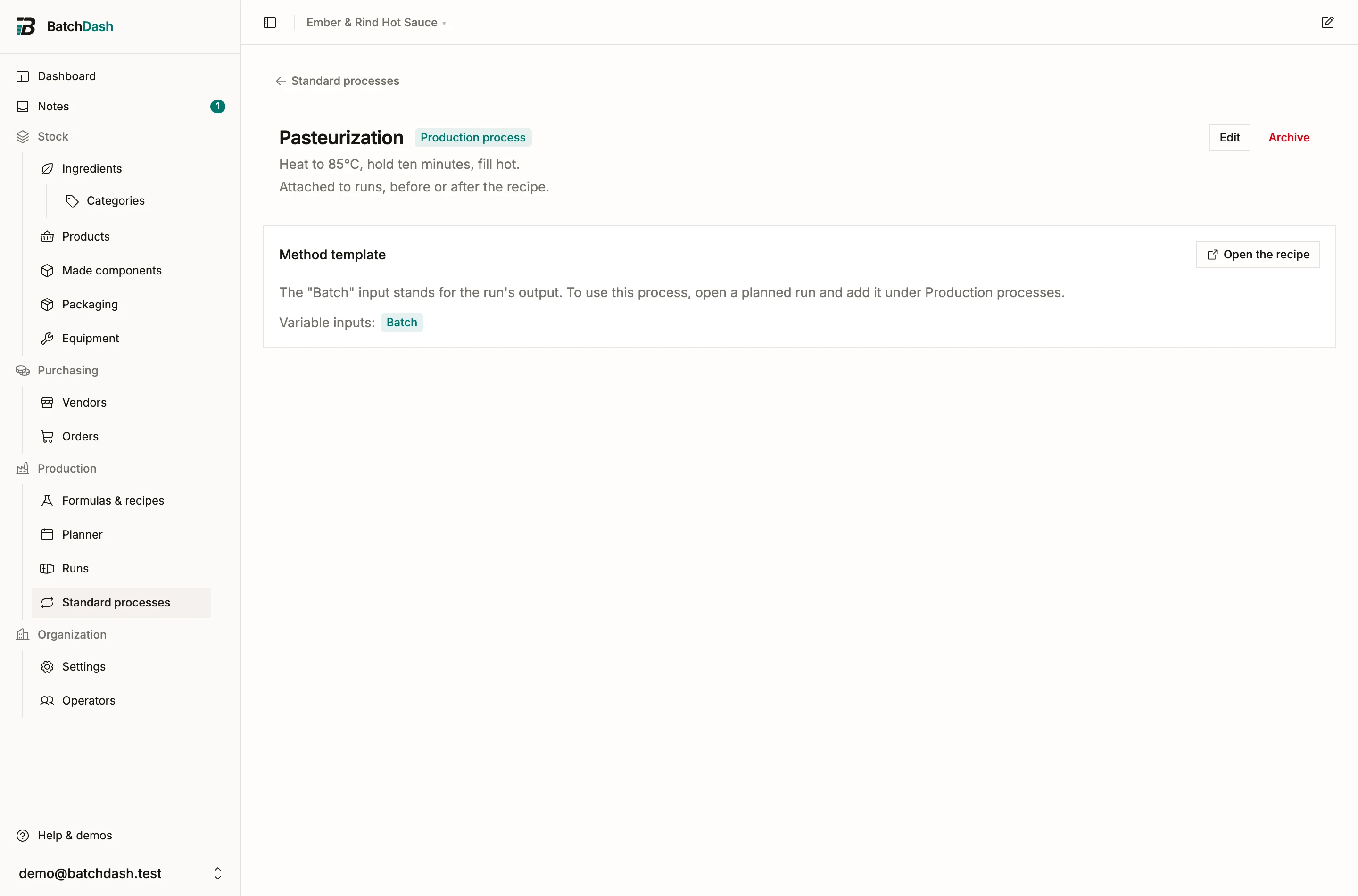
- Name it (Pasteurization), add an optional description, and pick a unit.
- Click Create and open the template: you land in the recipe editor with one line already in place. Batch is a variable input that stands for the run’s output.
Write the steps like any recipe. Reference the batch in a step (“Heat the batch to 85°C”), tag equipment, and add checkpoints (core temperature of at least 85°C).
The batch line carries a benchmark quantity, 1 kg for a process measured in kilograms. If the process adds an ingredient, weigh it against that benchmark: 10 g of garlic next to “Batch, 1 kg” reads as 10 g per kilogram, and a 15 kg run doses 150 g. An amount that must not grow with the batch takes a fixed scale rule instead, and the rule follows the quantity if you reweigh it later.
Attach it to a run
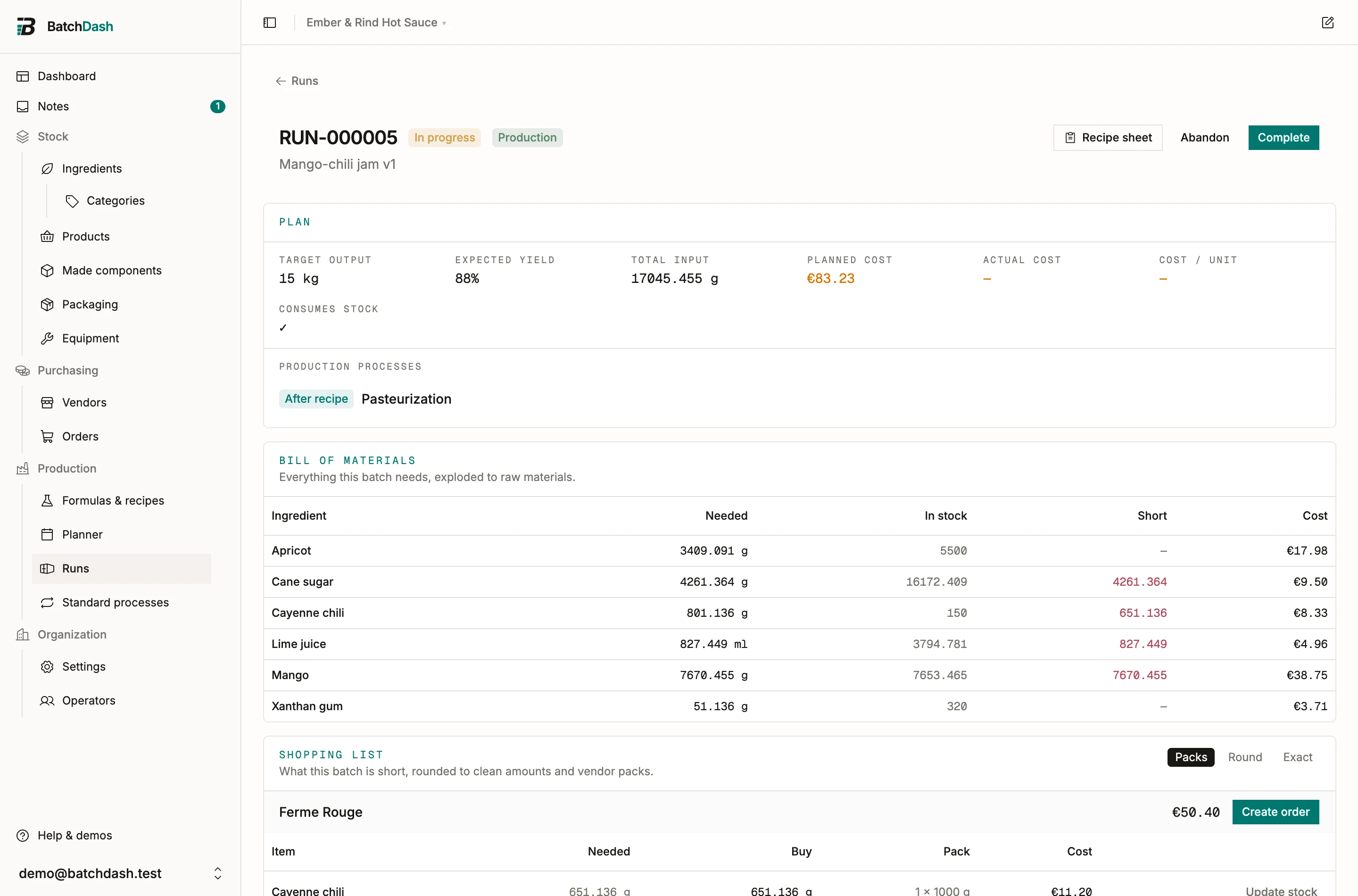
Section titled “Attach it to a run”On a planned run, the Plan section carries a Production processes block. Click Add process, pick one from the library, and choose where it runs: Before recipe for preparation work, After recipe for anything done to the recipe’s output.
Three things change on the run:
- Any ingredient the process adds joins the bill of materials, scaled to this batch. It is shopped, costed, and consumed like every other line.
- The process steps get their own sheet in the run’s recipe sheet, before the first component sheet or after the final assembly.
- Its checkpoints seed readings to capture during the run, exactly like the recipe’s own.
Attach and remove processes while the run is planned. Once the run starts, the sheet freezes with the attached processes baked in, and the batch record seals them with everything else.
Editing the process later never shifts a run under the maker’s hands. Instead, every open run that carries it shows a nudge: a planned run offers to recompute its bill of materials, a started run offers to pull the update into its frozen sheet.
On the sheet
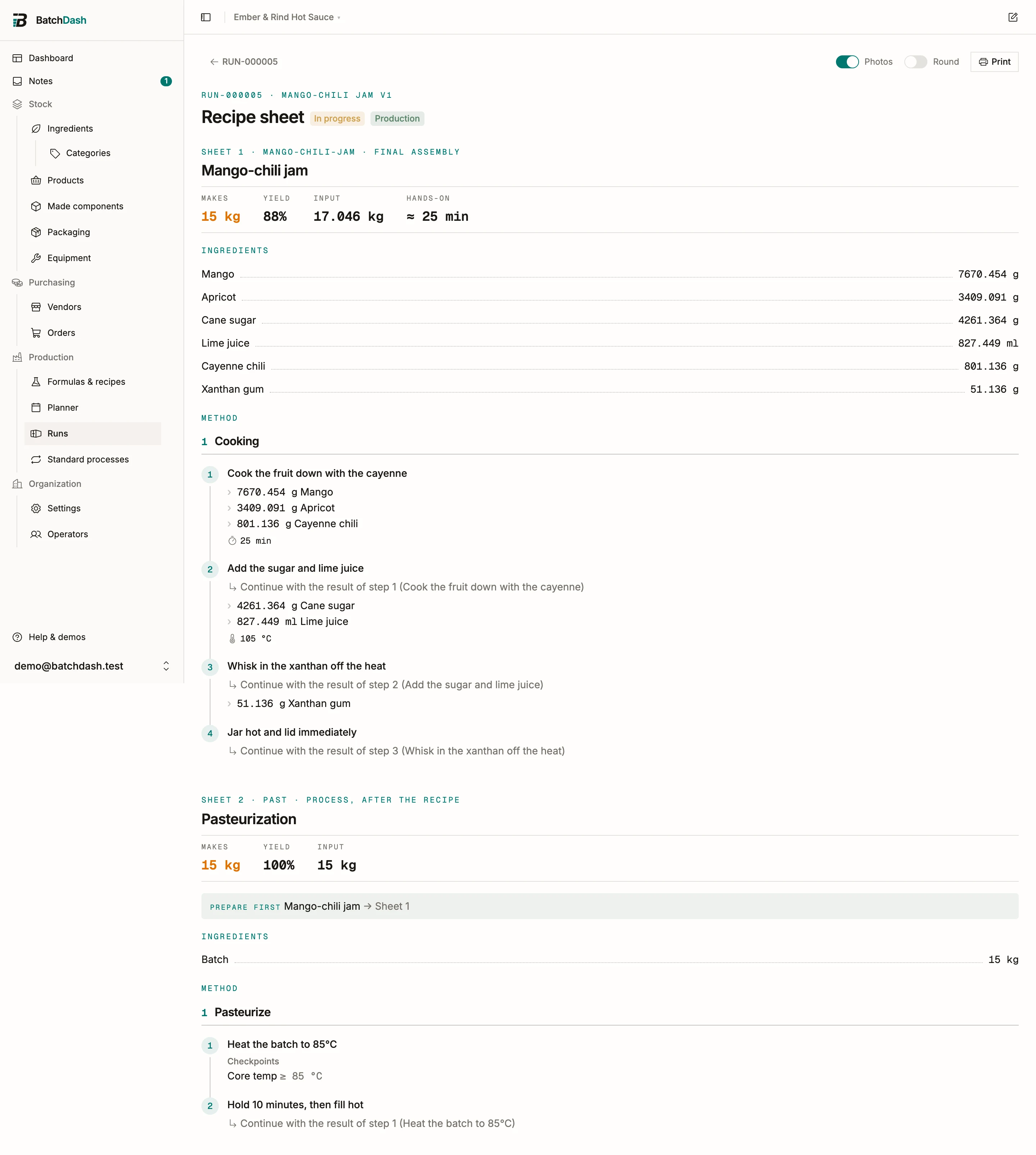
Section titled “On the sheet”A process attached after the recipe prints as the last sheet. It lists the batch as its input at the run’s target quantity, and points back at the assembly sheet under “prepare first”. A 15 kg jam run with pasteurization reads: make the jam on sheet 1, then heat those 15 kg to 85°C on sheet 2.