
Stocktakes
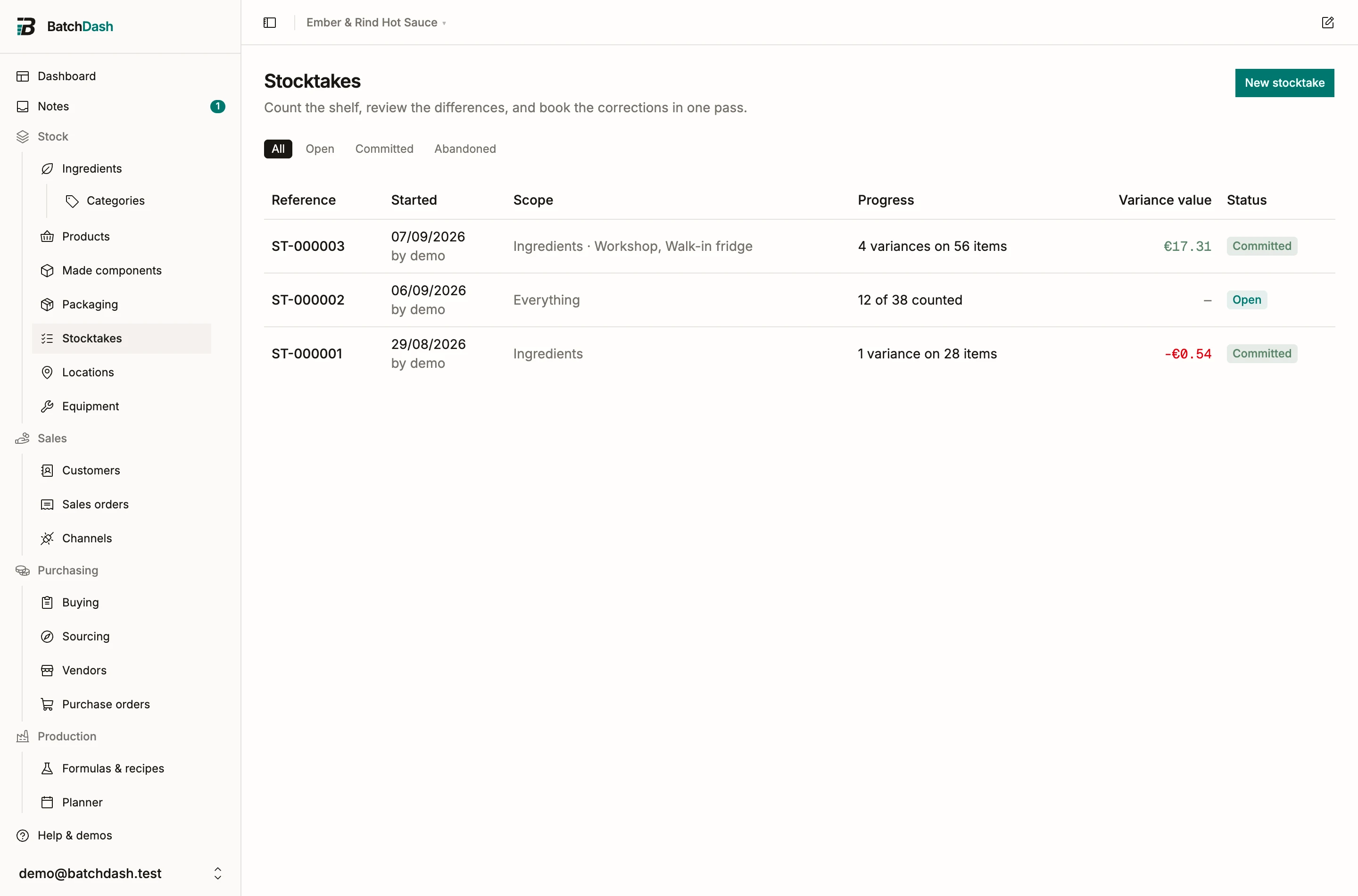
A stocktake is the shelf, counted. Some people call it an inventory count. You pick what to count, walk the storeroom with your phone, and type what you see. The review shows where the shelf and the ledger disagree, and one action books the corrections as Count variance adjustments and keeps the session as the record of who counted what, and when.
When to count
Section titled “When to count”Count when the number on screen has stopped being believed, before an audit, at the end of a quarter, or on a rhythm: the new-stocktake dialog can limit a session to items nobody has counted in the last 90 days, so a small count every week walks the whole shelf in a few months without a schedule.
Start a stocktake
Section titled “Start a stocktake”Open Stocktakes under Stock and click New stocktake.
- Choose a scope: everything, ingredients, packaging, products, made components, one or more locations, or One category. A location scope counts shelves: each row’s book is what that shelf holds, and the review can recognize stock that moved between them. See count a shelf. One category opens a picker with every category of every list, each list under its heading, and counts what that category files: its ingredients, its packaging items, its product formats, or the made components of the recipes filed there, subcategories included. A packaging category counts the items you keep stock of, so a shipping supply stays out. The stocktake keeps the category’s name as it read that day, so a later rename never relabels a finished count, and a past One product category session keeps its label.
- Narrow it if you want: Only low stock (ingredients and packaging, the kinds that carry a restock level, alone or as one of their categories) or Only items not counted in the last N days. Items never counted always qualify.
- Switch on Blind count to hide the book figures on the sheet, so people write down what they see instead of confirming a number. The review still compares against the book. This cannot be changed once the stocktake exists.
- Add a note if it helps (“Pre-audit count”), then Start counting.
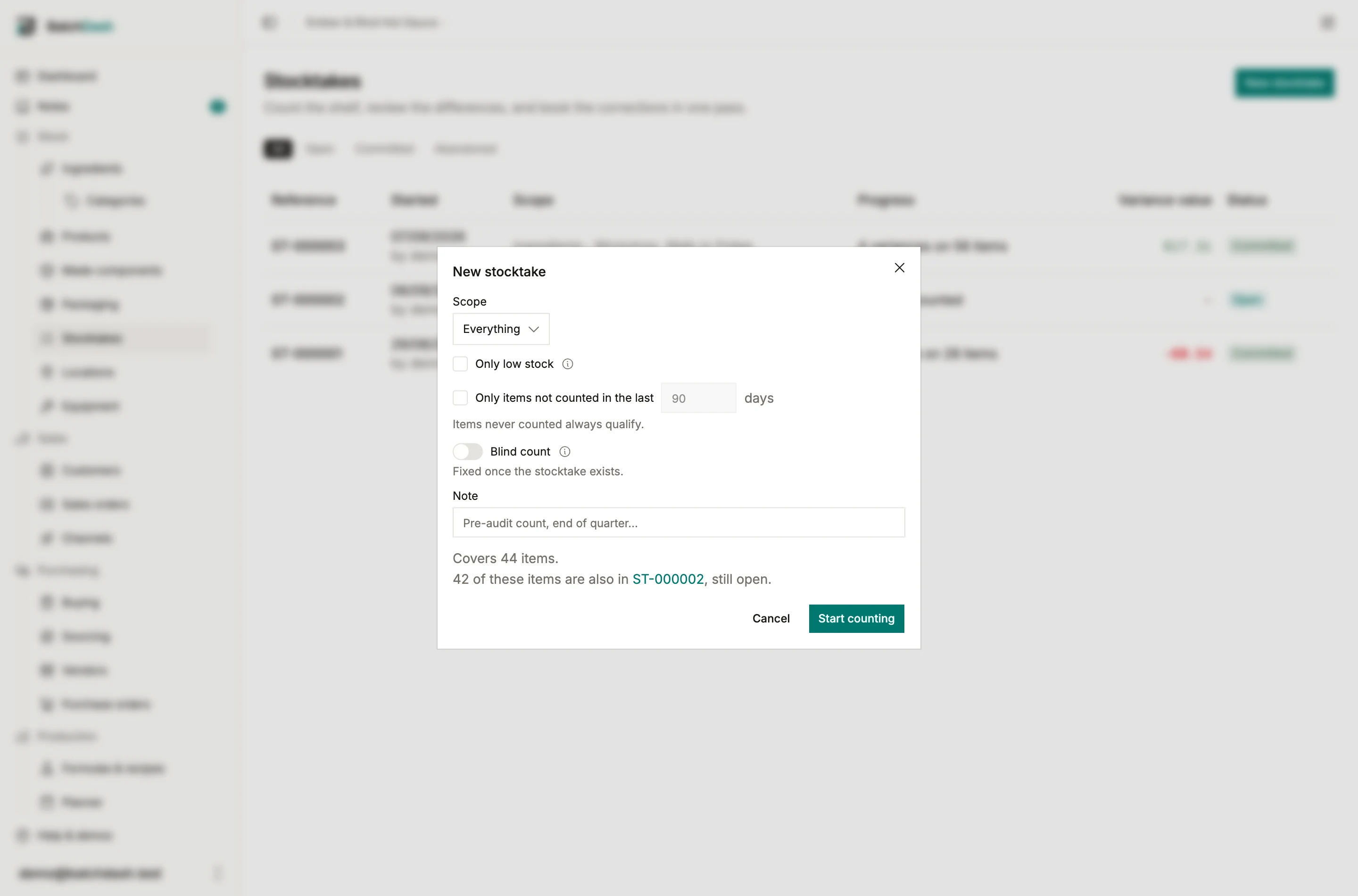
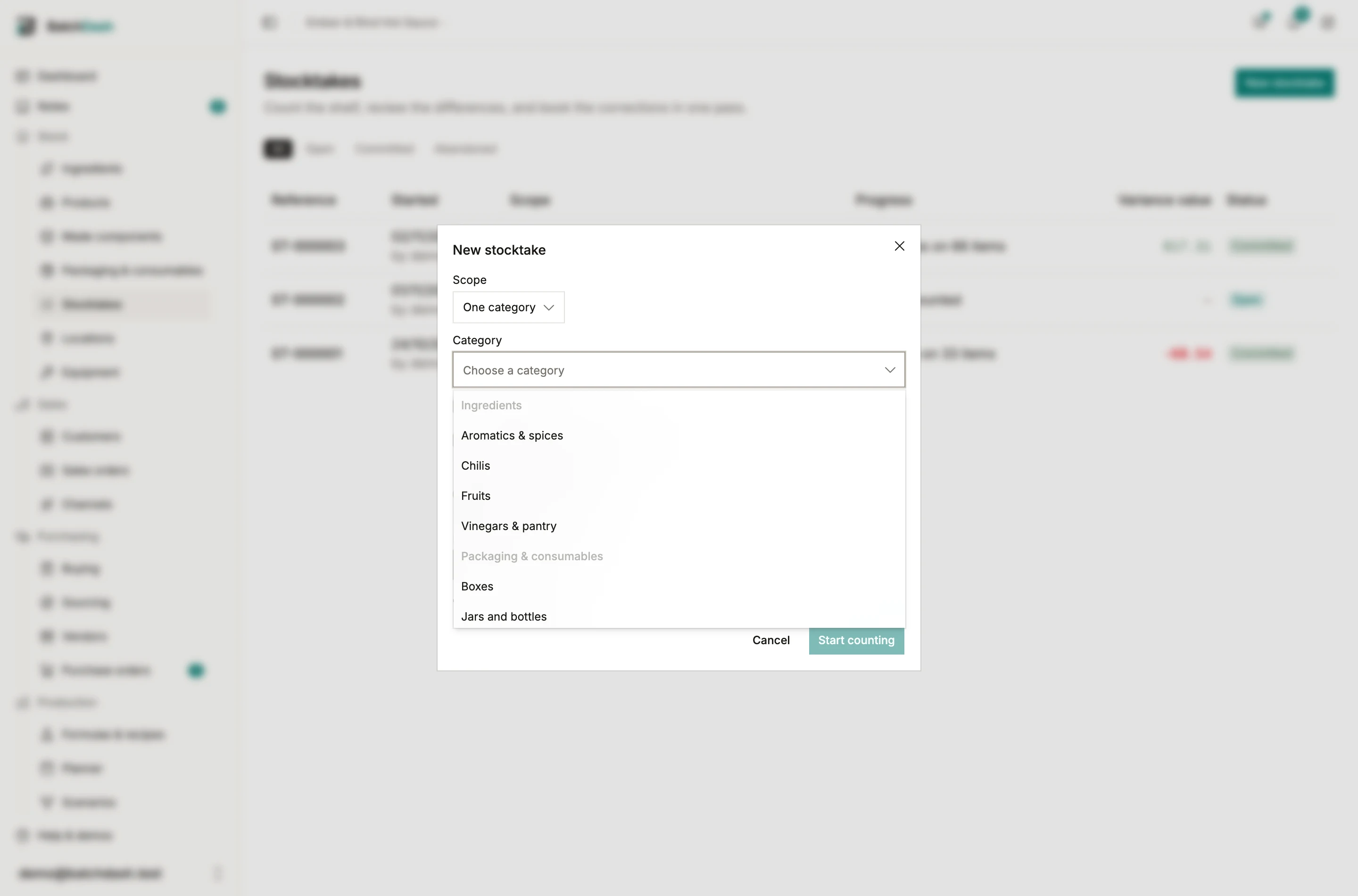
The dialog tells you how many items the scope covers before you start, and names any open stocktake that already covers some of them. Two people counting two rooms can run two sessions at once, and two location sessions on different shelves of the same item are not a conflict; the cap is 500 rows per stocktake, so a big storeroom is counted in a few scoped sessions rather than one nobody finishes.
Count on your phone
Section titled “Count on your phone”The session page is the count sheet. Rows are grouped by kind and category; each shows the item, its book quantity (unless the count is blind) and a box for what you counted, in the item’s unit.
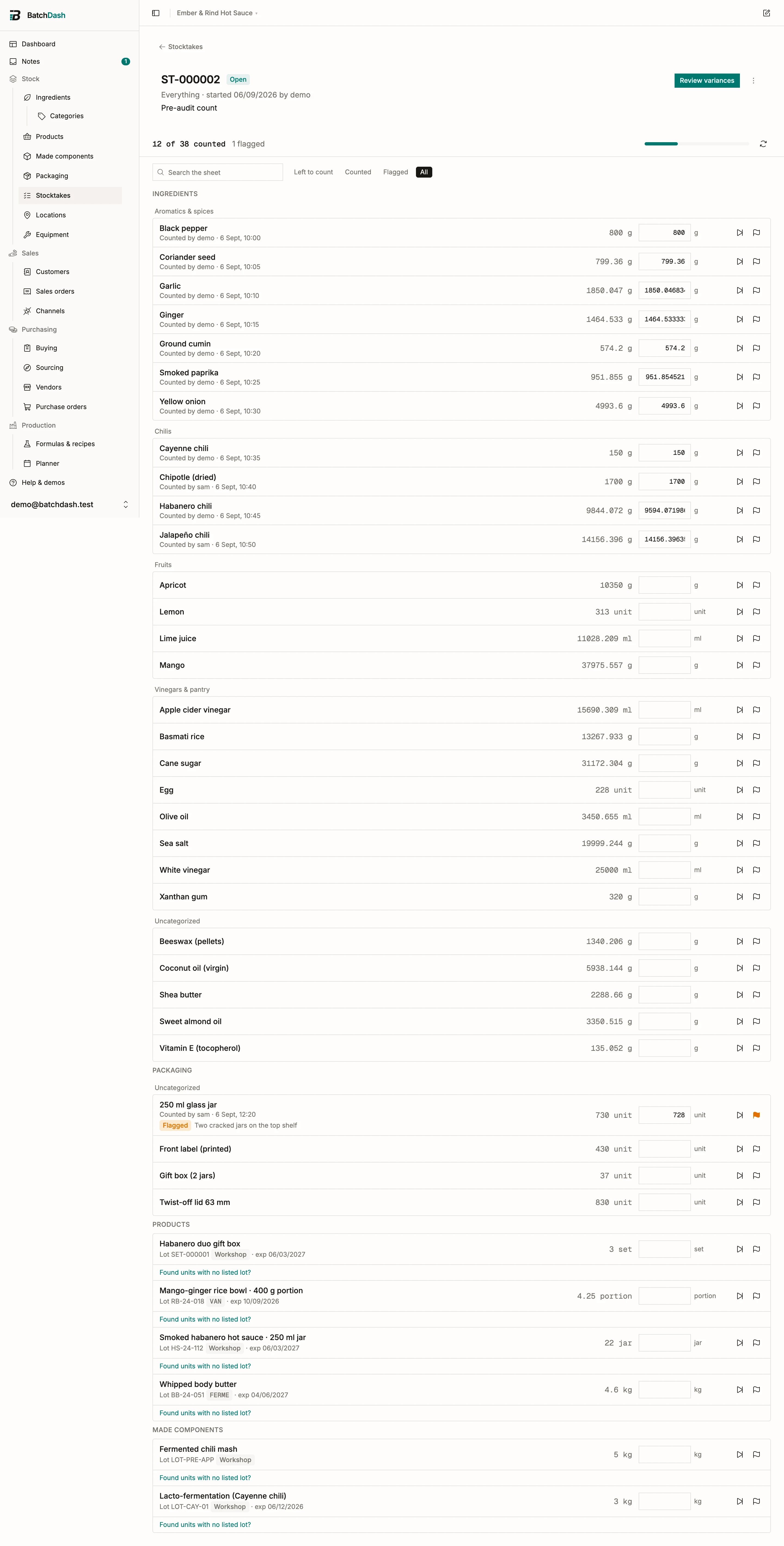
- Type the figure and press Enter or tap away: the row saves on its own and the cursor moves to the next uncounted row. There is no Save button to forget.
- Skip a row you are not counting today. Flag a row where something is off, with a note; the review will ask you about it.
- Several people can count the same session at once. Each row remembers who counted it last; Refresh shows the rows others have filled.
- If a delivery, a batch or a sale moves an item’s book after you counted it, the row is marked Book moved since this was counted. The review asks whether your count still stands.
Made stock counts per lot: a product or component shows one row per lot on the shelf, with its code and expiry, plus a No lot row for units whose lot is not listed. A lot that is still held behind its finished-product check can be counted down (units broke or went missing) but not up: finding more units than the batch booked means the batch record is wrong, and the place to fix that is the run.
Counting packs
Section titled “Counting packs”A product you put into cartons is counted in its packs: the full cartons, each opened carton with what is left in it, and the jars outside packs. See counting in packs.
Review and book
Section titled “Review and book”Review variances lists only what matters: rows whose count differs from the book, and rows someone flagged. For each you see the count, the book, the variance and, if you may see costs, its value at the item’s current unit cost.
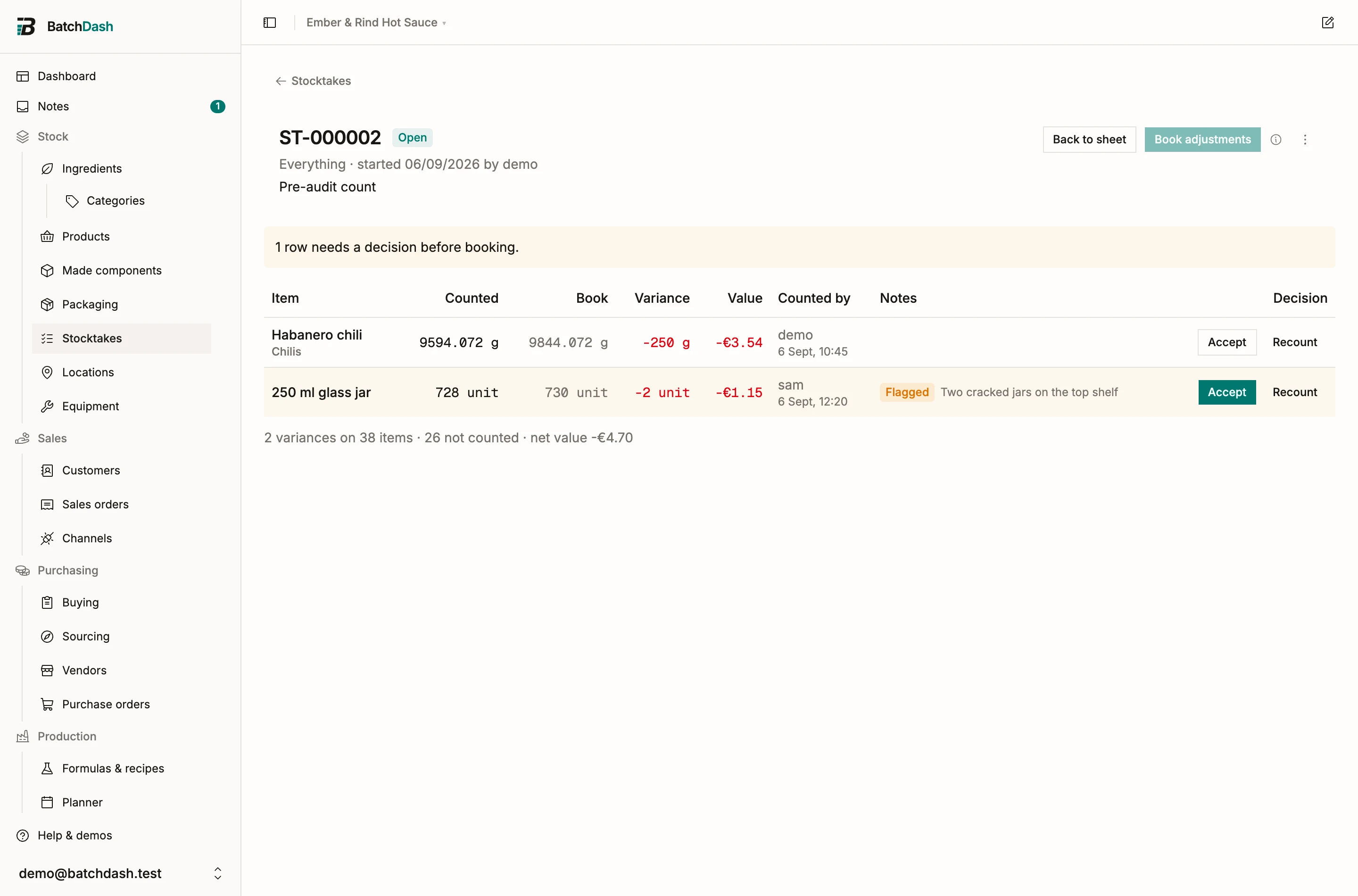
Accept a row to keep the count. Recount sends it back to the sheet, uncounted. A row whose book moved needs one of the two before anything can be booked.
Book adjustments states exactly what will happen: one adjustment per variance, each setting the item’s level to your count, recorded with the reason Count variance and a link to the stocktake. Rows that matched the book book nothing but still count as counted. Skipped rows change nothing. The action cannot be undone: like every ledger entry, a bad count is corrected by another count or a reasoned adjustment, never by editing history.
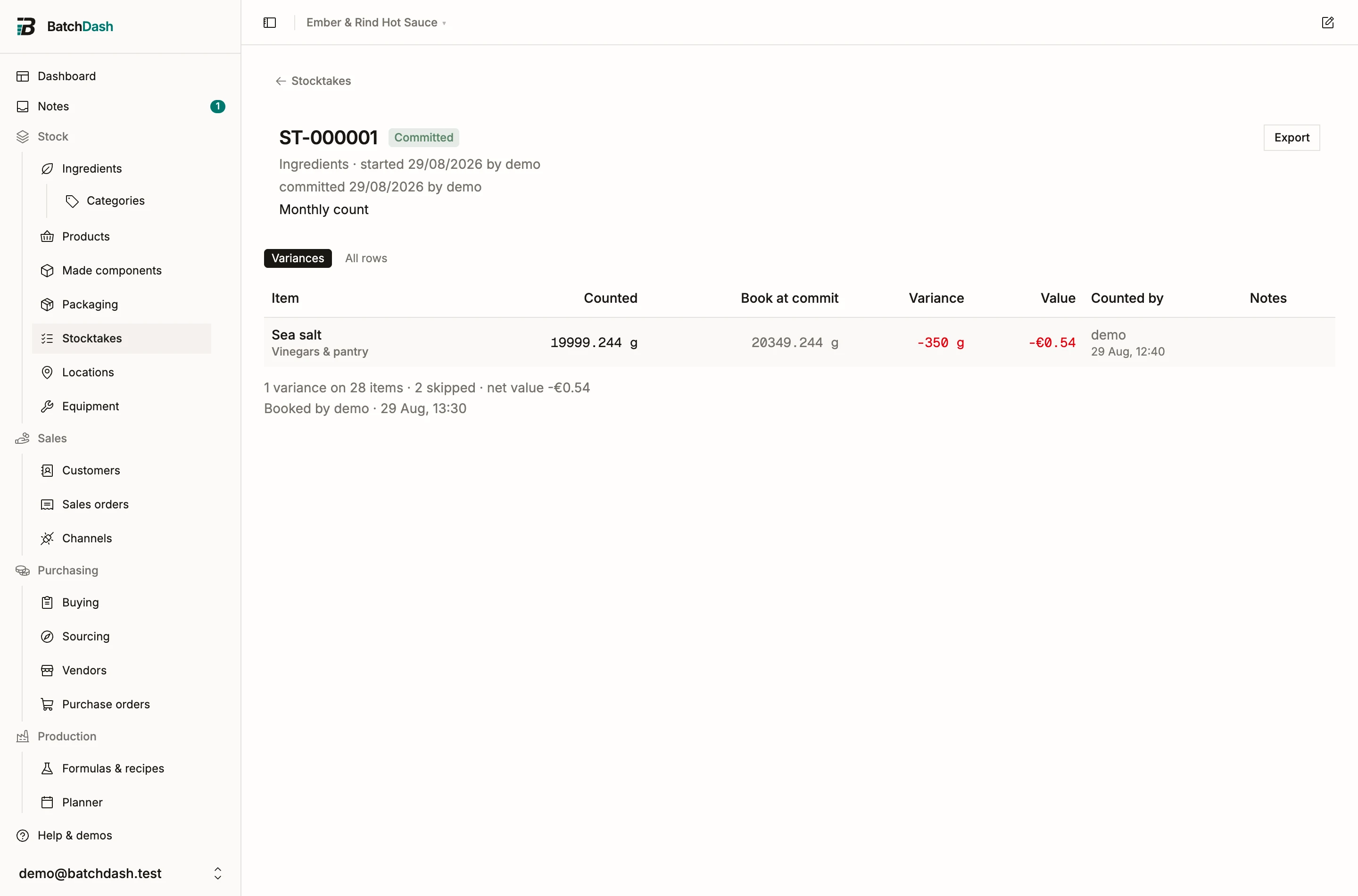
After that the session is sealed and read-only. Its page shows every row with the book at the time, the count, the variance and who counted it; Export hands the same table to an auditor. On each item’s page, the adjustment appears in the ledger with the Count variance reason and Stocktake ST-000001 as its source, and the header gains a Last counted date that links back to the session.
Stocktake or inline correction?
Section titled “Stocktake or inline correction?”Counted the shelf in Record stock fixes one number you are holding in your hand. A stocktake is for counting the shelf: many items, a review, a record. Use whichever matches what you are doing; both write rows to the same ledger.