
Made components
A made component is something you produce in order to use again: a fermented chili mash that goes into three different sauces, a base cream you scent per product. When a component run completes, the output lands in Made components: its own stock, next to your raw ingredients but kept separate from them. This module is part of the larger plans.
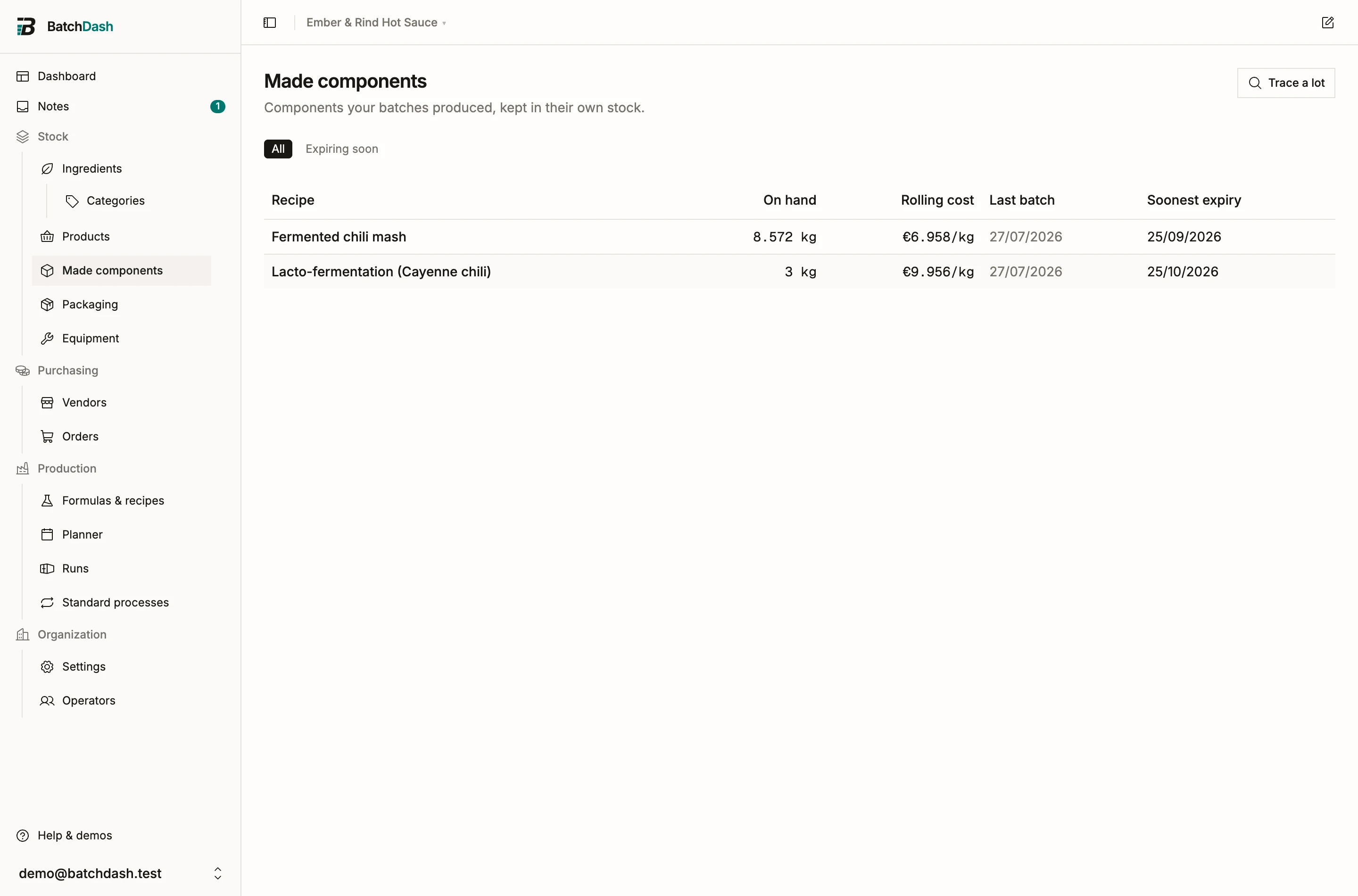
Expiring soon narrows the list to what expires in the next 30 days. A made component sorts by its recipe’s category. The Category: filter beside the pills shows the components whose recipe sits in one category, subcategories included, or under No category, and if you manage categories it offers + New category. The filters stack: picking a category keeps Expiring soon and the location you chose. By category groups the list under each recipe category, and A to Z adds a Category column. If you can manage formulas, tick rows and choose Set category to file their recipes in one go, each recipe once.
Booked at real batch cost
Section titled “Booked at real batch cost”Each completed batch books into component stock at that batch’s actual cost: the ingredients it consumed at their weighted average cost, plus what else the run counted. Across batches, the component carries a Rolling cost, the same averaging idea as an ingredient’s WAC. When a later batch draws the mash, it pays that average.
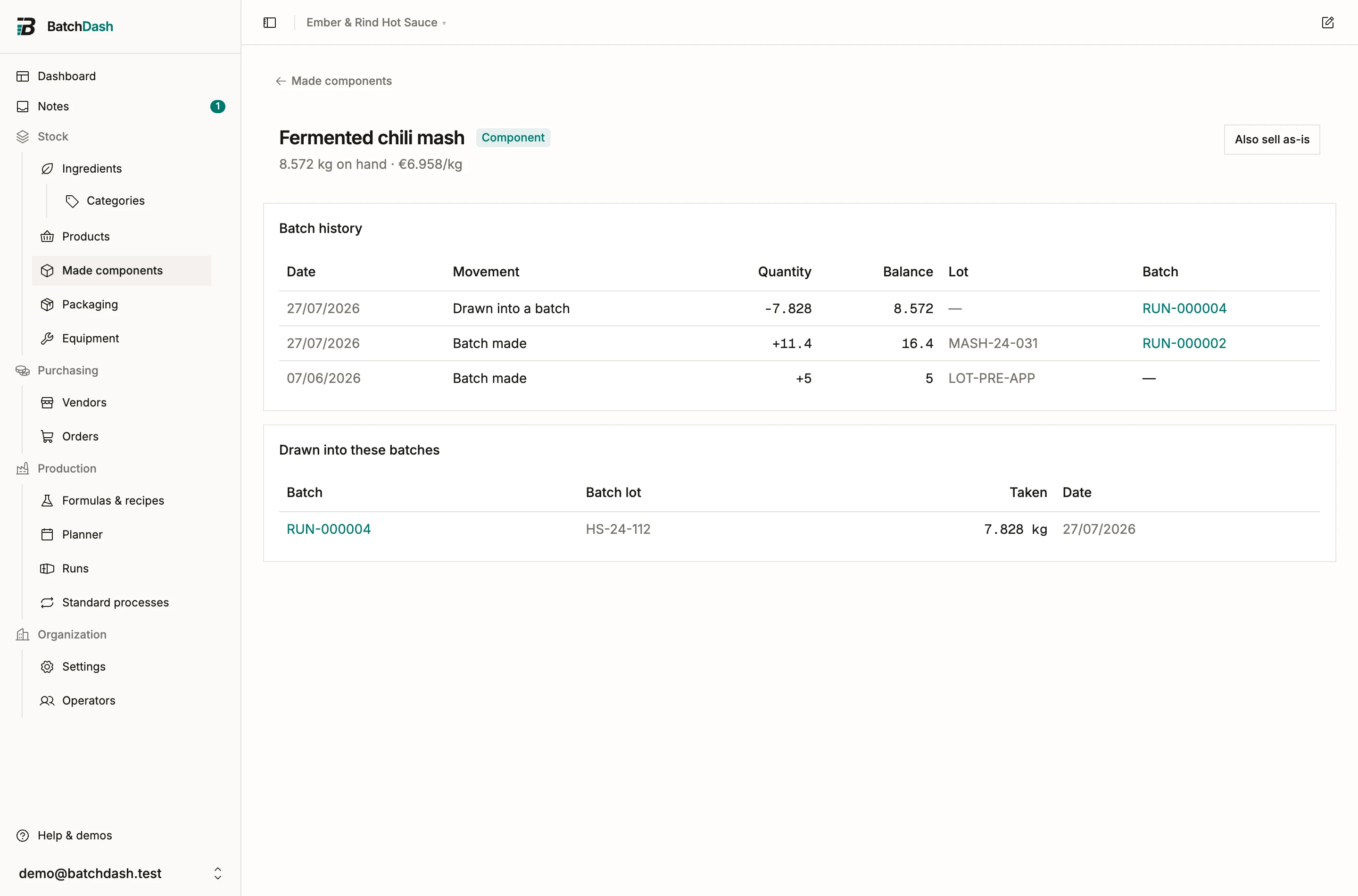
The component page keeps a Batch history ledger: every movement (Batch made, Drawn into a batch, Sold, Loss, Adjustment) with quantity, running balance, lot, and the batch behind it.
Correct on a row fixes its paperwork after the fact: the lot code, the expiry date, and the note. Each change writes a line under the row saying what it was, what it became, and who changed it. On a row a batch produced, the lot code and the expiry are locked, because the batch record owns them; the note stays editable everywhere. Quantity and cost are never typed over: an entry you typed is taken back with Reverse this entry, in the same dialog, and typed again (reversing an entry).
Drawing into later batches
Section titled “Drawing into later batches”When a recipe uses the component as a sub-formula, a run of that recipe takes it from stock, from a batch of it that is still being made, or makes it, in whatever mix covers the need. The plan picks; Change… on the run’s Components card lets you pick. See planning a run. The component page lists the runs that drew it under Drawn into these batches.
A run that took from a batch draws that batch’s lot when it completes, in the same movement as anything it took from the shelf, so the trace names the lot it used.
Planned batches
Section titled “Planned batches”The batches of the component that are planned or in progress have a card of their own on its page, Planned batches, and the header adds what they will make: “6 kg in planned batches”. Each row reads: the batch, Planned for, Ready (its day on the planner, after its block and the Wait time of its steps), what it Makes, who it is Promised to, and what is still Free.
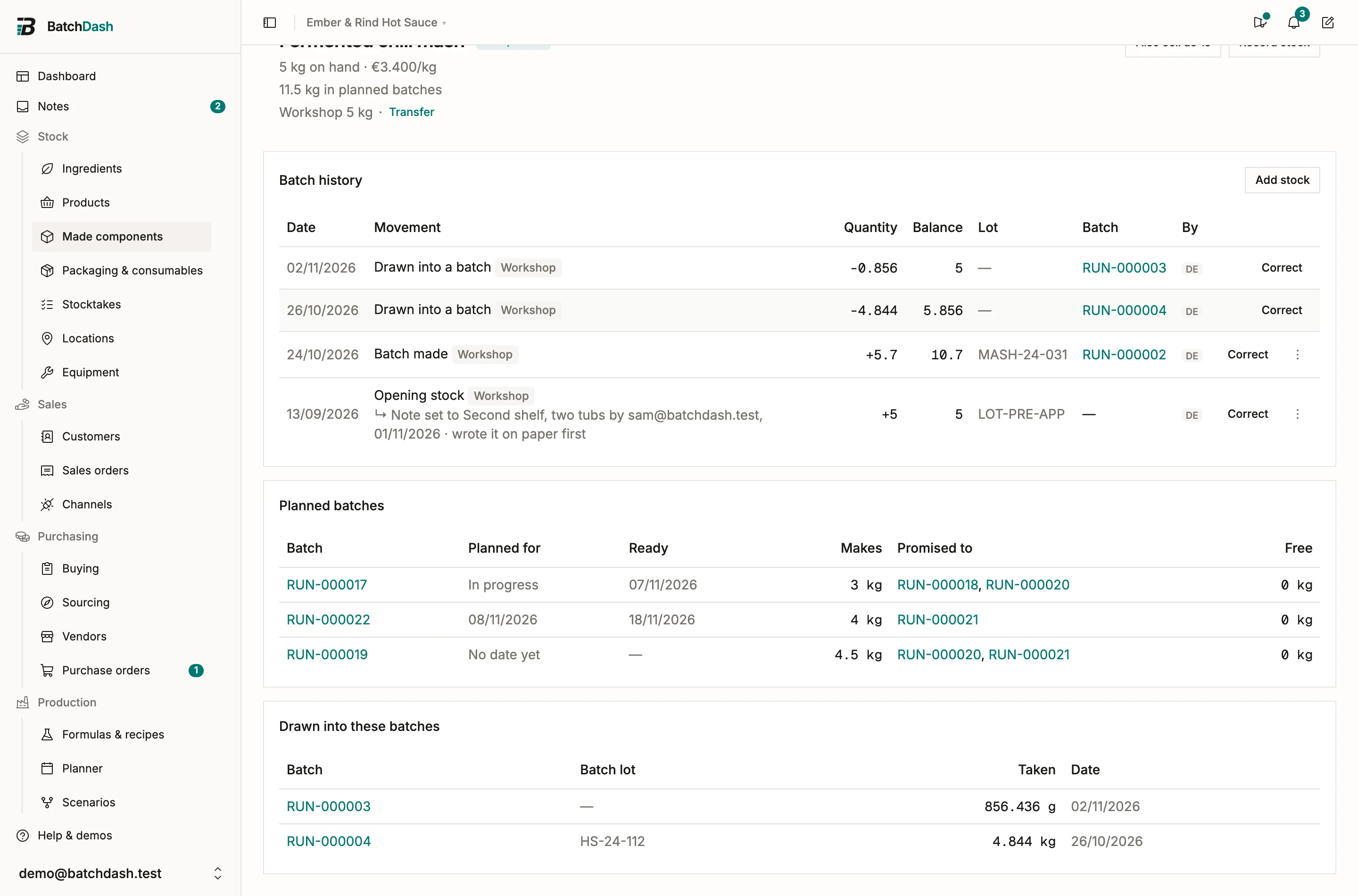
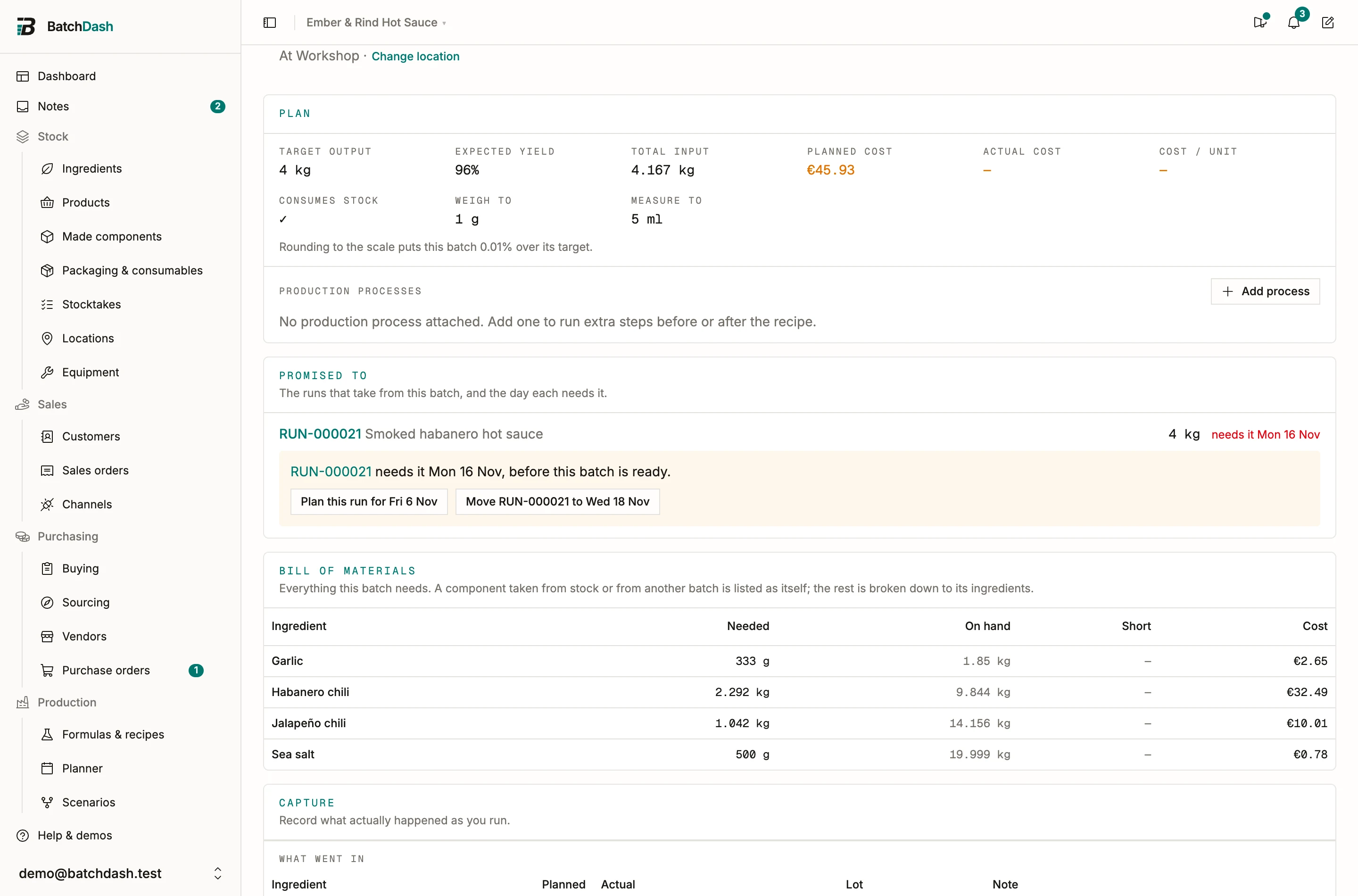
On a batch’s own page, Promised to lists the runs that count on it, how much each takes and the day it needs it (“needs it Mon 12 Oct”, “no date yet”, “in progress”), with “2 kg not promised yet.” under them. A run that needs it before the batch is ready says so, with the two moves that would right it: Plan this run for Fri 2 Oct to bring this batch forward, or Move RUN-000015 to Wed 14 Oct. So does a run that makes the component itself because this batch comes after it.
Abandoning a batch other runs count on asks first, naming them: “RUN-000015 counts on 8 kg from this batch. It will take that from stock or another batch instead, or make it itself.” Once it is abandoned, they are planned again on their own.
Stock you already had
Section titled “Stock you already had”Made 12 kg of mash before you started tracking it here, or made a batch without opening a run? Add stock on the component’s ledger card puts it in, lot by lot: say whether it was On hand before you started or Made without a batch record, type each lot’s code, best-before and quantity, and a cost if you know it. A component with no stock line yet takes it from Add stock… on the standard process that makes it. The lots read as Opening stock or No batch record in the ledger, and a costed one counts in the rolling cost. Stock without a batch record covers the dialog.
Recording what leaves
Section titled “Recording what leaves”A component can leave stock by hand too: Record stock on its page covers Lost some (a spoiled batch, an expired one you binned, a sample) and Counted the shelf. A count states a Reason as well, preset to Correction. There is no “Sold” here; a component sells through its own product line (below). The dialog’s From batch field names the exact batch the units came from, and an item flagged Expired in the list stays flagged until the expired batch is used up or thrown away.
Selling a component as-is
Section titled “Selling a component as-is”Some components turn out to be products in their own right: customers want the mash itself. Also sell as-is turns the component into a sellable product line. It keeps the same recipe but gets its own stock, price, and margin, and the component page links to what it sold as.
Lot recall
Section titled “Lot recall”Trace a lot walks a lot forward. Enter a batch lot code and you see what that batch made and every batch that later drew the component. One caveat: draws come from pooled stock, so the trace lists every batch that drew the component; the exact lot cannot be proven. For a recall, treat it as your worst-case list to check.