
AI enrichment
Filling in density, allergens, and shelf life for eighty ingredients is an afternoon nobody schedules. AI enrichment drafts those fields for you. Nothing is applied until you accept it.
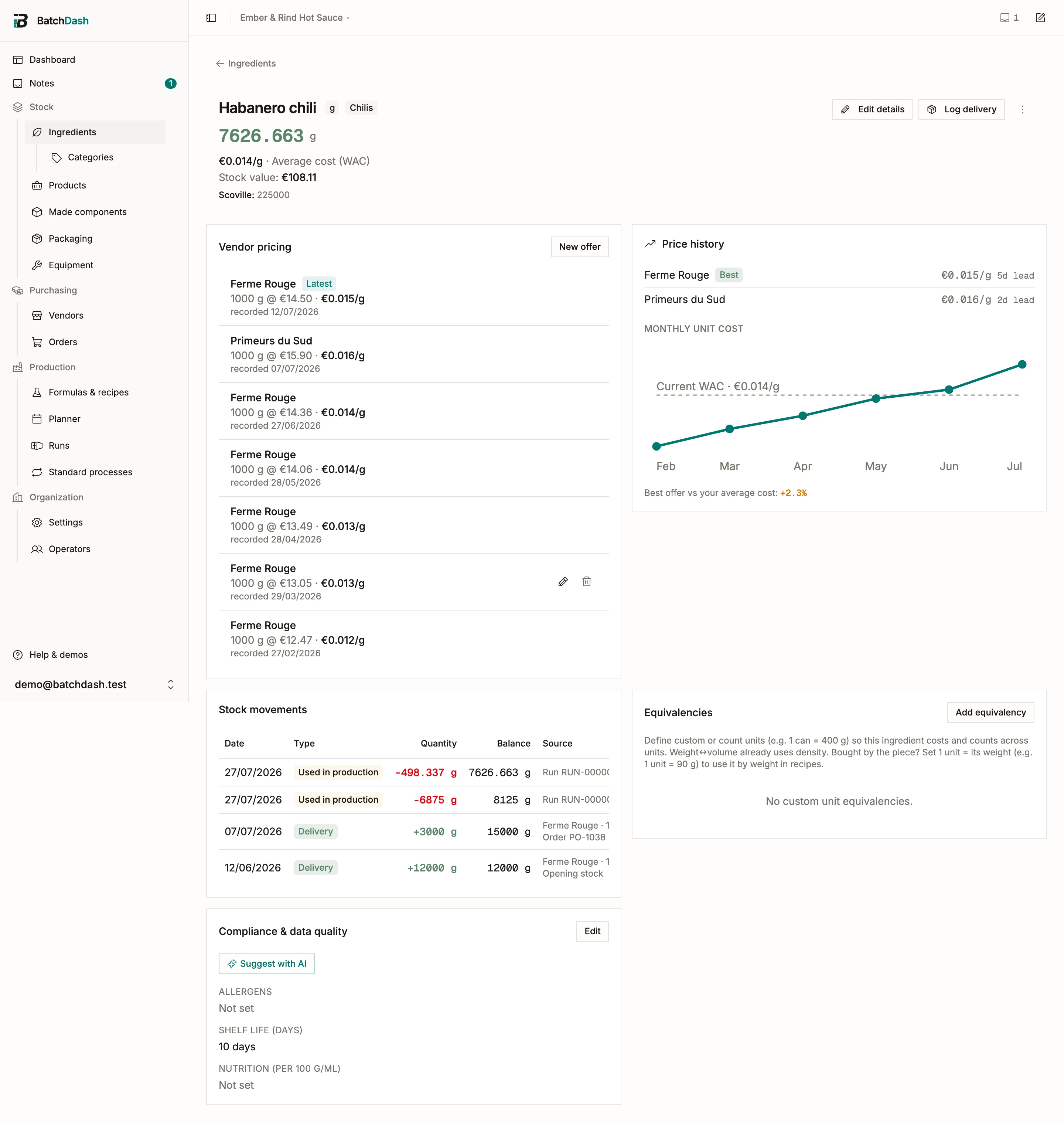
Request suggestions
Section titled “Request suggestions”On the ingredient page, open the Compliance & data quality section and click Suggest with AI. Generation runs in the background; the section shows “Generating suggestions…” for a few seconds, then the draft appears on its own. If the request fails on the way (a network blip, the provider down), the section says so and offers to try again.
The draft only ever covers fields you have not filled or verified yourself. A fully verified ingredient has nothing left to ask about, so no request is sent and nothing is counted against your allowance.
Review the suggestions
Section titled “Review the suggestions”Once suggestions exist, the section stops offering to generate and shows Review suggestions instead. The suggestions keep: close the review, come back tomorrow, and the button is still there. A new request is only offered after you have applied or discarded them.
Press it and each suggestion gets its own row with a tick box and an editable value:
- Keep a value as proposed: leave it ticked.
- Correct it: type over it. A density the model got slightly wrong is one keystroke from right, and what you apply is what you typed.
- Drop it: untick it. Unticked suggestions are discarded when you apply.
Apply & mark verified writes the ticked values to the ingredient; Discard all throws the whole set away and changes nothing.
The dialog says it plainly: proposals only, nothing is applied or trusted until you accept it. Treat the suggestions like a new intern’s work: usually right, always worth a look, occasionally confident about nonsense. A suggested density of 0.92 for an oil is plausible on sight; an allergen list deserves a check against your supplier’s spec sheet before a label depends on it. That is exactly what the per-row review is for.
Verified fields
Section titled “Verified fields”Applying a suggestion marks its field Human-verified, the same state you get by typing the value yourself: you looked at it, possibly corrected it, and chose to keep it. Values still marked Unverified are excluded from labels and compliance, so an unreviewed draft can never leak onto a declaration. Compliance: allergens, shelf life, INCI explains where verified values surface.
Suggestions work best when the ingredient name is specific. “Habanero peppers, fresh” gives the model something to work with; “Peppers 2” does not. Rename first, then enrich.
What it costs
Section titled “What it costs”Each generation counts as one AI request against your plan’s monthly allowance, shared with AI recipe import. The counter resets on the 1st. You can see where you stand on Manage organization, under Billing & usage.
This module is part of the larger plans.