Gift boxes and kits
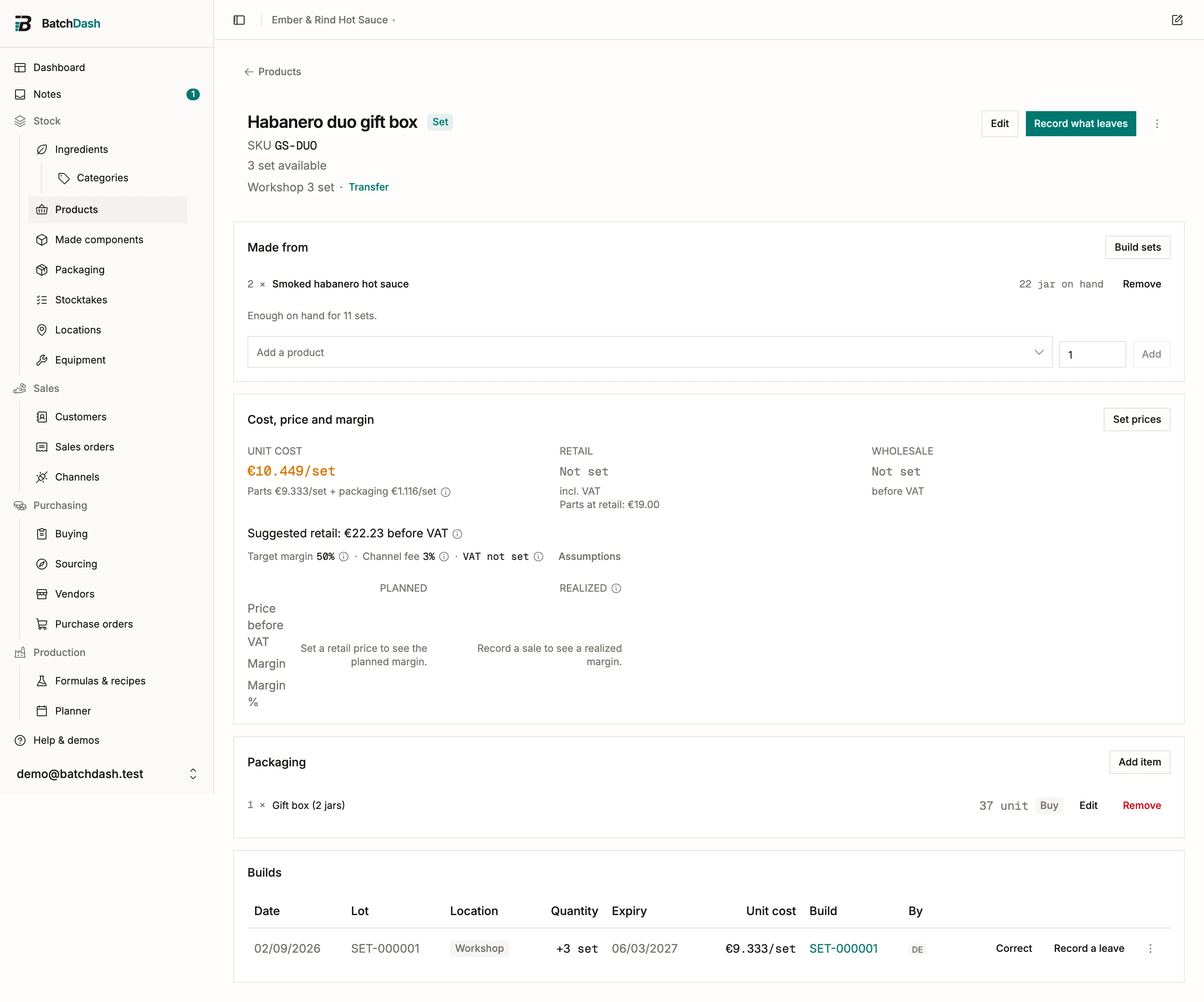
A pack that is not separable is filled from other products and takes them out of stock: a gift box with two jars of habanero sauce, a tasting kit with two 125 ml jars. It has its own stock, lots, cost and trace, like a product you make.
A gift box is sold unless you switch off Sold in its Edit: a kit you hand out at markets is counted and filled the same way, with no SKU or price. A vendor can also sell you a box ready-made, once you add its price.
Filling packs
Section titled “Filling packs”Click Fill packs on the Made from card. The dialog shows the plan before anything moves:
- Packs: how many you are filling. The list below recalculates as you type.
- Lot code: filled with the fill’s reference (
PACK-000001), which you can replace with your own. A code already on another batch is flagged, and you confirm it. A fill that draws a single lot carries that lot’s code. - Expiry: the earliest expiry among the batches going in, capped by the pack’s own shelf life when you set one in Edit.
- What goes in: each product, how many per pack and in all, and which batches it comes from, soonest expiry first. Pick batches lets you name them yourself.
- Packaging: the box and anything else on the pack’s packaging list, with what is on hand.
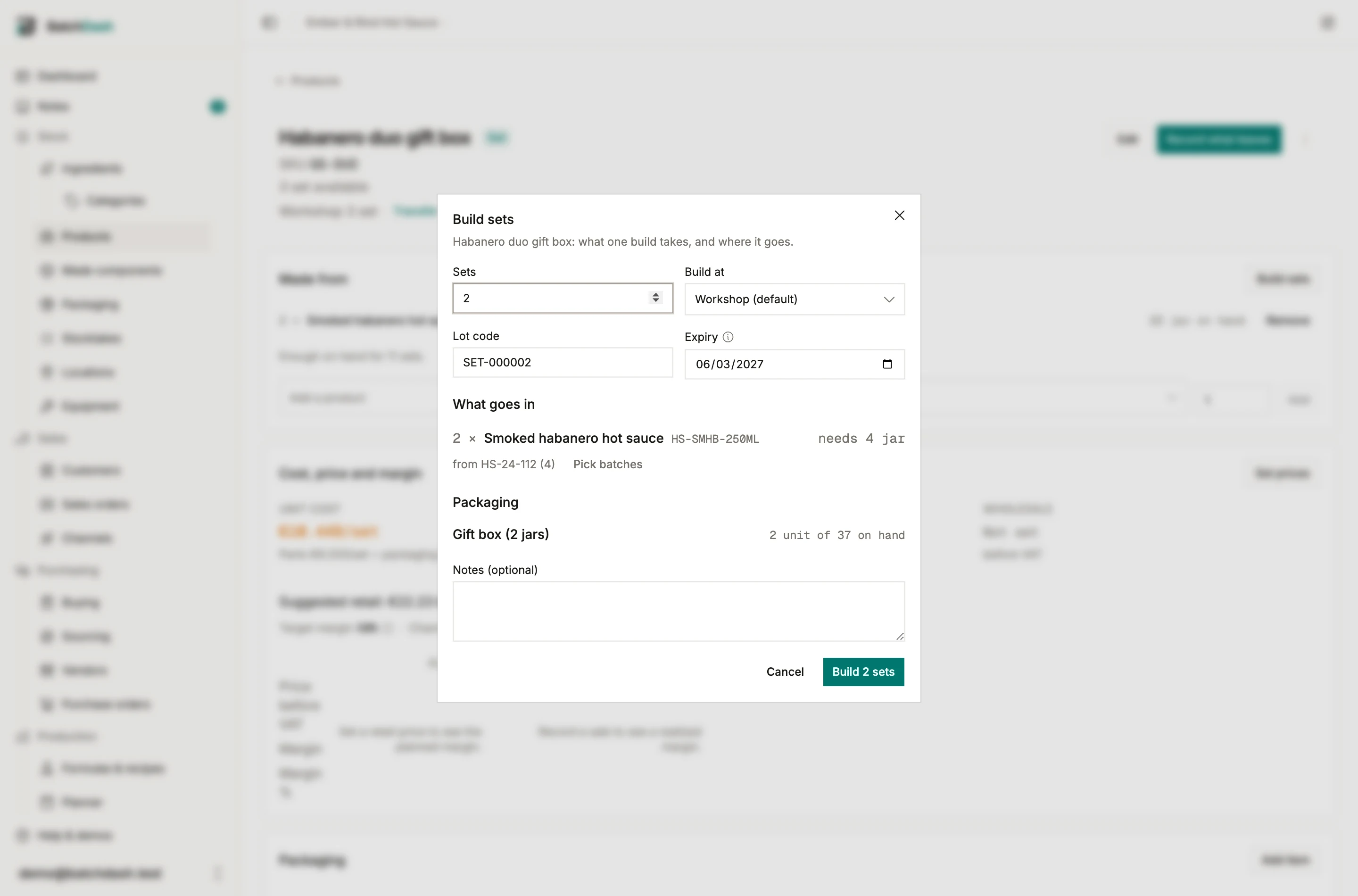
If stock is short, the fill warns you; tick Fill anyway and let stock go negative when the shelf disagrees with the app and you plan to correct the counts later. A fill takes the products and the packaging out of stock and books the packs at the cost of what went in.
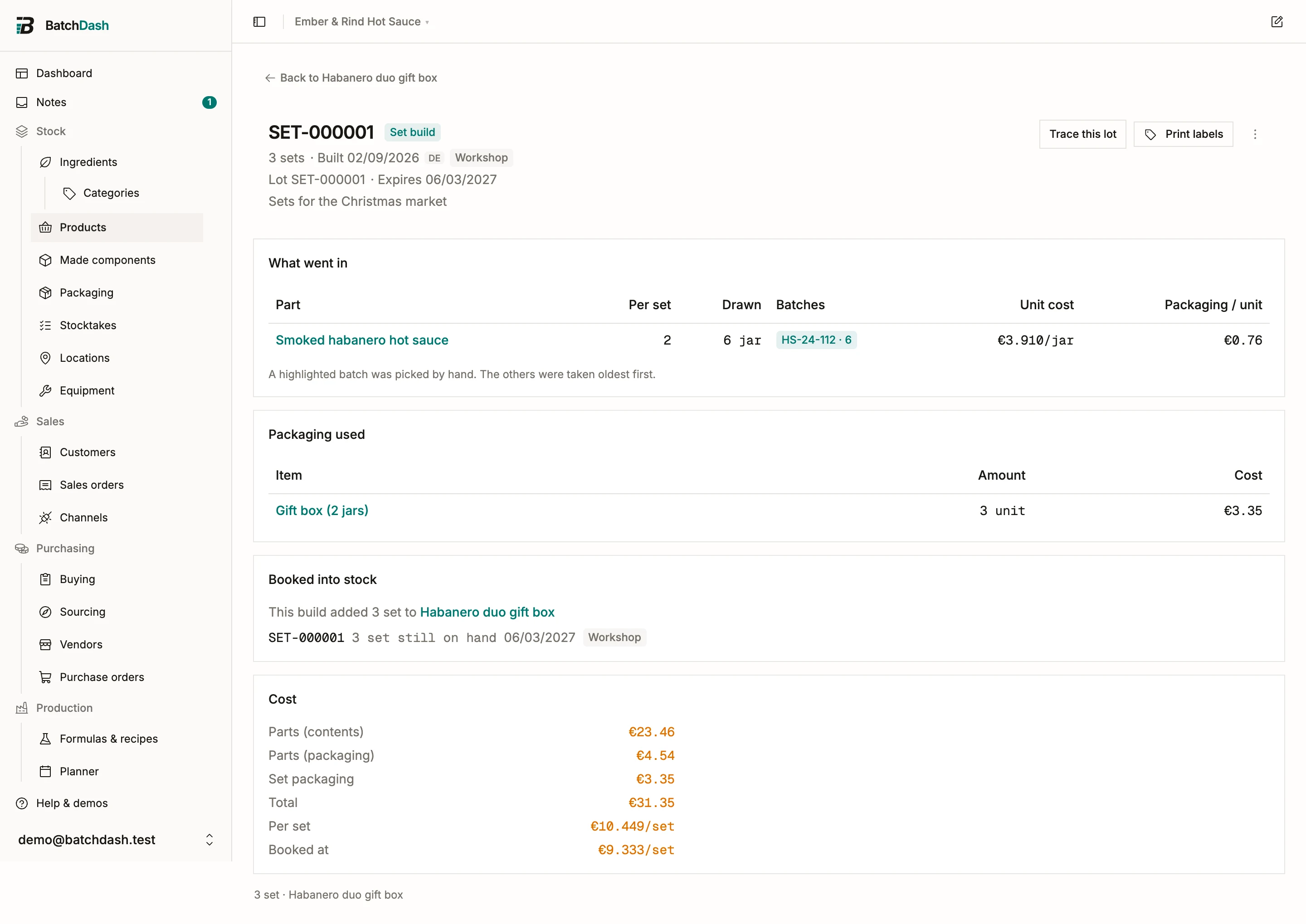
The fill record
Section titled “The fill record”Each fill has its own page: when it was filled and by whom, the lot code and the expiry. What went in lists each product and the batches that gave it up. Packaging used lists the box. Cost splits the total into the contents, their packaging, the pack’s own packaging, and the cost per pack. Revert, in the record’s ⋮ menu, takes the packs back out of stock and returns each product to the batch it came from, as long as the packs are still on the shelf.
Taking a pack apart
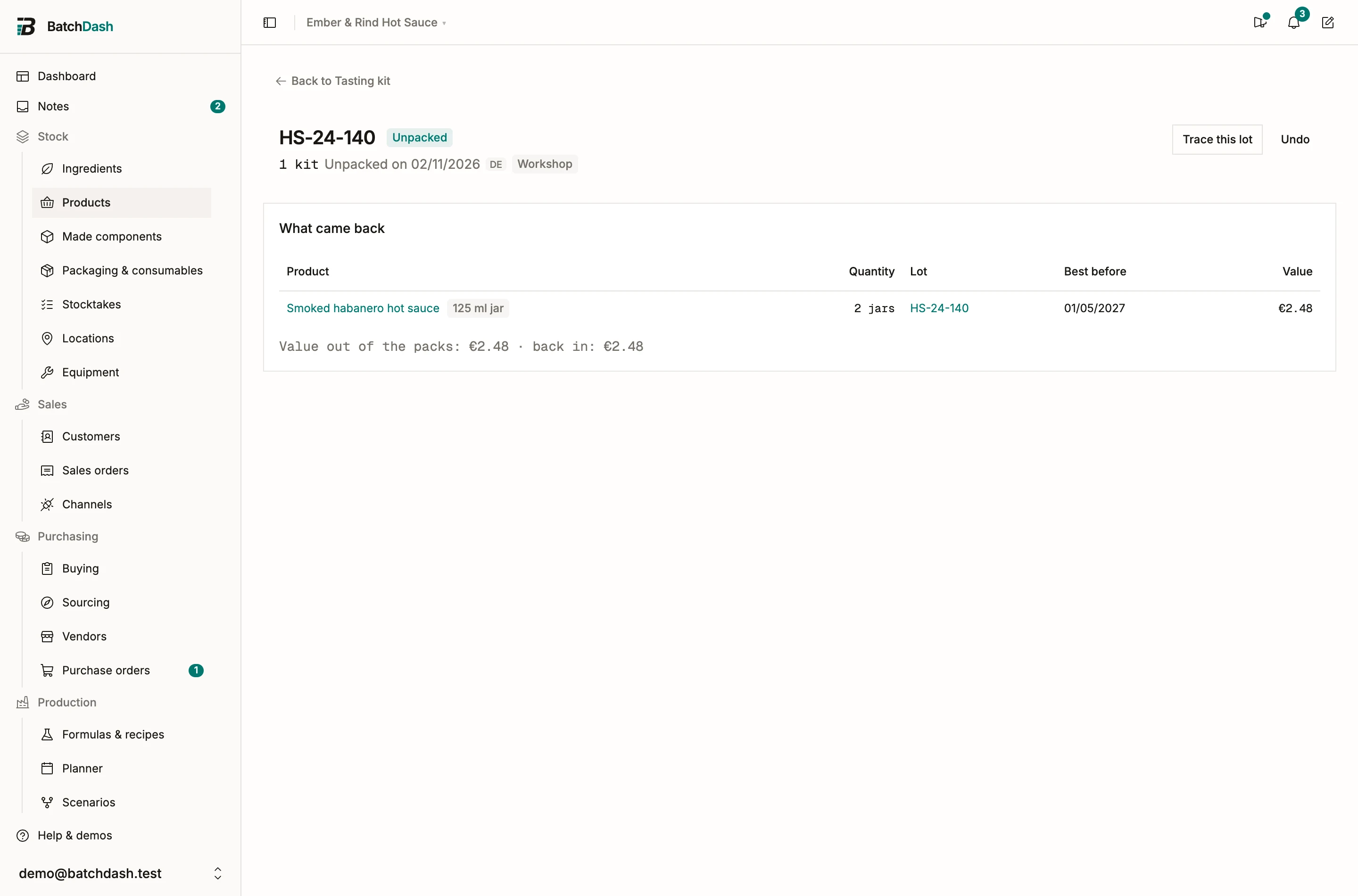
Section titled “Taking a pack apart”Click Unpack in the ⋮ menu of a lot. The dialog says how many packs, and what comes back: each product, into the lot it came from, with its best before. The packs leave at their average cost and the products come back at that value; the pack’s own packaging does not come back. The unpacking has its own record, with Undo while the products that came back are still there.
Filling while shipping
Section titled “Filling while shipping”When an order needs more boxes than the shelf holds and the stock can fill the rest, Ship on the line offers to fill them on the way out: “21 boxes at the workshop, and enough to fill 4 more”. Fill 4 boxes and ship does both in one go. Ship all asks first, line by line.
What a box costs
Section titled “What a box costs”You do not have to fill a box to know what it costs. The Cost, price and margin card adds up the products at their own unit cost, plus the pack’s own packaging, and says Estimated from its parts. The card puts your box price next to Parts at retail, what the same products would fetch sold separately, so you can see the discount you are giving.
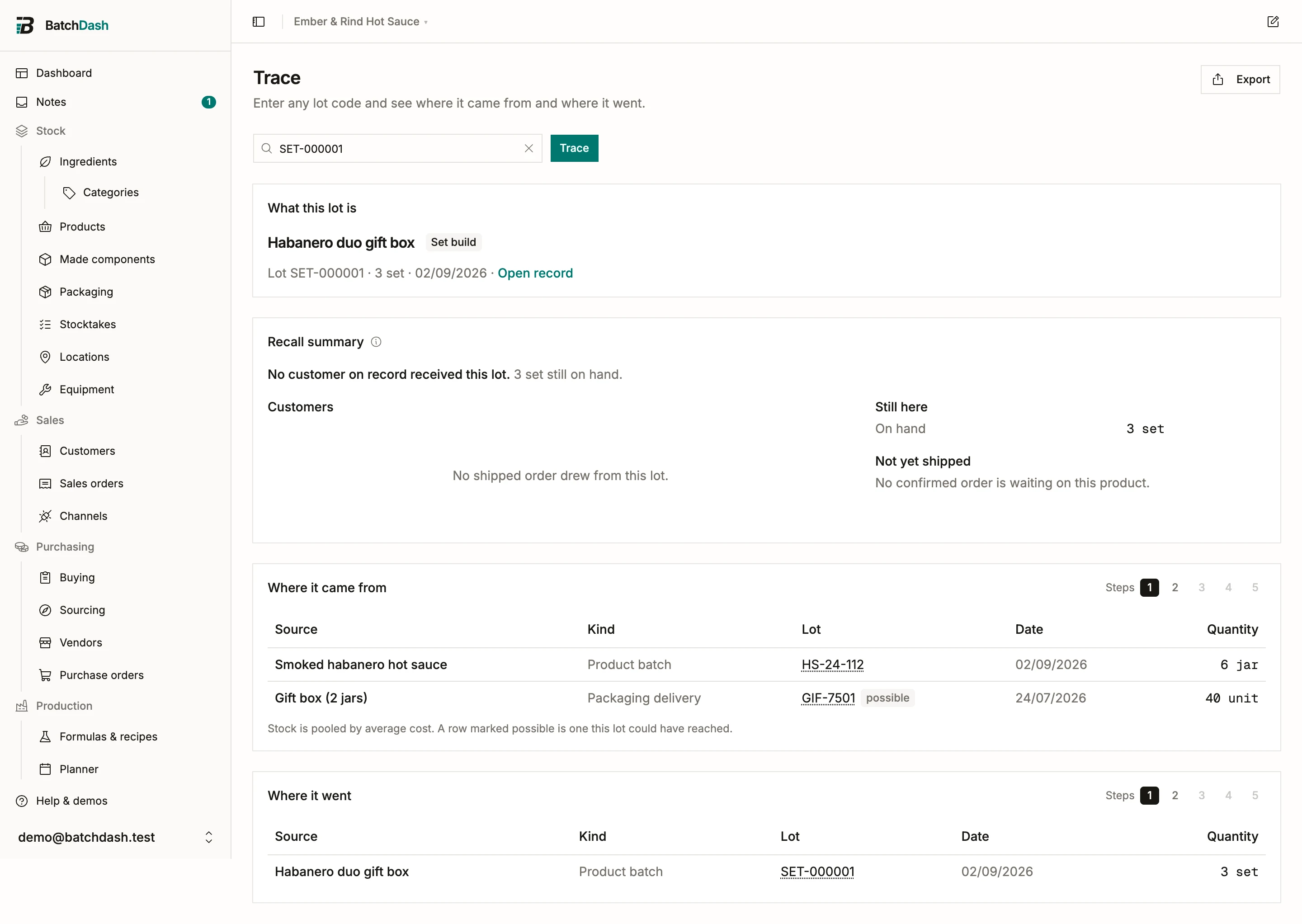
Traceability
Section titled “Traceability”Type a fill’s lot in Trace and Where it came from lists the batches the fill drew, then their runs and ingredients; Where it went lists the boxes’ sales. Trace a jar’s lot instead and the fill shows up as one of the places it went. The recall summary of a jar lot adds an In packs block: each fill the lot went into, what is still on hand, and who received those boxes.