
Create your organization
Everything in BatchDash lives inside an organization: ingredients, formulas, orders, runs, teammates. Before you can use the app you create one. The whole thing takes about two minutes.
1. Register an account
Section titled “1. Register an account”On the sign-up page, enter your email and a password, then press Create account. There is nothing else to fill in. If a teammate invited you, follow the link in the invitation email instead; your account joins their organization directly and you can skip the rest of this page.
2. Name your organization and pick a currency
Section titled “2. Name your organization and pick a currency”Right after registering you land on Create your organization.
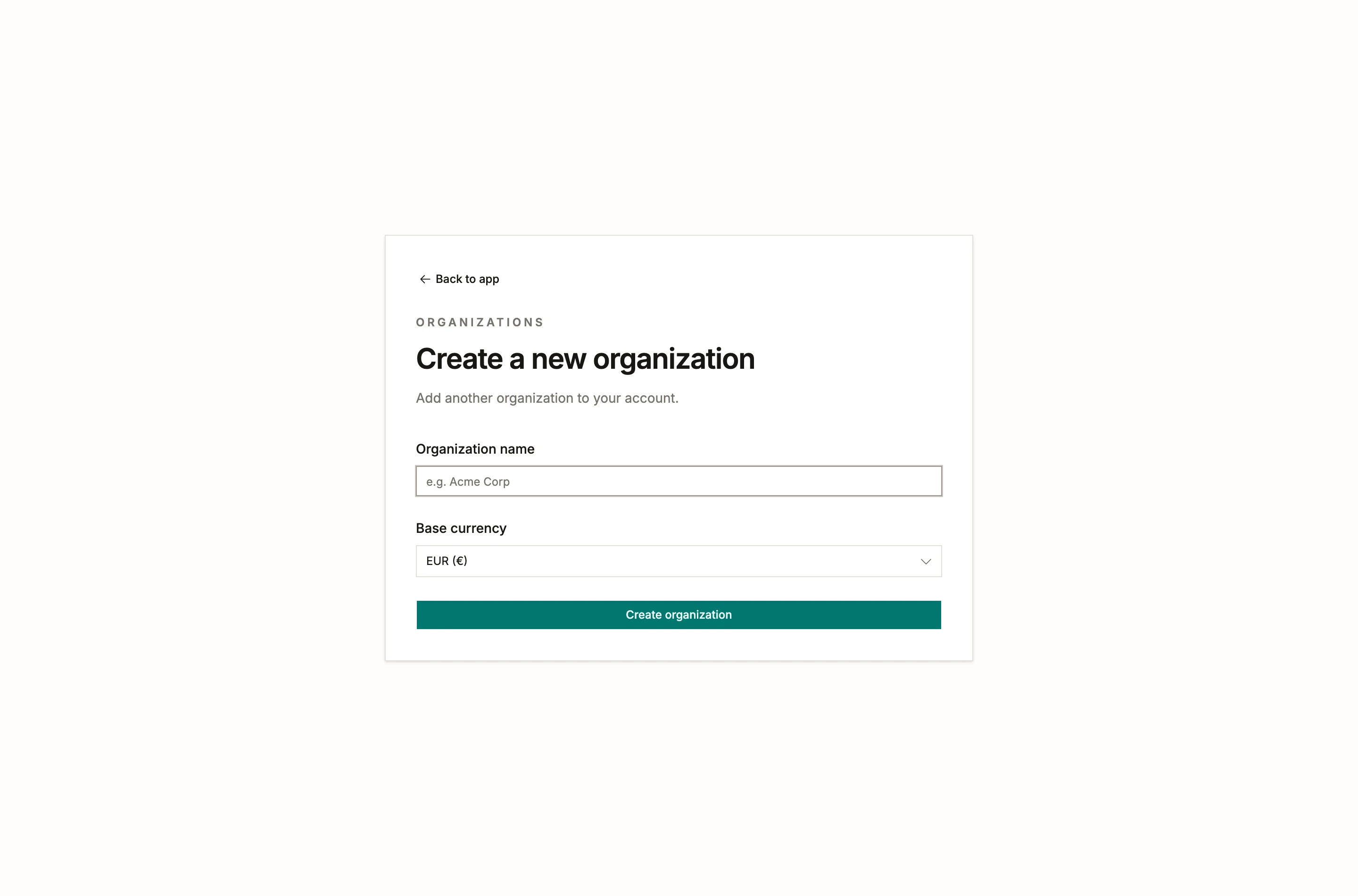
Two fields matter here:
- Organization name: your workshop or company name. You can rename it later in organization settings; the web address stays the same.
- Base currency: the one currency your books are in. Every cost in the workspace (ingredient costs, batch costs, order totals) is expressed in it. Pick the currency you keep your accounts in. Buying abroad is handled on the order. The list holds the euro and the twenty-nine other currencies the European Central Bank publishes a daily rate for, and you can still change your choice later, as long as the workspace holds no prices or costs. Currencies and exchange rates covers both.
Press Create organization and you’re in.
Invite people later
Section titled “Invite people later”You don’t need your team on day one. When you’re ready, open Manage organization and invite people by email, picking a role for each (owner, admin, member, or reader). Members, roles and invitations covers what each role can do.
More than one workshop?
Section titled “More than one workshop?”An account can belong to several organizations, each with its own inventory, recipes and billing. Create another one whenever you need it and switch between them from the picker in the top bar. A shared test kitchen and a production company, for example, stay cleanly apart.
What’s next
Section titled “What’s next”Take the quick tour to see where things live, then set up your inventory so your first formula has real costs to work with. If your ingredients, products and stock already live in spreadsheets, start with what you already have instead.