
Labels in two languages
One design, two languages. Everything a label prints from your own words can carry a second version: an ingredient’s declared name, a recipe’s name and storage line, a format’s noun, the text you typed on the design. The print job decides which one comes out.
Nothing has to be translated for this to work. A field you leave empty prints your original text, so a half-translated workspace prints half in each language rather than printing blanks.
Say which language your words are in
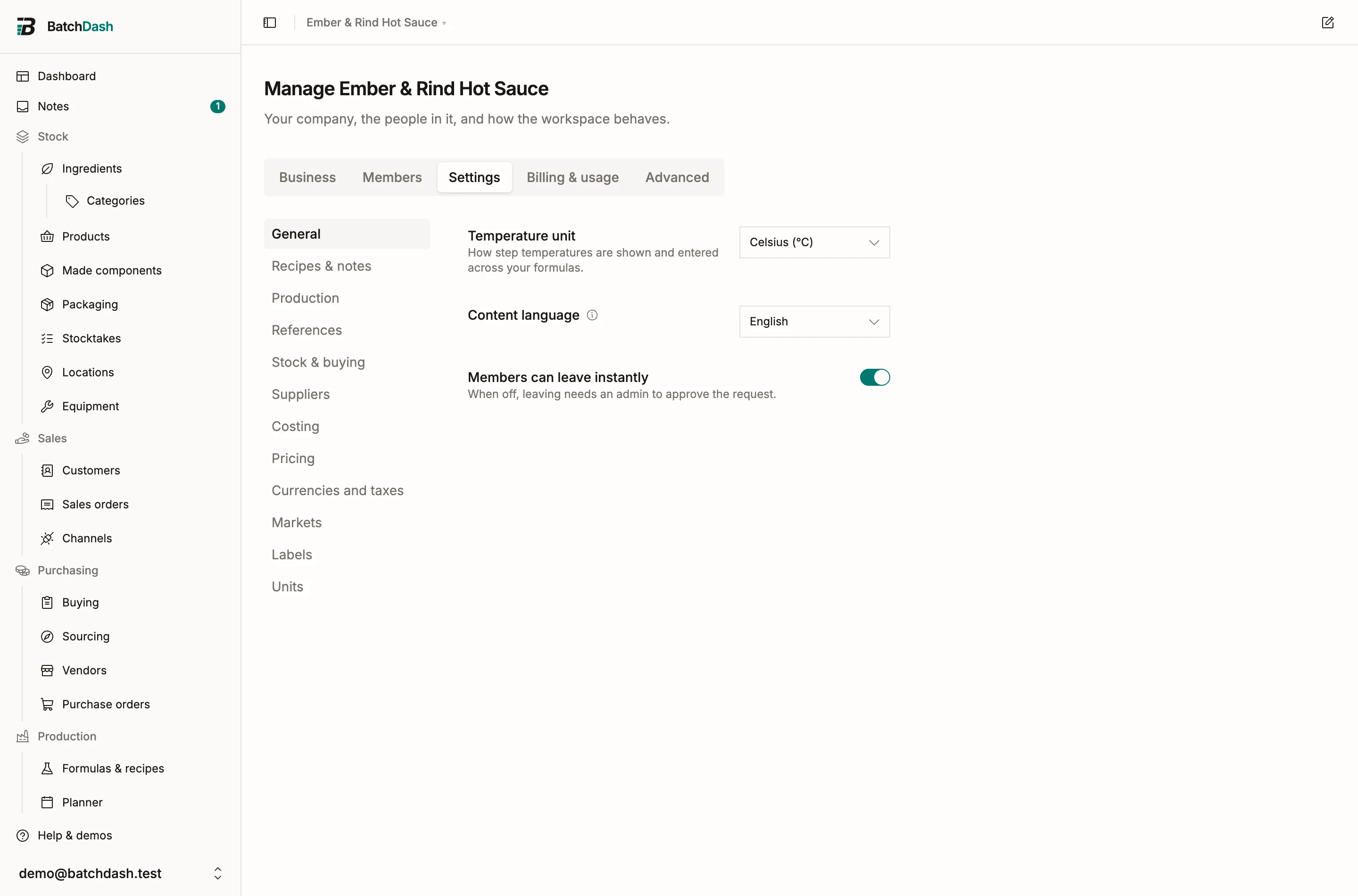
Section titled “Say which language your words are in”Manage organization, Settings, Content language.
It changes nothing you have written. It says which language your names and texts are already in, so the Translations page knows which column is the original and which one is yours to fill.
It also settles what counts as missing. Your own language never does: the words are already in it, so a French job from a French workshop is never reported as needing translation. Only the other one is counted.
One page for every word
Section titled “One page for every word”Organization, Translations.
Everything your labels print from your own words is on this one page: ingredient names, recipe names and storage lines, product names and container nouns, and your allergen words. You do not hunt through edit dialogs to find what is left.
Pick the language you are filling in at the top. The bar under it says how far that language has got, counted over the whole workshop.
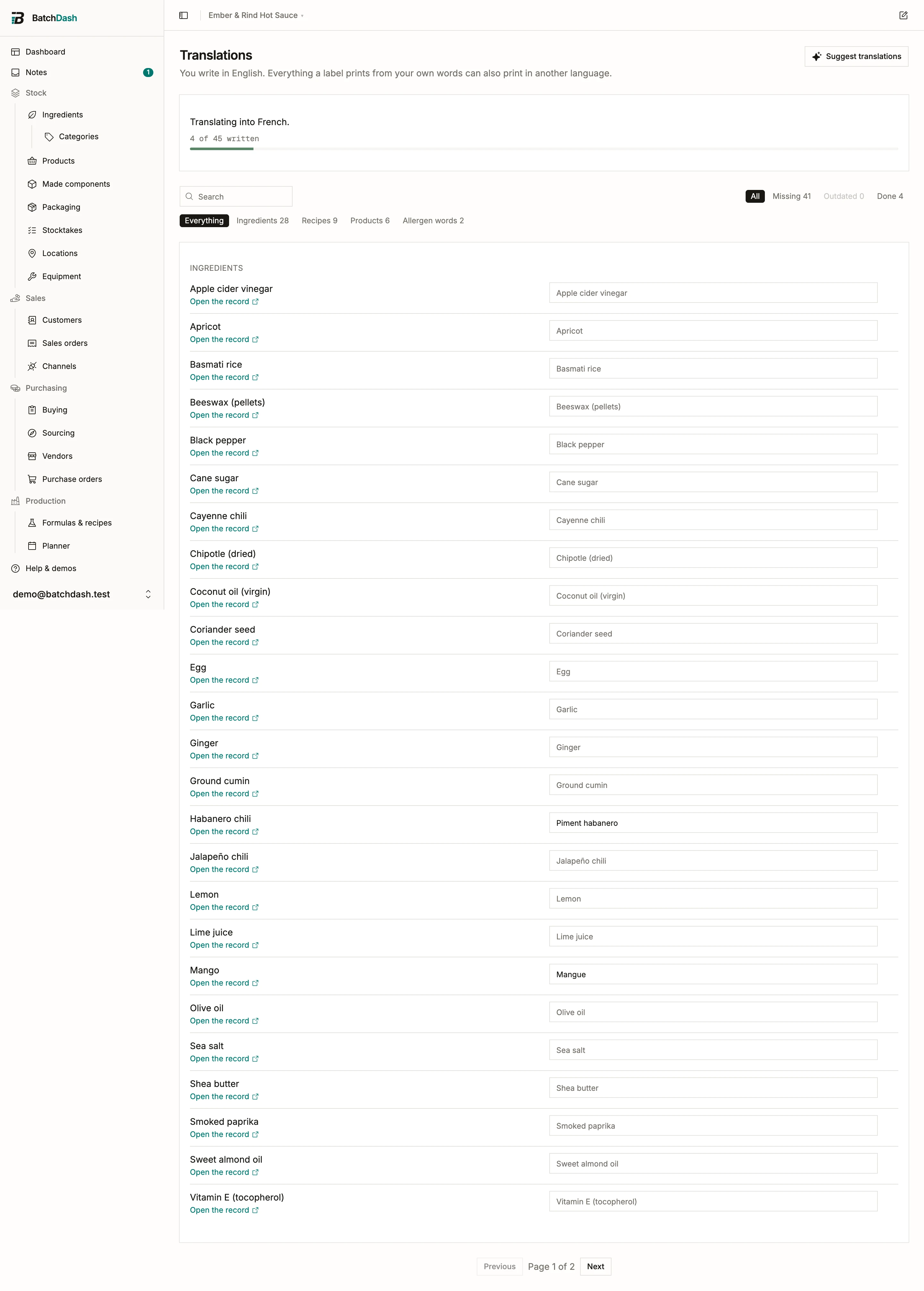
Each row shows the original on the left and an input on the right. The greyed-out text in an empty input is what that language prints today: your original. Type the translation and it saves when you leave the field, one row at a time. Enter jumps to the next row. Nothing to submit, nothing to lose.
Filter by Missing to see only what is left. Outdated collects the translations whose original changed after you wrote them.
Search reads both sides of a row, so a word you already typed in English finds its French line.
Two things that do not translate
Section titled “Two things that do not translate”The working name of an ingredient or recipe is an internal handle. It prints exactly as written, and the field picker says so. INCI names are one international nomenclature, so a translated INCI list would be wrong rather than incomplete.
Allergen words are one vocabulary
Section titled “Allergen words are one vocabulary”An allergen tag is free text you typed on an ingredient, so the translation belongs to the word rather than to each ingredient. Write “milk” against lait once and every English label in the workshop says milk, without touching a single ingredient record.
Every tag your ingredients carry is a row under Allergen words on the same page. A word no ingredient uses any more is marked, and you can remove it; removing one only means labels print the tag as you typed it.
Different text on the design itself
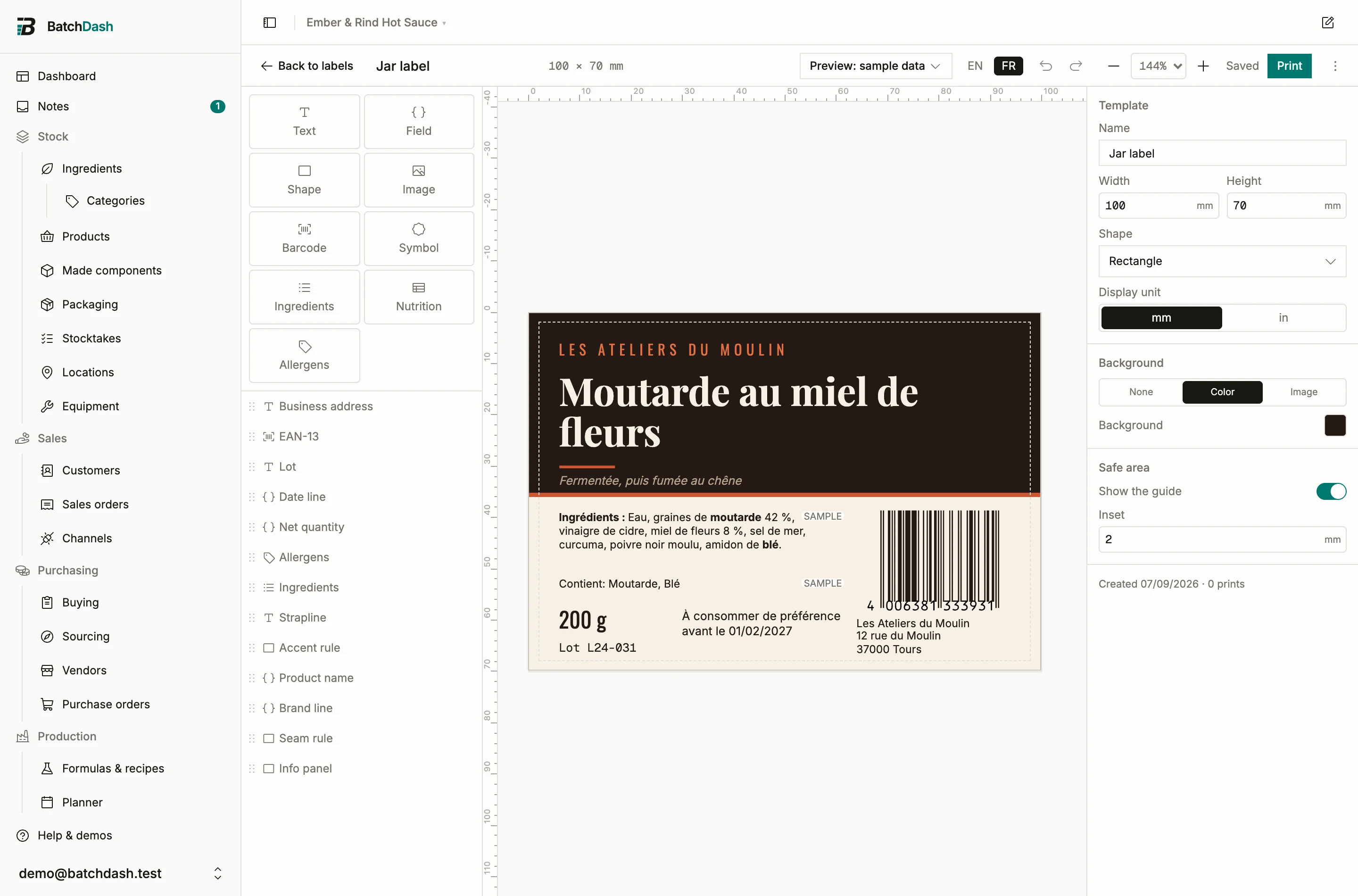
Section titled “Different text on the design itself”In the label editor, pick EN or FR in the top bar to draw the canvas in that language. Rendering is all it changes.
Select a text box and open Languages. By default one text prints in both, which is right for a weight, a code or an address. Different text in French copies what is there into a French version; from then on, typing on the canvas edits the language you are previewing, and “Use the same text” puts it back to one.
To print both languages side by side, use two boxes and pin each with Show this text. A pinned box prints its own language whatever the job asks for.
The ingredient list has its own Language setting, including Both, which stacks the English list over the French one with each heading.
Fix what is missing at the printer
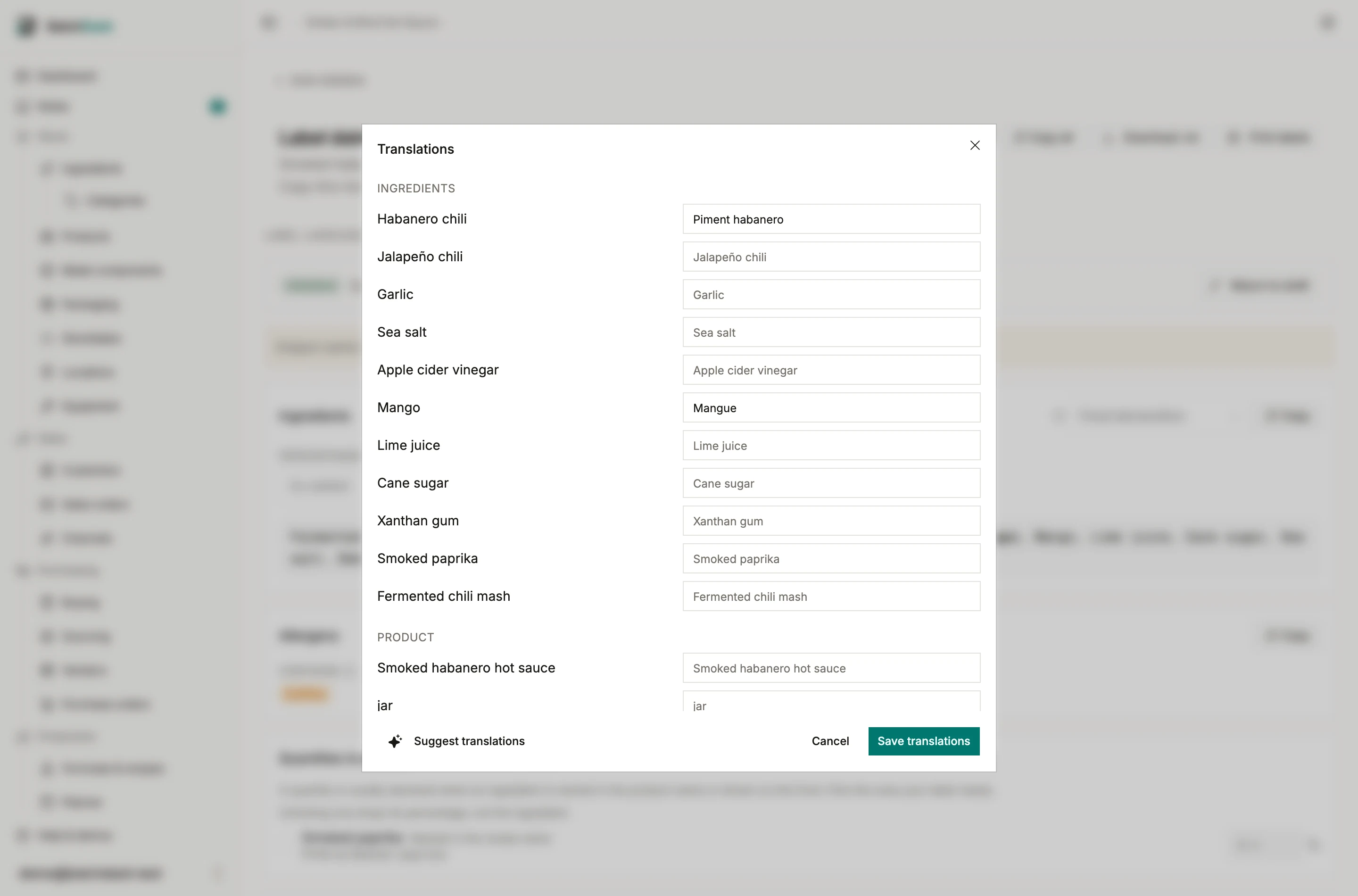
Section titled “Fix what is missing at the printer”Pick a language in the print or export dialog. If anything on that label has no translation yet, the dialog says how many, and Review translations opens them all in one list: the original on the left, the input on the right, grouped by ingredients, product and allergen words.
Saving there updates the preview immediately. Printing without translating is fine and prints your original text: this is a warning, never a block.
A translation whose original changed afterwards is marked Outdated. It keeps printing, because a slightly stale English name beats a French one on an English jar; saving the row again, changed or not, clears the mark.
A batch’s own label
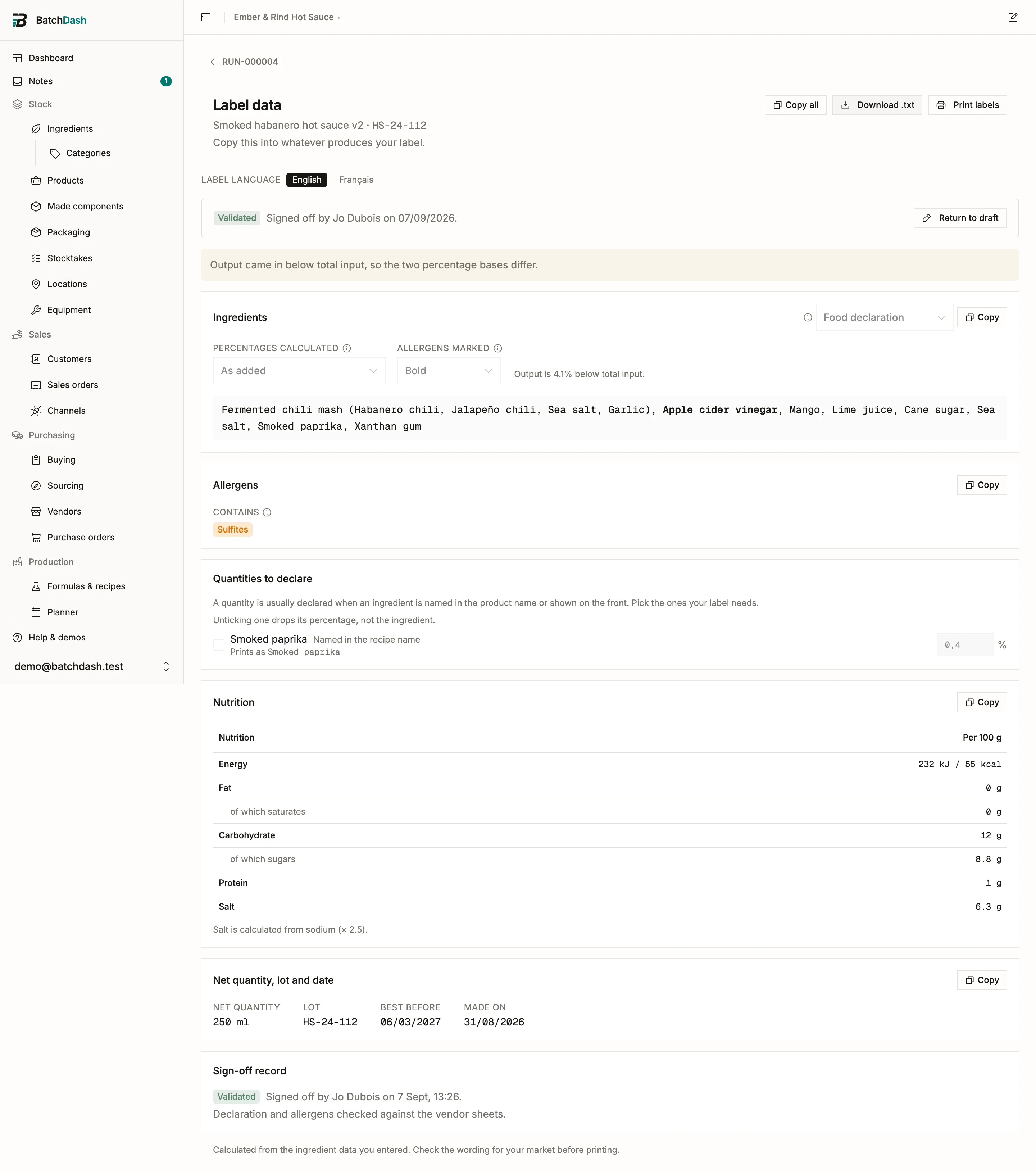
Section titled “A batch’s own label”A completed batch’s Label data page has the same EN / FR switch. The declaration, the Contains line and the product name all read in the language you pick.
Rewriting the declaration rewrites the language on screen. The other one keeps following the calculation until you rewrite that one too, and the editor says so before you start.
Allergens stay one vocabulary: the pills are your tags, and the line under them says what they print as. Validating the label signs both languages at once, and freezes the words as they read that day, so translating an ingredient differently next year cannot move a declaration somebody put their name to.
Suggestions
Section titled “Suggestions”Where AI is available, Suggest translations fills the empty inputs on the page you are looking at. It never writes over a translation you wrote, and it saves nothing by itself: the suggestions arrive marked, and a bar at the bottom asks whether to keep them. Read them before you do. A label is a legal document in a way a draft email is not.
The same button sits in the print dialog’s review list, for the handful of words one job needs.