
Tasks and time off
A production week is not only batches. Labeling, a delivery to collect, the deep clean nobody remembers: put them on the same board so the week shows everything it holds.
Plan a task
Section titled “Plan a task”- Click an empty cell on the day and person you want, or use Plan something.
- Keep Task selected and give it a title. That title is what the card shows, so make it the thing you would say out loud.
- Set Start and End if it happens at a certain time. Leave them empty and set Duration instead when it just needs an hour somewhere in the day.
- Assign one person or several. A task with nobody on it sits in the Unassigned row until someone picks it up.
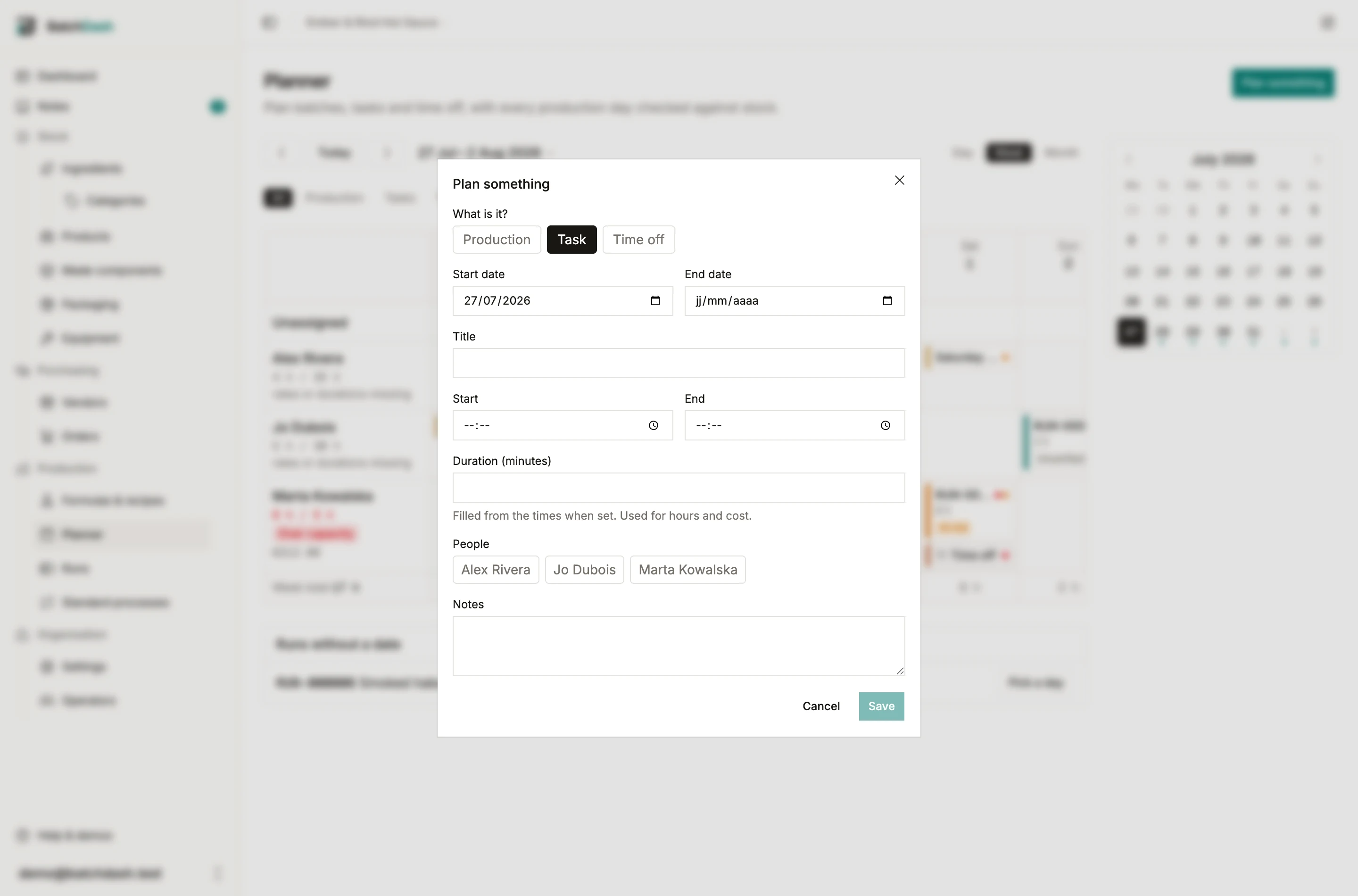
Times and duration are linked. Fill in the hours and the duration follows. Leave the hours empty and you can type the duration yourself. Either way the duration is what feeds the hours and cost totals, so a task with neither is counted as zero.
Mark it done
Section titled “Mark it done”Open a task and click Mark done. The card goes struck through with a check. Done tasks still count toward planned hours, because the totals track planned time. Recording hours actually worked is a different job.
Reopen puts it back.
Time off
Section titled “Time off”Time off is how you tell the board somebody is away, so their work does not get planned on top of it.
- Create an entry and choose Time off.
- Pick exactly one person. An absence belongs to one human.
- For a single day, leave the end date empty. For a stretch, set End date and it becomes an all-day block across every day in between.
A multi-day absence shows on each day it covers, in the person’s row on the week board and in their all-day slot on the day view.
Clashes
Section titled “Clashes”The planner never blocks you. It flags things and lets you decide.
- A red dot is a hard clash: two timed entries overlap for the same person, or something is planned on a day they are already off.
- An amber dot is an advisory: the entry falls outside that person’s working days. A Saturday job for someone who works Monday to Friday earns one.
Hover a dot to read what it is. Both are per person: two people can be busy at the same hour without any warning, because they are two people.