
Locations
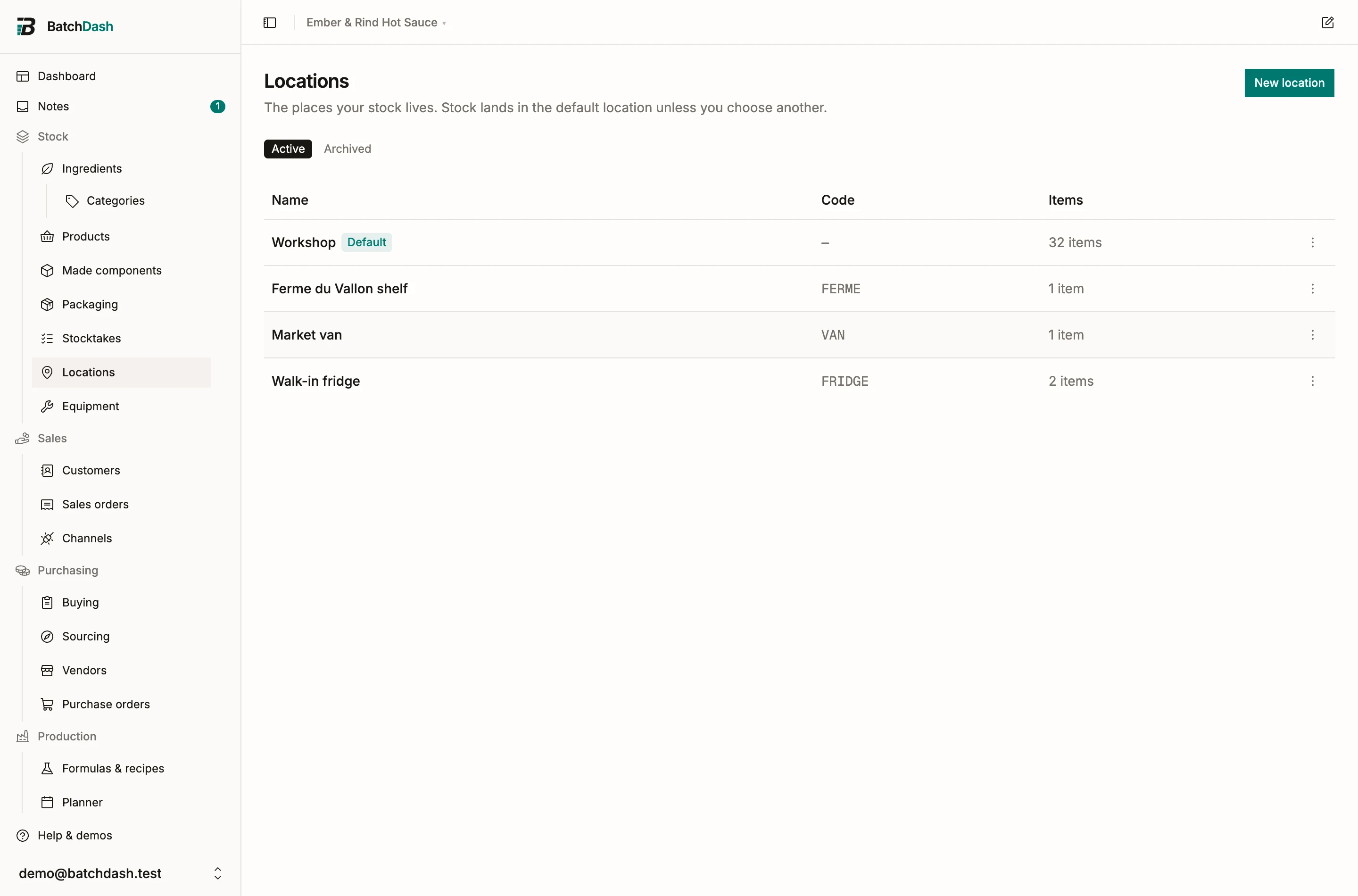
A location is a place that holds stock: a walk-in fridge, a curing shelf, the market van, the corner of a shop that sells for you. BatchDash already knows how much of everything you have. Locations let it say where.
One location, then two
Section titled “One location, then two”Every workspace starts with one location, called Main until you rename it. With one location nothing else in the app changes: stock simply lives there, and the only new thing you see is the Locations page. The moment you add a second location, every stock page starts saying where things are, every ledger row shows its place, and each moment stock moves asks which place it moved to or from. Archive back down to one location and all of it folds away again.
So a one-room workshop can ignore this page. A workshop with a fridge and a van needs it.
Add your places
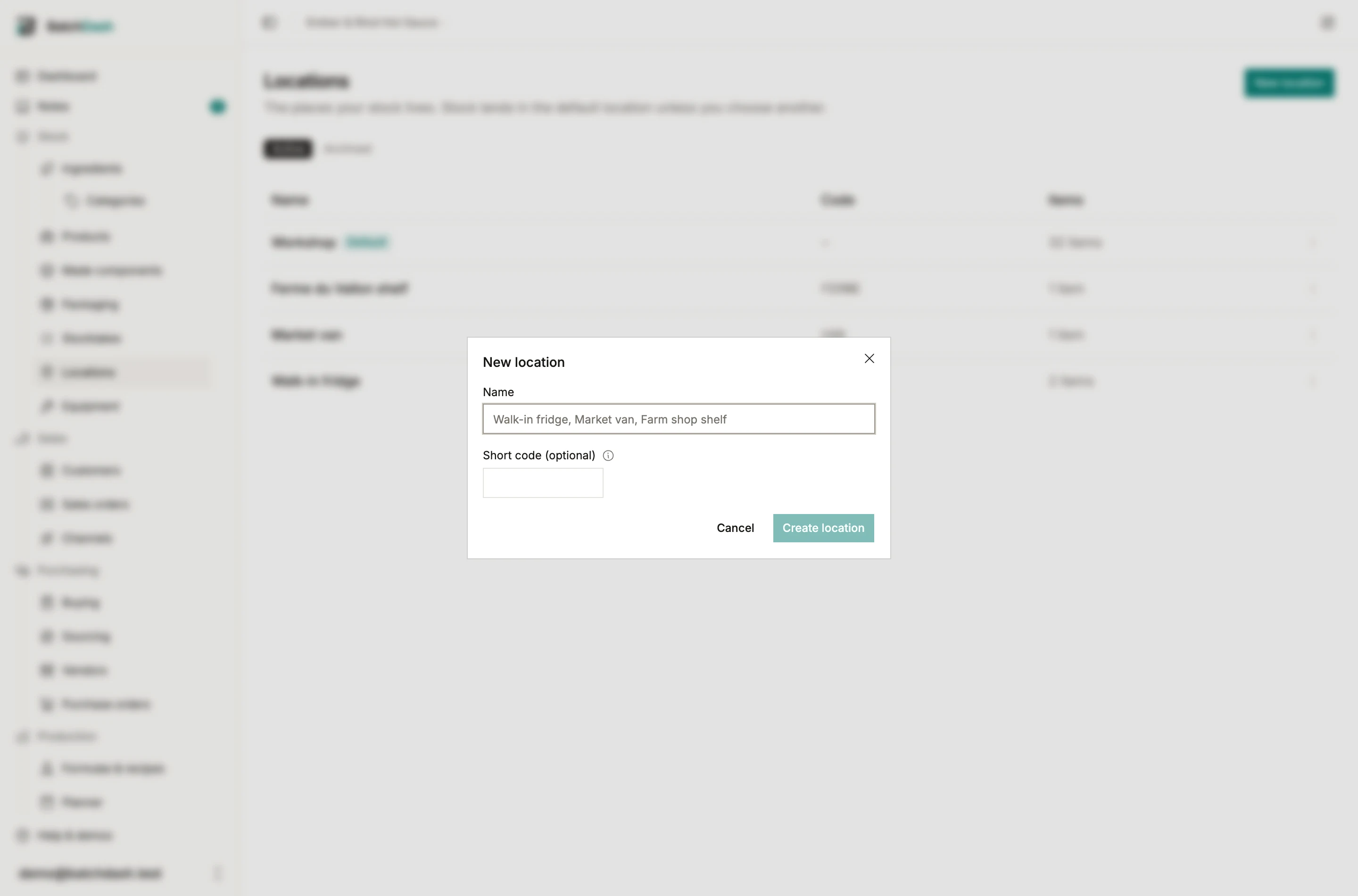
Section titled “Add your places”Open Locations under Stock and click New location. A name is enough. The optional short code is what shows where the full name will not fit, like ledger rows: FR is enough for Fridge.
One location is the default: where stock lands when nobody chooses. Make another one the default from its row menu; the mark moves, no stock does. The default cannot be archived.
Archive a location once it holds nothing. If it still holds stock, the dialog says how many items, and the fix is a transfer from each of those items’ pages. Archived locations leave every picker and filter but stay on the ledger rows they are part of. A location nothing ever referenced can be deleted instead.
Your plan sets how many active locations you can have; the page says so when you reach the limit.
Where is it
Section titled “Where is it”With two or more locations, the header of every ingredient, packaging, product and made-component page carries one muted line: how much sits in each place. “Walk-in fridge 2 kg · Workshop 6.2 kg”. Made stock is tracked by lot, so a product’s line is the sum of the lots homed at each place; a held lot counts where it sits.
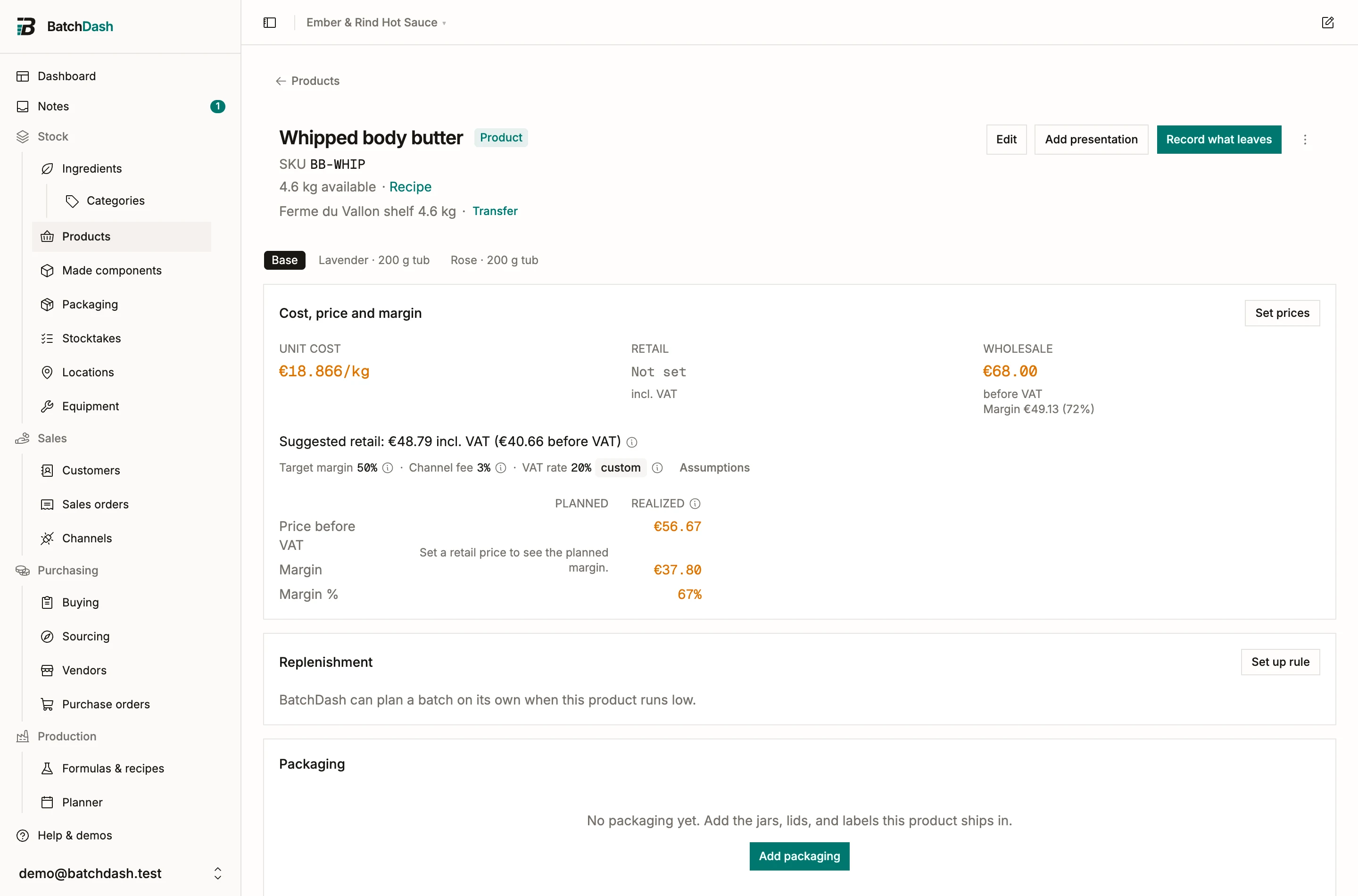
Every ledger row shows the place it happened at, as a small chip. The product page’s Batches table also says where each batch’s lot is now, which is the question you ask when a lot has to be found.
The ingredient, packaging, product and component lists gain a location filter. Filtered, a list shows only what sits at that place, with the located quantity in front and the total behind it; the ingredient list’s value total follows. The CSV export carries a Location column when a filter is on.
Everything that happened before your second location existed shows your default location. That is what was true: there was one place.
See what is on one shelf
Section titled “See what is on one shelf”Each location has its own page: click its row on the Locations list. What is here lists every ingredient, packaging item, product and component holding stock at that place, with the quantity, its value, and when each item was last counted on this shelf. The header links to the last count session that covered the place, and Count this location starts one for the room you are standing in.
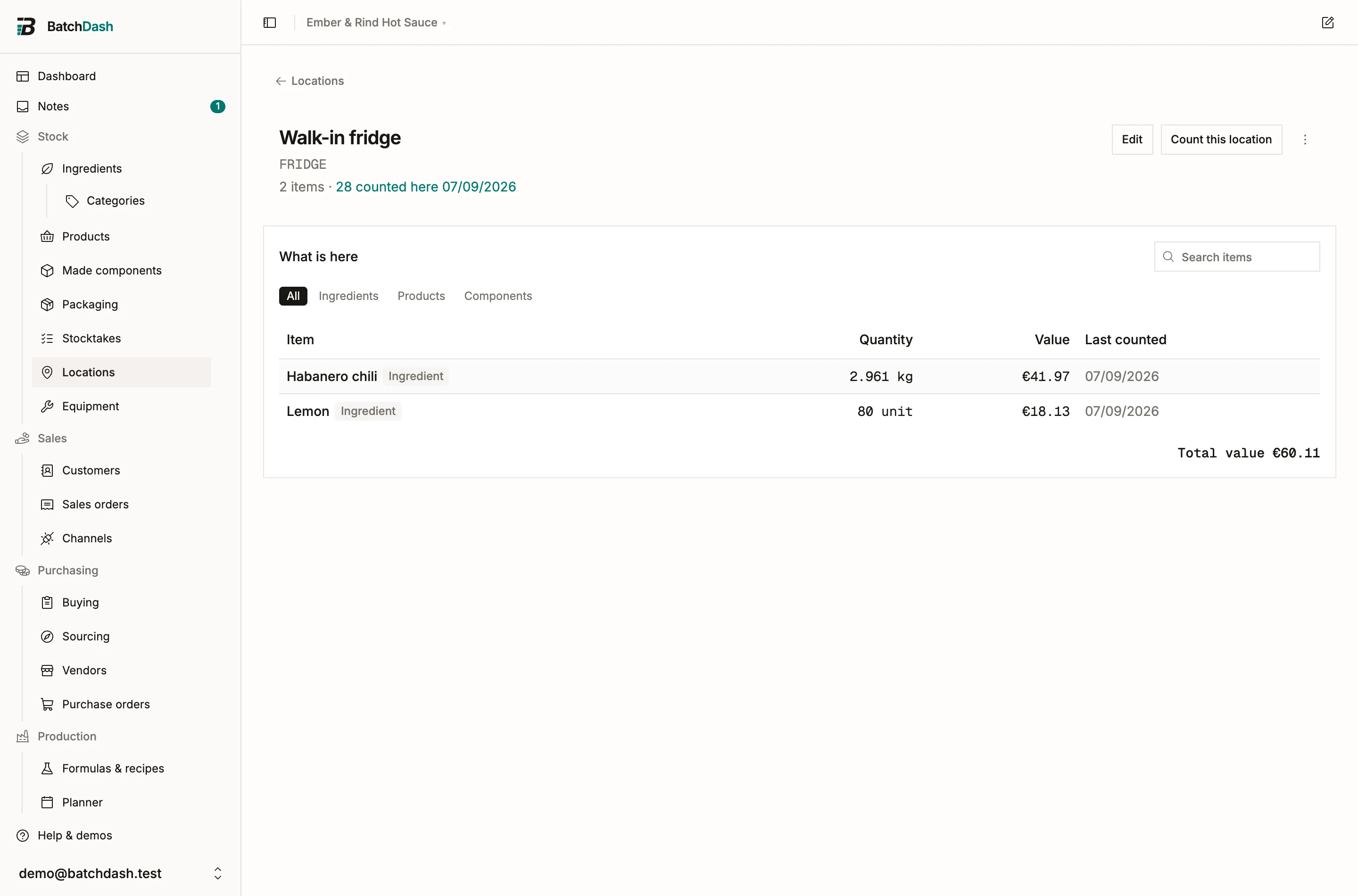
The page lists; it does not edit. A row opens the item’s own page, where the breakdown and the Transfer dialog already live.
Transfers
Section titled “Transfers”The breakdown line ends with Transfer. For an ingredient or a packaging item you move a quantity. For a product or component you tick lots: a ticked lot moves whole, and a lower figure moves part of it. That part becomes a lot of its own at the new place and keeps the lot’s code. Units in packs stay in their packs: they go with the whole lot, or from the pack’s own page. Choose From and To, a date, a note if you like (“Loaded for Saturday market”), and confirm.
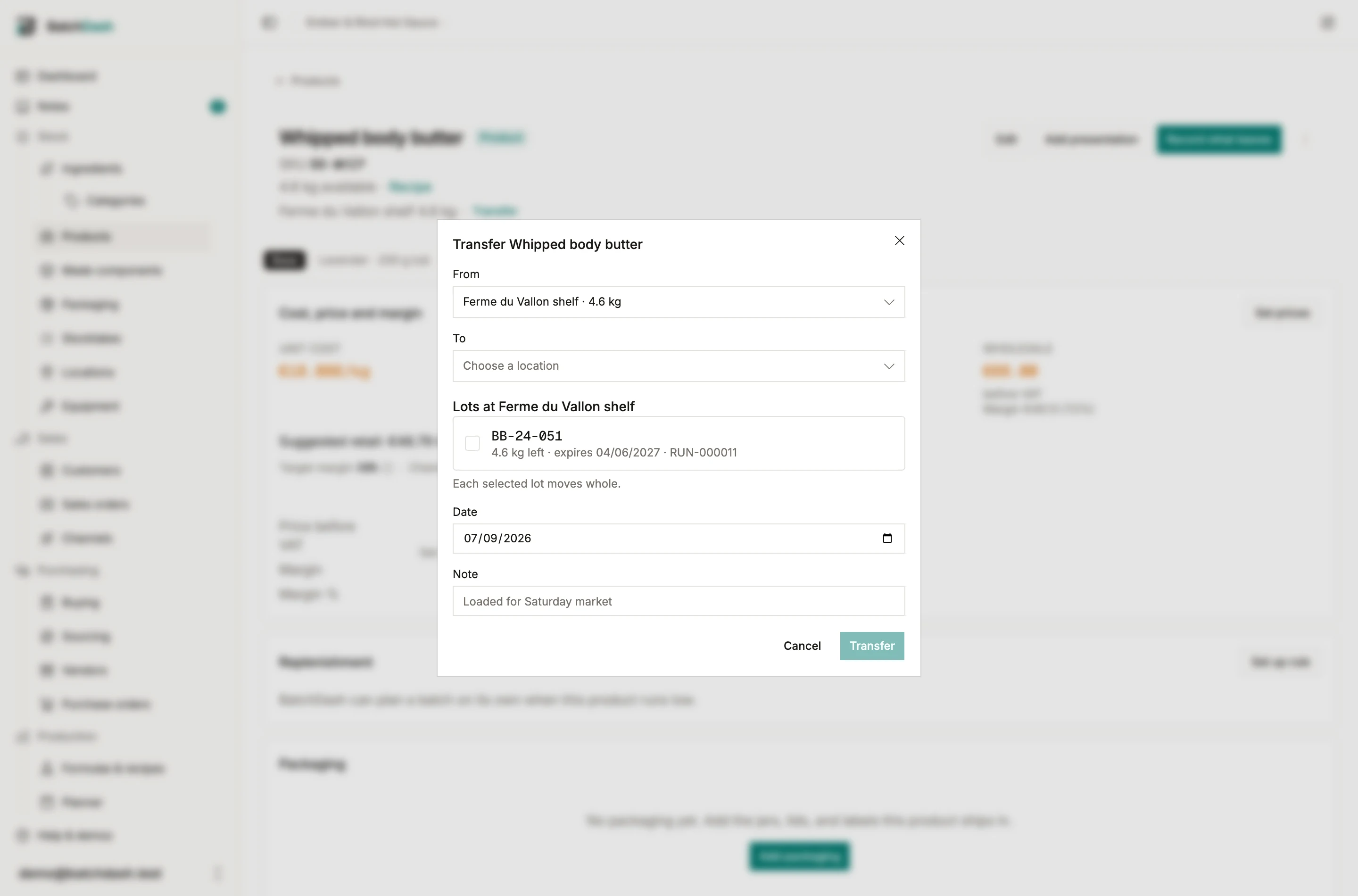
A transfer writes two ledger rows that cancel out: a Transfer out at the origin and a Transfer in at the destination, linked, the same quantity. The running balance dips and recovers. No cost figure appears on either row, and none changes anywhere: a transfer moves quantity, never cost. A jar does not get cheaper by being driven to the market. Transfers are not amendable; a wrong one is reversed by transferring back.
You cannot transfer more than a location holds. That is the only place a location’s balance is enforced, because a transfer only says where stock is.
Say where, as you work
Section titled “Say where, as you work”Each moment stock already moves gains one quiet field, preset so that ignoring it keeps today’s behavior:
- A purchase order carries a Deliver to. Receiving a line offers a To location preset to it; Receive all lands every line there in one click.
- Log delivery asks for a To location; Record stock for an At location.
- Record stock counts at a location, on an ingredient, a packaging item and a product alike: the figure you type is that shelf’s count, and the total moves by the same difference. It also says where a make lands or a loss leaves from.
- A batch is made in one location, chosen when you create it and changeable while it is planned. Its ingredients, components and packaging are drawn there, its output lot is booked there, and the run page, the sheet and the completion dialog say so. Lots sitting elsewhere appear greyed in the draw pickers: transfer them first.
- Record stock and a sales shipment ask where from, and draw that place’s lots.
- A pack is filled at a location, and its parts and packaging are drawn there; a component’s opening balance lands at one.
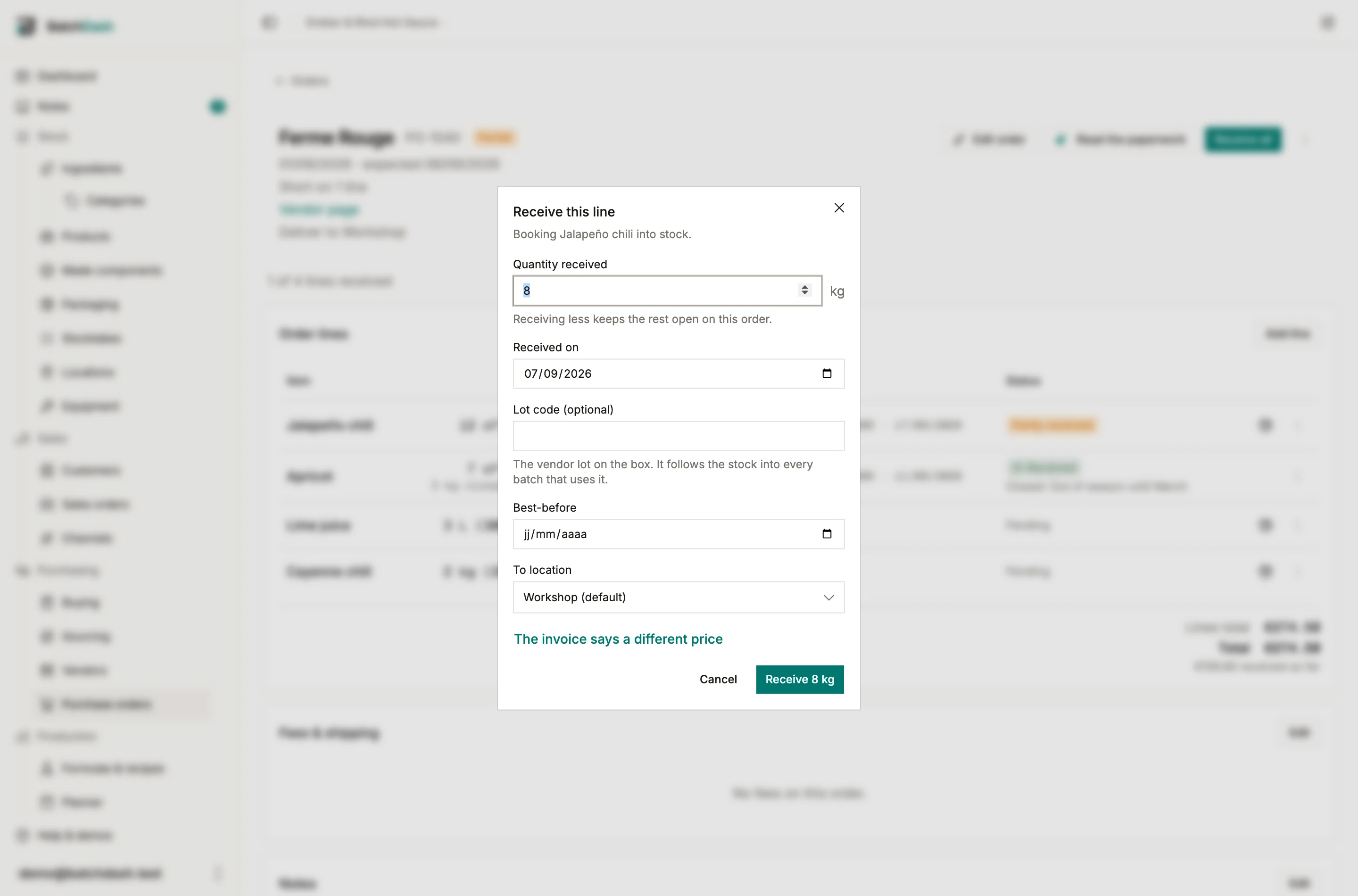
Jars, bottles and labels move between places like everything else. A shipping supply is the one exception: BatchDash keeps no count of it, so it cannot say where it is either. To follow your mailers shelf by shelf, set them to Inventoried and count them once. From then on they are counted and moved like your jars.
When a shelf goes negative
Section titled “When a shelf goes negative”A location’s balance never blocks anything. The negative-stock policy keeps deciding on the workspace total, exactly as before. If more leaves a shelf than was on it, that shelf goes negative and its line says so in amber, with the two fixes: transfer from another location, or correct with a count at that location. Orgs that adopt locations mid-stream start with estimated splits, and nothing is blocked because of them.
Consignment is a location
Section titled “Consignment is a location”The farm shop shelf, the concept store corner, the shared fridge at the food hall: make each one a location. Transfer the jars there when you drop them off. The product page now says where they are, the lot trace still knows them, and they still count in your valuation, since consigned stock is still yours. When the shop reports sales, record what left from that location with the price. When you take stock back, transfer it home. A count at that location after a visit brings its figures in line with the shop. There is no separate consignment module: a location covers it.
Count a shelf
Section titled “Count a shelf”With two or more locations, the new-stocktake dialog offers Locations as a scope: pick what to count and which shelves, and the sheet groups by room, one section per shelf, with each row’s book being what that shelf holds. Counting the van after Saturday is one session, walked in the order of the walk.
The review then does something an org-level count cannot. If the van is over by exactly what the workshop is short, nothing was lost. Somebody carried it and did not write it down. BatchDash proposes it as a Moved row and records the move instead of pretending three jars vanished and three appeared: the commit books a transfer, linked to the session, and only the leftover difference books as a Count variance at its own shelf. A move costs nothing; the review’s value total counts only what is genuinely missing or extra. Each Moved row can be rejected back into its two variances for the rare true coincidence.
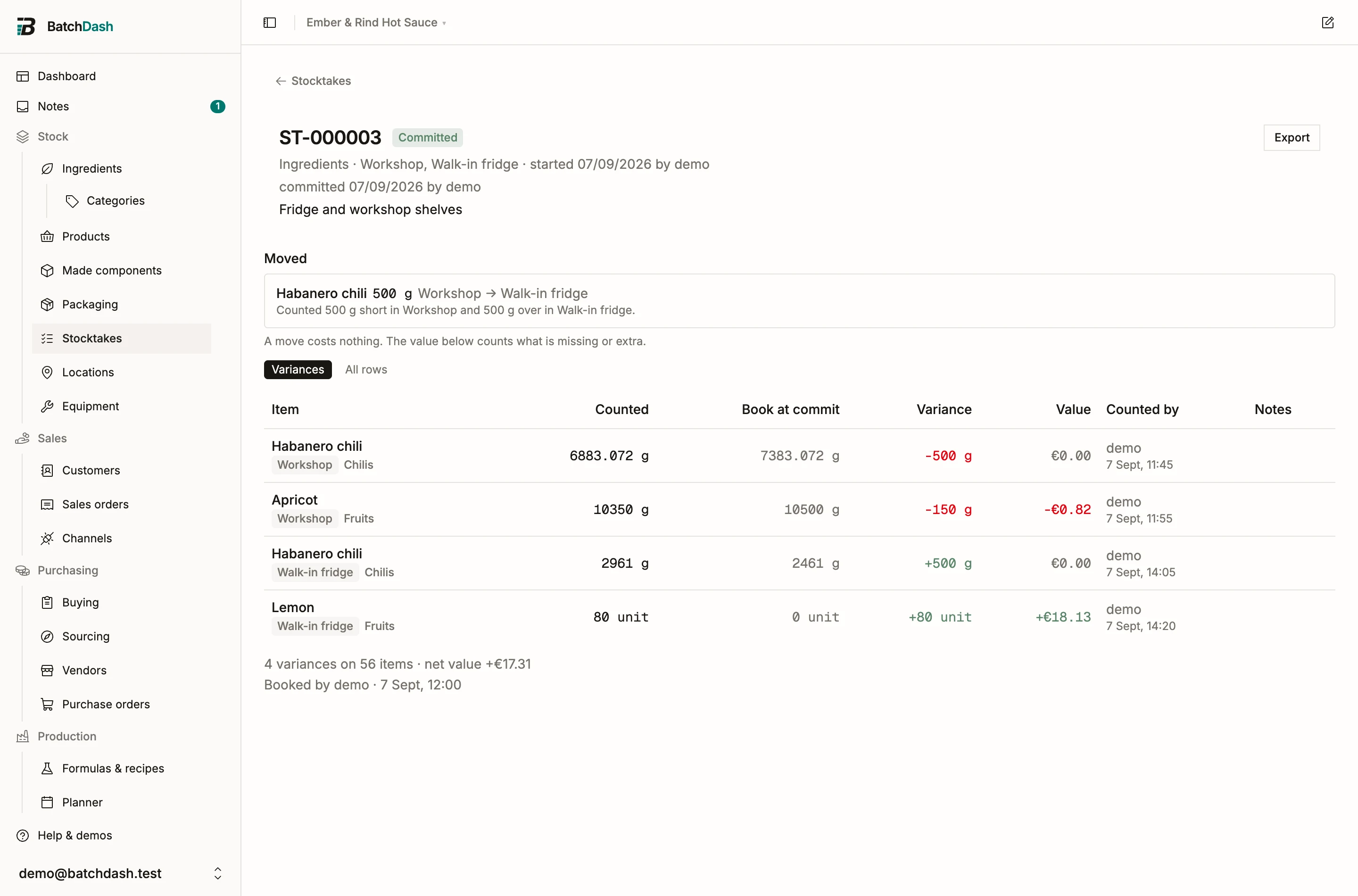
Made stock never pairs by quantity: a lot is identified. If a lot sits on the wrong shelf, use Found here on the sheet where you found it, and the commit moves the whole lot there.
What locations do not do
Section titled “What locations do not do”Cost stays one average per item across the workspace. Restock levels and the buy list stay workspace-wide: they answer “do I own enough”, not “is each shelf full”. On hand, held, reserved and available stay workspace figures; the breakdown sits beside them. None of this is a warehouse system with bins and picking routes; it is the answer to one question, asked a dozen times a day.