
Planning production
Once a batch has a date, the planner checks it for you. Every production day is measured against what is on your shelves and what is already on order, in the order the batches actually run.
Put a batch on a day
Section titled “Put a batch on a day”A run has to exist before it can be scheduled. Plan it first from Production → Runs (see planning a run), then give it a day one of three ways:
- On the planner, click an empty cell and pick Production, then choose the run.
- Drag it out of the Runs without a date tray at the bottom of the board.
- From the run itself, use Schedule in the header.
Unscheduling is the same editor: open the entry and choose Unschedule. The run goes back to the tray and keeps everything else about it.
Runs a replenishment rule planned arrive in the tray on their own, marked “needs a date”.
The four verdicts
Section titled “The four verdicts”Each scheduled batch carries one of four verdicts, worked out by running down your calendar day by day and subtracting what each batch consumes.
| Verdict | What it means |
|---|---|
| Ready | Your stock covers it on the day. No badge, because there is nothing to decide. |
| At risk | It only works if a delivery lands first. Feasible, but it depends on somebody else. A batch counting on another batch that has no date yet, or that is itself at risk or short, reads the same. |
| Short | Something is missing even counting what is already on order, or the batch counts on another one that will be ready only after it. This is the one to act on. |
| Unverified | The recipe could not be fully resolved, so no verdict is possible. |
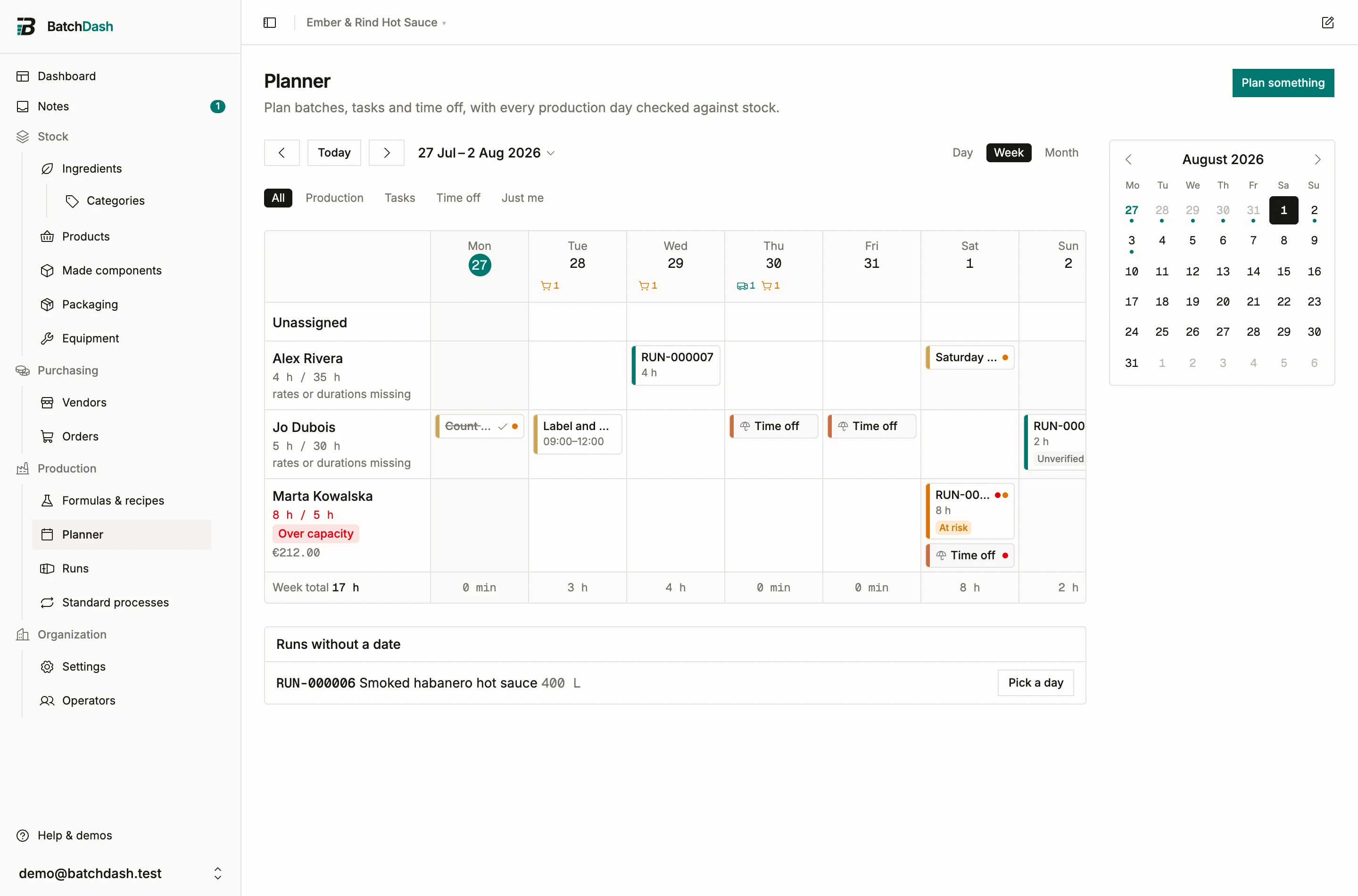
Two things worth knowing about how this is worked out. Batches are checked in date order, so an early batch that eats the last of an ingredient is what makes a later one short. And a delivery expected on the same day as a batch counts as arriving first, on the assumption you receive in the morning and produce after.
What will be missing
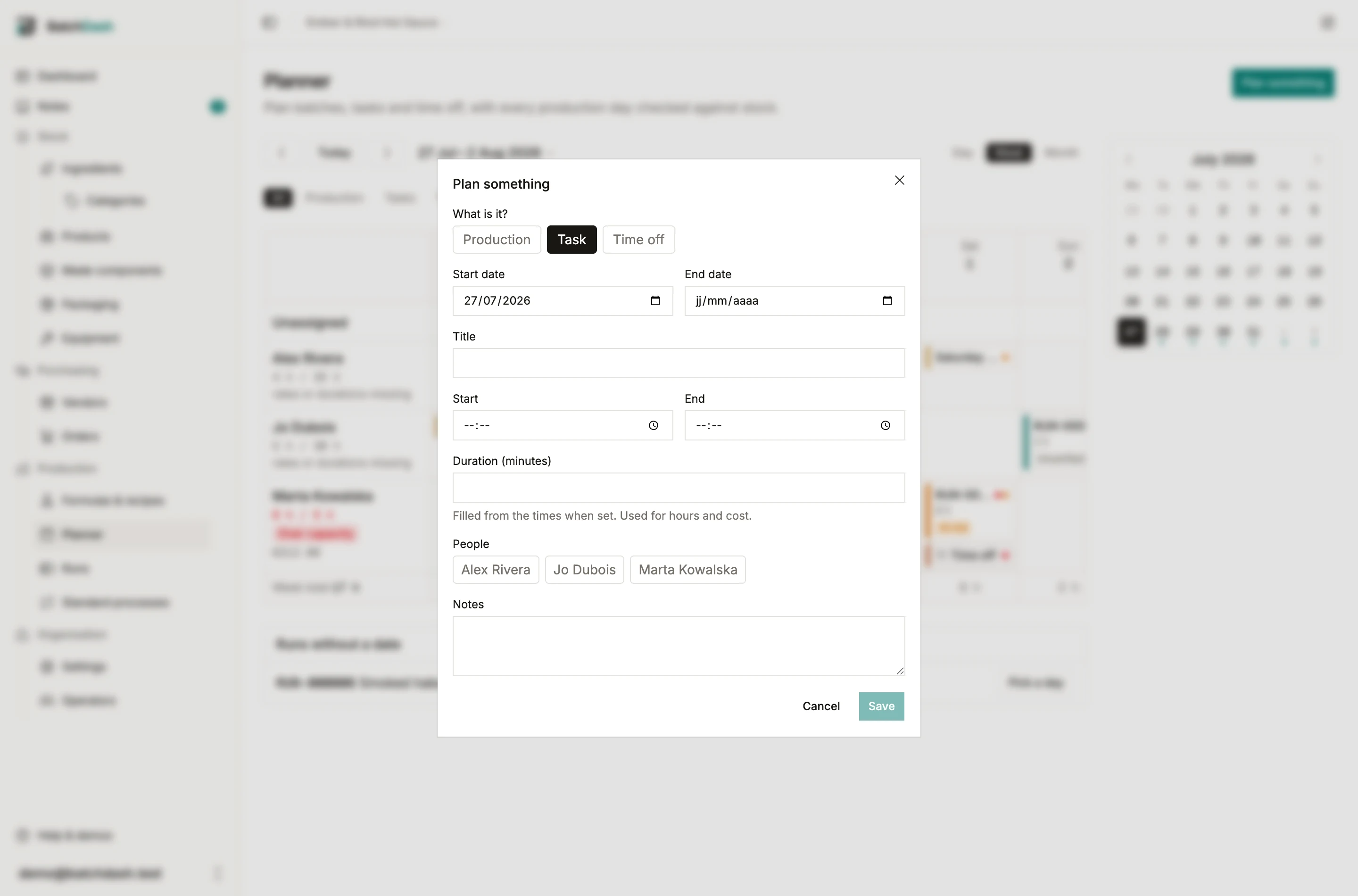
Section titled “What will be missing”Click a batch to open it. When it is at risk or short, the editor lists what runs out on that day and how much of it.
Batches that wait for another
Section titled “Batches that wait for another”A run can take a component from a batch of it that is still to be made: the sauce takes its mash from the mash batch planned the week before (see planning a run). The sauce then waits for the mash, and the planner checks the days for you.
A batch is ready at the end of its block on the board (counted from 8:00 when the block has no time), or after the Active time on its recipe’s steps when that is longer, plus their Wait time. A mash that ferments 10 days and is planned on a Friday is ready ten days after that Friday’s block. A batch in progress counts from the moment it started.
Click a batch to open it. Under Waits for:, the editor lists each batch it takes a component from, with the day it is ready or no date yet, and the verdict of that batch when it is in trouble itself.
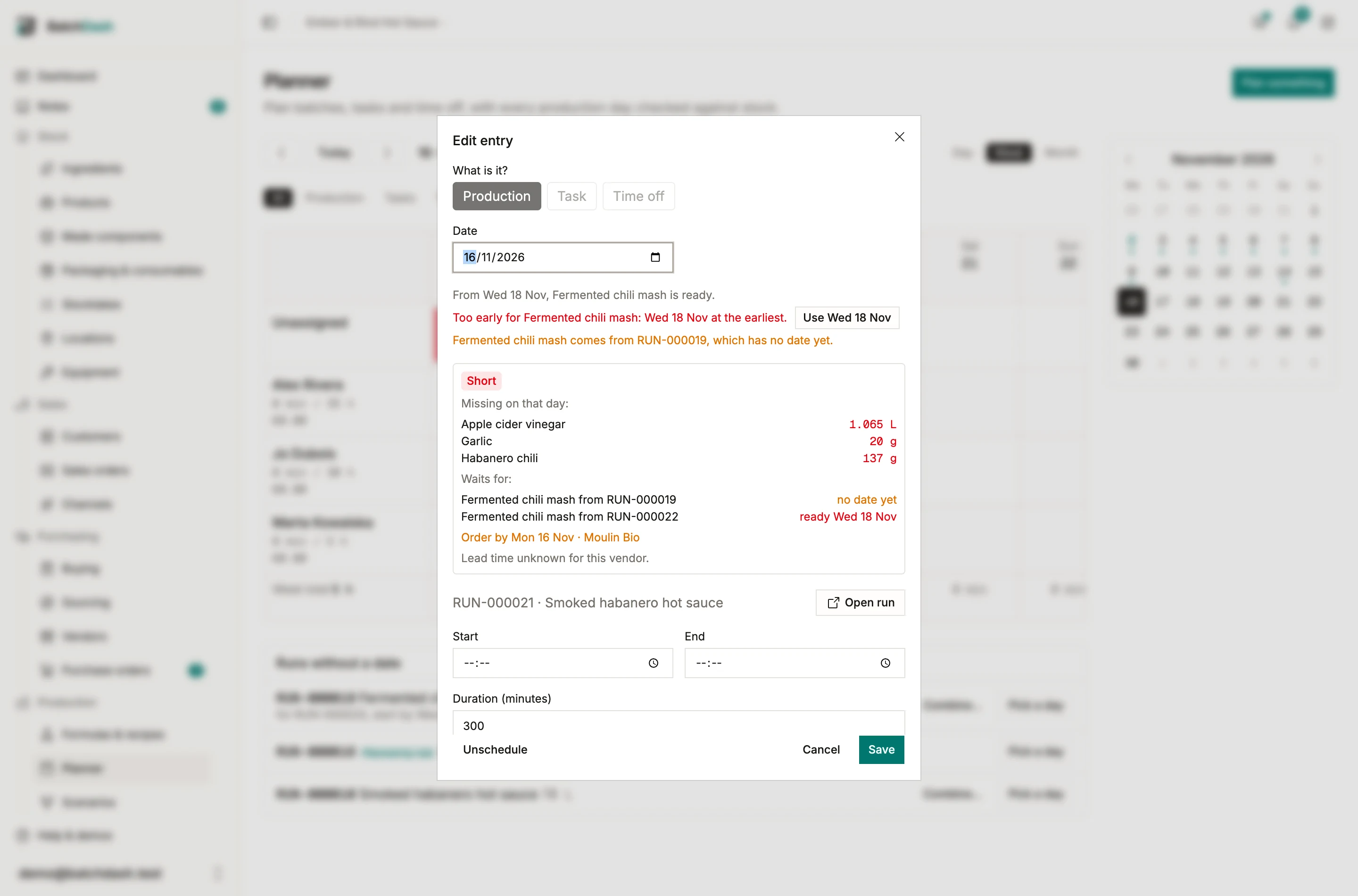
The note under the date reads the days for you, and its Use chip puts the right one in the field:
- For a batch that takes from another: “From Thu 8 Oct, Fermented chili mash is ready.” Pick an earlier day and it says “Too early for Fermented chili mash: Thu 8 Oct at the earliest.” When the plan chose that batch, it says instead “Before that day, this run makes its own Fermented chili mash.”, because the run would let the batch go and make the mash itself.
- For a batch other runs count on: “RUN-000015 needs it Mon 12 Oct: start by Fri 2 Oct at the latest.” A later day starts with “Too late for RUN-000015”. When no day is early enough: “RUN-000015 needs it Mon 12 Oct, sooner than this batch can be ready.”
- For a batch nobody counts on yet, when a dated run is making the component itself: “RUN-000015 makes this component itself on Mon 12 Oct: start by Fri 2 Oct to supply it instead.”
The same note sits under the date when you plan a run from its own page with Schedule.
The board checks your drags as well. Drop a run before the batch it counts on is ready, or a batch past the day a run needs it, and a message names the problem with the day that works: “RUN-000015 is now before its Fermented chili mash is ready.”, “RUN-000015 now makes its own Fermented chili mash: the planned batch comes too late.”, or “RUN-000021 will now be ready too late for RUN-000015.” Move to Wed 14 Oct puts it there.
On Today, under Make, a batch that waits says what for: “RUN-000015 Smoked habanero hot sauce, Monday 12 October: Fermented chili mash is not ready until Wednesday 14 October”. The Batch went short notification says the same.
The last day to order
Section titled “The last day to order”A short batch produces an order-by date: the day it runs, minus the lead time on the cheapest offer for that ingredient, among the vendors Buying would buy it from. A vendor you only ever received from counts at the price you paid them, and has no lead time to subtract. The board shows a small cart marker on the day. Click it for the list.
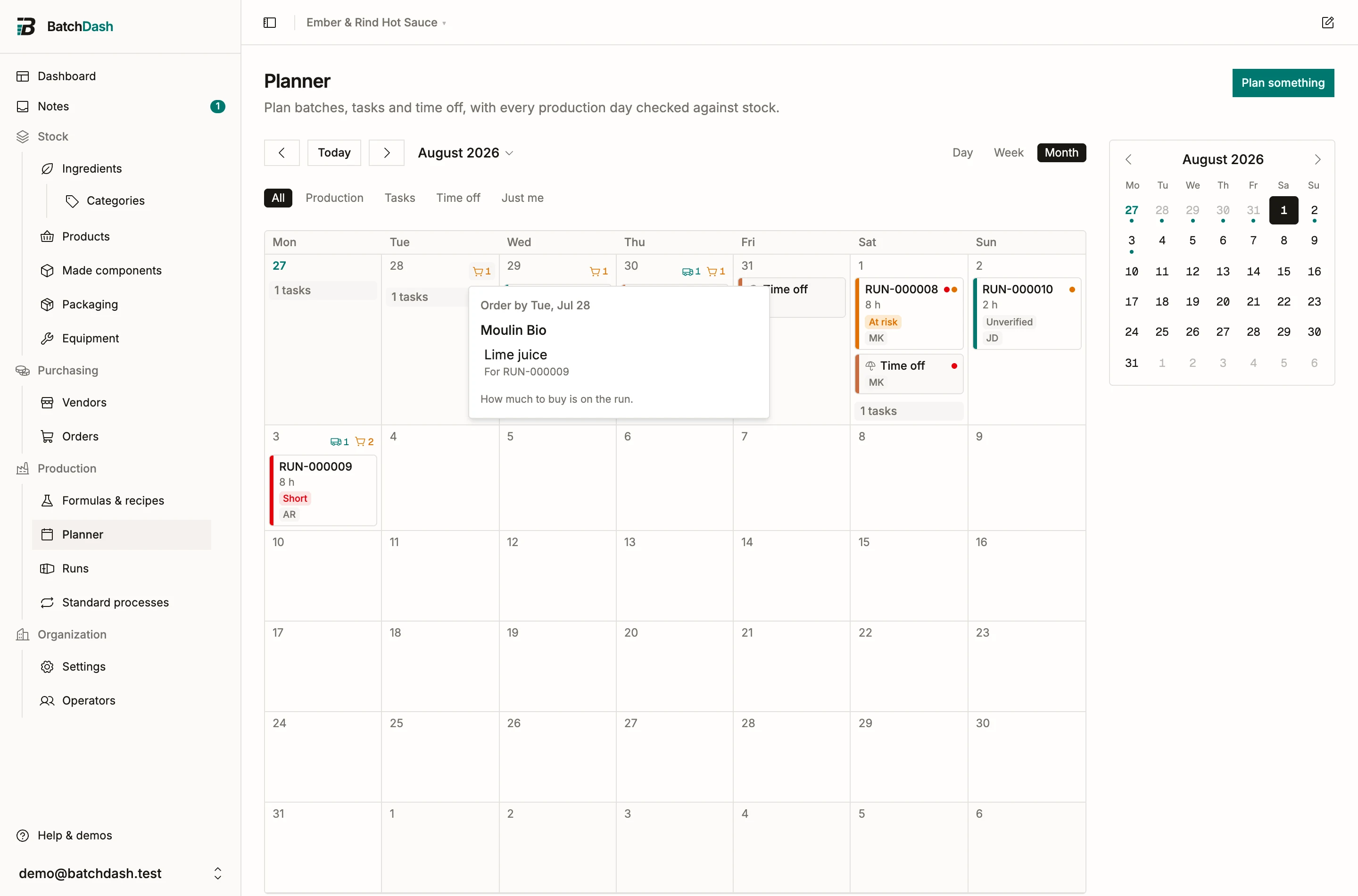
The panel groups everything by vendor, because that is how you actually place an order. Each line links to the batch that needs it, where the shopping list works out how much to buy in whole packs. The planner answers when and from whom. The run answers how much.
A few cases the panel spells out:
- Lead time unknown means the vendor offer has no lead time set, so the date is the batch day itself. Add a lead time to the offer to get a real deadline. A vendor you only received from always reads this way, since a price paid last time promises no delivery day.
- No vendor yet means nothing prices that ingredient, so there is no vendor to name. Add an offer on the ingredient, or log a delivery from the vendor you buy it from.
- Overdue means the order-by date has already passed. The marker turns red and the date clamps to today, since the answer is now “order it today”.
Deliveries
Section titled “Deliveries”Purchase orders you have placed show as a truck marker on their expected day, with the vendor and line count in the same panel. Only orders that are actually placed count: a draft never feeds the verdicts, and neither does an order with no expected date. A late delivery keeps showing on today, flagged overdue, because you are still waiting for it.
To check an order before anything is planned, open a scenario. It answers with the same verdicts, dated against this plan, and plans nothing until you apply it.