
What counts in a unit cost
Ask three makers what a jar of sauce costs to make and you get three answers: one counts the mangoes, one adds the hours, one spreads the rent. BatchDash lets you pick your answer once, in Manage organization → Settings → Costing, and then applies it to every batch the same way.
Two things are always counted, on every plan: what went in, at its weighted average cost, and the packaging a packaged format consumes. The other three components are yours to switch on.
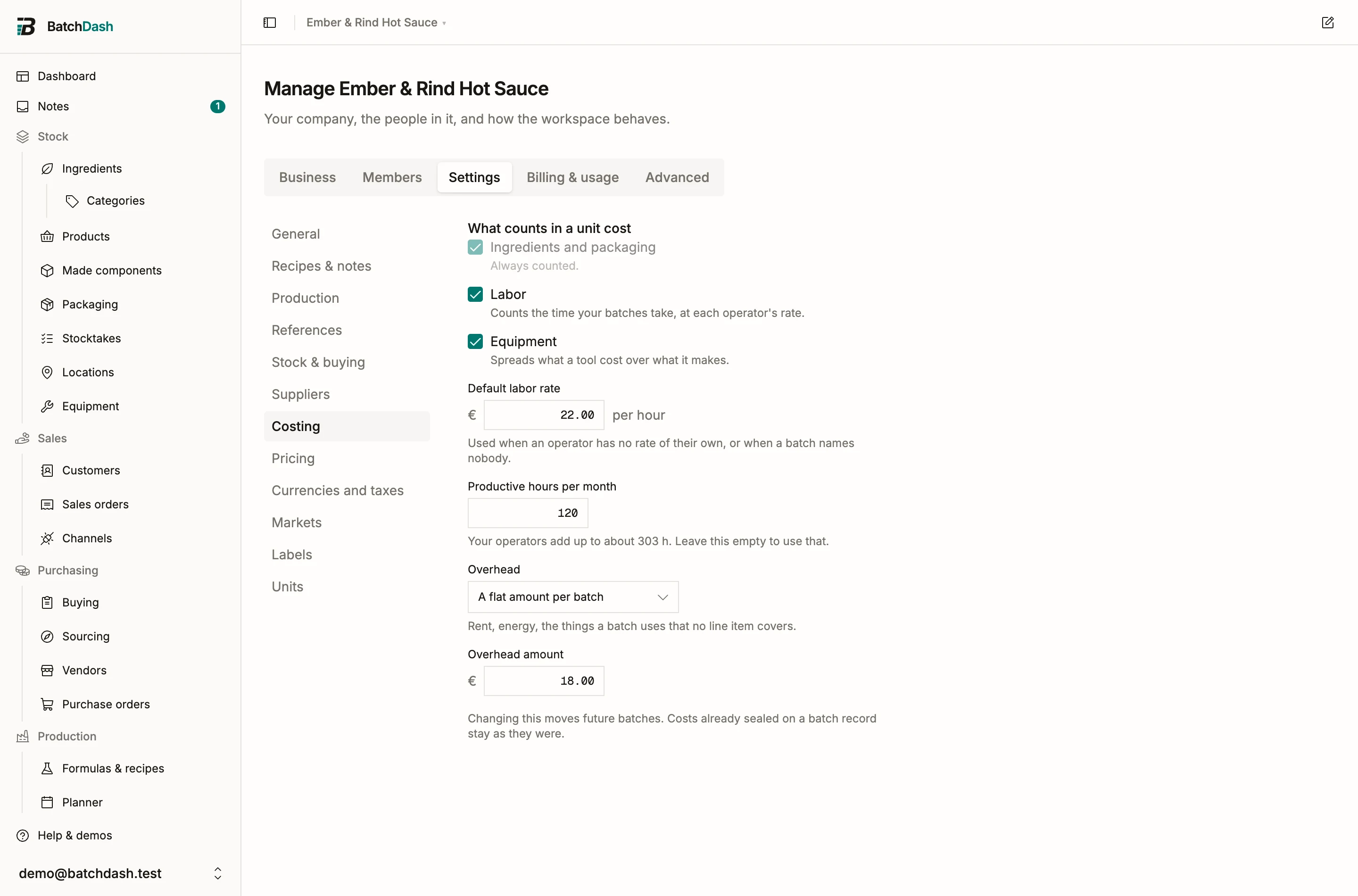
The three optional components
Section titled “The three optional components”Labor prices the batch’s recorded time. Each person on the batch carries their own minutes (see executing a run), priced at their own hourly rate from the operator card, or at your default rate when they have none. A batch that names nobody is priced once, against the batch duration at the default rate. Two people on a three-hour batch each worked three hours, so the batch cost six hours of labor.
Equipment spreads what a tool cost to buy over what it does. A tool amortized by usage charges each batch a share of its price per batch, per hour, or per kilogram it processes. A tool amortized by time needs to know how long it ran, which only per-step times can say, and it divides its monthly depreciation over your productive hours per month. Leave the productive-hours field empty and BatchDash derives it from your operator roster’s weekly capacity.
Overhead is the rent and the electricity: real costs no line item carries. Charge a flat amount per batch, or an amount per hour worked against the batch duration. Choosing a model is the switch; there is no separate checkbox.
A missing input never becomes a confident zero
Section titled “A missing input never becomes a confident zero”A missing cost that reads as €0.00 is easy to miss. So a component BatchDash could not compute shows a dash and the reason, on the batch record itself. No hourly rate anywhere. A tool with no purchase price recorded. A time-amortized oven on a batch that captured no step times. Each gap names what to fix, and the Costing settings list every tool that still cannot be costed, each a link.
The components you left unchecked still appear on the record, grayed and tagged not counted. So you see what your unit cost leaves out before a wholesale buyer asks.
Sealed with the batch
Section titled “Sealed with the batch”Completing a run computes all five components and seals them, together with the policy they were computed under. The sealed figures never move afterwards. Change your policy next month and old batch records keep their numbers, with an advisory line saying what today’s policy would make of the same batch. Stock booked from the batch is valued by the policy too, so made-stock value and margins follow what you chose to count. Packaging stays out of the booked value: a jar is part of the product’s cost, never part of what the bulk inside it is worth.
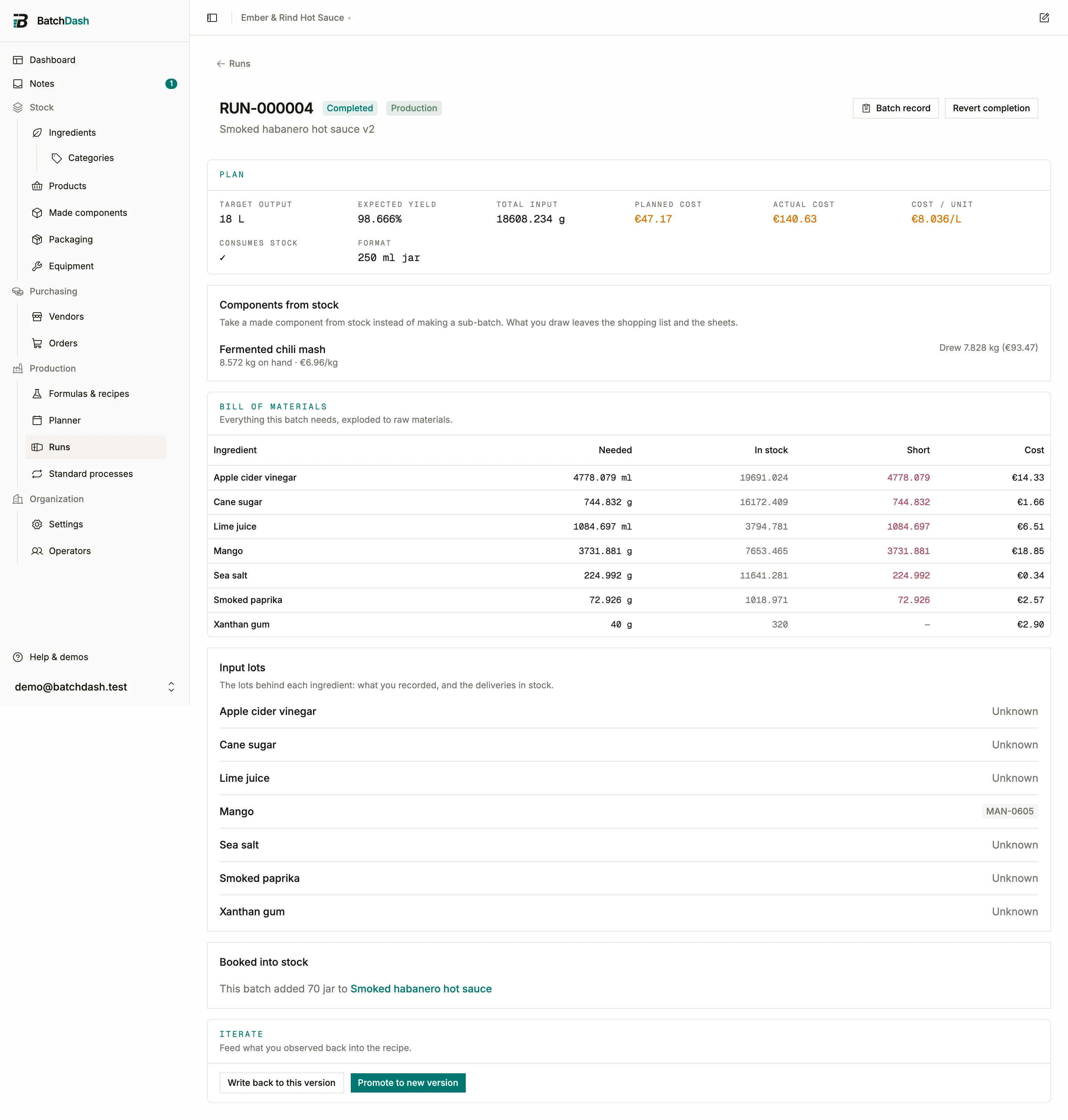
One permission note: the labor, equipment and overhead rows are pay data. A member without the labor rates permission sees ingredients and packaging only, with a total of those two. How long the batch took is operational information and stays visible to everyone.
Where you see it: a batch’s sealed cost band, and the valuation and production reports.