
Your first formula
A formula is a recipe written so that math can run on it: every ingredient is a percentage of the batch, so the same recipe makes 2 L on the bench or 200 L in production. Here you’ll build one and watch it cost itself.
1. Create the formula
Section titled “1. Create the formula”Open Formulas & recipes and press New formula. Give it:
- a Code, a short unique handle like
HS-HABANERO; - a Name, “Habanero sauce”;
- a Type: Product for a finished good, Component for a base you reuse inside other recipes (a fermented chili mash, a stock);
- an Output unit, here liters.
The Category field is optional: file the sauce under Sauces now, or later from the list (recipe categories).
2. Write the recipe in percentages
Section titled “2. Write the recipe in percentages”Add one line per ingredient with its share of the batch:
| Ingredient | % |
|---|---|
| Habanero chilis | 62 |
| Cider vinegar | 27 |
| Sugar | 7 |
| Salt | 3.7 |
| Xanthan gum | 0.3 |
The editor keeps a running total and nudges you toward 100%. Percentages are shares of the batch mass; mass-based formulas explains why everything computes in grams underneath.
3. Watch the cost appear
Section titled “3. Watch the cost appear”As soon as every line points at a priced ingredient, the Cost panel fills in: cost for the batch, per output unit, and per portion once you set a portion size (250 ml, named “jar”). Each line is priced from the ingredient’s weighted average cost, the price you actually paid across deliveries. If the panel says it can’t cost the formula yet, a line has no price; set up your inventory shows how to fix that in two steps.
4. Cook it once at the bench
Section titled “4. Cook it once at the bench”The formula page is also a worksheet. In bench mode you write what you did step by step and weigh ingredients in real amounts as you go; percentages and yield are computed back from the weights.
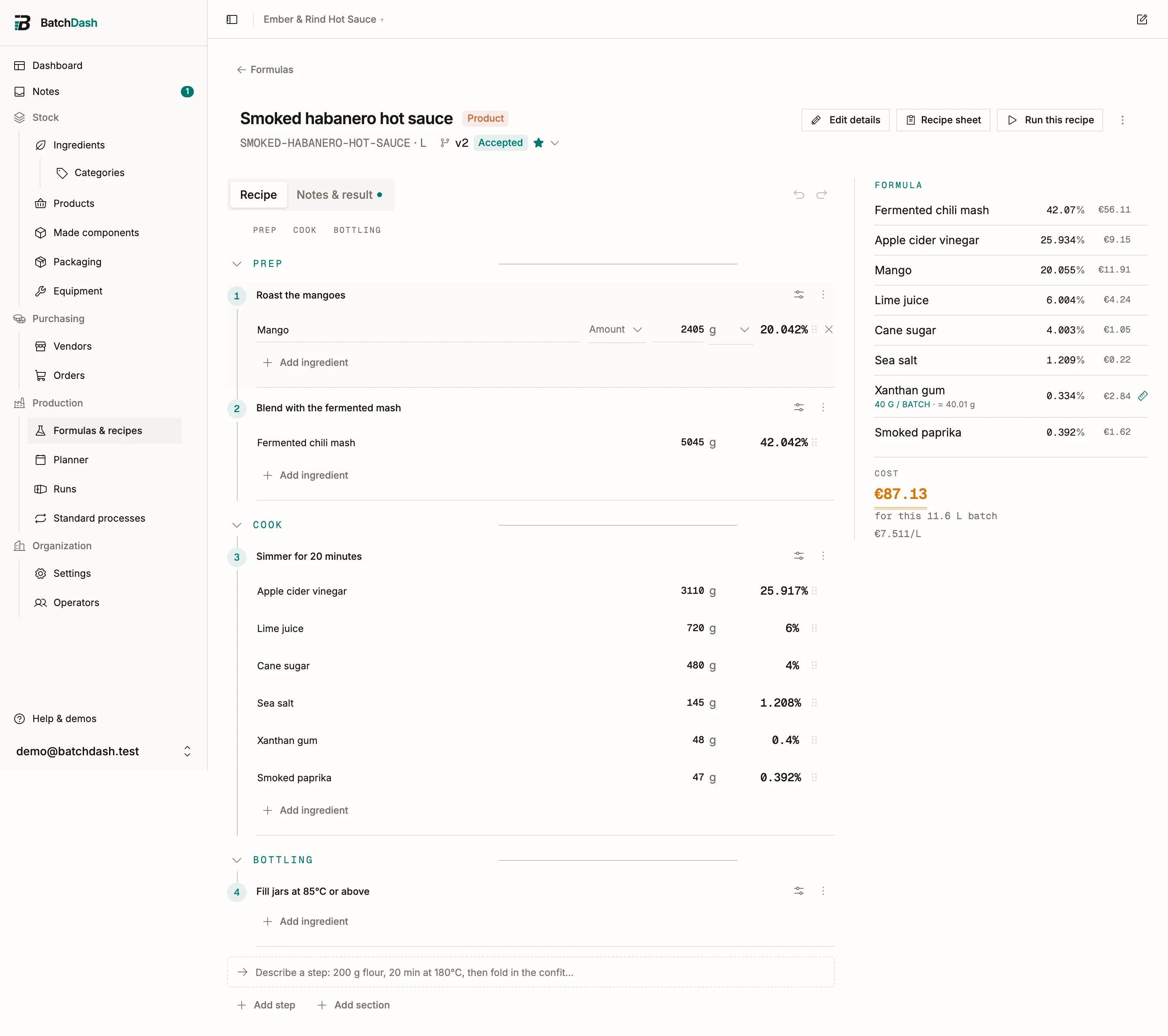
Weigh the finished batch at the end and you get the real yield, which sharpens the cost per liter. Formula basics goes deeper on lines and phases, and cost breakdown unpacks where each cent comes from.
What’s next
Section titled “What’s next”Your recipe exists and knows its cost. Time to make it for real: plan your first run.