
Packs
A pack is a product made of other products. You create it once, then fill it from what you make or buy. There are two kinds, and the Separable switch chooses between them:
- A separable pack holds one product counted by the piece: a carton of 12 jars, or a case of 4 of those cartons. Its jars stay in the product’s stock, and the pack counts how many of them sit in packs.
- A pack that is not separable takes its contents out of stock and has a stock of its own: a gift box of two sauces, a tasting kit. See Gift boxes and kits.
This module is part of the larger plans.
Creating a pack
Section titled “Creating a pack”- Click New pack on the Products page, or on the Packs card of the product that goes in it. From a product’s page, the pack starts with that product inside.
- Name it (“Carton of 12”) and pick what it is Made from: each product, and how many go into one pack.
- Switch on Separable for a carton or a case. A separable pack holds 2 or more of one product counted by the piece, or 2 or more of a separable pack of it.
- Write its Format, the word it is counted in (“carton”), and its plural. Left blank, the format is the pack’s name in lower case.
- Switch on Sold if customers buy it. A pack nobody sells is still counted and moved, and has no SKU, barcode or price.
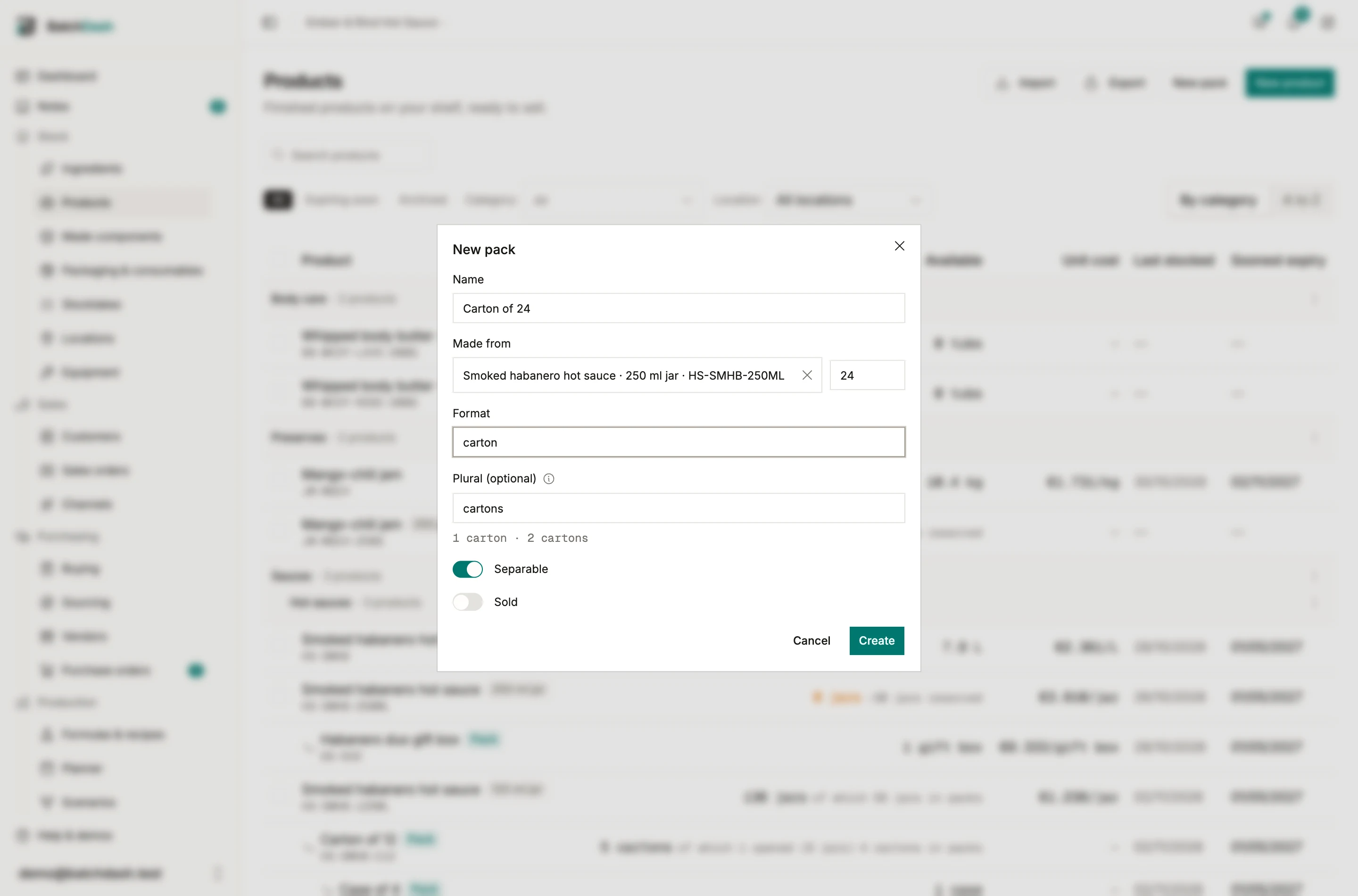
Edit on the pack’s page changes all of this later. Whether a pack is separable, and what a separable pack holds, stop changing once it has been filled.
How a separable pack counts
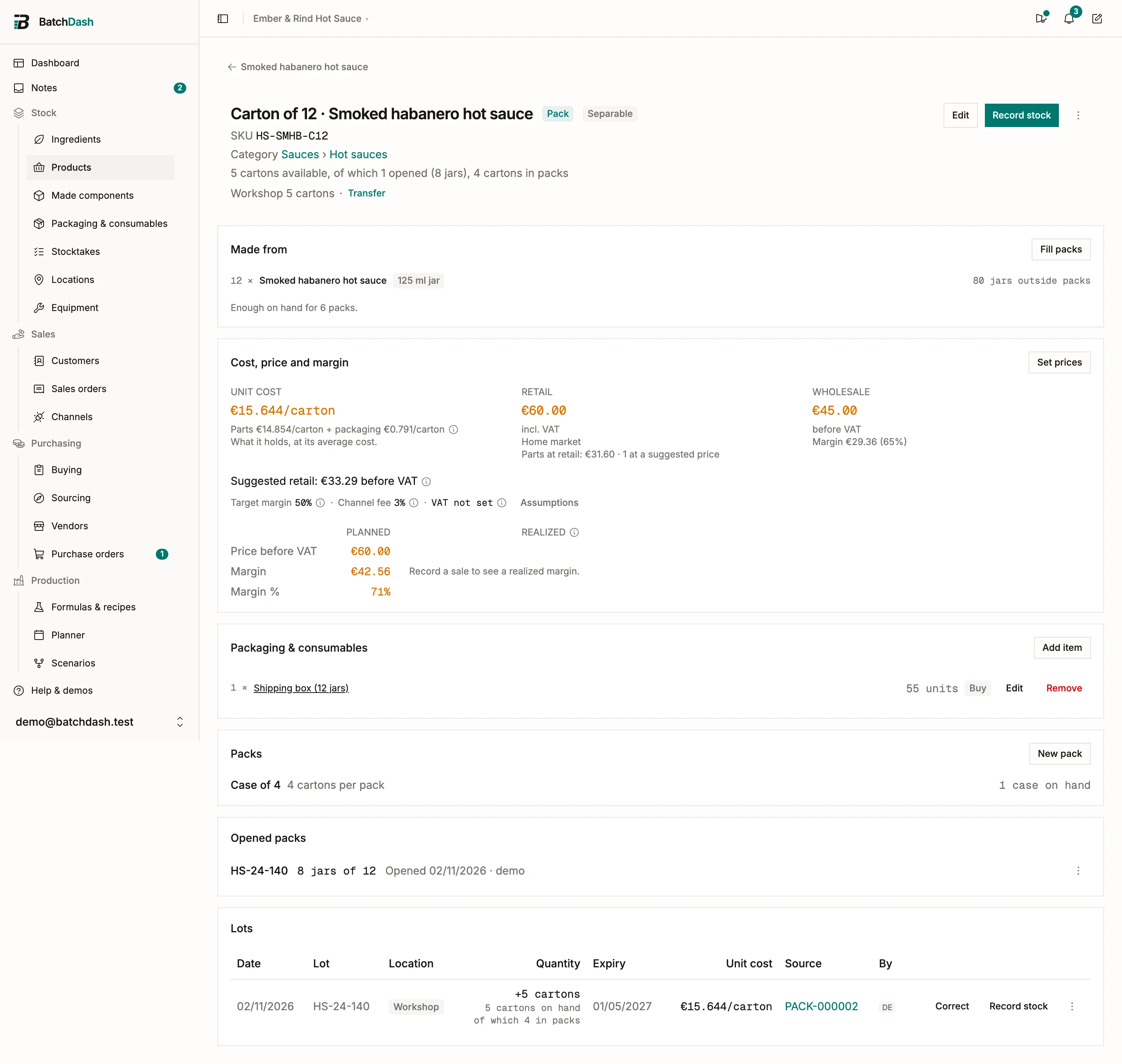
Section titled “How a separable pack counts”The jars in a carton are still jars of the sauce. The page of the sauce’s 125 ml jar reads “136 jars available, of which 56 in packs”, and every surface that counts the sauce counts them: availability, orders, batches, reports. The carton counts cartons: “5 cartons, of which 1 opened (8 jars)”. A case holds cartons, and the cartons inside a case are still counted as cartons.
In the Products list, a pack of one product reads under that product, a case under its carton. A pack of several products has its own row.
The pack’s page
Section titled “The pack’s page”- Made from lists what one pack holds and how many packs the stock outside packs can fill. Fill packs fills them from one batch.
- Cost, price and margin prices one pack: what it holds at the product’s cost, plus its own packaging. A sold pack carries its retail and wholesale prices.
- Packaging & consumables lists the pack’s own packaging: the shipping box of a carton, used when jars are put into it.
- Packs lists the packs that hold this one, a case for a carton.
- Opened packs lists each opened pack and what is left in it. See Put into packs, open, count and move.
- Lots lists the pack’s lots. A carton’s lot carries the code of the batch inside, and its row says how many cartons are in a case.
Labels, files and reports
Section titled “Labels, files and reports”A separable pack prints its own label from where it was filled, with its contents, its lot and best before, and its GTIN as ITF-14 or GS1-128. See Printing batch labels.
Packs have their own file in the Export and Import menus of the Products page. See Exporting your data. The sales, stock value and production reports read a product’s packs under it.