
VAT on what you buy
A price on an invoice means two different things to two makers. To a business registered for VAT, the tax on that invoice comes back, so the real cost is the figure before it. To a business under the threshold, nothing comes back, so the real cost is the figure on the line. The same invoice, two costs.
BatchDash asks which of the two you are, once, and then takes the printed VAT off the cost or leaves it there.
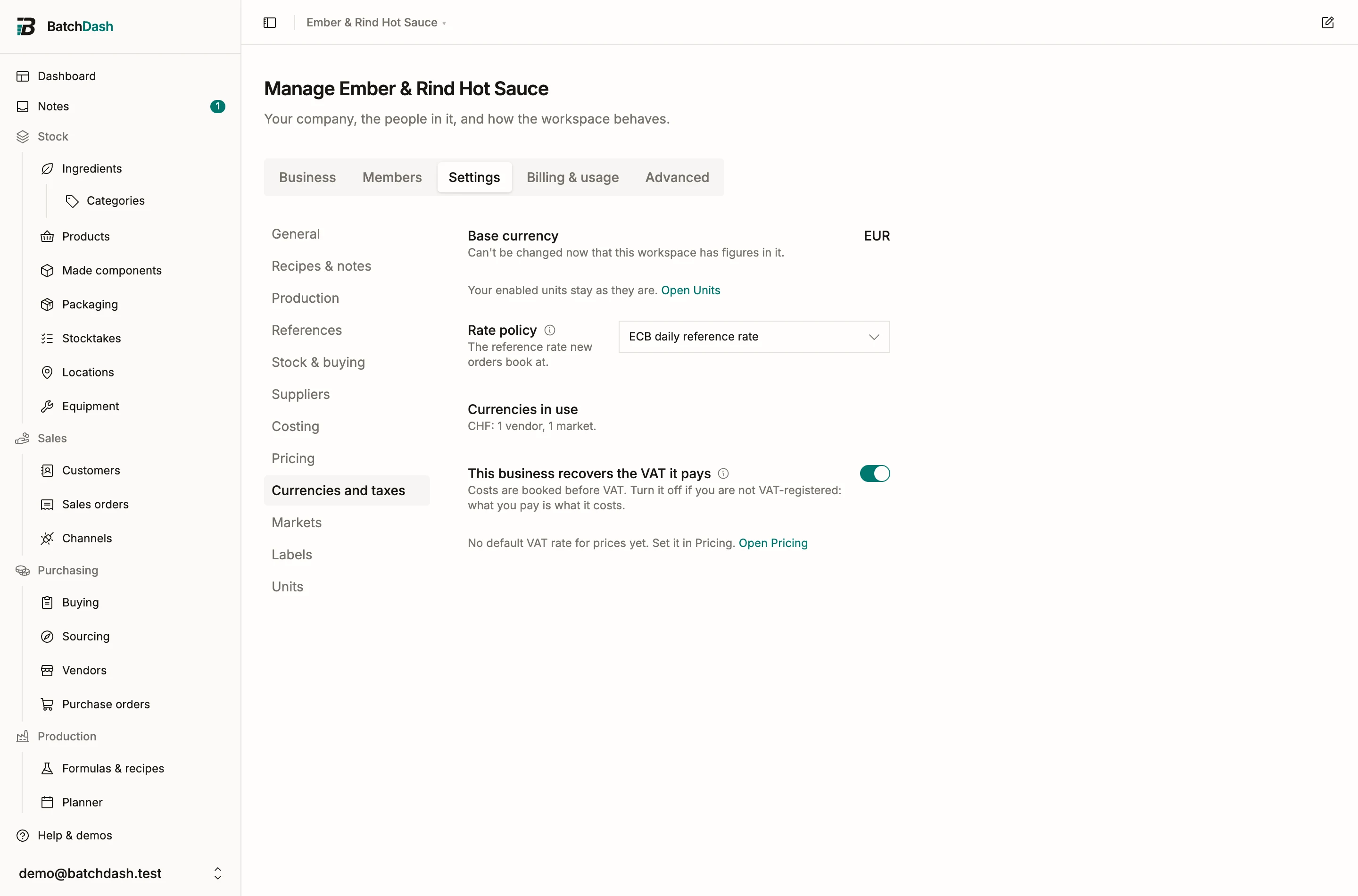
The switch
Section titled “The switch”Organization → Settings → Currencies and taxes carries one switch: This business recovers the VAT it pays. Off by default. On, purchase costs are booked before VAT. Off, what you pay is what it costs.
If you have entered a VAT number on the Business tab and the switch is off, the hint adds a nudge: “You entered a VAT number; most registered businesses recover VAT.” It is only a nudge; whether you may recover VAT is between you and your accountant.
The switch on its own changes nothing. It is the default for orders you write from now on, and it never reaches back to an order that is already booked. Under it, one line repeats the default VAT rate your prices use; that rate is the selling side’s, set in Pricing, and the line links there.
The VAT row on an order
Section titled “The VAT row on an order”Open a purchase order, Edit on the Fees & shipping card, and the dialog carries a VAT block under the fees.
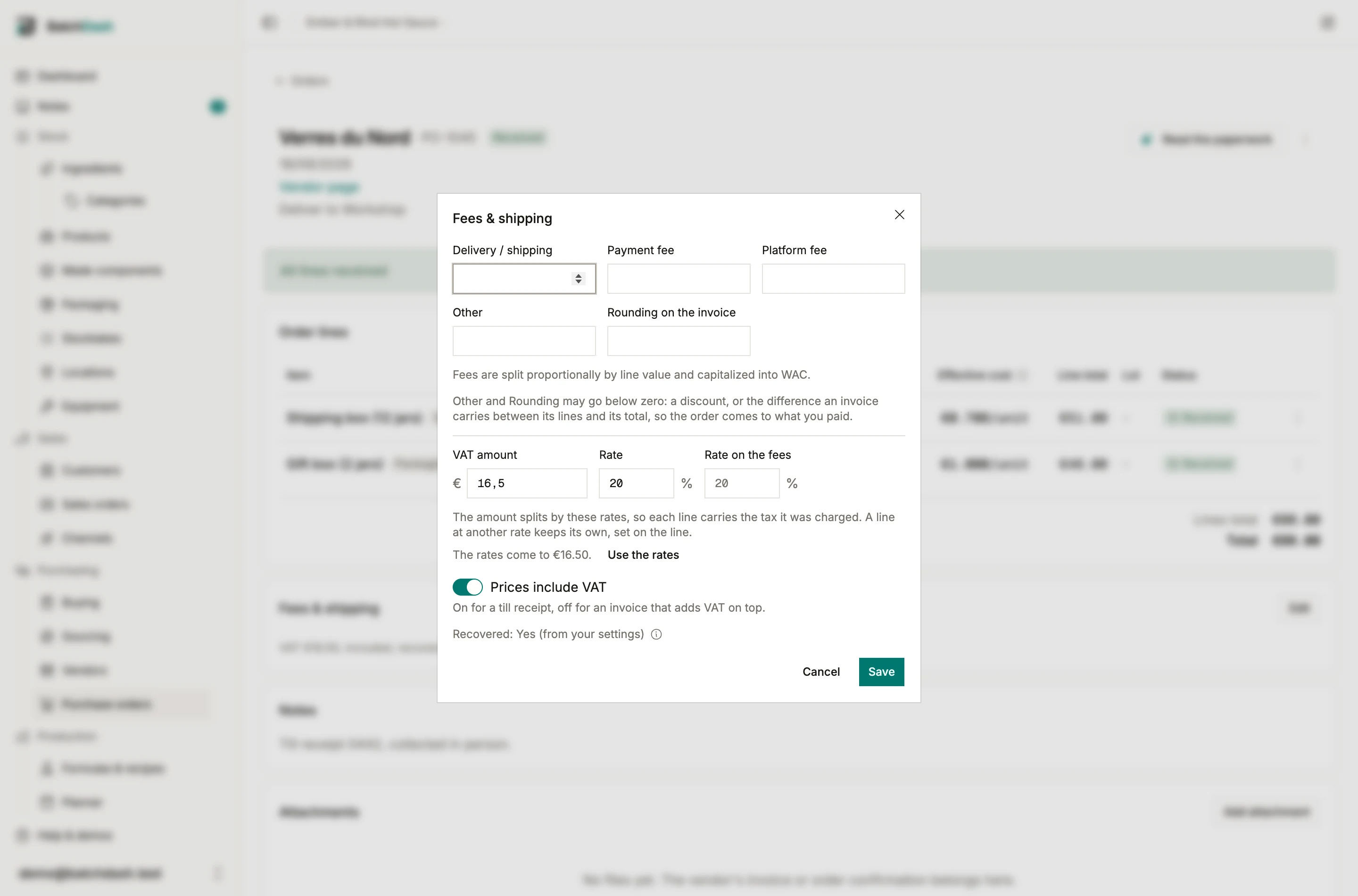
- VAT amount: the figure the document prints. An amount, the way the paper prints it, because that is what has to balance.
- Rate and Rate on the fees: the rates the document charges on its goods and on its carriage. They are stored, and they decide how the amount splits between the lines. Under them sits what they come to, with a Use the rates button that fills the amount box; the figure turns amber when it disagrees with the amount by more than a cent.
- Prices include VAT: on for a till receipt whose prices already contain the tax, off for an invoice that adds it at the bottom. It starts on for a business that does not recover VAT and off for one that does, which is how each of them usually receives paper.
- Recovered: Yes (from your settings): read only. It is frozen onto the order the moment you save an amount, so flipping the switch next year never moves a cost booked this year.
Save it and the fees card says the whole entry in one line: “VAT €16.50, included, recovered”.
What it does to the cost
Section titled “What it does to the cost”With the switch on, the printed VAT leaves the cost before the goods reach your average. It comes off the way a negative fee would: spread across the lines in proportion to their totals, the last line absorbing the rounding, and never taking a line below zero.
A worked example. A Swiss till receipt, in a workspace whose books are in francs and which recovers VAT: printed total 108.10 CHF, VAT 8.10 included at 8.1%. What may become cost is 100.00 CHF, and that is the figure the average cost takes. Rates differ by country and by product, and they change; check with your accountant which applies to you.
With the switch off, the same receipt costs 108.10 CHF, which is what left the bank account.
Four cases, one table, with v the printed VAT amount:
| Recovers VAT | Prices include VAT | What was paid | What becomes cost |
|---|---|---|---|
| Yes | Yes | the lines and fees as printed | that, minus v |
| Yes | No | the lines and fees, plus v |
the lines and fees as printed |
| No | Yes | the lines and fees as printed | the same |
| No | No | the lines and fees, plus v |
the same |
A receipt that mixes two rates carries each line’s own rate, so each line is stripped at what it was charged. Set the document’s rate in the VAT row and the rate of any line that differs on the line: Edit while the order is open, VAT rate in the line’s ⋮ menu once it has arrived. Leave the rates empty and the amount spreads by line value, which is exactly right on a single-rate document and a few percent out per line on a mixed one.
Before VAT or incl. VAT
Section titled “Before VAT or incl. VAT”Every price you type on an order line, on a delivery and on a reading carries a small line under it saying which column of the invoice to copy from: before VAT when your business recovers it, incl. VAT when it does not. Once the order or the reading holds a VAT amount, its own switch decides instead, because the lines have to be what the paper prints: incl. VAT when the prices include it, before VAT when it is added on top. It is the one place a misread invoice turns into a wrong average cost, so the app says it where you type rather than where you set it.
When the reader finds a tax line
Section titled “When the reader finds a tax line”Read the paperwork knows a tax line when it sees one. Instead of leaving it among the rows for you to route by hand, the reader puts its amount straight into VAT on the document and works out whether the printed prices contained it, by checking which reading makes the printed total balance.
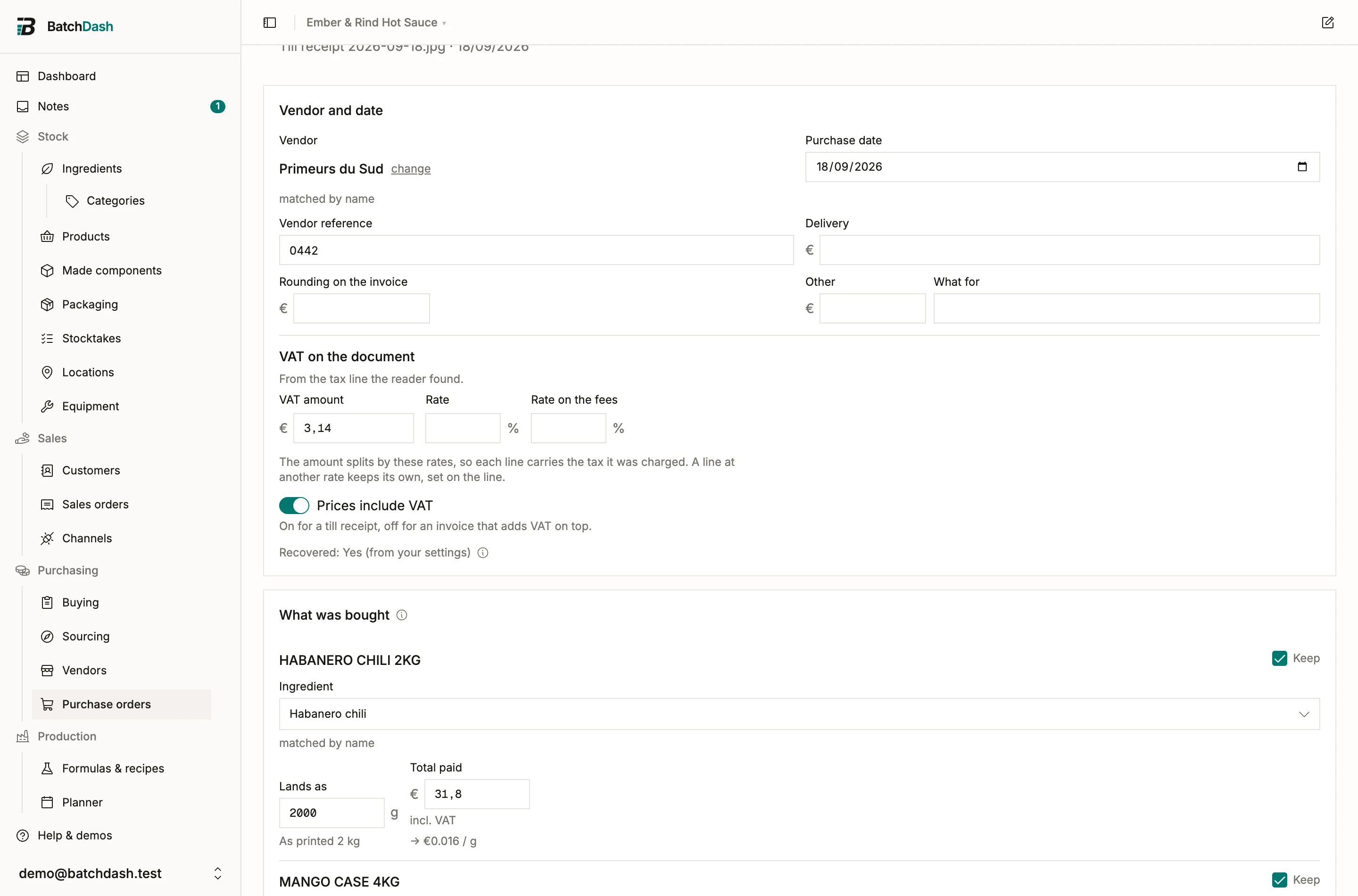
The row is yours to change: empty it, correct it, or flip the switch under it. Non-purchase rows keep their place under Not stocked, each wearing what it is (Tax, Deposit, Discount, Loyalty, Rounding, Other), and a tax row offers Count as VAT in place of Add to fees, which fills the row again from the receipt’s tax lines if you emptied or changed it. Added as a fee, the VAT would count twice.
When your business does not recover VAT the row still fills. It records what the document said; it just does not reduce anything.
Changing it later
Section titled “Changing it later”The VAT row stays editable after the goods arrive, like the fees beside it, because the invoice usually lands after the crates. Saving it re-costs every delivery booked against that order, replays each ingredient’s average cost, and leaves a line in the ledger under each delivery: “Cost restated €1.200/kg → €1.000/kg after the VAT entry changed.”
What this is not
Section titled “What this is not”BatchDash records what a document said and what it cost you. It does not file anything, does not know whether you may recover a given tax, does not handle reverse charge, and has no opinion on which rate belongs to which product. All of that is your accountant’s, and none of it is hidden in here.
- Fees and landed cost: the other half of what a delivery really cost.
- Currencies and exchange rates: an invoice in another currency.
- Markets and VAT on sales orders: the VAT you charge, which is a different question.