
Assemblies
An assembly is a product you build from other finished products: a holiday bundle with two jars of habanero sauce and a gift box. No recipe and no run; you assemble what you already made.
Creating an assembly
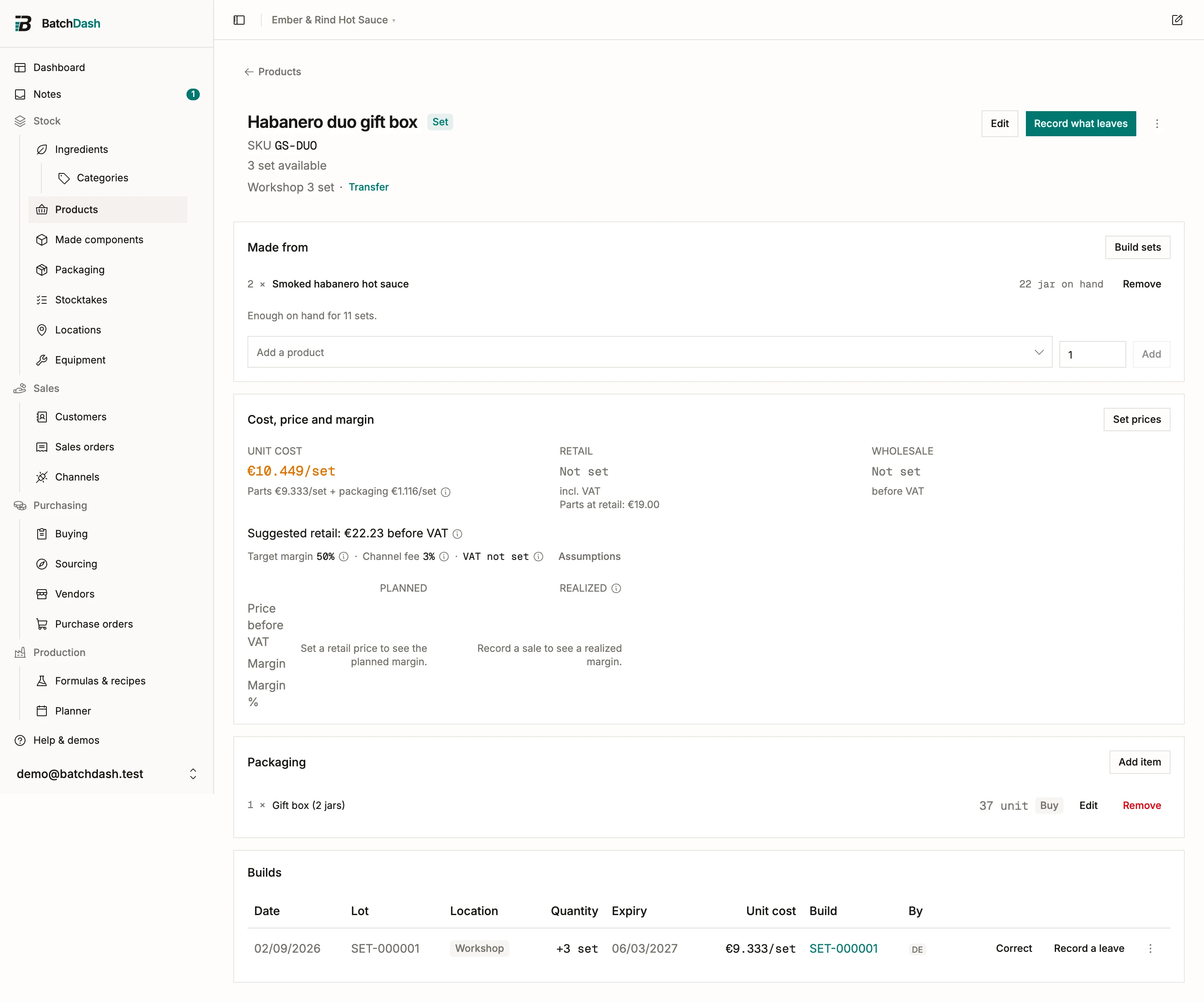
Section titled “Creating an assembly”Click New assembly on the Products page. Give it a name (“Habanero duo gift box”) and pick what it is Made from: each product and how many go into one set. The assembly’s page also carries its own packaging (the box, the ribbon, a label), managed the same way as on any product. A set has one format; there is no second presentation to add.
The Made from card says how many sets the shelf can give you right now (“Enough on hand for 11 sets”). Change the list after a build and the card says so: “The list has changed since SET-000001 was built”, with the build linked, so you can tell the sets on the shelf from the ones you will build next.
Building sets
Section titled “Building sets”Click Build sets on the Made from card. The dialog shows the plan before anything moves:
- Sets: how many you are building. The list below recalculates as you type.
- Lot code: filled with the build’s reference (
SET-000001), which you can replace with your own. A code already on another batch is flagged, and you confirm it on purpose. - Expiry: the earliest expiry among the batches going in, capped by the set’s own shelf life when you set one in Edit. Change it if the box says otherwise.
- What goes in: each part, how many per set and in all, and which batches the app will take, oldest first. Pick batches lets you name the batches yourself when the shelf says otherwise. A batch you pick is written down as your choice; the rest is the app’s bookkeeping.
- Packaging: the box and anything else on the set’s packaging list, with what is on hand.
- Notes: a line for the record, optional.
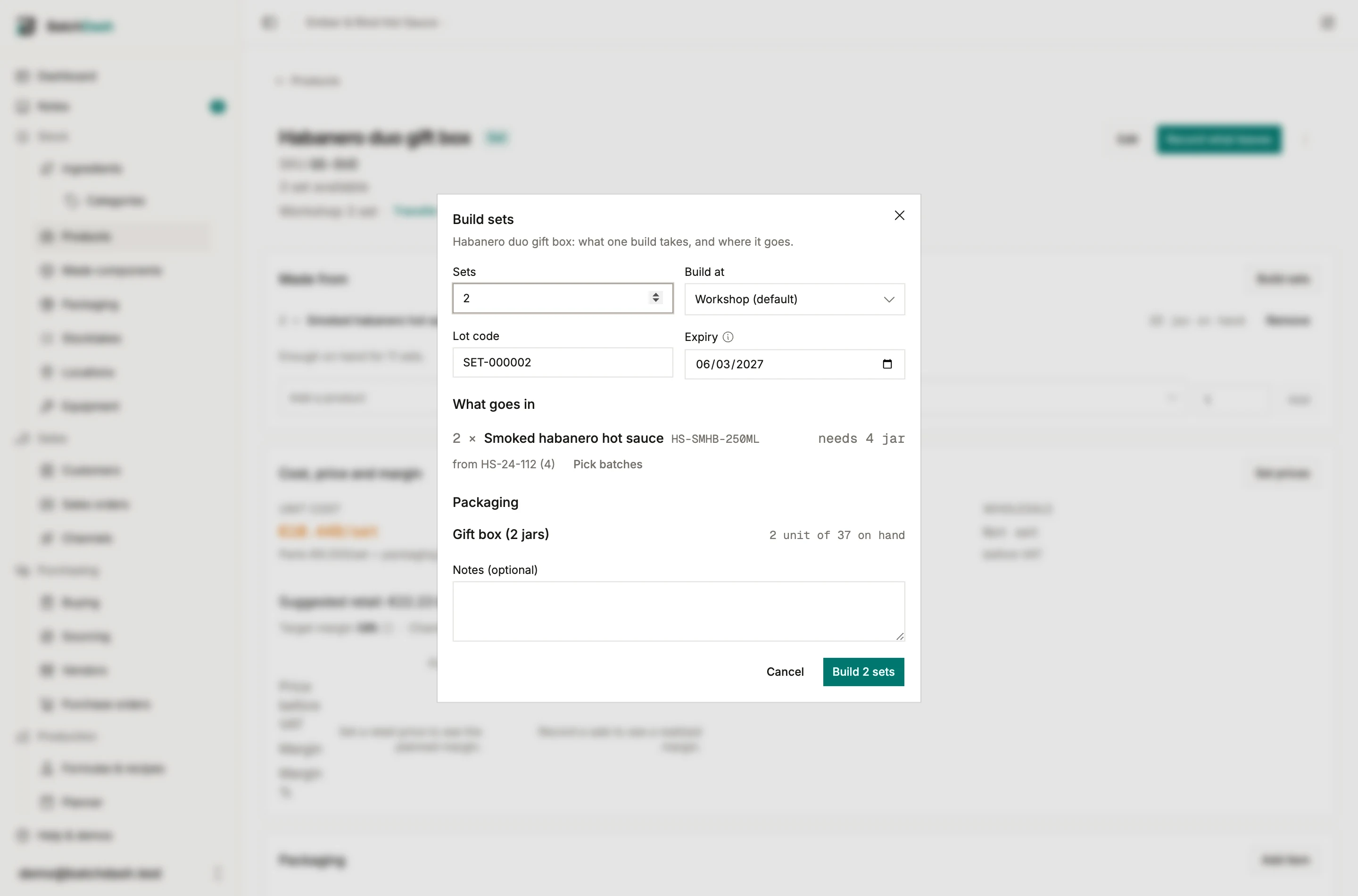
If stock is short, the build warns you; tick Build anyway and let stock go negative when the shelf disagrees with the app and you plan to correct the counts later. A build takes the parts and the packaging out of stock, and books the sets under the lot code, at the combined cost of what went in.
Builds are batches
Section titled “Builds are batches”The set’s page lists its builds in the Builds card the way a product lists its batches: the date, the build’s reference, its lot, the quantity, what is still on hand, the expiry, and the unit cost. Click the reference to open the build record. Print labels from the row like any batch.
The build record
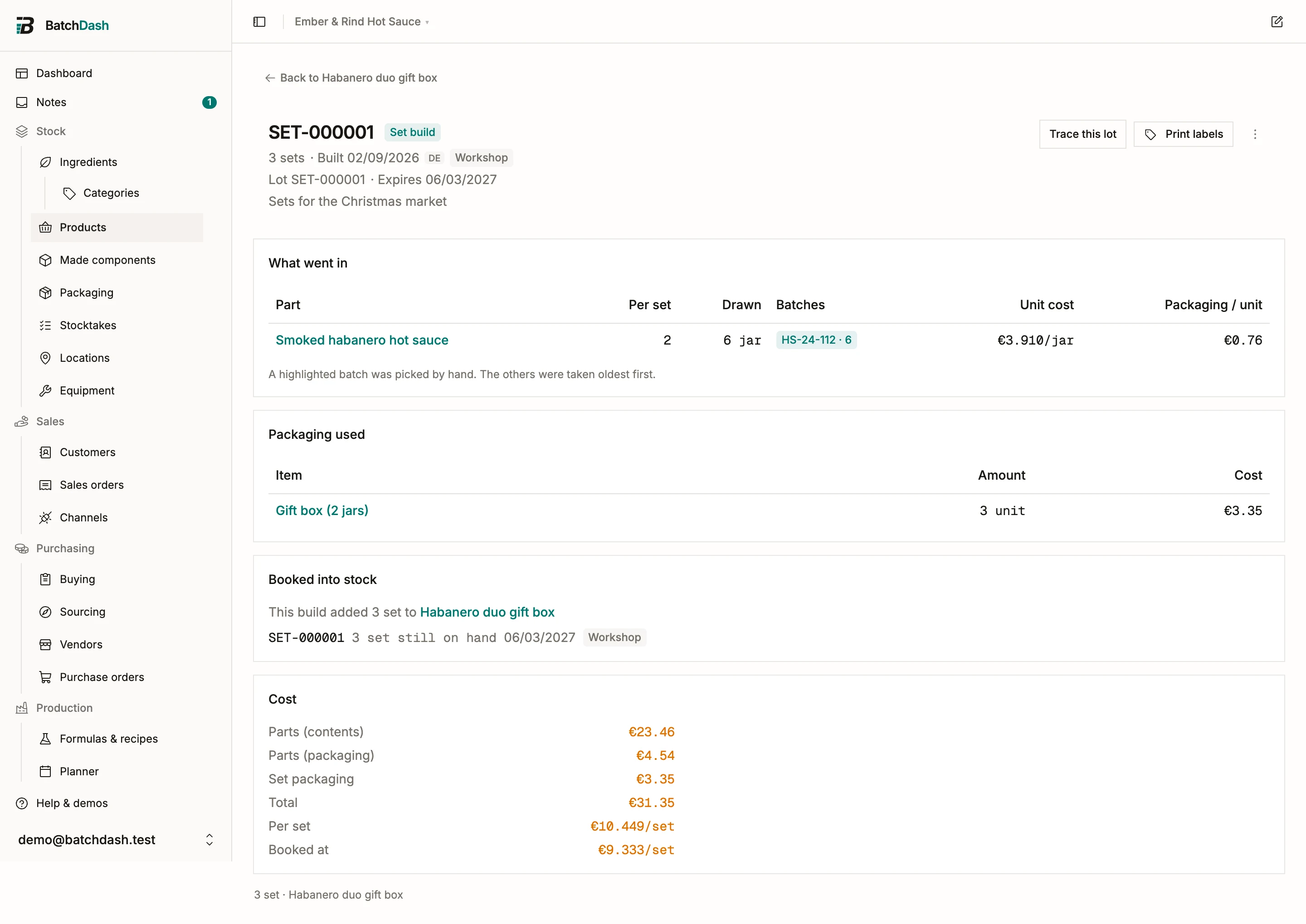
Section titled “The build record”Each build has its own page: SET-000001, when it was built and by whom, the lot code and the expiry, the note. What went in lists each part as it read that day, how many per set and in all, and the batches that gave them up, with a picked batch highlighted. Packaging used lists the box. Booked into stock shows the sets’ own lot and what is left of it. Cost splits the total into the parts’ contents, the parts’ packaging, the set’s own packaging, and the cost per set.
Reverting a build
Section titled “Reverting a build”Revert, in the record’s ⋮ menu, takes the sets back out of stock; the parts and the packaging return to their own stock, and the batches they came from get them back. The record stays, marked Reverted, and the Builds card keeps its row: the date, what it booked struck through, and a link to the record. A build whose sets have already left stock cannot be reverted; record the leave the other way round.
What a set costs
Section titled “What a set costs”You do not have to build a set to know what it costs. The Cost, price and margin card adds up the parts at their own unit cost, plus the assembly’s own packaging, and says Estimated from its parts. A build books the same figure: each part counts at its unit cost with its own jar included, so the number does not move once you build. That is what makes the bundle price a decision you can take on day one: the card puts your set price next to Parts at retail, what the same jars would fetch sold separately, so the discount you are giving is on screen rather than in your head.
A part that has never been made is costed from its own recipe, the same way any product is before its first batch. Only a part that can be neither made nor costed drops out, and the card says how many it counted.
Parts at retail prices the parts the same way: each at its own list price, or at what its own margin, fee and VAT rate would suggest when you have not set one. Two of the three priced and one quoted reads “1 at a suggested price”, so you always know which figures are decisions and which are the app’s arithmetic.
Traceability
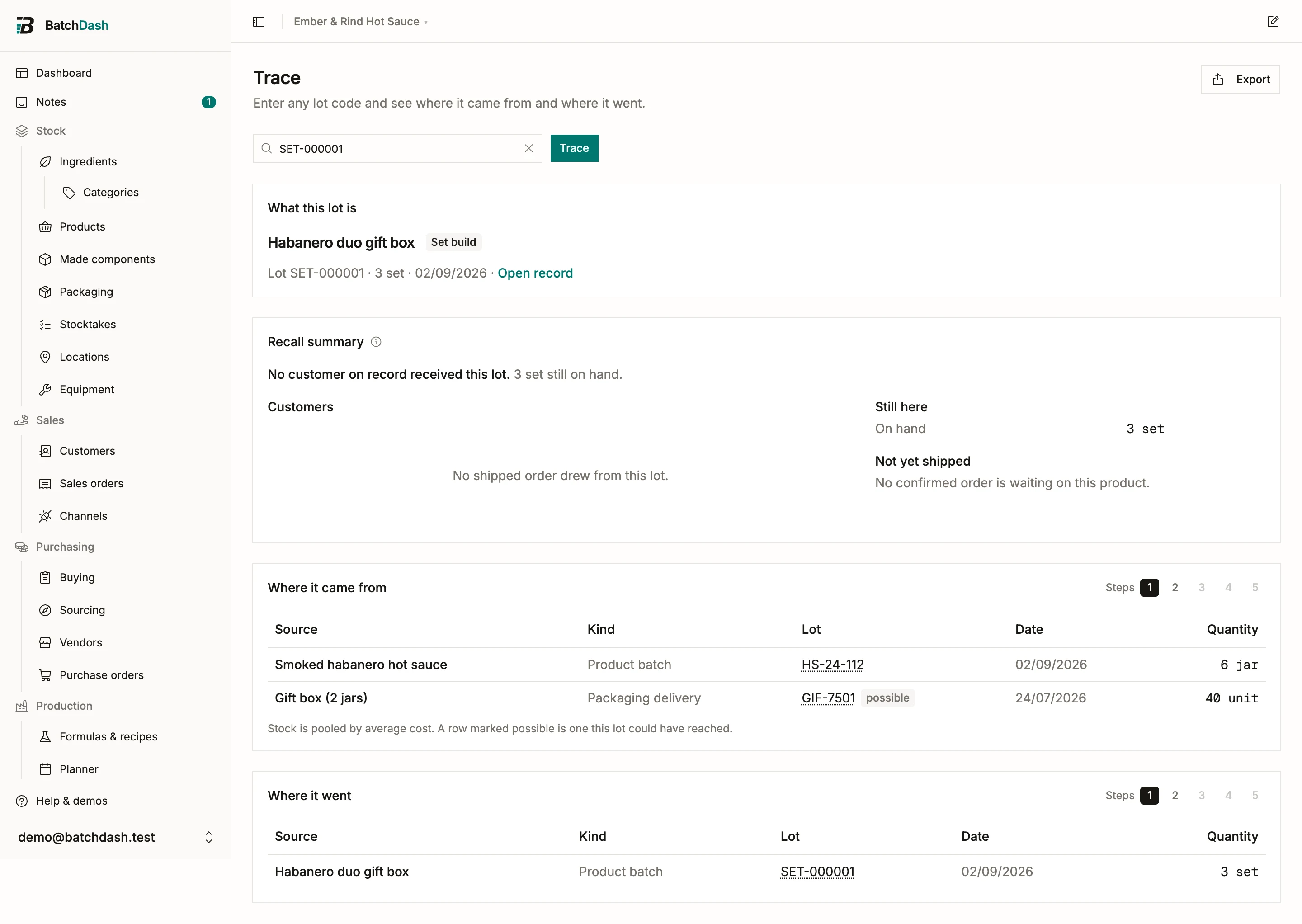
Section titled “Traceability”A set’s lot works like any other. Type SET-000001 in Trace and Where it came from lists the jar batches the build drew, then their runs and the ingredients behind them; Where it went lists the sets’ sales. Trace a jar’s lot instead and the build shows up as one of the places it went, marked recorded, because the ledger wrote down which batch each jar came from. The recall summary of a jar lot adds an In sets block: each build the lot went into, with what is still on hand and who received those sets.
Selling sets
Section titled “Selling sets”From here an assembly behaves like any product. It has a unit cost, its stock moves through a ledger, and you record sales, samples, or spoilage with Record what leaves. A sold price feeds its margin, so you can see whether the bundle discount still leaves room.
One rule: no nesting
Section titled “One rule: no nesting”An assembly is made from finished products only; another assembly can’t go in. If you want a bigger bundle, build it from the individual jars.