
Versions
Recipes drift. The v4 you sell today started as a v1 that was too sweet. Versions keep every state of a formula so you can branch, compare and go back. Versioning is part of the larger plans.
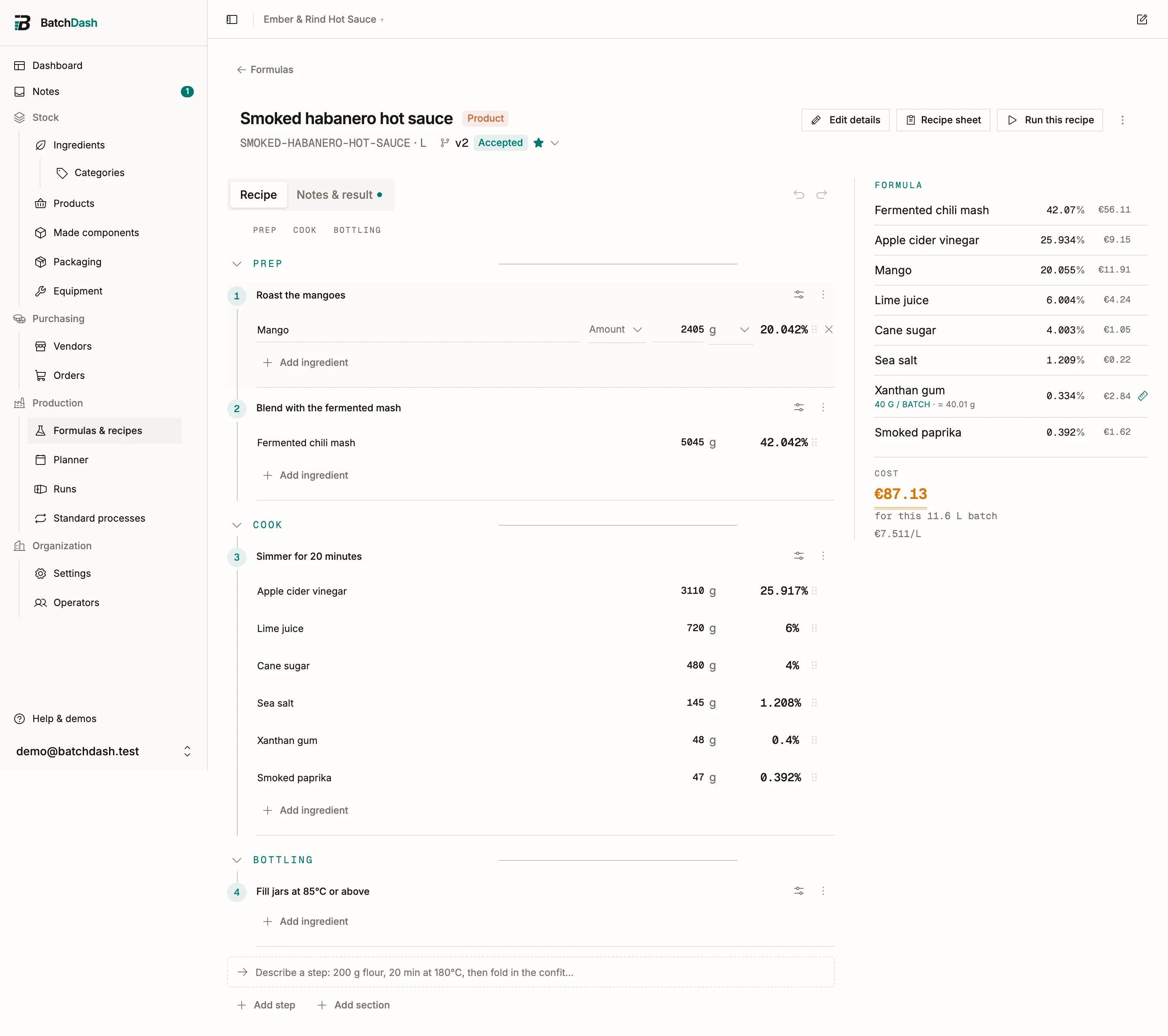
Statuses
Section titled “Statuses”Each version carries a status:
- Draft: being written.
- Testing: on the bench, batches are being tried.
- Accepted: good; a keeper.
- Rejected: went nowhere, kept for the record.
Set it from the version’s Status control, alongside Tasting notes and a Tasting score from 1 to 10. “Score 6: good heat, too much garlic” is the line that stops you from re-running a dead end in six months.
Branch from any version
Section titled “Branch from any version”New version from v2 copies v2 into a fresh draft, ingredients and method included. Branch from wherever makes sense: the accepted version for a tweak, an old rejected one to resurrect an idea. The History records who branched what from where, along with every status change.
Compare side by side
Section titled “Compare side by side”Compare… puts two versions next to each other and lists what differs: ingredient shares, steps, sections, checks and their targets, yield and notes, each marked Added, Removed or Changed. Useful when a batch tastes different and you need to know what the last three edits actually touched.
The current version
Section titled “The current version”One version is marked as the Current version (via Mark as current). It is the recipe the rest of the app uses: production runs start from it, and it is what other formulas pull in when this one is used as a component. You can keep drafting v5 while v4 stays current and production stays stable.
Lock a version
Section titled “Lock a version”Lock version makes it read-only and shows who locked it; the same menu lifts the lock when you need to edit again. Lock the accepted version once production depends on it, and let a completed run’s promotion create the next version instead of editing in place; see iterating and promoting. For the concept in full, read versioning.