
Today and notifications
Two things keep you posted. Today, on the dashboard, lists what needs doing now. The bell, at the top of every page, tells you what just happened. Both show only what your role lets you open.
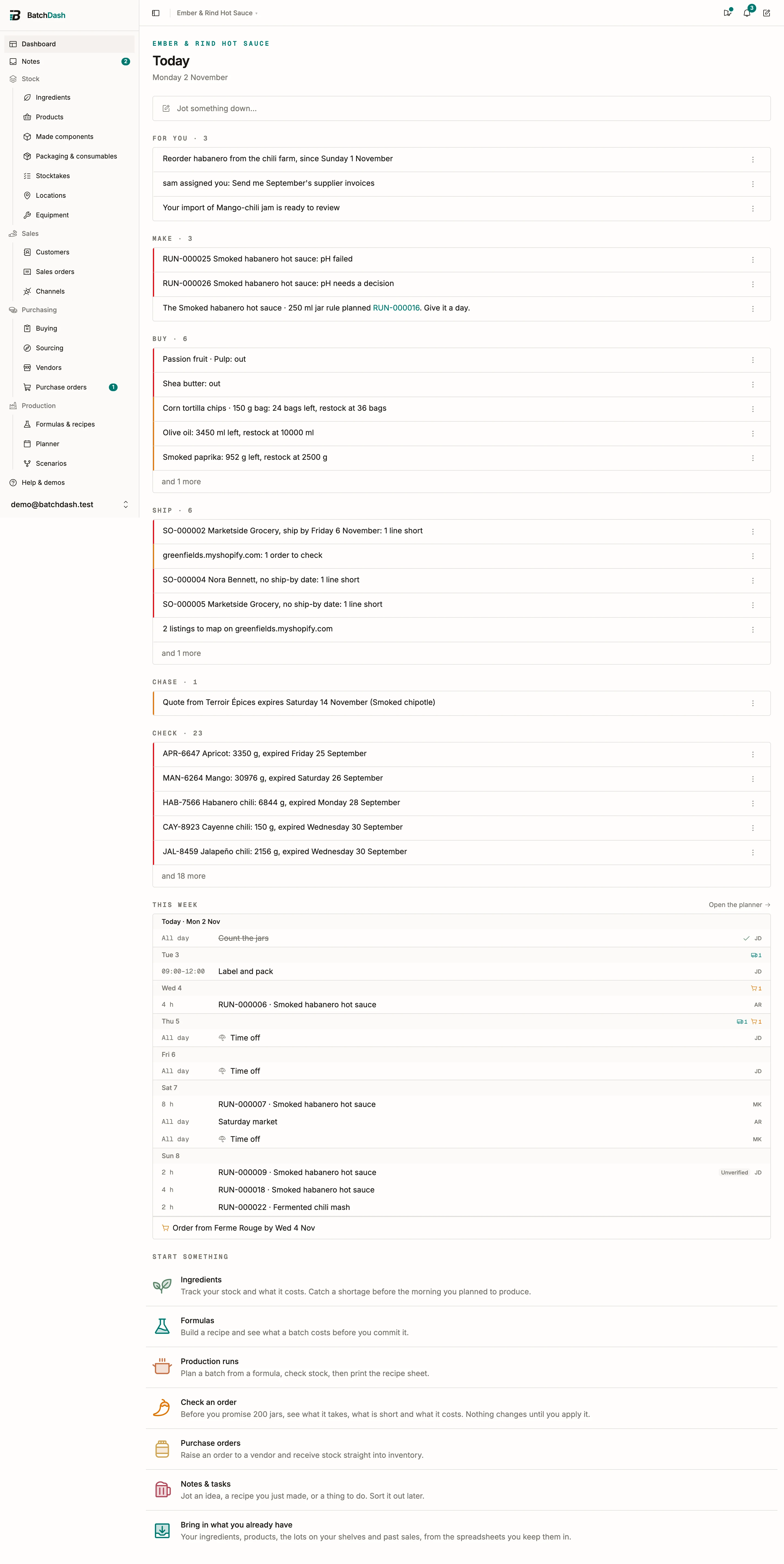
Today groups what needs doing by the job it asks for:
- For you: notes assigned to you that you have not opened, reminders that came due, notes due today, mentions in sourcing, and your recipe imports ready to review.
- Make: batches in the next seven days that are short or at risk, batches whose planned day has passed, batches a rule planned that still need a day, open batches with a failed check, finished batches held until someone releases them, and products you make that ran out or sit below their restock level.
- Buy: ingredients, packaging and bought products that ran out or sit below their restock level, order-by dates that are today or already passed, and draft orders a rule prepared.
- Ship: sales orders to send, shop orders to check, a shop that stopped syncing, and listings to map.
- Chase: purchase orders past their expected date, orders waiting for an exchange rate, shipped orders not paid yet, samples nobody sent, and quotes about to expire.
- Check: lots expiring within 14 days or already expired, with what is left of each (an ingredient’s opens its Lots in stock card), paperwork readings to review, and open stocktakes.
- Workspace, for the people who run it: plan limits near their cap, a failed payment or a trial ending, and members asking to leave.
Each row is the same thing its own page shows. “Cane sugar: 1.2 kg left, restock at 5 kg” is the Low stock filter on Ingredients. Click the row to open that page; fix it there and the row is gone the next time the dashboard opens. There is nothing to mark as read. Some rows name a batch but open another page, the planner or Buying: there the batch reference is a link of its own, straight to the batch.
A group shows its five most urgent rows. and 3 more opens the rest in place.
When nothing needs you, Today says so in one line.
On its way
Section titled “On its way”An item below its restock level that purchase orders already cover does not stay in Buy. It moves to one quiet line at the foot of the group: “On its way: Cane sugar, Smoked paprika, due by Friday 2 October”. Click it to see which order brings each one. A draft order does not count: it is not on its way until it is ordered. If a covering order turns late, the item comes back to Buy and the order shows under Chase.
Put a row away
Section titled “Put a row away”A row’s ⋮ hides it for you alone:
- Not today brings it back tomorrow morning.
- Until it changes brings it back when it gets worse: low turns to out, an order is one more day late, a lot gets closer to its date.
The group ends with “2 put away · Show”. Show lists them, each with Bring back. A row you put away is never counted, and nobody else’s Today changes.
The bell
Section titled “The bell”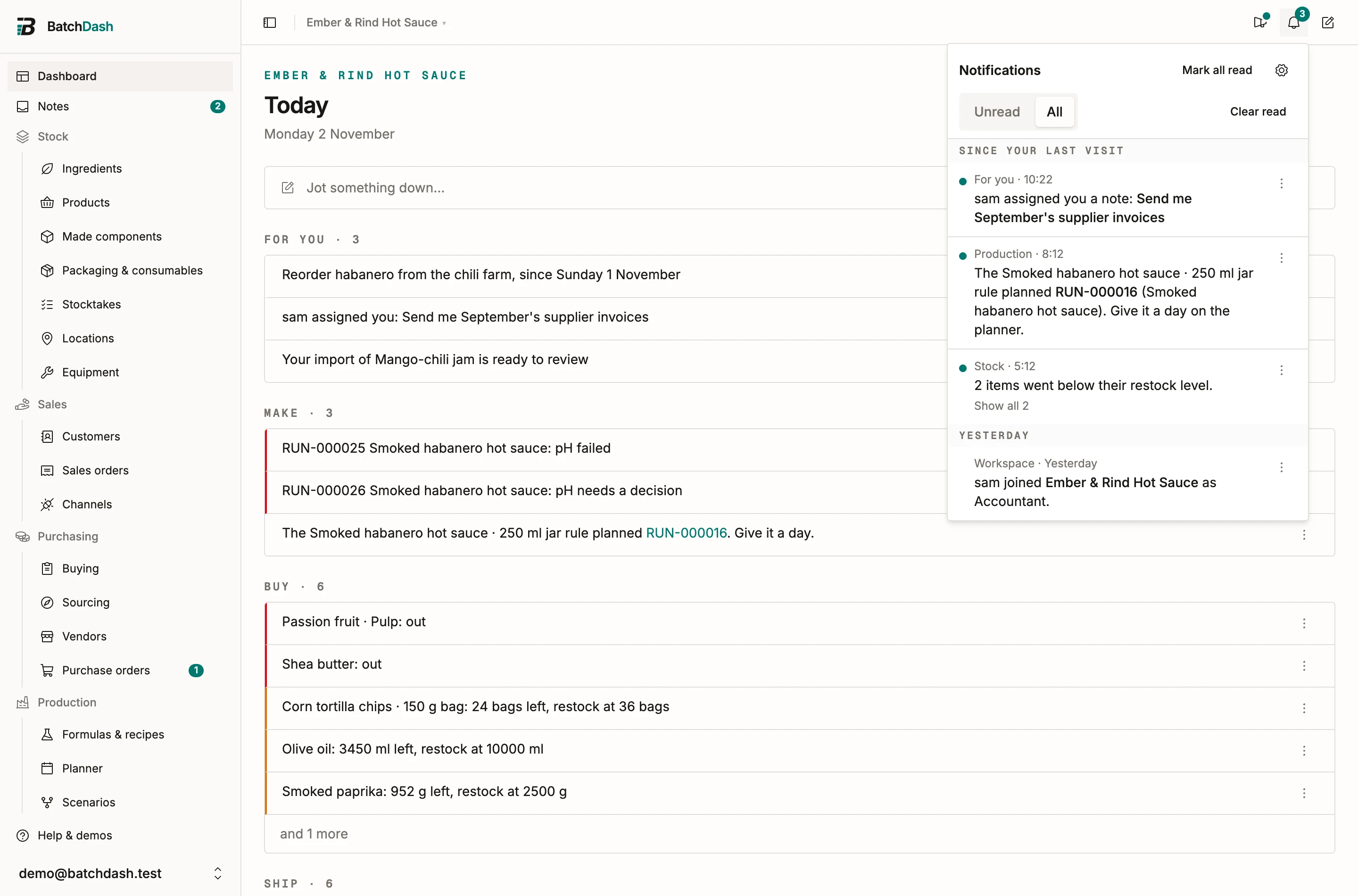
The bell tells you what happened, once, and says who or what did it: a colleague, a replenishment rule, your shop, or Auto for the daily check. The number on it counts what you have not read. The browser tab shows it too, so a pinned tab says it without being opened.
- Click a notification to open its record. That marks it read. Opening the panel marks nothing: seeing a line is not dealing with it.
- Unread and All switch the list. Mark all read clears the dots.
- Since your last visit heads what arrived since you last opened the panel.
- Several events about one thing arrive as one line: “julien received 3 lines on Moulin Bio PO-1046”. A line about several records opens in place to list them.
- A notification’s ⋮ marks it read or unread, turns that kind off for you, opens its settings, or deletes it.
- In All, Clear read deletes every notification you have read, after asking. Unread ones stay.
- In the workspace switcher, a dot marks the other workspaces with something unread for you.
You are never told about your own actions. Notifications are kept for 90 days, then removed, unless you delete them first; deleting one never touches the record it named, and the ledgers keep the record.
What you are told
Section titled “What you are told”| Notification | When | Who gets it by default |
|---|---|---|
| Note assigned to you, Reminders, Mentions | someone assigns you a note, your reminder comes due, someone mentions you | the person named |
| Your reading, import, count or export is ready | the work you asked for is done | the person who asked |
| Ran out, Ran low | an ingredient or packaging item reaches zero or drops below its restock level, or a product with a restock level does | people who manage ingredients, packaging or products |
| Lots to use soon | each morning, lots that came within your window (7 days unless you change it) | people who manage that stock |
| Delivery received | someone receives on a purchase order | people who manage purchase orders |
| Order is late | each morning, orders that passed their expected date | people who manage purchase orders |
| Draft order prepared | a rule prepares a draft | people who manage purchase orders |
| Price rose | each morning, new vendor prices at least 5% above that vendor’s last one | people who manage purchase orders and can see costs |
| Buying list shared | a colleague shares their list | people who manage purchase orders |
| Batch planned by a rule | a replenishment rule plans a batch | people who manage batches |
| Batch went short | each morning, batches this week that turned short | people who manage batches or edit the planner |
| Check failed | a colleague records a failed check | people who manage batches |
| Batch needs a decision | a critical check fails, or a condition reaches its limit and asks for a decision | people who can decide on batches |
| Batch completed | a colleague completes a batch | nobody until switched on |
| Batch held | a finished batch is held until someone releases it | people who can decide on batches |
| Batch released | someone releases a held batch, with their reason | people who manage batches or sales |
| Shop orders pulled | a pull brings orders, and one needs checking | people who manage sales |
| Shop stopped syncing | a shop connection needs attention | people who manage shop connections |
| Sales order confirmed | a colleague confirms an order | nobody until switched on |
| Plan limit, Billing | a limit reaches 90% or its cap; a payment fails; a trial has 3 days left | people who manage the workspace |
| Someone joined, Someone asked to leave | an invitation is accepted; a member asks to leave | people who manage members |
When a failed reading asks for a decision, someone who can decide gets Batch needs a decision, with the reading and its limit, and no Check failed for it. Switch Batch needs a decision off and Check failed comes instead.
The daily check runs early each morning, before the workday.
Choose what you get
Section titled “Choose what you get”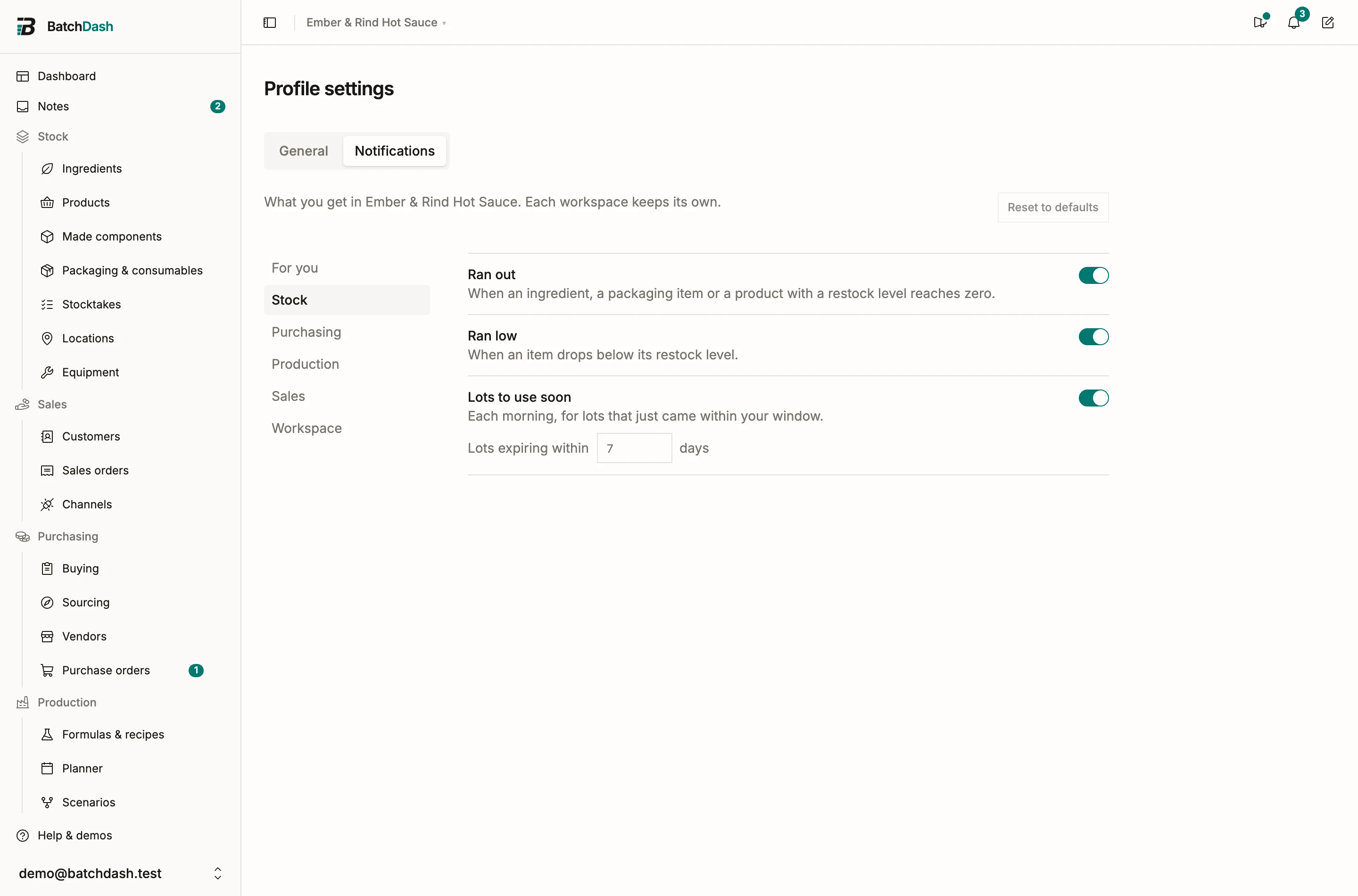
Open Profile settings, tab Notifications. It lists every notification you can get in this workspace, one group at a time, with a switch each. Three have one more setting: how big a price rise must be, how many days ahead lots count, and whether every shop pull tells you or only the ones with an order to check. Each change saves at once. Reset to defaults puts back what your role gets.
Settings belong to one workspace. If you work in two, each keeps its own.