
Receiving
Receiving is the moment an order stops being a promise and becomes stock. You can do it in one click, or crate by crate as the boxes turn up.
Receive all, or line by line
Section titled “Receive all, or line by line”On the order page:
- Receive all books every line’s open remainder in one go. It shows up once the order has been marked as ordered, since a draft has nothing on its way yet.
- Each open line also has its own Receive button, for the crate that arrived while the rest is still on a truck.
Receive all asks before it books anything, and the question carries the numbers: how many open lines it will receive in full, and where they land. It writes stock and moves average cost, so it is worth a second of reading.
With more than one location, an order carries a Deliver to; Receive all lands every line there, and the line dialog lets one crate go straight to the fridge.
Or hand the paperwork over: Read the paperwork takes the delivery note, the invoice or a photo of either and proposes quantities, lot codes and best-before dates line by line. You keep what you trust.
On a phone the lines become cards, and each open one carries Receive as a full-width button. The wide table would have put it behind a sideways scroll, which is no way to treat somebody holding a crate. The dialog slides up from the bottom and stays above the keyboard.
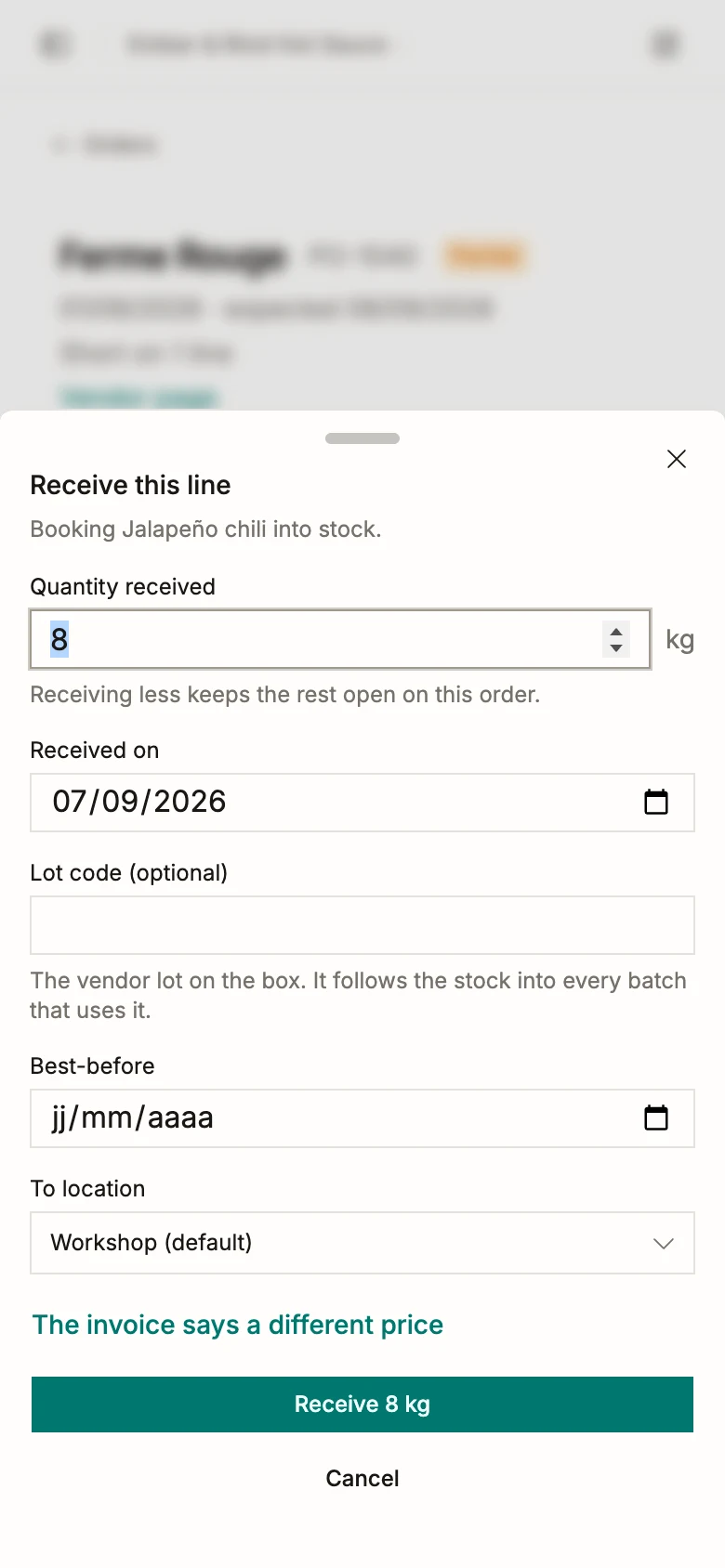
The receive dialog
Section titled “The receive dialog”Quantity received comes prefilled with what is still open on the line, in the unit the line was ordered in. Receiving the default is the one-tap flow; the field exists for the day the box is short.
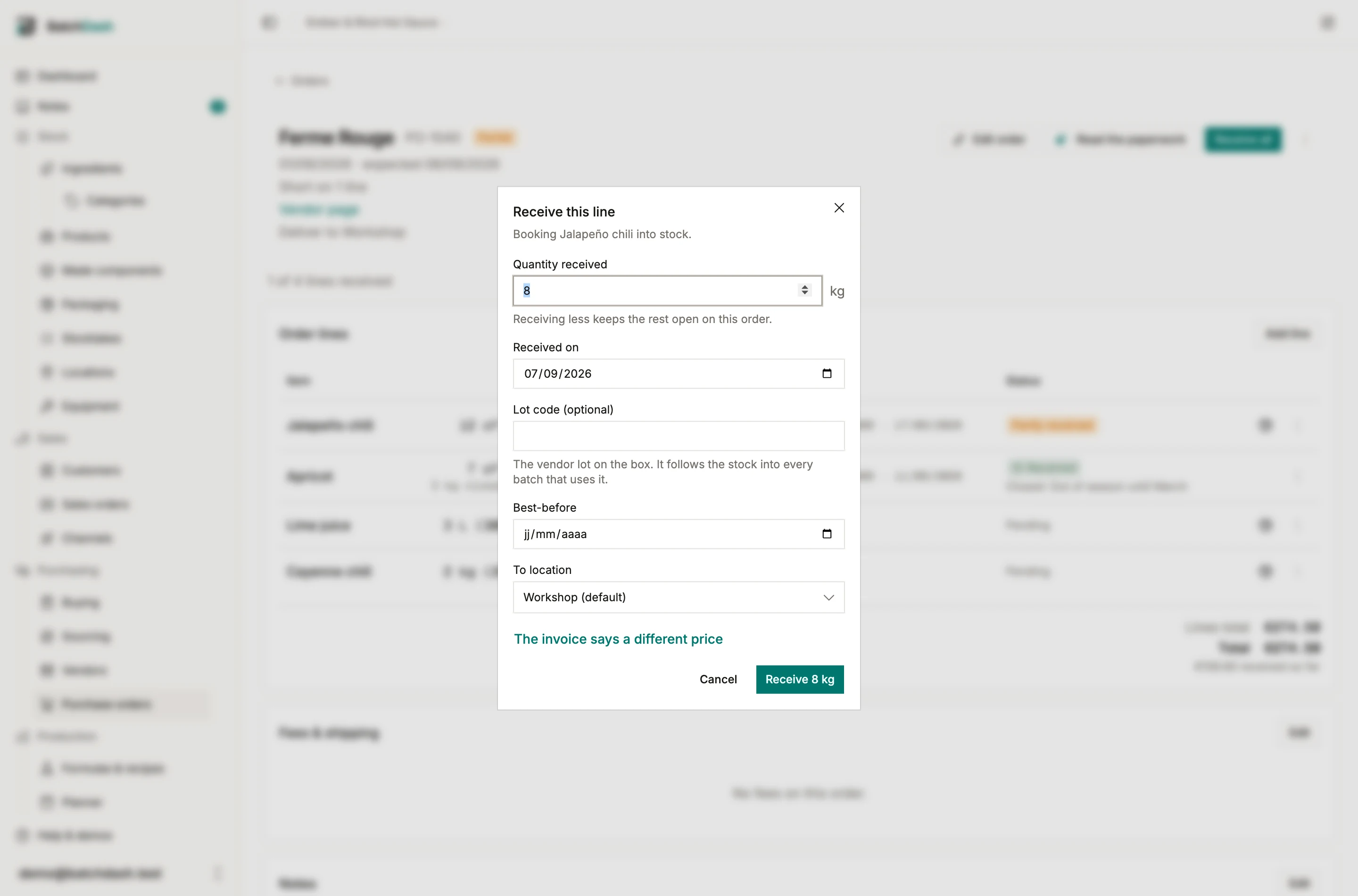
- Receiving less keeps the rest open. The line stays on the order, the order stays Partial, and the next Receive on that line prefills what is left.
- Receiving more is allowed. A vendor topping up a crate is real, so the dialog notes it and books it; the line then reads as over.
- An equipment line takes whole numbers only, each one minting an owned unit.
Under it: the day it arrived (today, unless you are logging it late), the lot code off the label, a best-before, and where it landed. Lot and best-before stay correctable afterwards through the delivery’s Correct action; quantity and cost go through an undo instead.
The invoice says a different price. That link opens one field, prefilled with the line’s price. A changed price rewrites the whole line before this receipt is costed, and the line then carries a note reading “Price changed at receipt: €1.00 → €1.20.” Receipts already booked keep the price they were booked at, and the note says so.
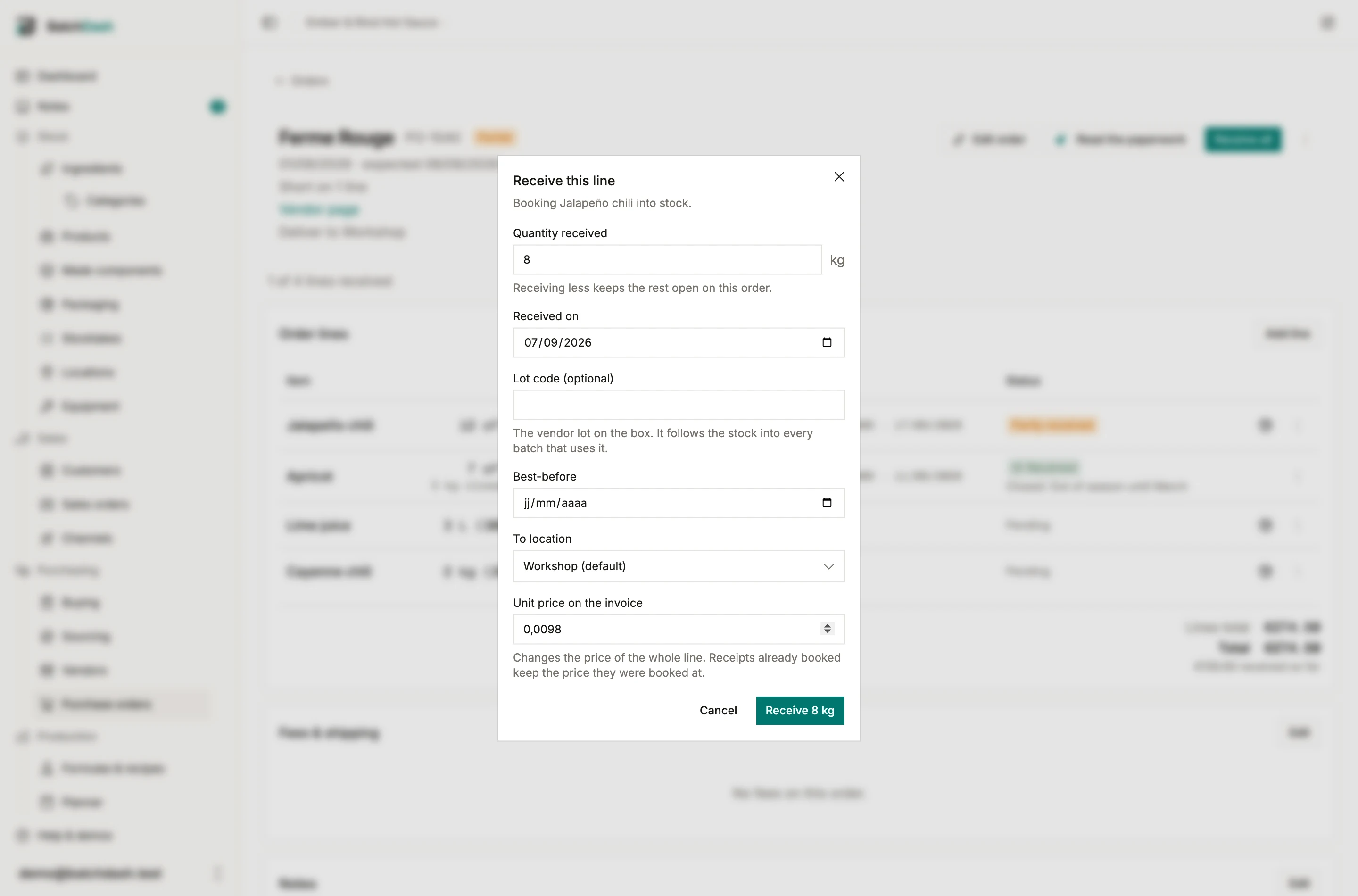
Several lots in one delivery
Section titled “Several lots in one delivery”One lot code covers most deliveries. When the bags carry different codes, Split across several lots under the lot code turns the quantity into rows: a code, a quantity and a best-before for each lot. What arrives is the sum of the rows. Add a lot starts a new row on whatever the others do not cover yet.
When the vendor sells the ingredient in packs and the quantity is a whole number of them, a second link sits beside it. One lot per pack (8 × 1 kg) lays out eight rows of 1 kg, ready for the code off each bag. The pack comes from the vendor’s current offer, and the link stops at 20 packs: past that, nobody reads a code off each one.
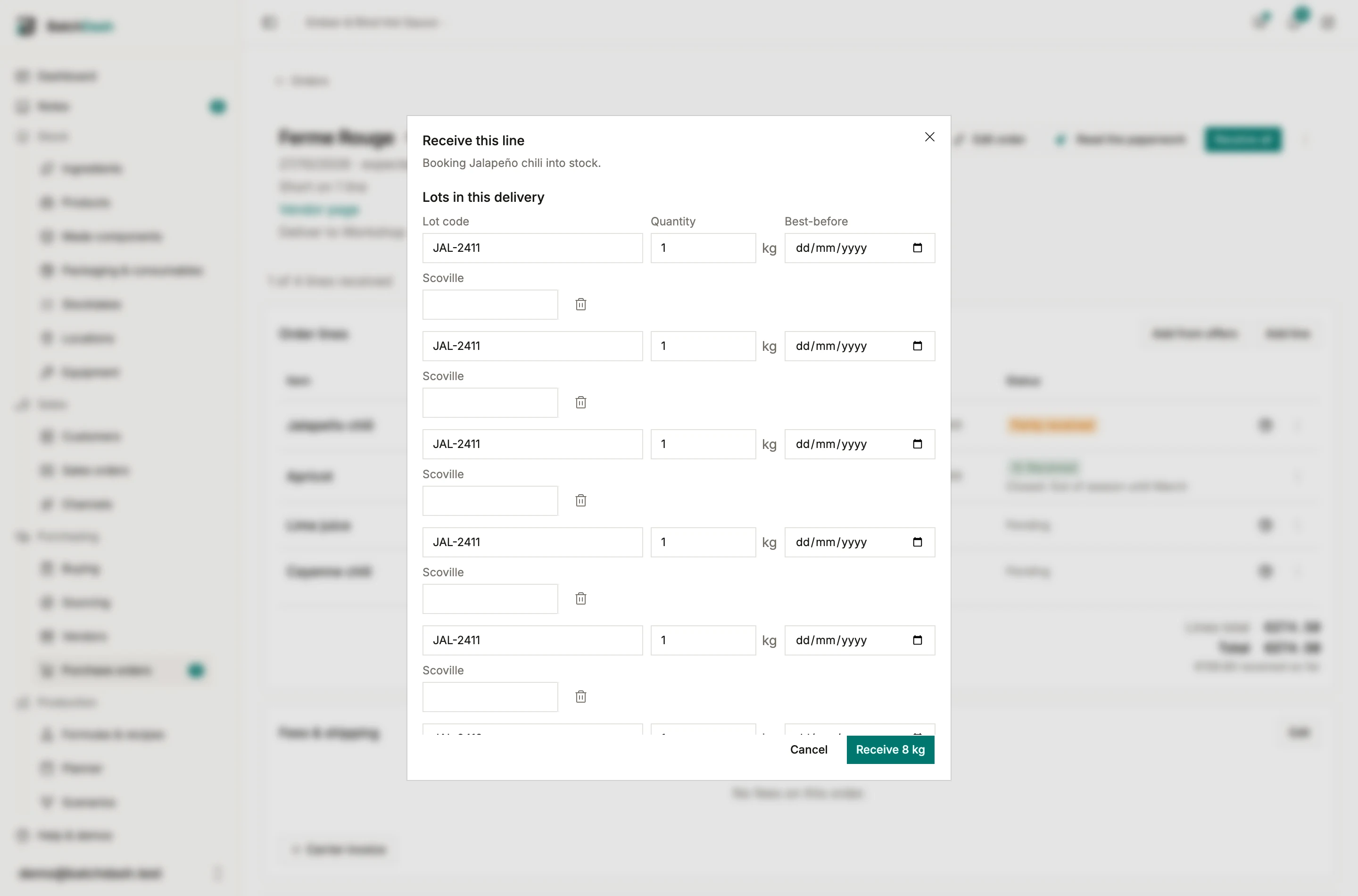
Rows that share a code and a best-before are one lot and book as one, so five bags of JAL-2411 and three of JAL-2412 become two deliveries of 5 kg and 3 kg. Each lot is its own delivery in the ledger. A batch can then draw from the bag you opened, and a recall pulls exactly that lot. It is still one arrival: same day, same place, same landed cost. Remove rows down to one and the dialog goes back to a single lot code.
How the line reads
Section titled “How the line reads”The quantity cell becomes a progress statement once anything has arrived: “12 of 20 kg”. The status says Partly received until the open quantity reaches zero, then Received. A line with more than one arrival shows the count under the status, and the lot column lists every lot that came in.
The money says the same thing. A line’s total is what the line is for, because the rest is still expected and you will pay for it; under it, while part of the line is outstanding, sits what has actually arrived: “€40.00” with “€8.00 received” beneath. Once the line is done the two are the same figure and only one shows. The totals under the table carry the same note for the order as a whole.
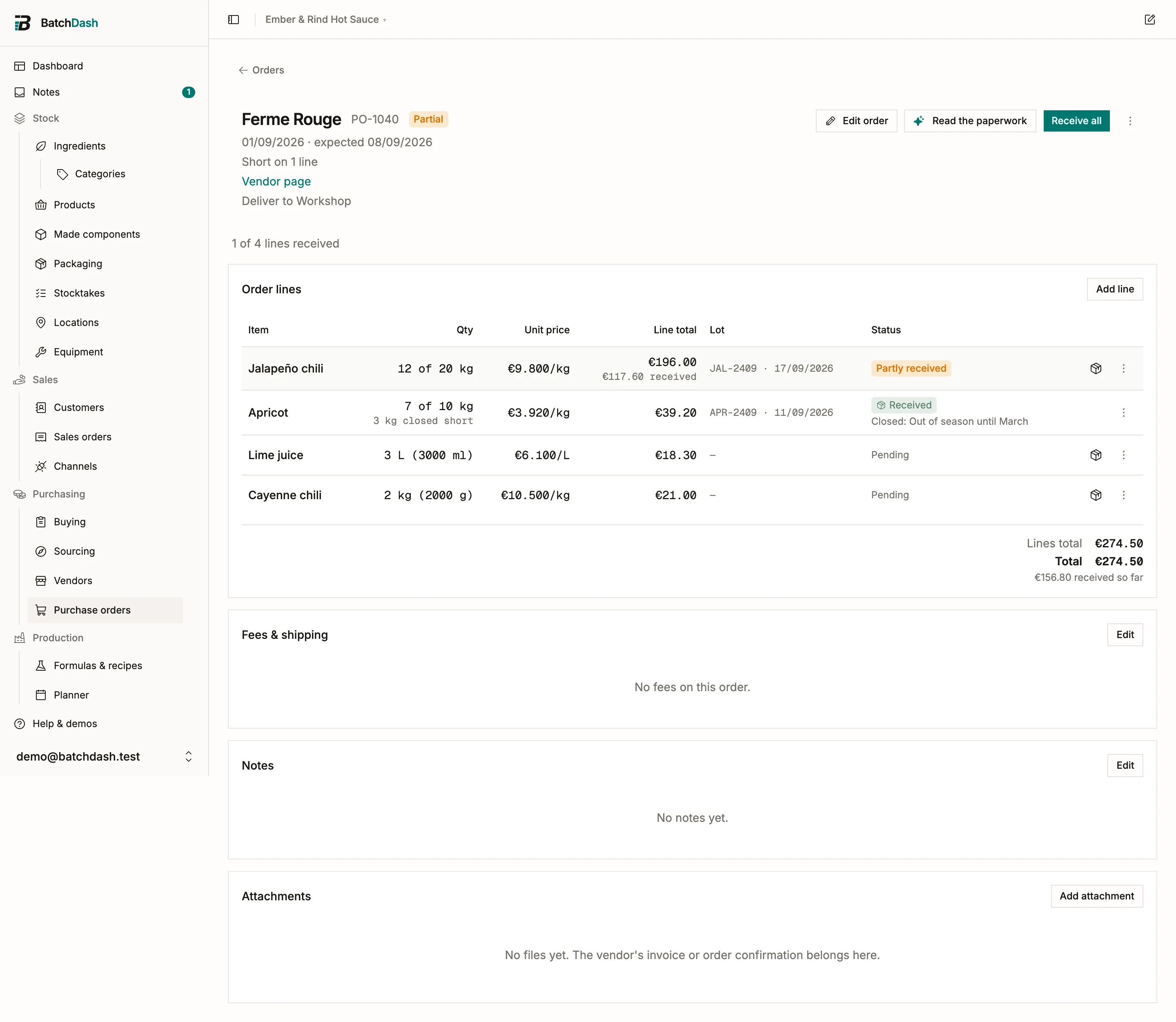
Close the rest
Section titled “Close the rest”Some remainders never come. Close the rest, in the line’s ⋮ menu, records that: it states the quantity it closes and takes an optional reason (“Out of season until March”). The line then reads “12 of 20 kg · 8 kg closed short”, the open quantity is zero, and the order can reach Received instead of sitting at Partial forever.
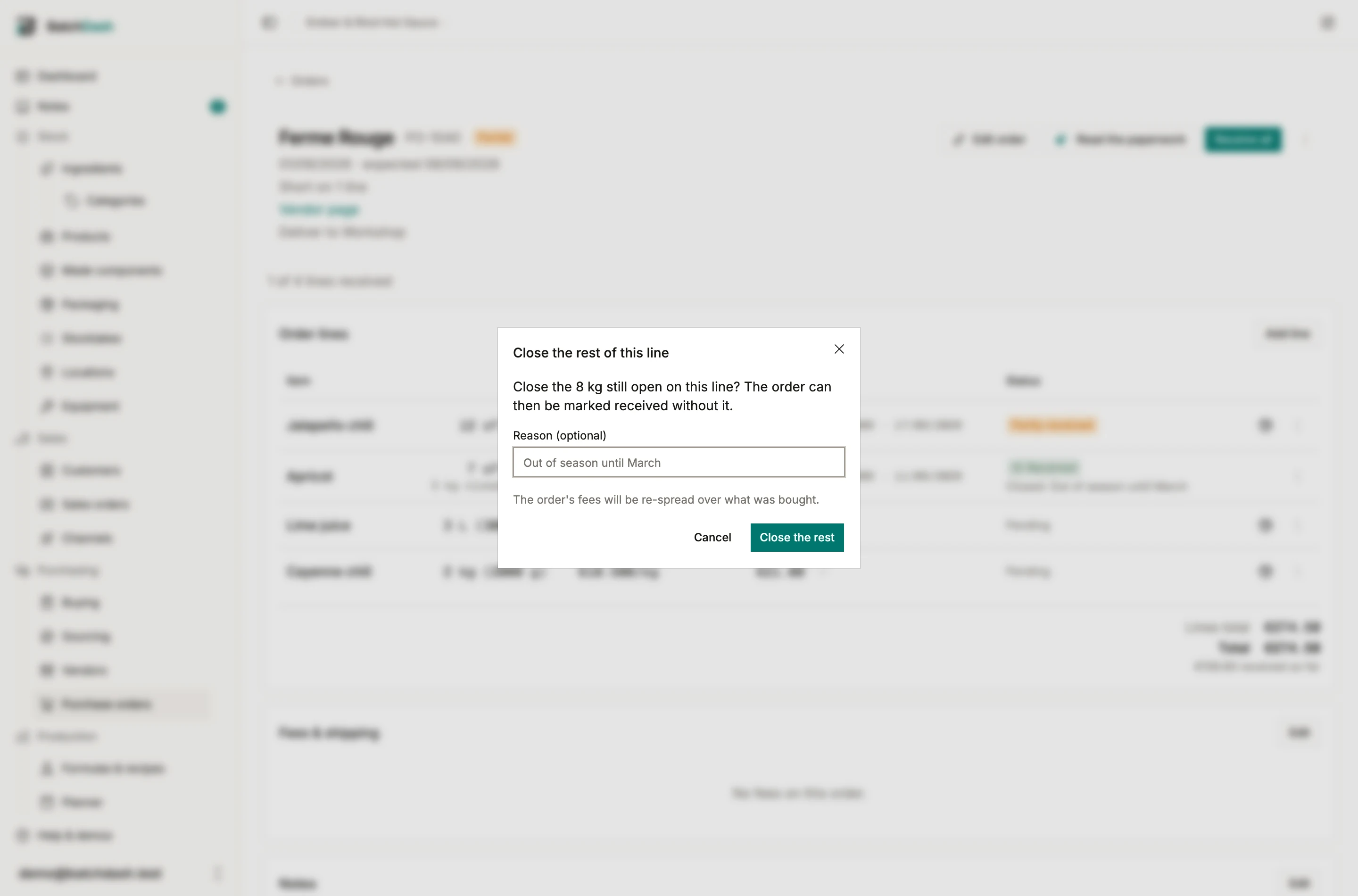
Reopen the rest undoes it and gives the quantity back, with the line’s original total restored to the cent.
When the whole delivery came up short, the order’s ⋮ menu has its own Close the rest: every line still owing something closes at once, under one reason, and the order lands on Received. Use it rather than working down the lines. Each line closed on its own re-spreads the order’s fees and re-costs every booked delivery, so five lines meant five amendments in the ingredient’s ledger for one decision; closing the order does it once.
It is not the same as canceling. Canceling gives up on an order and records that as your doing; closing the rest records that the vendor came up short. The order only offers it once part of the delivery has arrived, because with nothing received, giving up is a cancel.
The closed quantity is what a vendor’s track record counts as a short shipment.
Receiving in packs
Section titled “Receiving in packs”A line typed in cartons is received in full cartons, lot by lot: each carton holds its jars, and the jars join the product’s stock with the cartons counting them. See buying in packs.
What receiving a line does
Section titled “What receiving a line does”Three things happen for an ingredient or packaging line:
- A delivery movement is written to the stock ledger, dated the day the goods arrived, so the quantity is on hand immediately. See stock, deliveries and losses. Receiving 12 kg then 8 kg lands as two deliveries, which is what physically happened. A delivery split by lot lands as one delivery per lot.
- The ingredient’s weighted average cost is updated with the line’s effective cost, fees included. See fees and landed cost.
- On the line’s first arrival, the price is snapshotted as a vendor offer marked “from a delivery”, so your price history builds itself as you buy. Later arrivals add stock without minting a second price row: one price was agreed, so one price is recorded. An invoice that says otherwise is a real new price, and does mint one.
Equipment lines behave differently: each unit received joins your equipment as an owned unit, at its landed cost, dated the day it arrived.
A product line books into the product itself. Each arrival is a Delivery among the product’s lots, carrying the lot code, the best-before, the place it landed and its landed cost, fees and currency included, which feeds the product’s average cost. A lot that comes without a best-before takes the day it arrived plus the product’s shelf life. Splitting across several lots works as it does for an ingredient, one lot of the product per row. The first arrival snapshots the price onto the product’s own vendor pricing. See products you buy ready-made.
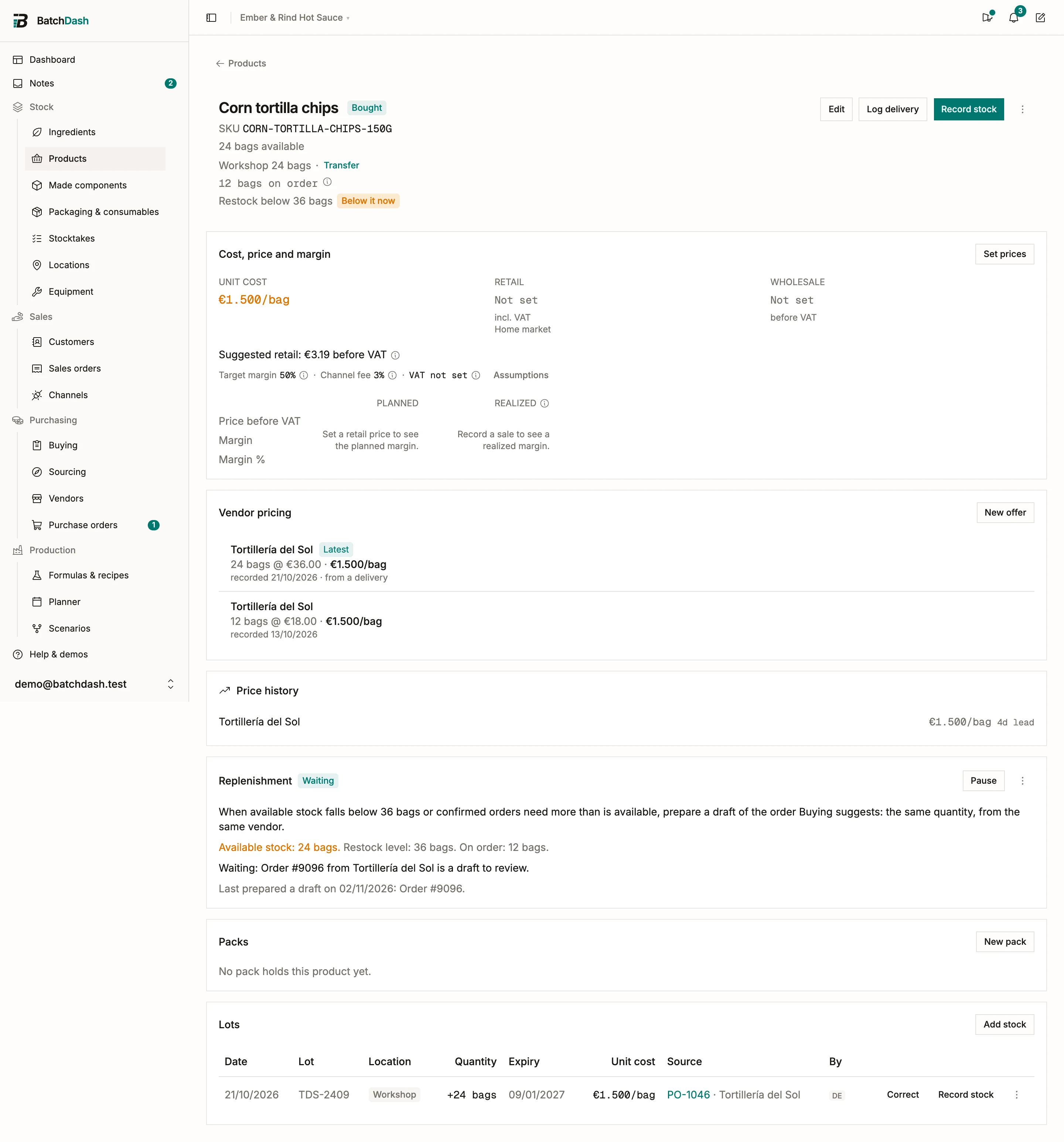
A co-packer who makes your recipe charges for the jar too, and the product page already adds the jar’s cost on top of the average. So a co-packed delivery keeps its packaging share out of the product’s average cost, and the jar is counted once. See co-packed products.
Fees follow what was bought
Section titled “Fees follow what was bought”An order’s fees spread across its lines by paid value, and each unit carries its line’s share divided by what the line actually bought: the ordered quantity while the line is open, what arrived once it is closed short or over-received.
That means the Effective cost column is provisional while anything is open: it divides by what was ordered, so it is the cost you will pay if the rest arrives. The ⓘ beside the column heading says so. Closing the rest settles it on what actually came.
Whenever that moves, every delivery already booked against the order is re-costed, the average cost is replayed, and a line appears under the delivery row in the ingredient’s ledger: “Cost restated €1.200/kg → €1.270/kg: fees re-spread after the line closed short.”
A product line’s deliveries are re-costed the same way, with the note under the delivery in the product’s ledger.
That happens when a line closes short or is reopened, when a receipt is undone, when a line comes in over, when a line is repriced at receipt, when a line is added to or removed from an order that already has deliveries, and when you edit the fees after the goods arrived. That last one is the common case: the invoice with the real delivery fee usually lands after the crates do, and the fees stay editable on a received order for exactly that reason.
Undo one arrival
Section titled “Undo one arrival”Undo works per arrival, not per line. Undo a receipt in the line’s ⋮ menu lists what came in, and each row offers the same two choices:
- Keep the delivery, detach it: the movement stays in the ledger; only this order’s claim on it goes. Use it when the goods really arrived but belong to a different record.
- Revert this receipt: the movement is deleted and the average cost is recalculated, as if that delivery never happened.
Either way, that quantity reopens on the line and the order’s status walks back with it. A line received in one go behaves exactly as it always did: one arrival in the list, the same two choices. A delivery split by lot lists each lot on its own row, so one bag’s lot can be undone without touching the others.
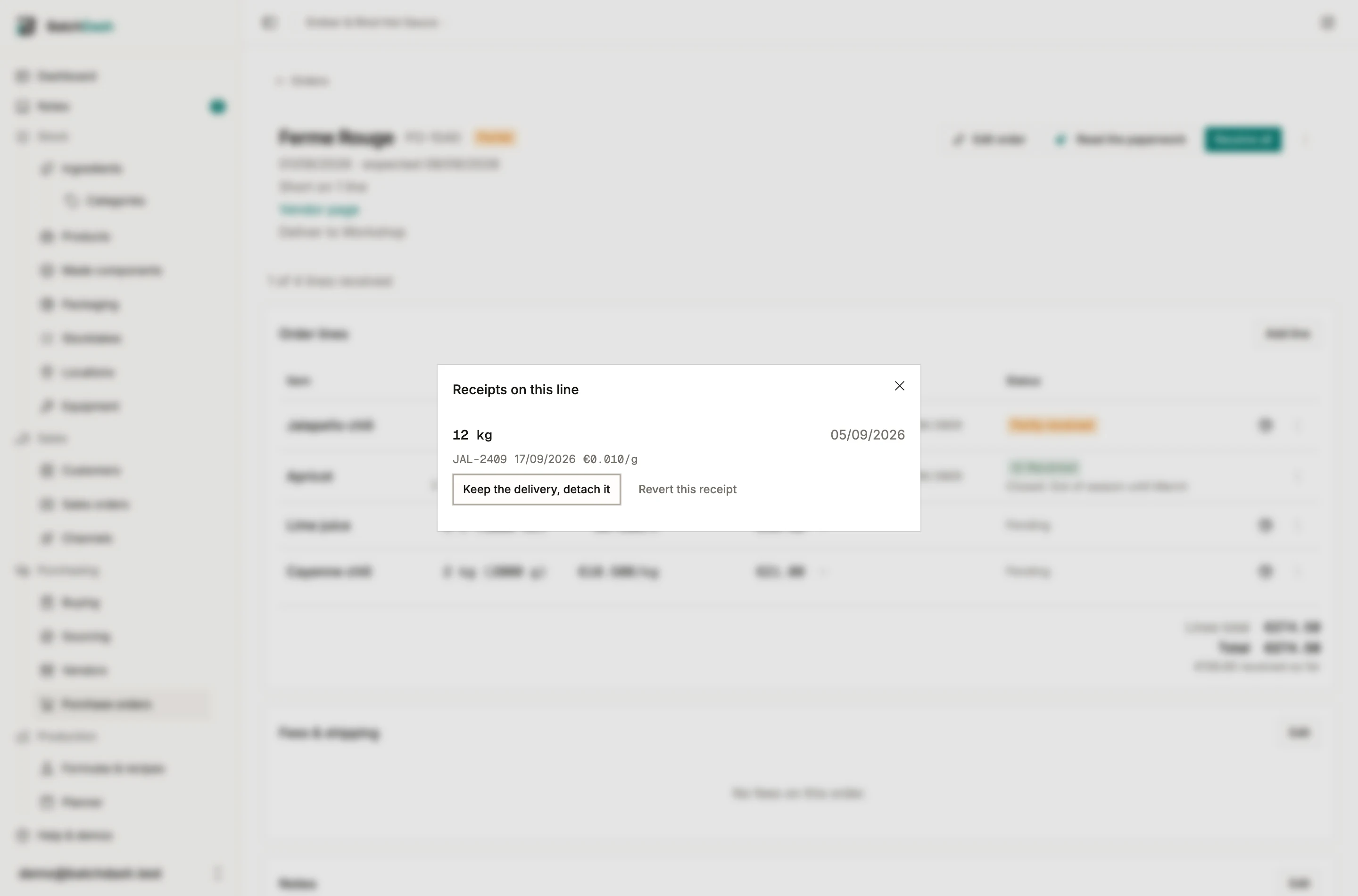
On a line you closed short, undo waits behind Reopen the rest. The close was a decision about what was still open after that arrival; take the arrival away first and the line would be closed while still owing something nobody decided about. Reopen, undo, then close again.
A product line offers Revert this receipt alone: its delivery is a lot of the product, taken back whole, so there is nothing to detach. The undo is refused once some of the lot has left stock (sold, or filled into a pack), once the lot was counted since it arrived, or once it moved to another place, and the message says what to do instead. A product line never takes a delivery logged elsewhere either: an ingredient delivery cannot be linked to it.
Giving up on the whole order is a different move: Cancel order closes what is still open and leaves every delivery, and its stock, alone. See purchase orders.
What arrived differs
Section titled “What arrived differs”When any line came up short, came over, or was repriced at receipt, the order header gains one quiet line: “Short on 2 lines · over on 1 · invoice differs by €12.40.” An order where everything matched says nothing.