
Customers
Customers lists the people and shops that buy from you: how many orders each has placed, when the last one was, and, if your role can see money, their lifetime revenue. That figure is in your own currency: a sale made in euros counts for what it was booked at, so a customer who buys in two currencies still adds up. Open it from Sales → Customers. This module is part of the larger plans.
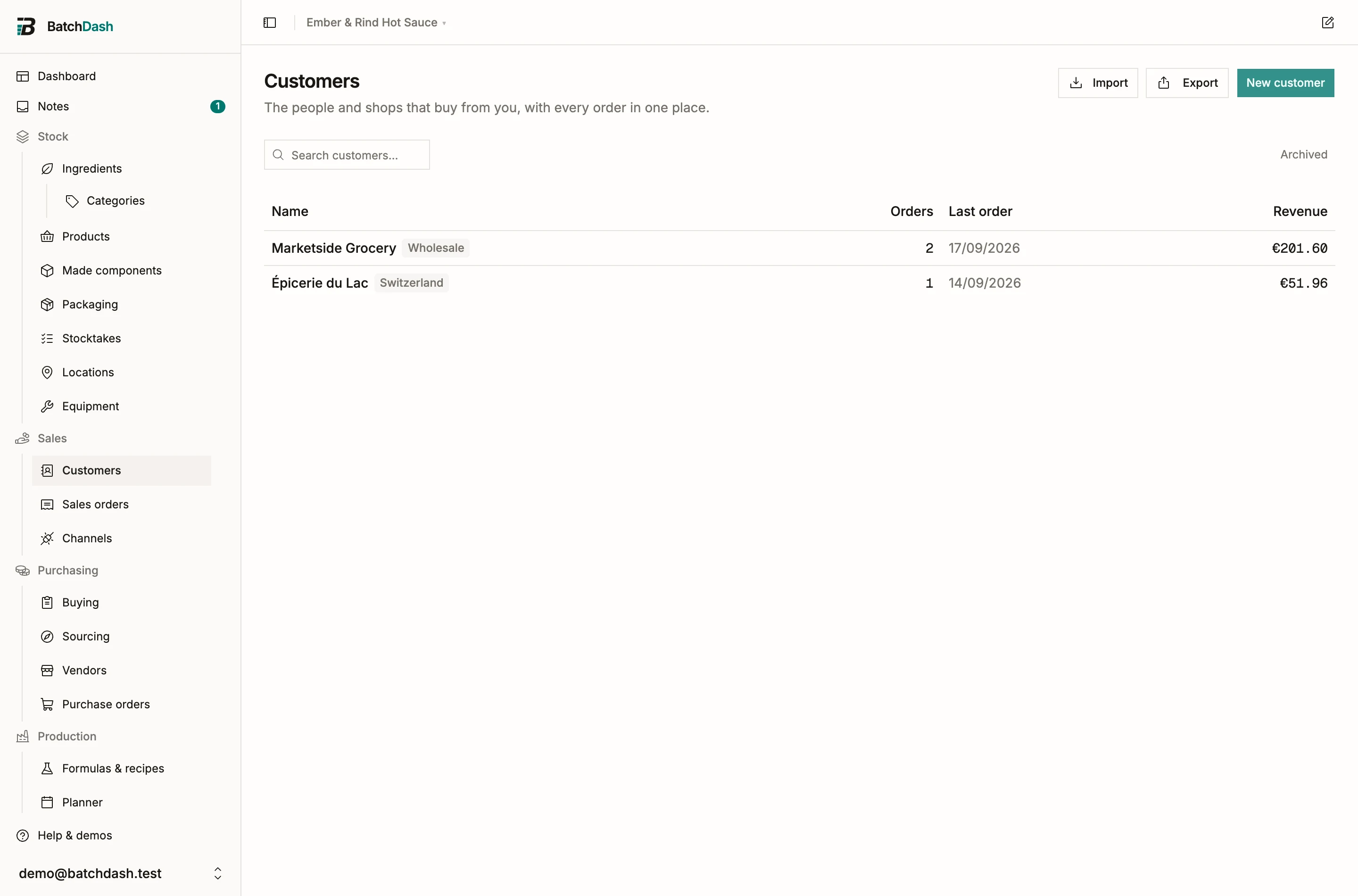
Create a customer
Section titled “Create a customer”- Click New customer.
- Type the name. Contact person, email, phone and a one-line note are optional.
- Save. You land on the customer’s page.
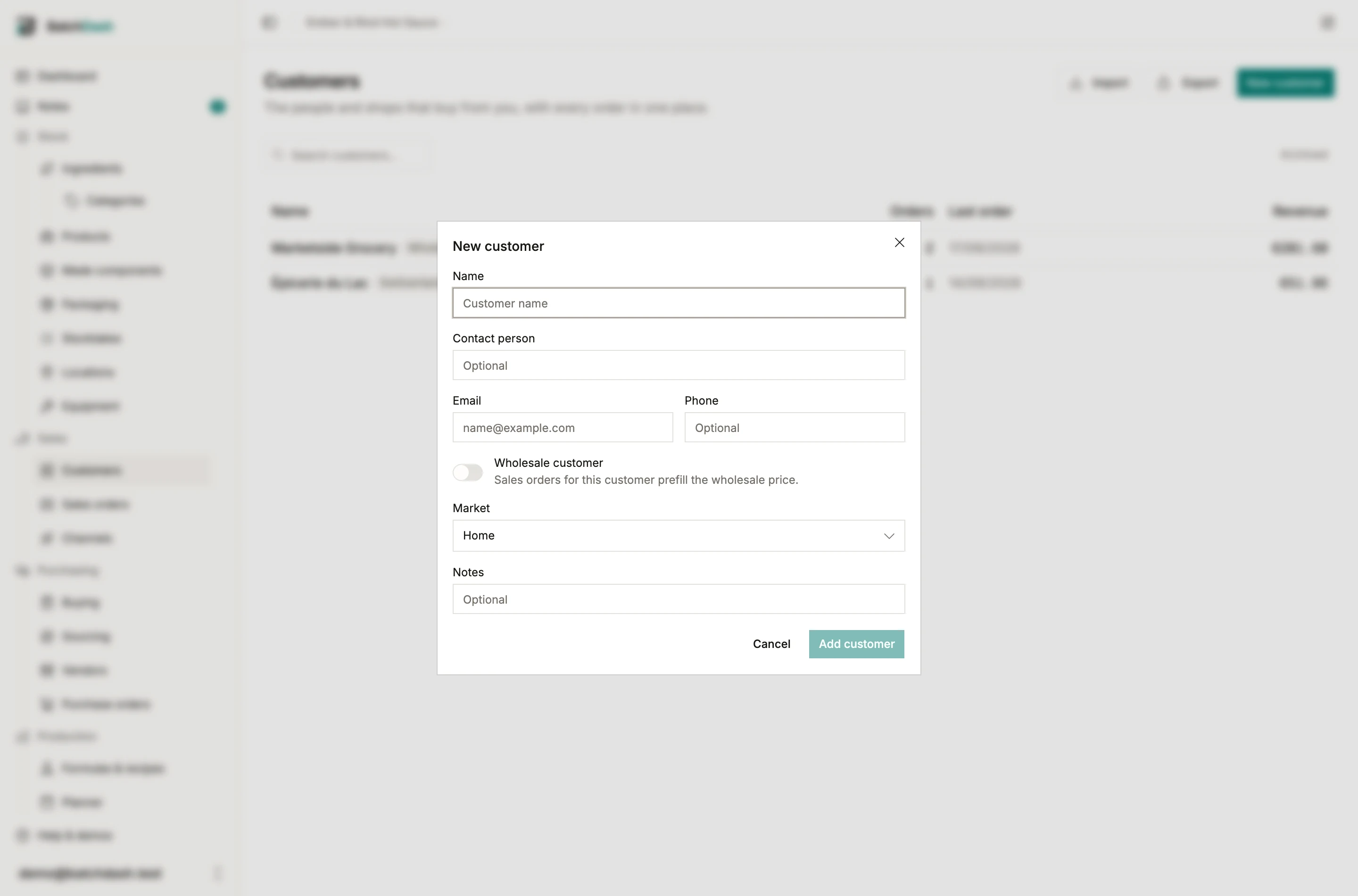
Once you have declared a market, the dialog also asks which one this customer’s orders open in. Home is the default and means your own country, and it is what every new order for them opens on. The list badges any other one after the name, and so does the customer’s page. From two markets on, the list gains a pill for Home and one per market; click one to see only those customers, click it again for everybody. Export follows the pill that is on.
A customer is a contact record, not a gate: the order dialog can create one inline from a name it does not know, and a sale to someone you will never see again needs no customer at all (see sales orders).
Addresses
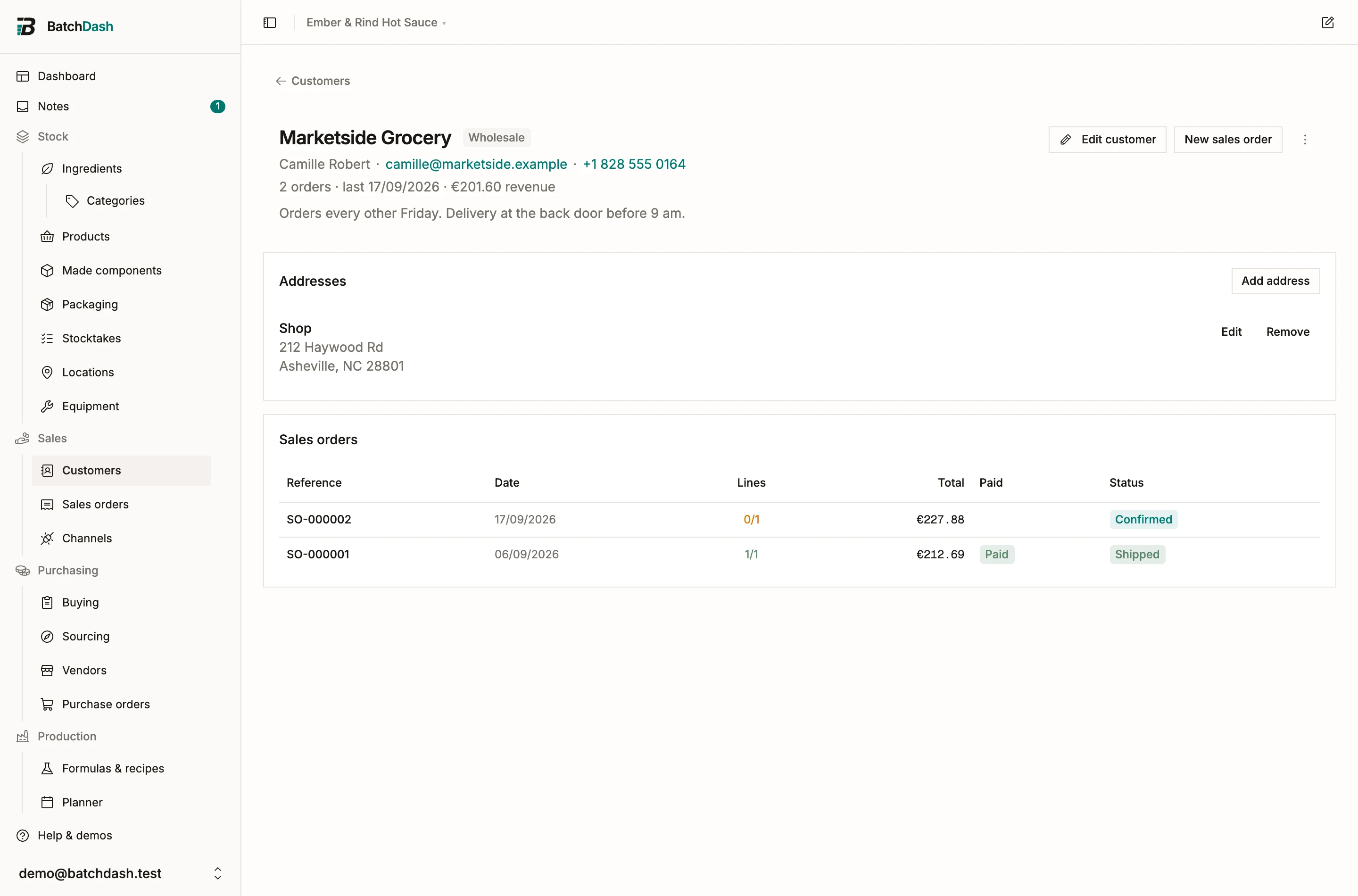
Section titled “Addresses”The Addresses card holds zero or more addresses, each a label (“Shop”, “Warehouse”) and the address as you would write it on a parcel. There are no street or zip fields to fight with: the text is stored and printed as written. The first address prefills the ship-to on the customer’s orders, and each order keeps its own copy, so editing an address later never rewrites an old order.
The customer’s page
Section titled “The customer’s page”The page carries the contact line, a stat line with the order count and the last order date, the addresses, and the whole order history, newest first. New sales order here opens the order dialog with this customer already picked.
Archive and delete
Section titled “Archive and delete”Archive (in the ⋮ menu) hides a customer from the order dialog’s picker and from the default list. Their orders are untouched, and a pill on the list brings archived customers back into view. Delete only works while the customer has no orders; once orders exist the app refuses and names the way out.