
Completing a run
Complete closes the batch and moves stock. Until now the run was a working document; completion turns it into inventory and a sealed record.
The completion dialog
Section titled “The completion dialog”If the batch has checks that failed, or checks nobody recorded, the dialog says so first, with each failed check’s note next to it. A failure does not stop you closing the batch. A failure with no note does, and the message names the check. See executing a run.
With conditional steps switched on, the dialog also lists what is still open: a condition with a pass to record or a reading to take (“pH: a pass to record, or skip it.”), and a decision that a failed critical control point or a condition is waiting for. On a production batch it offers Hold this batch, which books the output held whatever Release batches says, with the reason you give. See holding and releasing a batch.
Complete this batch asks for:
- Observed output: what the batch actually made, in the unit you choose.
- Lot code and Expiry: the identity the output carries into stock.
- Signed off by: who is closing the batch, prefilled with your own operator when you have one. The signer need not have worked the batch; a supervisor can close what two other people made, and signing adds nothing to the labor cost.
- Finished-product check: pass or fail, with an optional note.
- Packaging to consume, for packaged formats. A format set to “fill some, keep the rest as bulk” asks how many jars you filled; the remainder books as bulk component stock.
Who worked the batch, and how long it took, are not questions for this dialog: you record them on the run page while the batch is running (see executing a run). Whatever was captured there is sealed into the record at completion, and it is what the labor cost reads when your organization counts labor in a unit cost.
Putting the batch into packs
Section titled “Putting the batch into packs”When the format has packs, the dialog ends with Put into packs: the packs you used last time, as many as the batch makes, or the cartons a batch planned in packs was asked for. Change the counts or remove a line; the batch’s lot goes into those packs as it is booked. See put into packs.
What completion does
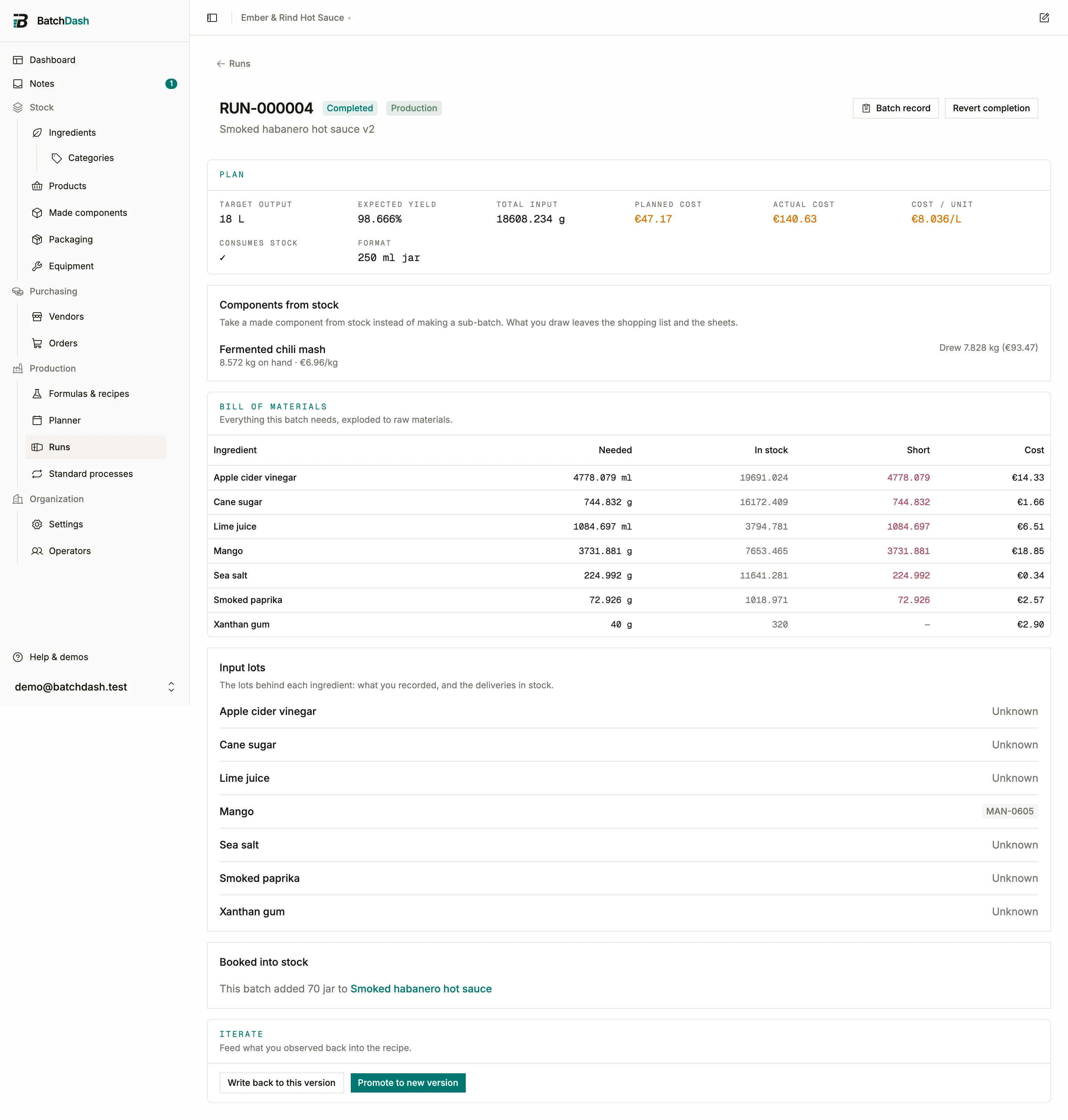
Section titled “What completion does”- Ingredients are consumed from stock at their weighted average cost, at the amounts you recorded in What went in (a line you never recorded consumes its planned amount). The batch cost reflects what you actually paid for what actually went in, and the completed run’s ingredient list shows both figures, needed and used. A test run consumes stock only if you ticked Consume stock when completed when planning it.
- Additions leave stock with their ingredient’s line, in the same movement, and count in the batch’s cost, weight, yield and label. See additions and corrective actions.
- The output is booked. A component recipe books into made-component stock at the batch’s real cost; a product recipe books sellable units into the chosen format (see sellable products).
- A component the run took from another batch comes out of that batch’s lot, in the same movement as anything it took from the shelf, so the trace names the lot it used.
- The batch record shows the yield: observed output against expected input.
- Depending on your release setting, the output is on hand right away, or held until its finished-product check passes. A held batch waits for someone to release it.
Releasing a held batch
Section titled “Releasing a held batch”When your organization holds batches until their check passes (Release batches in organization settings), a batch that completes without a passing finished-product check books its output as held. Held stock is counted, but it cannot be sold, shipped or drawn into another batch. The run page says so in an amber band under its header, with each held lot and its quantity. The people who can release it see the batch on Today under Make and get a Batch held notification.
To release it:
- Open the run and click Release… in the held band. The same button sits beside Held, pending check on the batch record, and beside each held lot on the product or component page.
- Type why you are releasing it: “Lab result 3.71, within target”. A reason is required.
- Click Release.
The whole batch is released at once, every held lot of it, wherever each one now sits. A batch filled into jars with the rest kept as bulk releases the jars and the bulk together. The run then reads “Released by julien on Tue 6 Oct: Lab result 3.71, within target”, and that line prints on the batch record. Colleagues who manage batches or sales get a Batch released notification with the reason.
Releasing takes the Decide on batches right. Owners, admins and members hold it. A custom role can leave it out, so a shop-floor role works the batch while someone else decides when it goes out. Without the right, the band says that someone who can decide on batches releases it, and shows no button.
A held batch you will never sell is thrown away like any other stock: Record stock on the product page, Lost some with the reason Spoiled. Releasing changes neither the batch’s cost nor its quantity.
When component stock runs short
Section titled “When component stock runs short”If the batch needs more of a made component than you have on hand, your organization’s Short component stock setting decides what happens: Warn, allow override (complete anyway and let stock go negative), Block, or Take what’s there. Configure it in organization settings.
A batch the run counts on that is not completed yet counts the same way: until it is, what the run takes from it is not in stock, and the setting decides. Complete that batch first and the run takes from its lot.
Reverting and abandoning
Section titled “Reverting and abandoning”- Revert completion reopens a completed run so you can adjust it. Stock it consumed returns to inventory and its booked output comes back out. Handy when a batch was closed with a typo in the output. Completing it again holds the output again if its finished-product check still has not passed.
- Abandon closes a run without output, at any point before completion. If it had consumed stock, that stock is returned. When other runs count on the batch, the confirmation names them first: “RUN-000015 counts on 8 kg from this batch. It will take that from stock or another batch instead, or make it itself.” They are planned again as it goes.
- Discard, a decision on a batch whose check couldn’t be brought back, is for a batch you made and threw away: it completes with no output, its ingredients leave stock, and it counts as waste. Abandon is for a batch that never happened. See holding and releasing a batch.