
Automatic draft orders
A product you buy ready-made runs out the way an ingredient does, usually in the week you have the least time to notice. Buying already lists it once it drops below its restock level. An automatic draft order goes one step further. When the tortilla chips fall below 36 bags, the order for the next pack is already waiting in Purchase orders as a draft, from the vendor and at the quantity Buying would have suggested. Nothing goes to the vendor until you send it yourself and mark it ordered.
Which products it is for
Section titled “Which products it is for”The rule lives on the product’s page, in the Replenishment card under cost and margin. It is there for:
- a product you buy ready-made;
- a product of yours whose recipe is not written yet, when a vendor already sells it to you (a product before its recipe).
A product whose recipe is written gets the other kind of rule, the one that plans a batch (replenishment rules). One product has one rule.
Set up the rule
Section titled “Set up the rule”- Give the product a restock level: Set restock level in the product’s ⋮ menu. With sales orders on, the rule can also answer confirmed orders, so the level becomes optional.
- Make sure a vendor sells it at a price: Vendor pricing on the same page.
- In the Replenishment card, click Set up rule. There is nothing to fill in. The dialog reads the rule back as one sentence and says what Buying suggests right now, for example “Buying suggests 12 bags from Tortillería del Sol right now, so the first draft comes at once.”
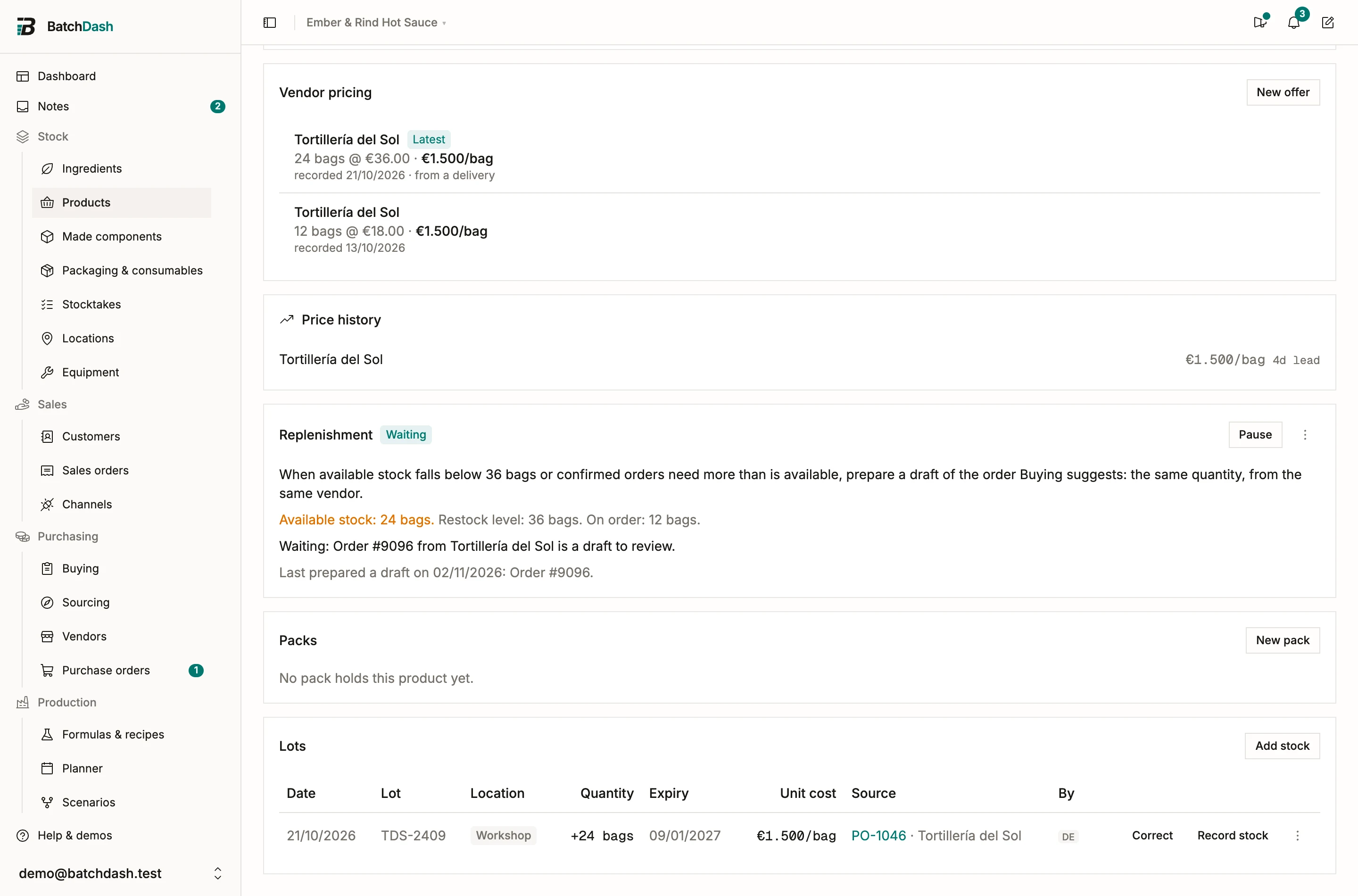
The rule has no quantity, vendor or level of its own. Change the restock level, pin a preferred vendor, or record a better price, and the next draft follows, because Buying’s answer changed.
What it drafts
Section titled “What it drafts”The rule reads the product’s line in Buying. When that line says to order (available stock below the restock level, or confirmed orders needing more than is available, less what open orders already bring), the rule prepares that line as a draft:
- the vendor Buying picked, which is your preferred vendor when you have set one;
- the quantity Buying worked out: whole packs, the vendor’s minimum, bought loose at the last price paid when a vendor has no current offer;
- priced in the vendor’s currency at the day’s rate, with an expected delivery date from the vendor’s lead time.
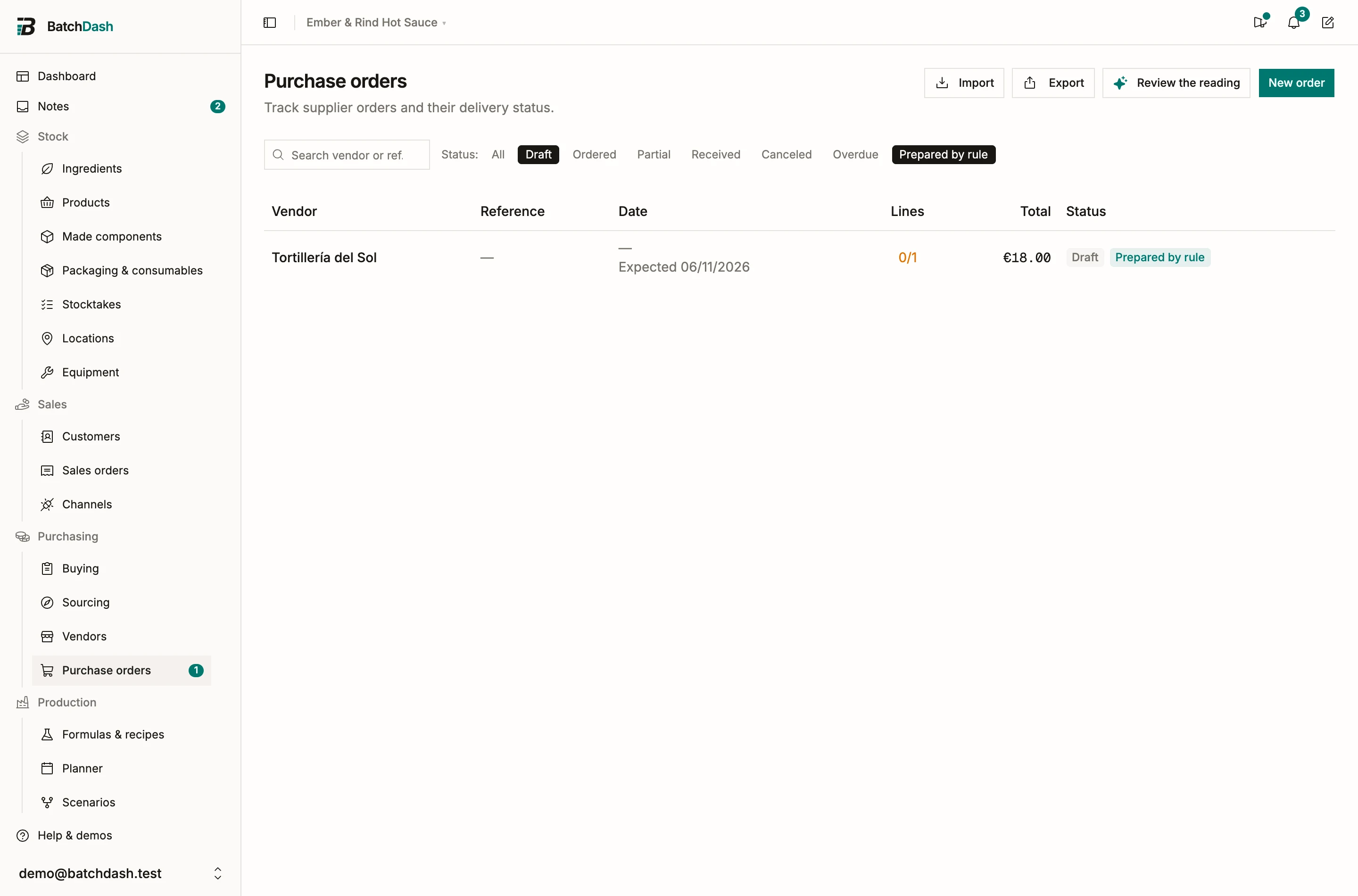
With 24 bags on the shelf, a restock level of 36 and packs of 12, the draft is one pack of 12 bags from Tortillería del Sol at €18.00.
A second product from the same vendor joins that draft, as long as a rule prepared it. A draft you started yourself is never touched: you may already have checked it line by line.
Review it
Section titled “Review it”A draft a rule prepared wears Prepared by rule, on the order and in the list. The Purchase orders menu item shows how many are waiting; the number opens the list filtered to them. The Prepared by rule filter on the list does the same, on top of any other filter.
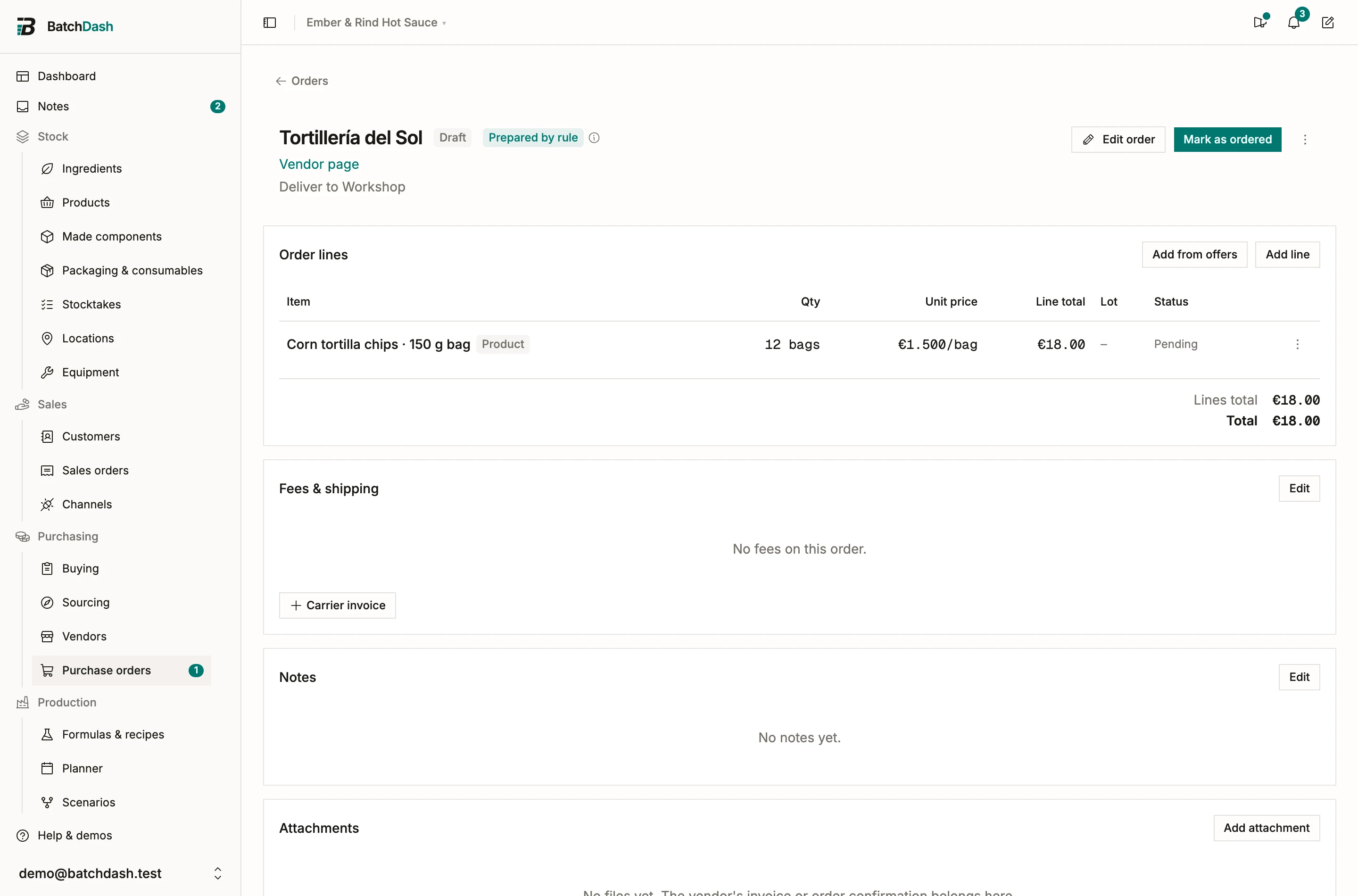
Open the draft and change what you like: quantities, lines, fees, the expected date. When you send it to the vendor, click Mark as ordered. From then on it is an ordinary order. You receive it by lot, and the chip stays on it for good, so you can always tell how it started.
Deleting a draft means “not now”
Section titled “Deleting a draft means “not now””Delete a draft the rule prepared, and the rule takes it as a no for now: it waits until available stock is back above the restock level before it prepares another. The delete dialog says so. Removing the product’s line from the draft, closing the rest of its quantity or canceling the order reads the same way.
What the card tells you
Section titled “What the card tells you”| State | Meaning |
|---|---|
| Armed | Watching. It prepares a draft the next time Buying says to order this product. |
| Waiting: Order #58 from Tortillería del Sol is a draft to review. | It prepared that draft. It will not prepare another while that order still carries the product. |
| Waiting: Order #58 from Tortillería del Sol is on order. | The same, once you marked it ordered, until it is received. |
| Waiting: available stock has not come back above 36 bags since the last draft. | The draft was deleted or its line given up on. It stays quiet until stock recovers and dips again. |
| Paused. | You paused it. Resume when you want it watching again. |
| Paused: this product has no restock level to watch. | Set one with Set restock level, and it resumes on its own. |
| Paused: no vendor sells this product at a price yet. | Add a vendor price and it resumes on its own. |
| Paused: its vendor prices it in USD, and there is no USD rate today. | Buying cannot compare that price with your others until the day’s rate is in. |
| Paused: your plan’s purchase order limit is reached. | A draft is an order and takes a slot like any other. |
| Paused: this product has a recipe now. Delete this rule and set up one that plans a batch. | Its recipe has an ingredient line now, so the batch rule is the one to use. |
| Paused: this product is archived. | Restore the product and the rule resumes. |
Above the state, the card shows available stock (amber when it is below the level), the restock level and what is on order. Below it, the date of the last draft it prepared, as a link to that order.
When it prepares a draft
Section titled “When it prepares a draft”The rule is checked every few minutes, and right away when you set it up or resume it. It prepares at most one draft a day. Once it has, the draft counts as on order, so Buying drops the product and nothing more is drafted. The rule arms again when available stock is back above the level, or when the order it prepared has been received in full. If stock is still short after a full delivery, it may prepare another draft, because that shortage is a new one.
In Buying
Section titled “In Buying”The product’s line in Buying says what its rule is doing: about to prepare the draft, already prepared Order #58 (a link to it), or not preparing this one, with the product page saying why. A product whose draft covers the gap is not on Buying at all. It comes back only when more is needed than the draft brings, a bigger sales order for instance, and what is still short is yours to order.
What a rule never does
Section titled “What a rule never does”A rule prepares drafts. It never sends an order to a vendor, never marks one ordered, never receives, cancels or edits one. A purchase order commits money, so a person decides every one of them.
Pausing and deleting
Section titled “Pausing and deleting”Pause stops the rule until you Resume. Delete rule, in the card’s ⋮ menu, removes it; the orders it already prepared are kept, chip included. Setting up, pausing and deleting a rule need the right to manage purchase orders; anyone who can see purchase orders sees the card.
Read next: Buying, then purchase orders.