
Scenarios
A customer calls and asks for 200 jars by the 12th. Before you say yes, you want to know four things: whether the stock covers it, and if not, by when it could; what you would have to buy; what it costs you at the price you are about to quote; and which batch already on the plan it would push aside. A scenario answers all four while you are still on the phone, and it changes nothing. No stock is held, no batch is planned, no order is drafted until you decide to apply it.
Start one
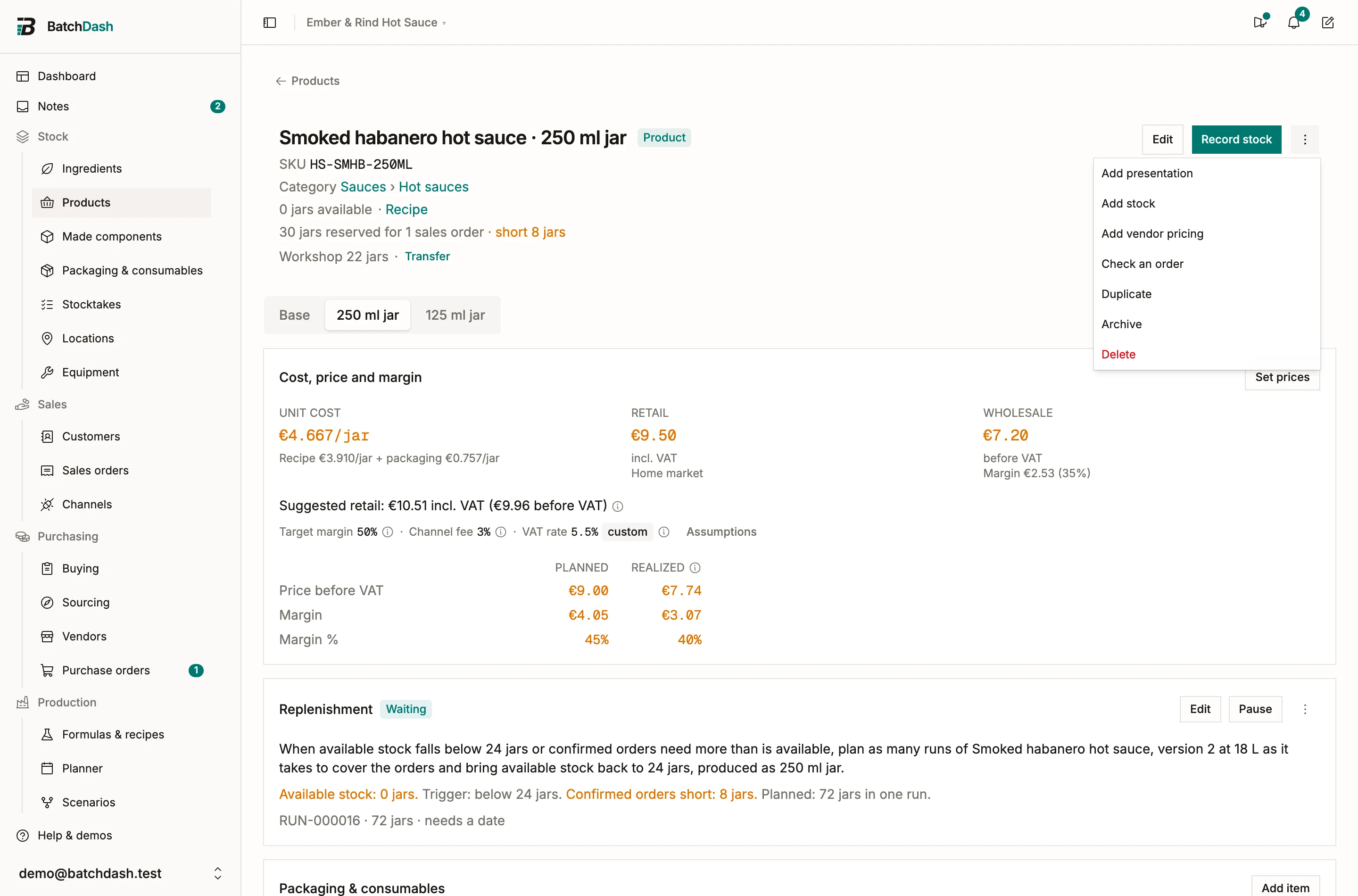
Section titled “Start one”On a product page, Check an order, in the ⋮ menu, opens a scenario with that product already picked and the cursor in the quantity. On a recipe, Try a batch does the same for the recipe, and tries the version you are looking at when it is not the current one. Try a batch waits for the recipe’s first ingredient line. Check an order is there before it: a product a vendor sells you is checked as bought, and one whose productions you record is checked on its packaging alone (a product before its recipe). You can also start from Scenarios in the Production menu, with New scenario.
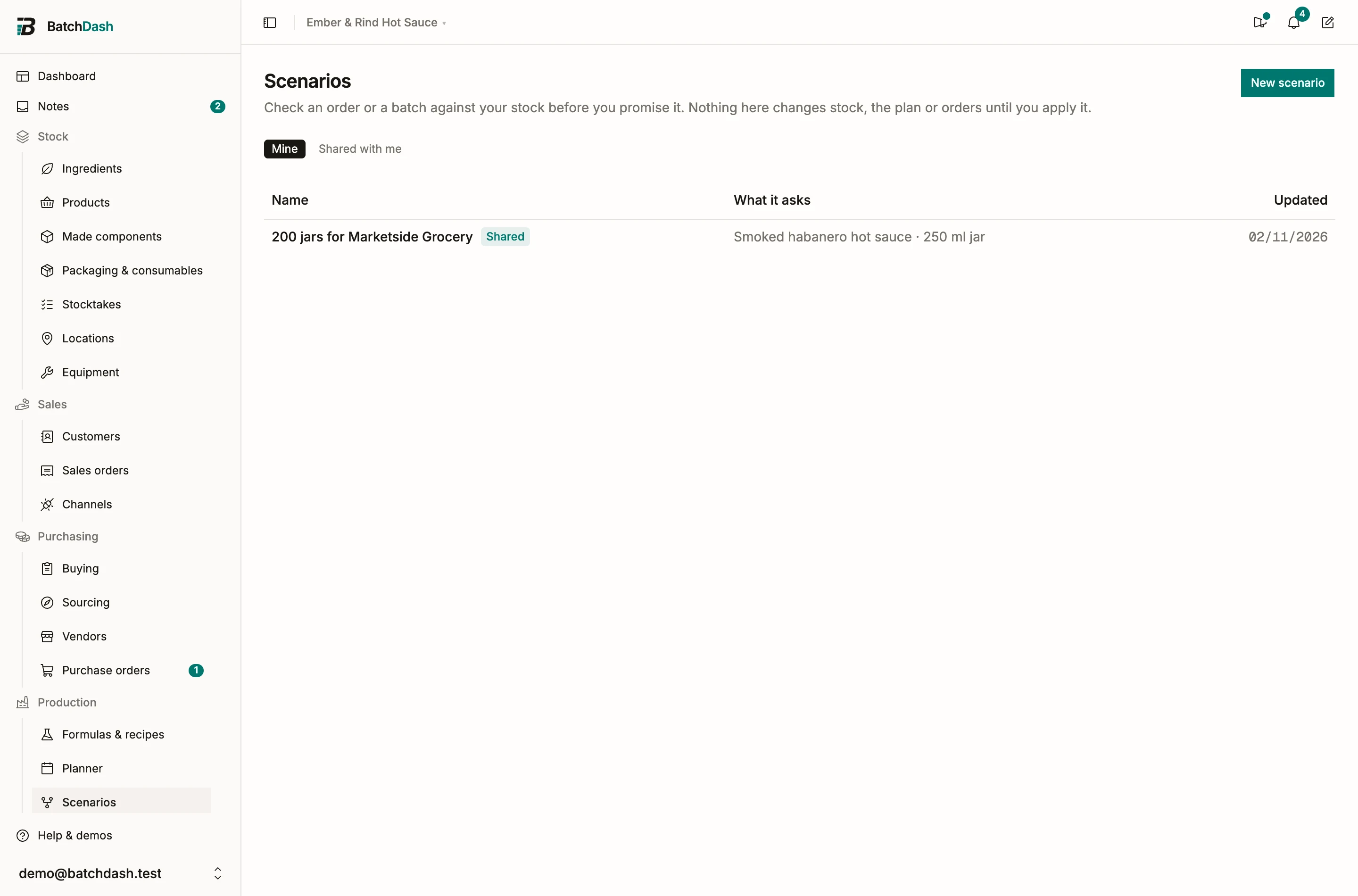
A new scenario is a draft until you save it. What you type is kept as you go, like a note, but the draft joins the Scenarios list, beside the ones teammates shared with you, only once you Save, Share or Apply it. Drafts you leave behind are cleared after a day. You can have 20 drafts at a time; starting another drops the oldest. Leave one that holds a line and you are asked first: Save keeps it, Discard deletes it, Stay keeps you on the page.
The link at the top goes back to the recipe or product you started from, or to the list when you started there. The name follows the first line and how much of it until you type one: click it, beside its pencil, and change it in place.
Say what you want
Section titled “Say what you want”Each line is a product or a recipe, with a quantity.
- A product counts in its own units: jars, bottles, portions. The jars already free on the shelf are taken first, and the rest becomes whole batches. A format sold loose, by the kilo, counts in kilos. A product you buy ready-made is never made: the shelf goes first, open orders for it count as coming in, and the rest goes on To buy at its vendor’s price. A product whose recipe is not written yet is offered only when a vendor sells it to you, and it is bought the same way.
- A recipe counts in its own unit (kg, L) or in batches. Only recipes with at least one ingredient line are offered. With versions on, a recipe with no accepted version yet is checked on its newest one, and the line says so.
The batch size comes from the last batch you made of that product, else from the batch the recipe was written for. When neither exists, the line makes exactly what is needed in one batch and the size box shows how big that is. Type a size and the line keeps it.
When the recipe has more than one version, the line starts with a Version picker, newest first, each version with its status. The current one is the default. Pick the draft to see what it would change before you make it current.
Add a price per unit to see the margin. With several lines, they take stock in the order they are listed, so the line that matters most goes first.
Under the lines, say for when: a date, or As soon as possible, which looks for the earliest day that works. If the answer might become a sales order, say for whom: pick the customer from your list, or type a new name, which becomes a customer only when you apply.
The customer you pick is also who the batches are made for. A recipe can hold a condition decided when the batch is planned, like “If made for the US market: add sodium benzoate”. The answer decides it the way the batch would be planned: from its size, its format, that customer and the market they buy in. Its figures follow. The ingredient the condition adds joins its line on the batches it applies to, and each batch still makes the amount it was planned for. On the recipe page, the recipe reads without its conditions and what each one adds is listed apart. A name typed as new is nobody yet, so it decides nothing and the answer stays as it was.
Read the answer
Section titled “Read the answer”A moment after each change, the answer follows. On a wide screen it stays beside the lines while you scroll; on a narrower one it sits right under them. It opens with one of four things: everything is covered; it is covered once named deliveries arrive; it is short of some ingredients; or it can’t tell yet, with the reason (a line that cannot be counted, a unit with no conversion, a recipe with no ingredient yet). Then the earliest day it could all be ready, and whether that day depends on ordering now. When no day works, it names why: an ingredient nobody sells yet, or a vendor with no lead time written down.
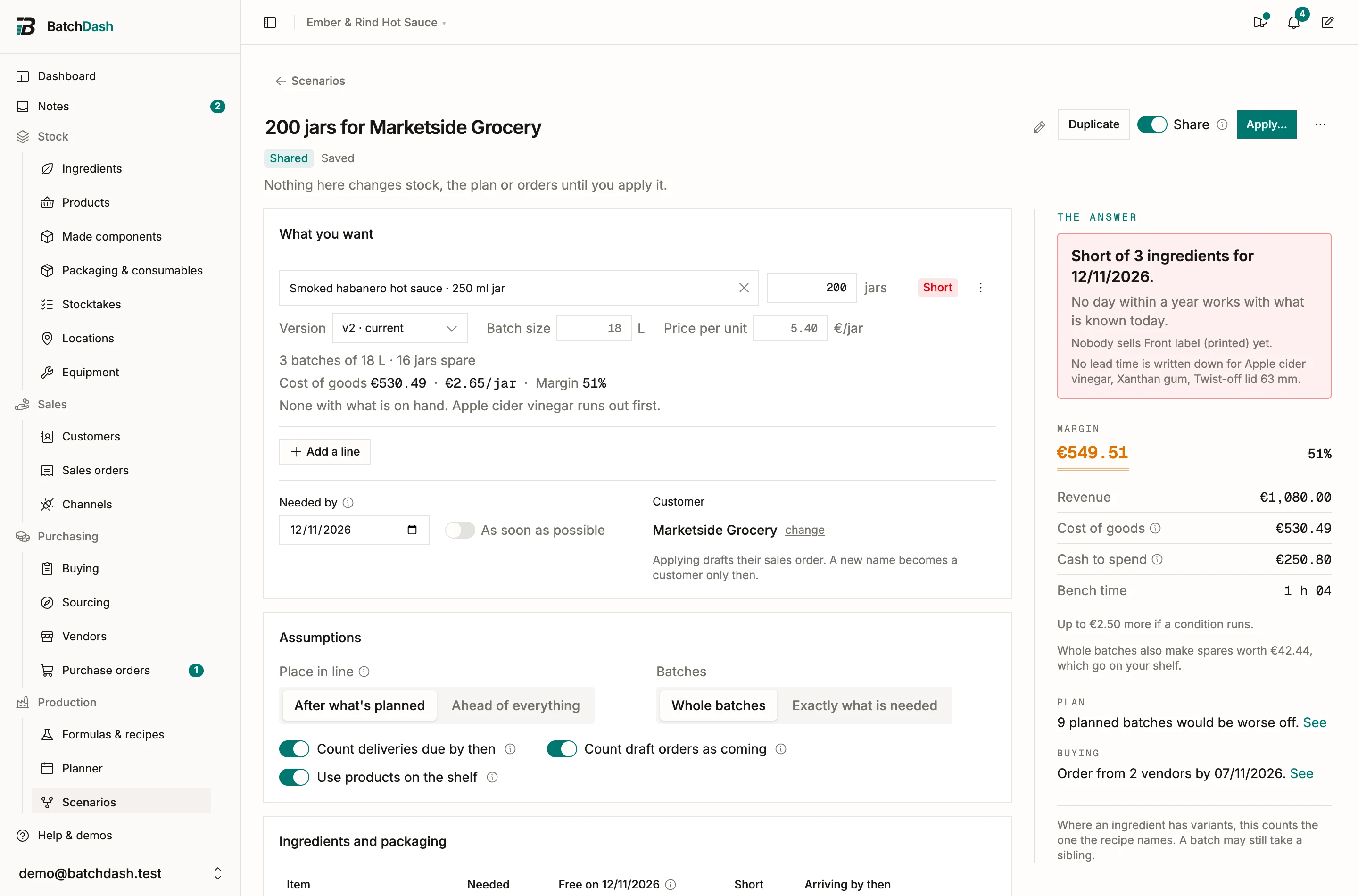
Next comes the money, read like a ledger. The margin heads it: the revenue at your price, less the cost of goods, as an amount and as a percentage. Under it, the revenue and the cost of goods, split into what comes from your shelf, what you buy and what you make. What you already hold counts at its average cost. Whatever has to be bought counts at the price you will pay for it, whether it is a product you buy ready-made or an ingredient a batch is missing, so a product that costs €5 on your shelf and €10 to buy again is priced at both. Then the cash the purchases take, whole packs included, and the bench time. When whole batches make a few jars more than the order, their cost is named apart, because those jars go on the shelf. The margin needs a price on every product line; without one, the cost of goods heads the ledger instead. Ingredients with no cost yet are named too, and the money only shows to people allowed to see costs.
Last, two sentences: how many planned batches would be worse off, and how many vendors to order from by when. See jumps to the detail.
Each line carries its own chip and a short sentence: what the shelf covers, the batches the rest takes, the jars left over. Then its cost of goods, the cost per jar and the margin, and the most you can make now: “Up to 340 jars on its own. Mango runs out first.”
A line whose recipe uses one of your components takes it the way a planned run would: from the shelf, then from batches of it already planned and ready in time, and it makes the rest. The sentence names the batch and its day, “6 kg of Fermented chili mash from RUN-000021, ready Thu 8 Oct”, and the reference opens it. That day counts in the answer: As soon as possible never lands before the batch is ready. A batch with no date yet is named under the answer, “This counts on RUN-000021, which has no date yet.”, since nothing says it will be ready in time until it has one.
Ingredients, on the day
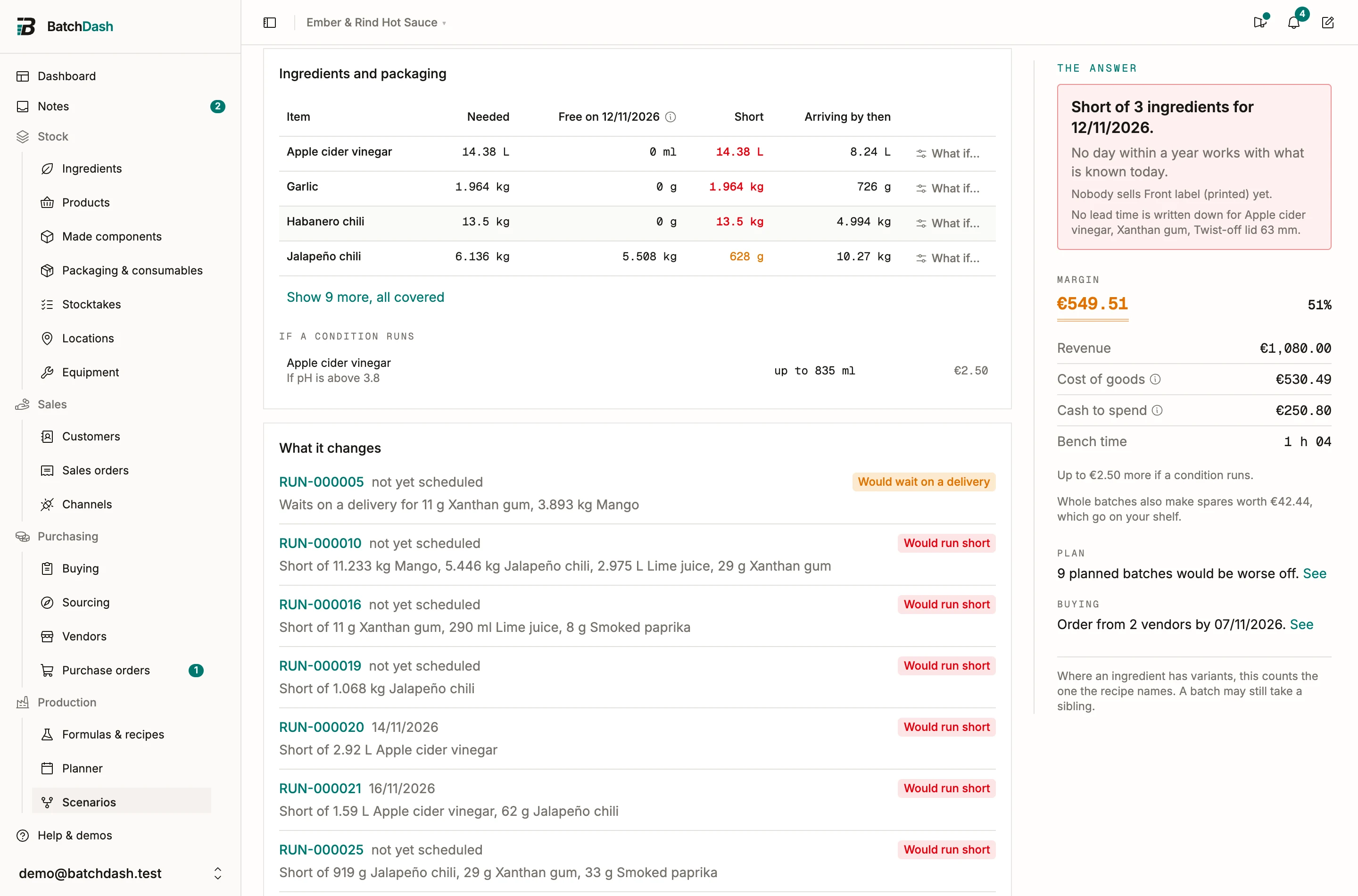
Section titled “Ingredients, on the day”The Ingredients card lists everything the lines need, sub-formulas and packaging included, with what is short first. When most are covered, they fold away behind a link that counts them, so the few that need a look stand out. A column nobody has a figure in is left out.
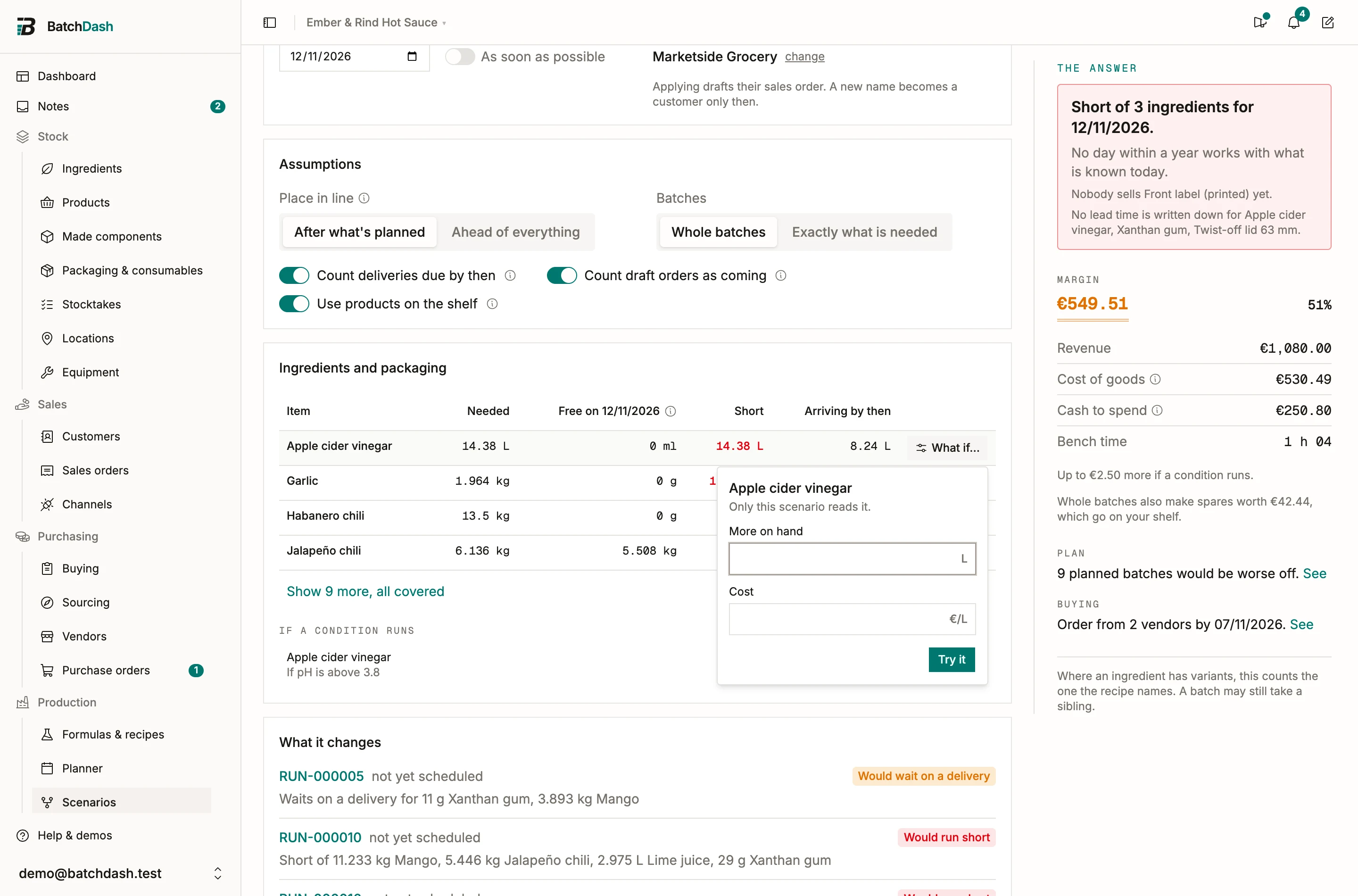
| Column | What it holds |
|---|---|
| Needed | What the lines take, at the size the answer planned. |
| Free on {date} | What is left for this scenario on that day, after the batches planned before it take their share. |
| Short | What is missing on that day. |
| Arriving by then | Deliveries on placed orders expected by that day. |
| Draft or undated | Quantities on draft orders, or on orders with no expected day. They count only while Count draft orders as coming is on. |
Free differs from the Available figure on the ingredient page. Available is what is there today. Free is what the queue leaves on the day you asked about.
If a condition runs
Section titled “If a condition runs”A condition decided at the bench, like “If pH is above 3.8: add vinegar”, may never run. What it would add stays out of the need, the cost of goods and To buy. Under the ingredients, If a condition runs lists it apart: each ingredient with the condition that may add it, the most it can add at this size (“up to 30 ml”), and what that would cost when you may see costs. When the readings alone decide the amount, the row says as needed.
What it changes
Section titled “What it changes”A scenario takes its place in the plan. By default it goes after what’s planned: every batch planned up to that day takes its share first, which is where applying would put it. Switch Place in line to ahead of everything and it takes stock first, and the What it changes card names each planned batch that would then fall short or depend on a delivery, with its date and a link. In that position it also names the confirmed sales orders that would lose the finished goods they were counting on.
“Nothing already planned is affected” is an answer too, and usually the one you hope to read. When the scenario does push a batch short, the card says what to buy on top to keep the plan whole.
Try other assumptions
Section titled “Try other assumptions”The Assumptions card holds the switches that decide how the answer is worked out. Each one flips back.
- Place in line: after what’s planned, or ahead of everything.
- Whole batches or Exactly what’s needed.
- Count deliveries due by then and Count draft orders as coming: off, the answer only trusts what is on the shelf.
- Use products on the shelf: off, the whole quantity is made.
For one ingredient, What if… on its row takes a figure you know better than the system: 5 kg more on hand (the delivery the vendor promised this morning), or another price per kilo (the quote you just received). You type it in kilos or liters, the way you would say it. What you assume shows on that ingredient’s row, and its × takes it back. Only this scenario reads it; the ingredient itself does not change.
To buy
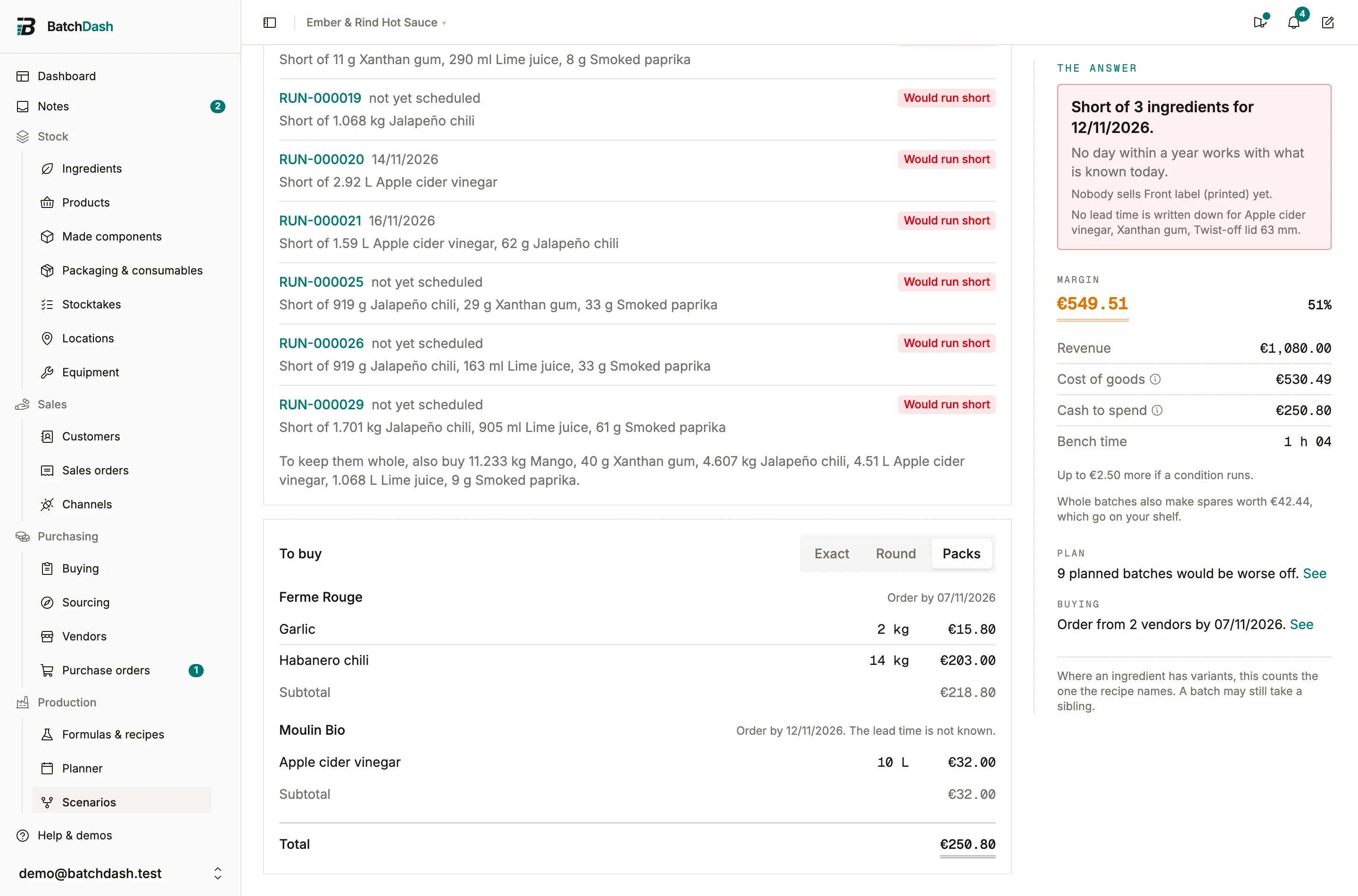
Section titled “To buy”To buy groups the shortfalls by vendor, rounded the way you order (exact, round figures, or whole packs), each vendor with the day to order by given its lead time. Products you buy ready-made sit there too, beside the ingredients, in their own unit. Its total is the cash to spend in the answer.
Apply it
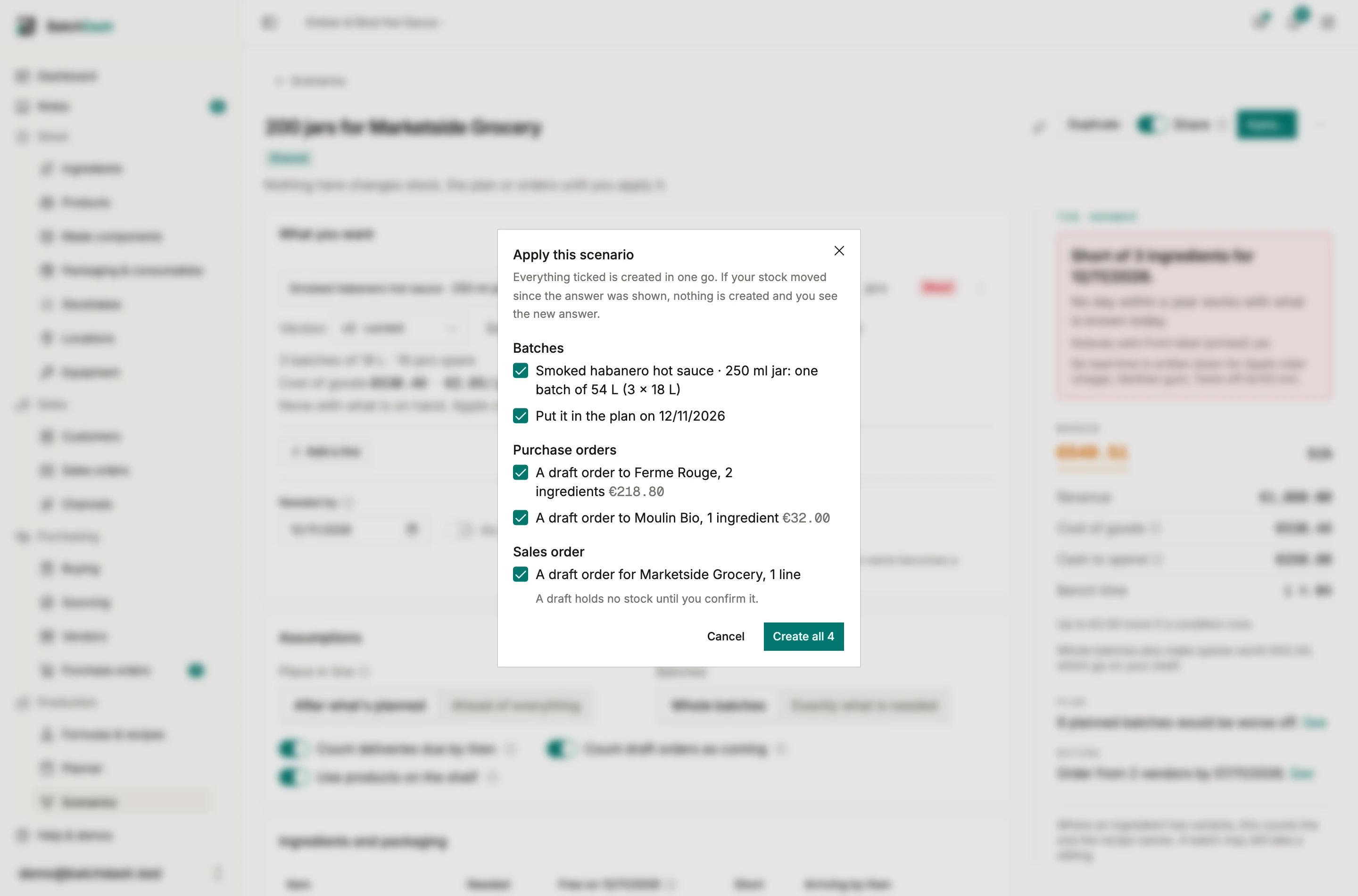
Section titled “Apply it”When the answer is right, Apply… lists what it will create, each ticked:
- Batches: one per line, holding the whole amount the line needs (“one batch of 54 L (3 × 18 L)”), put in the plan on the needed-by day when you use the planner. Each takes from planned batches of its components through its own plan, the way the answer did. Each is made for the customer you picked from your list, so its conditions decided when planned take the parts the answer took.
- Purchase orders: a draft per vendor, with its lines and subtotal.
- Sales order: a draft for the scenario’s customer, one line per product at the price you typed. A draft holds no stock until you confirm it. With no customer on the scenario, no sales order is offered.
Untick what you don’t want and create the rest in one go. Each part only shows if your role may create it. If stock moved between the answer and the click (a delivery booked, a batch completed), nothing is created: the new answer shows, and you look again before you apply.
An applied scenario becomes the record of what it created, with a link to each batch and order. It no longer shows an answer, because its batches are now part of the plan and would be counted twice. To try again, Duplicate it.
Share it, and who can use it
Section titled “Share it, and who can use it”A scenario is yours until you switch Share on. Teammates can then open it and duplicate it into their own; only you change it or apply it. You can keep 50 scenarios, which is plenty for trying things and short enough to clean up after. A draft takes no room until you save, share or apply it.
Scenarios is its own line in roles. View opens the scenarios shared with you; Edit starts, changes, shares and applies them. Applying still needs the right to create each record it makes: batches, purchase orders, sales orders.
What it counts
Section titled “What it counts”A scenario reads stock across all your places, the way Buying and the planner do. Planned batches of a component count the way they count for a run: a line takes from the ones ready by its day, and what they already promised to other runs stays promised. When an ingredient has variants, it counts the one the recipe names; the batch itself can still take another when it runs. Finished goods from batches that complete before the needed-by day are not counted as arriving on the shelf.
Read next: planning production for the day the batches land on, and Buying for the orders.