
Standard processes
You lacto-ferment habaneros. Then jalapeños. Then carrots. Same brine, same 2.5% salt, same seven days; only the vegetable changes. A standard process captures that method once and stamps it onto any ingredient.
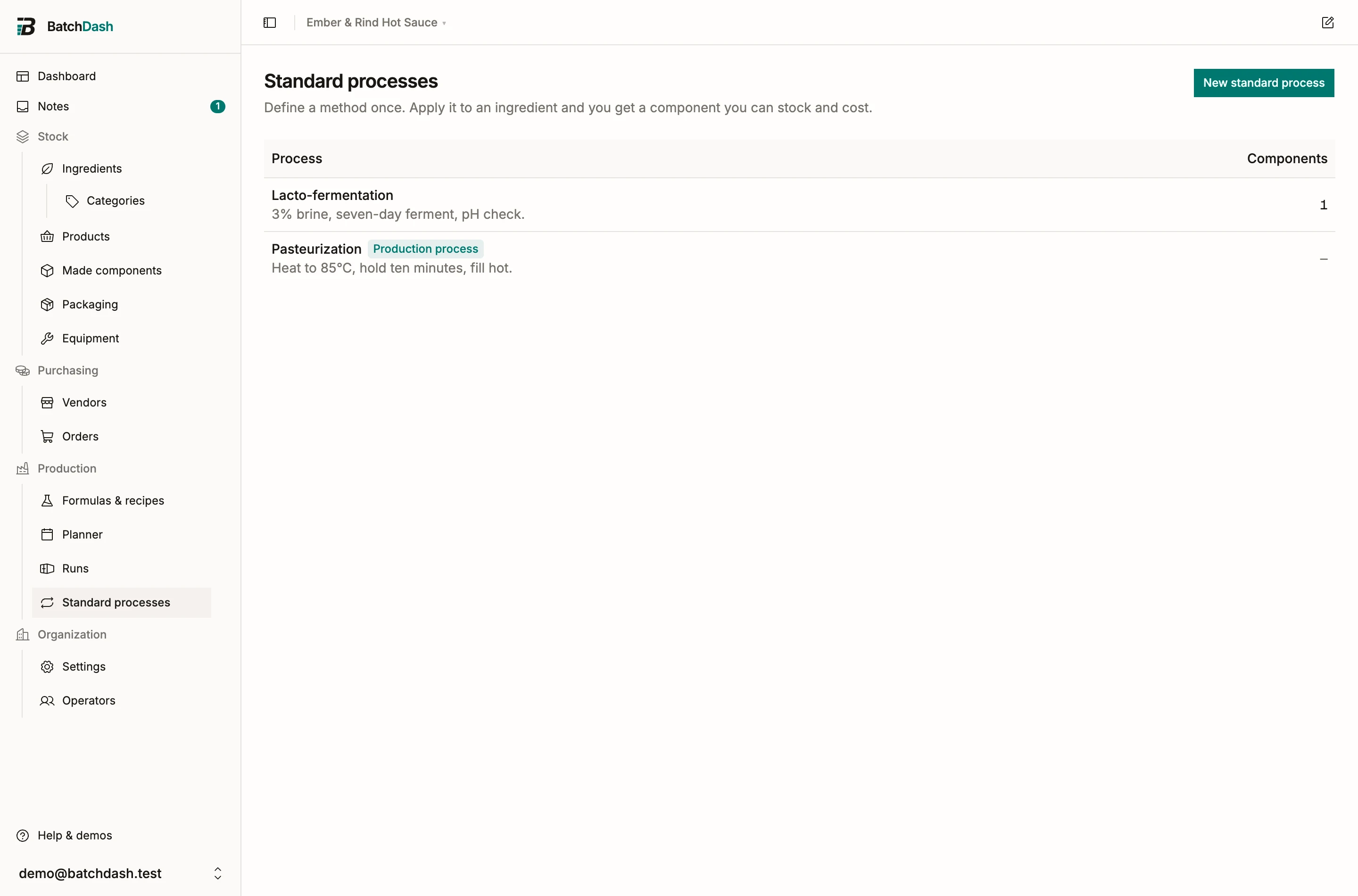
Standard processes come in two kinds. A component process is what this page describes: applied to an ingredient, it mints a component recipe. A production process attaches to a batch run instead, before or after the recipe, for steps like pasteurizing. See production processes.
Create the template
Section titled “Create the template”- On the Standard processes page, click New standard process.
- Name it (Lacto-fermentation), add an optional description (“2.5% salt, 7 days at room temperature”) and pick the output unit.
- Click Create and open the template: you land in a recipe editor.
Write the method like any recipe, with one twist. Where the vegetable would go, add a variable input from the ingredient picker: a placeholder for whatever the process gets applied to. Fixed lines (salt, brine) stay as they are on every application.
Apply it to an ingredient
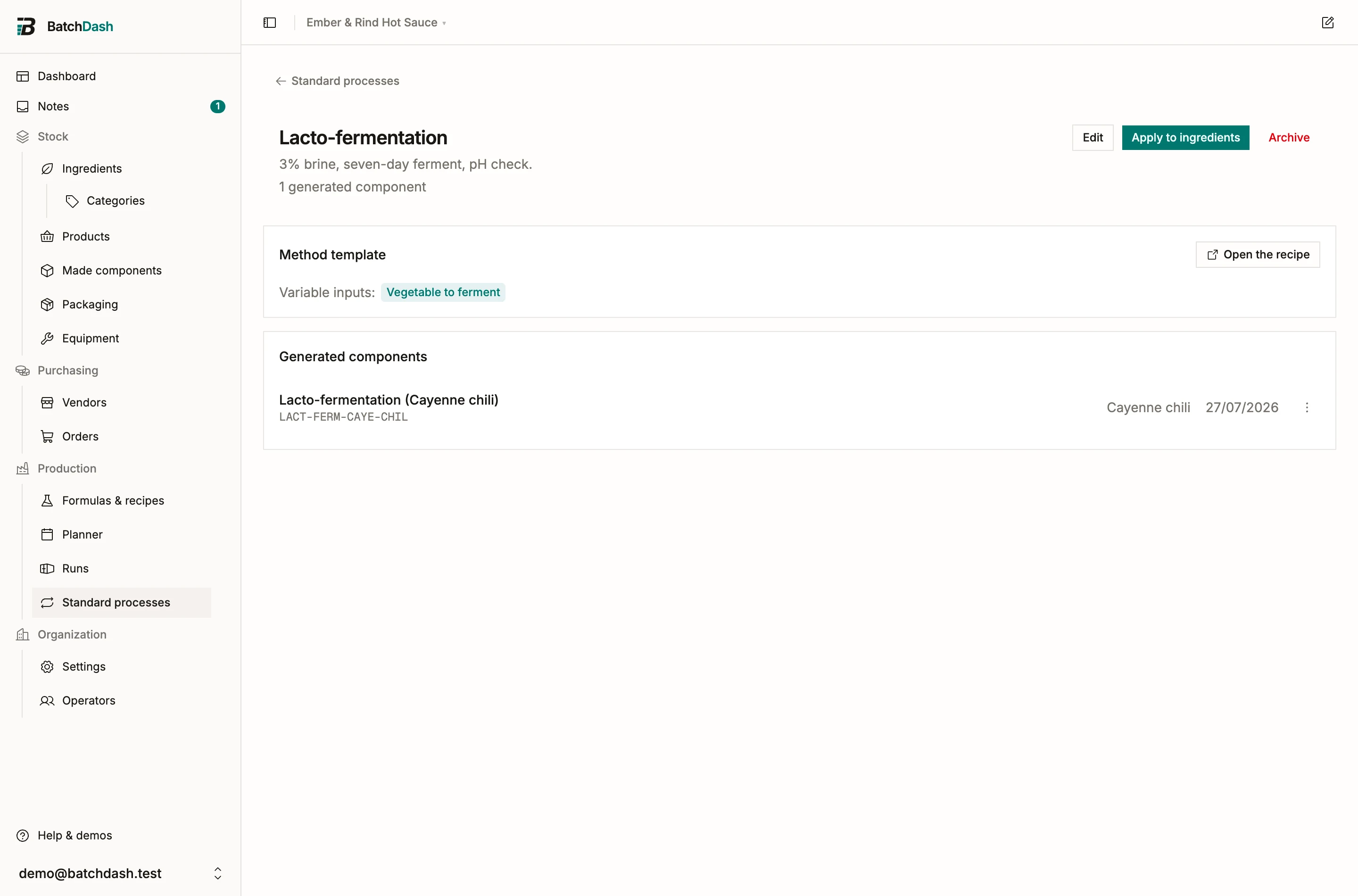
Section titled “Apply it to an ingredient”Click Apply to ingredients, pick an ingredient for each variable input and confirm. BatchDash mints a real Component recipe, “Lacto-fermented habanero”, built from the template. It works like any sub-formula inside your other recipes, and it can be stocked like any made component.
Quick produce
Section titled “Quick produce”Each generated component offers Record a batch…: a real production in one entry. The recipe’s inputs leave stock at their current cost and the output lands as component stock with a lot code. Short on an input? The dialog lists what is missing and lets you record anyway. For stock you made before BatchDash existed in your workshop, Set an opening balance… books what you have at what it cost.
When you want the full apparatus (operators, checkpoint readings, input lots), run the component’s recipe as a proper production run instead.
Sync when the method improves
Section titled “Sync when the method improves”Change the template (six days instead of seven) and every generated component shows a Template changed badge. Bring them up to date one by one with Update, or all at once with Update all from the process page. If the variable inputs themselves changed, the update asks you to complete the picks before rebuilding the recipe.
Insert a production process into a recipe
Section titled “Insert a production process into a recipe”A production process can also become part of a recipe’s method. On the bench, open a step’s ⋮ and choose Insert a standard process after this step, or use Insert a standard process at the foot of the method, then pick the process. Its steps land as one group under its name, numbered as one step of the method (“5”, then 5.1, 5.2), with their times, equipment and checks. What the process adds joins the recipe at the batch’s size.
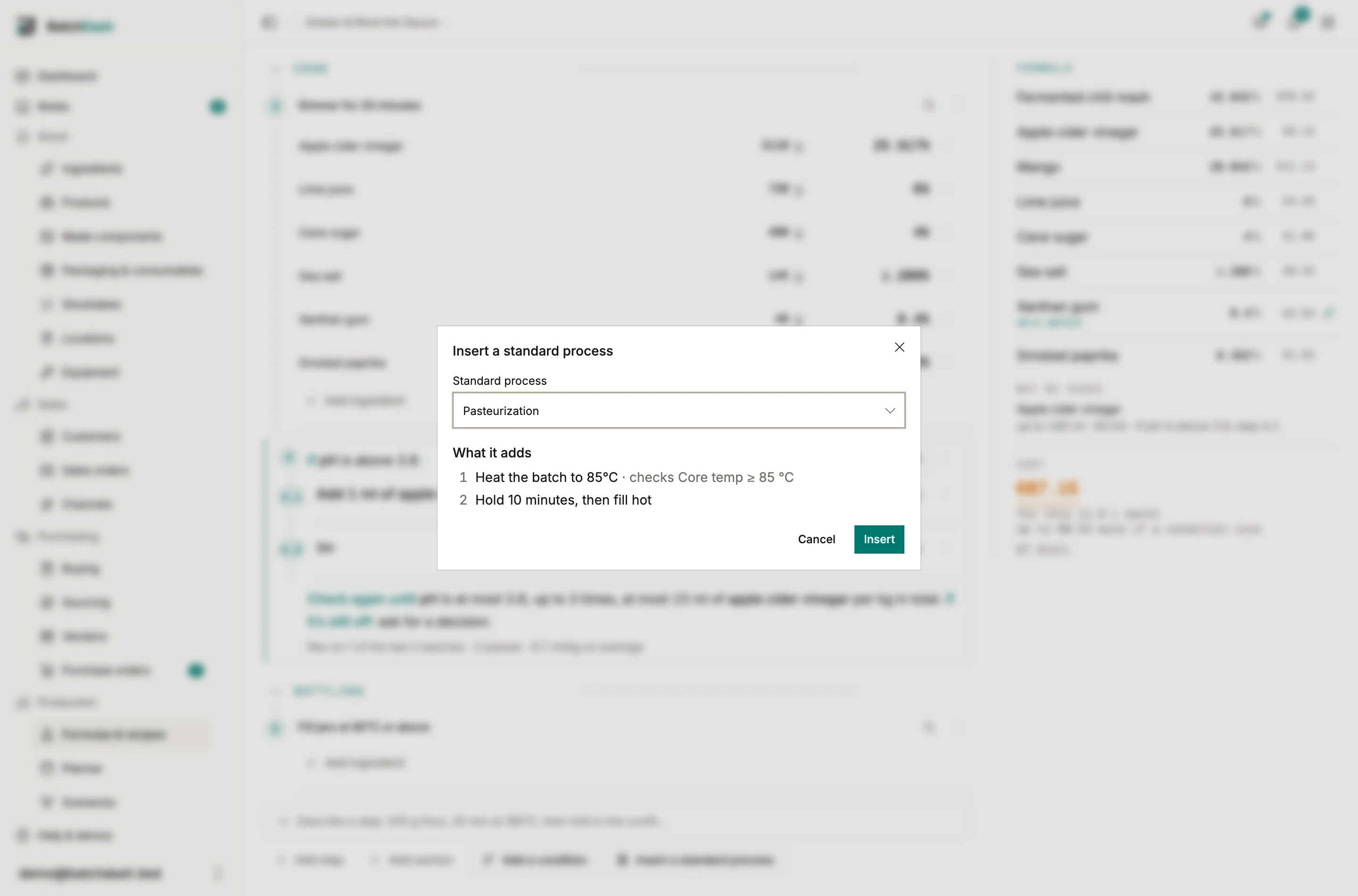
The group stays linked to the process. Its steps are the process’s own, so they are edited on its template: when it changes, the group shows Template changed and Update brings it up to date, keeping where it sits and what a condition gives its steps. Detach… makes the steps the recipe’s own, and Remove… takes them out. The process’s page lists every recipe that uses it under Used in, with Update all.
Inside a condition, the same process can be what to do when a check fails: pick it under Do with Use a standard process. A process that has a condition of its own can’t go into a recipe; it is still attached to a batch as before.