
AI recipe import
Most recipes start life somewhere else: a phone memo, a page copied from a website, a printed sheet from a supplier, a card in a binder. AI import reads it and builds a draft formula from it, so you start from something structured instead of an empty bench.
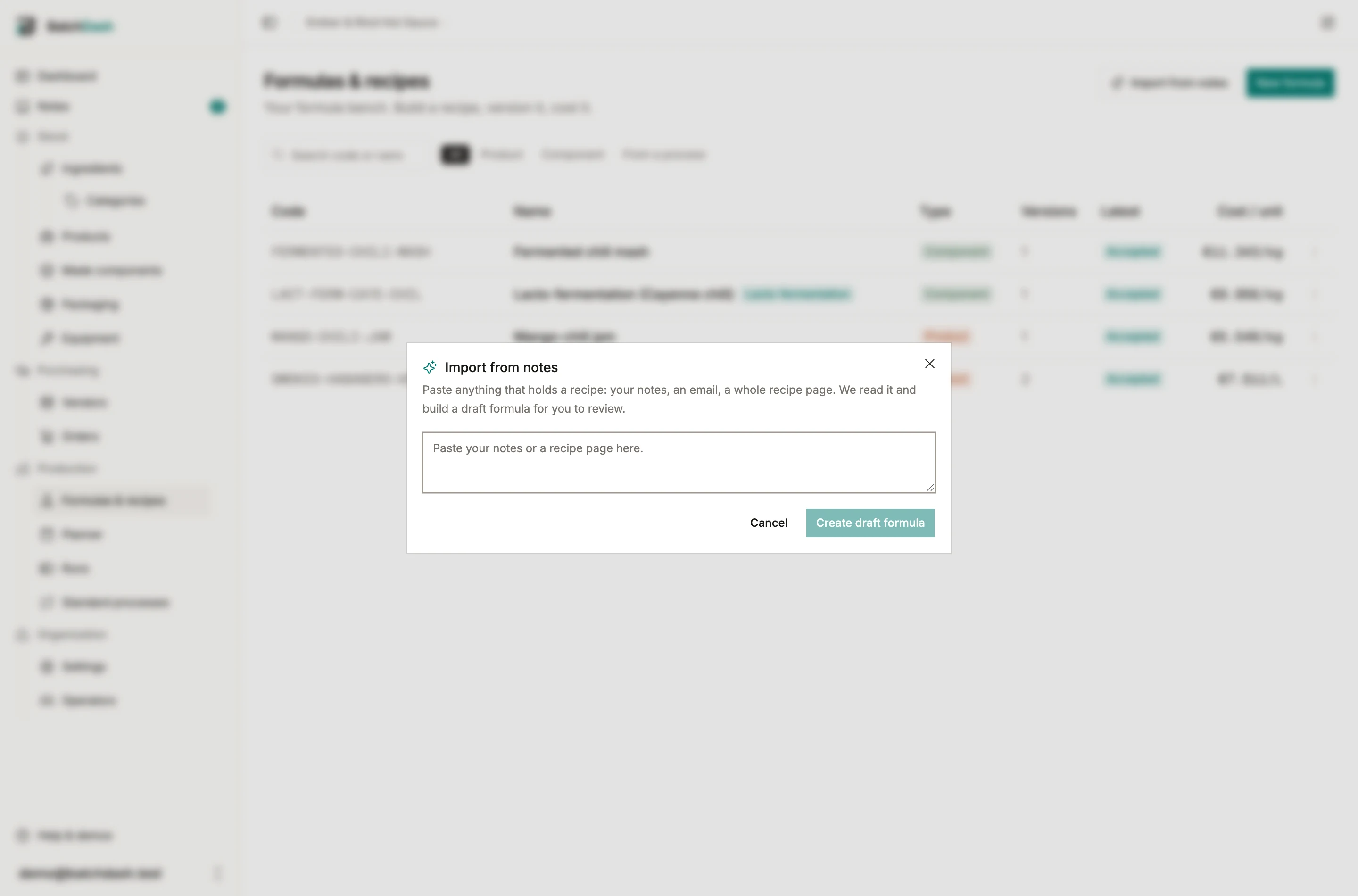
Paste it or photograph it
Section titled “Paste it or photograph it”On Formulas & recipes, click Read a recipe. Paste the text as it is, or choose a file instead: a photo of the page, a screenshot, a scan, a PDF, up to 8 MB. No cleanup needed; the model reads quantities, units, steps, temperatures and durations out of prose, and off a photographed page the same way. Handwriting counts, as long as you can read it yourself. The import runs in the background, and when it finishes you land on the new formula.
The dialog’s Category field says where the draft is filed. It starts on the category the list is showing, if any; change it or clear it before you send.
If there is no recipe in what you handed over (a news article, a shopping list, a page of gibberish), nothing is created and the dialog tells you so. A photo too blurred to read gets the same answer, rather than a guessed quantity.
The file is read once and dropped. What you keep is the formula it built.
What gets built
Section titled “What gets built”- One ingredient line per ingredient. Ingredients already in your catalog are matched by name; the rest are created for you.
- Quantities become gram-based shares, the same math as weighing them on the bench.
- The method becomes process phases and steps, with their temperatures and durations, and each ingredient consumed at the step where it enters.
- Nothing is invented. A line whose quantity the recipe never gives is still created, with a placeholder share and a warning, never a made-up number.
The review card
Section titled “The review card”The new formula opens with a Built by AI import card on top: which ingredients were created, which were matched in your catalog, and a To review list for anything the import was unsure about, like a missing quantity or a unit it could not convert. Fix those lines on the bench like any other edit.
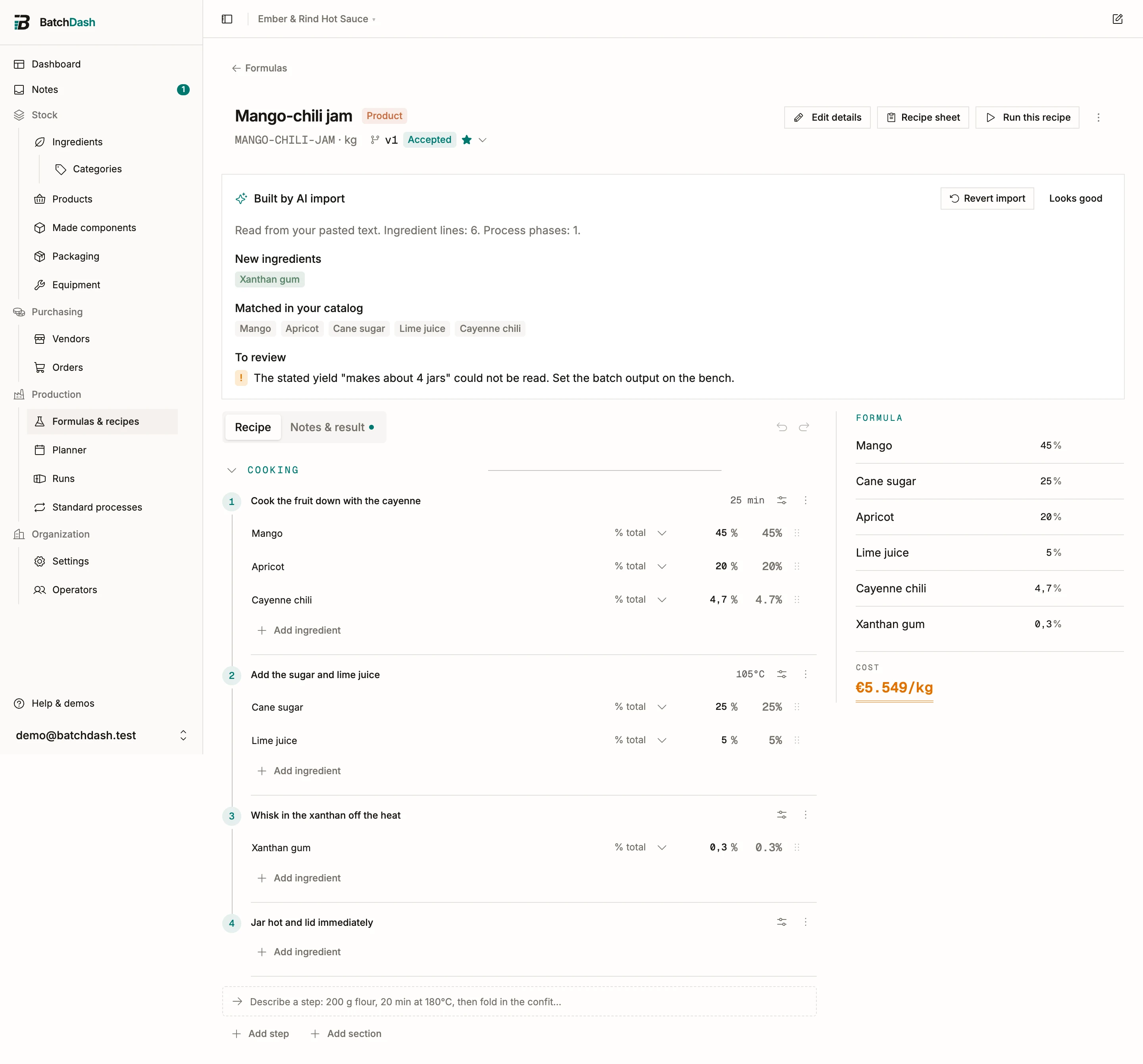
Keep it or revert it
Section titled “Keep it or revert it”Happy with the draft? Looks good retires the card and the formula is yours. Revert import undoes the whole thing in one click: the formula is deleted, along with the ingredients the import created, as long as nothing else uses them. An ingredient that has since picked up stock or joined another recipe is kept, and the app tells you which ones.
What it costs
Section titled “What it costs”Each import counts as one AI request against your plan’s monthly allowance, shared with AI enrichment. The counter resets on the 1st, and a request that never reached the model is not counted. You can see where you stand on Manage organization, under Billing & usage.
This module is part of the larger plans.