
Quick tour
Five minutes of orientation. Once you know where the four or five main pages live, the rest of the app follows the same shapes.
The dashboard
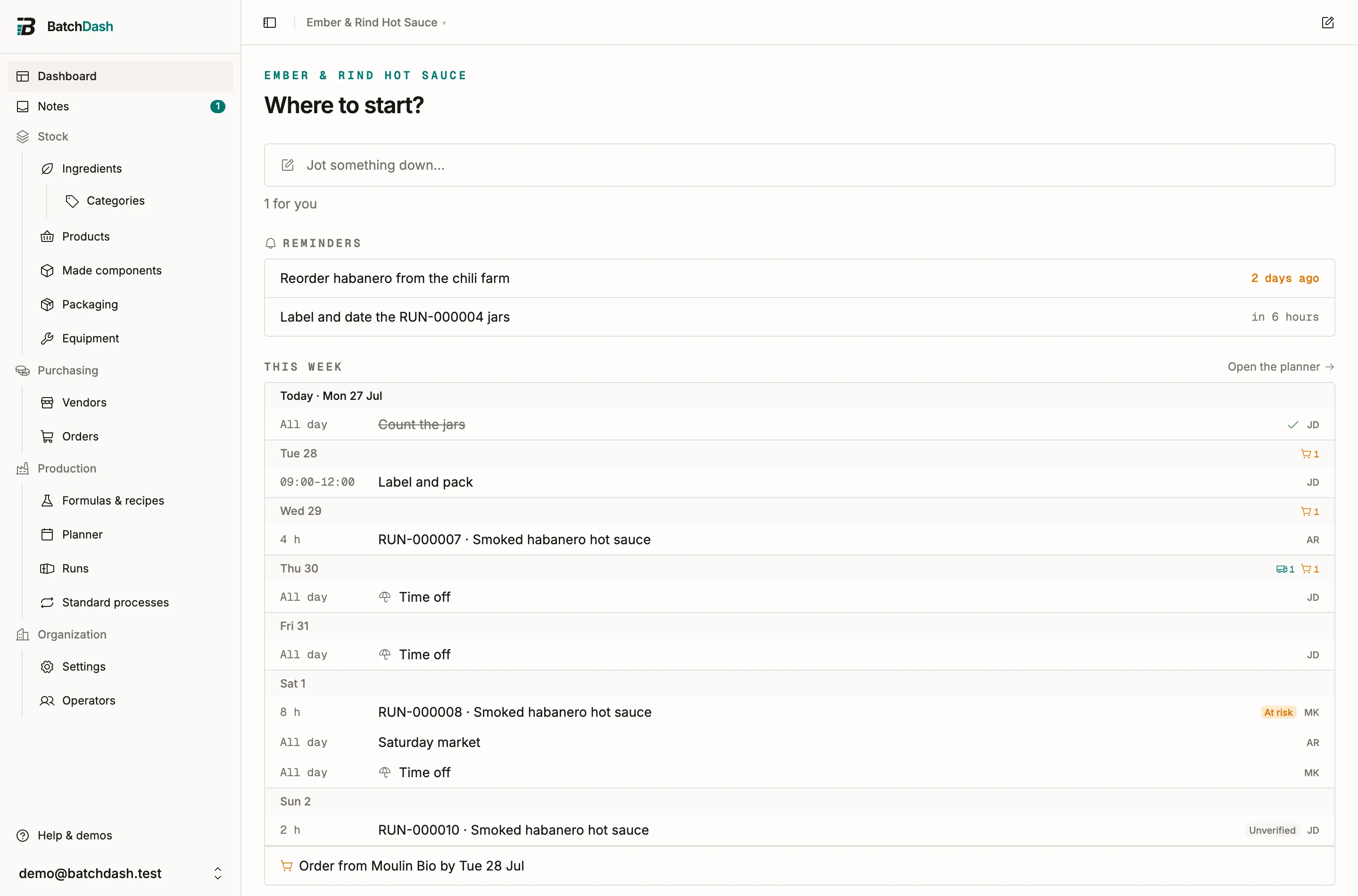
Section titled “The dashboard”After signing in you land on the dashboard. With Today and notifications on your plan, it opens on Today, the list of what needs doing now, and ends with Start something; otherwise it asks one question, “Where to start?”. Either way it offers a launcher for each area your plan includes: Ingredients, Formulas, Production runs, Check an order, Purchase orders, Notes & tasks. Each one is a door into the matching section, with a line on what you’ll do there. While your workspace holds no ingredient and no product yet, Bring in what you already have comes first: it opens the imports page, the way in for a shelf that already exists (start with what you already have).
The sidebar
Section titled “The sidebar”Dashboard and Notes sit on their own at the top. Everything else is grouped into four families:
| Group | What’s inside |
|---|---|
| Stock | Ingredients (with Categories), Products, Made components, Packaging & consumables, Equipment |
| Purchasing | Vendors, Orders |
| Production | Formulas & recipes, Planner, Runs, Standard processes |
| Organization | Settings, Operators |
Some entries only appear when your plan includes the matching module, so a fresh workspace may show a shorter list than this table.
The flow of a working day maps onto the groups: stock tells you what you have and what you have made, purchasing brings more of it in, production turns it into batches. Set up your inventory starts at the top of that chain.
Help & demos
Section titled “Help & demos”The sidebar footer holds Help & demos: short, in-app walkthroughs of each area, from the basics to CSV imports. If a demo covers a feature your plan doesn’t include, you can still read how it works. The panel also links back to this help site.
If you belong to more than one organization, switch between them from the picker in the top bar, next to the sidebar toggle.
Your language
Section titled “Your language”BatchDash speaks English and French. Open your account menu, choose Profile settings, and pick your language under Language. The setting is per user: you can work in French while a teammate works in English in the same organization. More per-user options are covered in profile preferences.
Where to go from here
Section titled “Where to go from here”Add a few ingredients first (set up your inventory), then write your first formula. Everything else in the app builds on those two.