
Formula basics
A formula is a recipe with numbers attached: ingredient lines as percentages, a method, a cost. This article covers creating one and working on the bench sheet. For a guided first recipe, see your first formula.
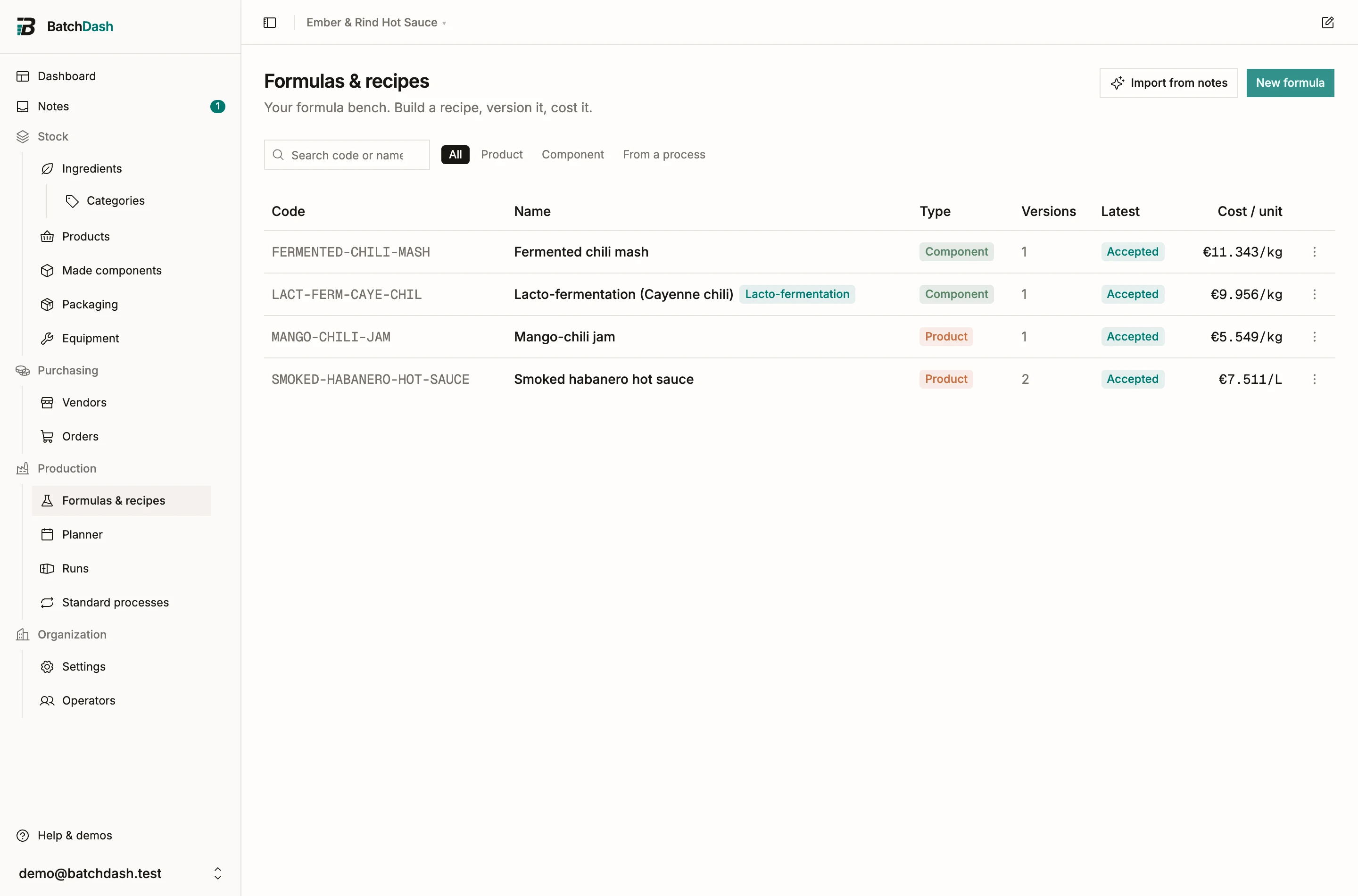
Create a formula
Section titled “Create a formula”- On the Formulas & recipes page, click New formula.
- Give it a Code (a short handle like HS-HABANERO, unique in your workspace) and a Name.
- Pick a Type: Product for a finished good, Component for a base you make and use inside other formulas, like a fermented chili mash. See sub-formulas.
- Choose the Output unit: what a batch of it is measured in (g, kg, ml, L…).
- If you like, file it in a Category. Pick one, or type a new name if you manage categories: the name is created whole, as typed. When the list is showing a category, the new formula starts in it. Recipe categories covers subcategories, filing, browsing and the totals.
Already have the recipe written down somewhere? AI recipe import turns pasted notes, or a photo of the page, into a draft formula.
A recipe you start here stays on this list while you write it. The recipe of a product that already exists is listed from its first ingredient line: until then it waits on the product’s page, behind Write its recipe (a product before its recipe).
Percentage lines
Section titled “Percentage lines”Every line in the recipe is a share of the batch by mass: habaneros 62%, vinegar 25%, garlic 8%, salt 5%. The panel totals the shares and nudges you when they stray from 100%. Percentages of mass are what let a recipe move cleanly from a 2 kg trial to a 40 kg production batch; the reasoning is in mass-based formulas.
The bench sheet
Section titled “The bench sheet”The bench is where the recipe meets a real pot.
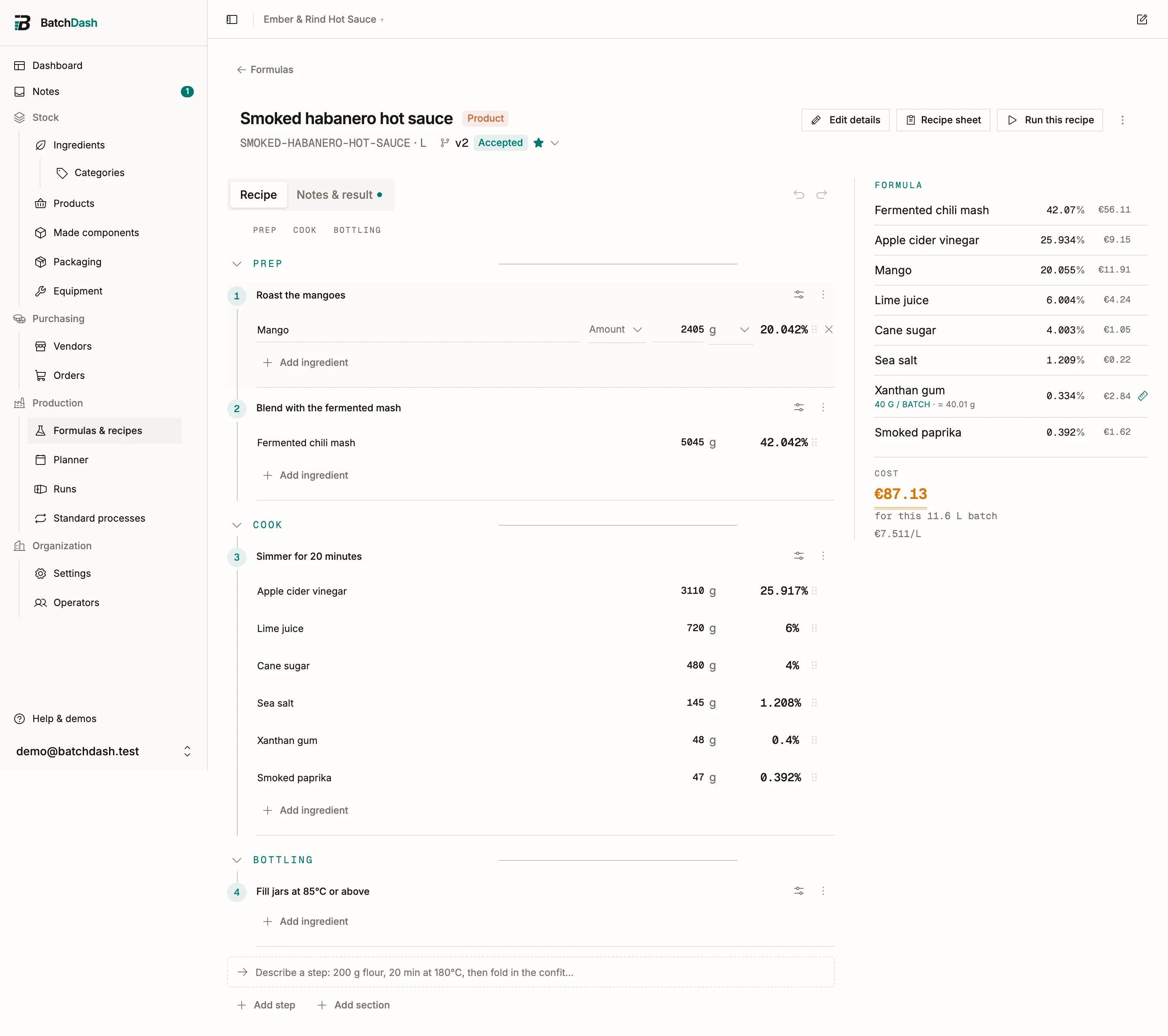
Work in the Workbench view and note what you actually did, step by step. Add each ingredient where it goes in, with the amount you weighed. From those weigh-ins the sheet back-computes each line’s percentage. Weigh the Finished batch at the end and you get the mass balance (“3 210 g in → 2 480 g out”) and the observed yield; more on that in yield and batch size.
The cost panel prices the batch as you type, from each ingredient’s average cost. Details in cost breakdown.
An ingredient with parts can go in whole or as one of its parts, chosen on the row. See ingredients you break down.
Autosave and presence
Section titled “Autosave and presence”The bench saves as you type; a small indicator flips between “Saving…” and “Saved”. Prefer to save by hand? Turn recipe autosave off in your profile preferences.
If a teammate opens the same formula, you see them listed under “Also here:”. While they edit, your view goes read-only and follows their changes as they save, so nobody overwrites anyone.