
Runs overview
A run is one real batch of a recipe. You pick a version and a target output, BatchDash works out what the batch needs, and you record what actually happens at the pot. When the run closes, you keep a full batch record: weights, checkpoint readings, input lots, cost, and a lot code.
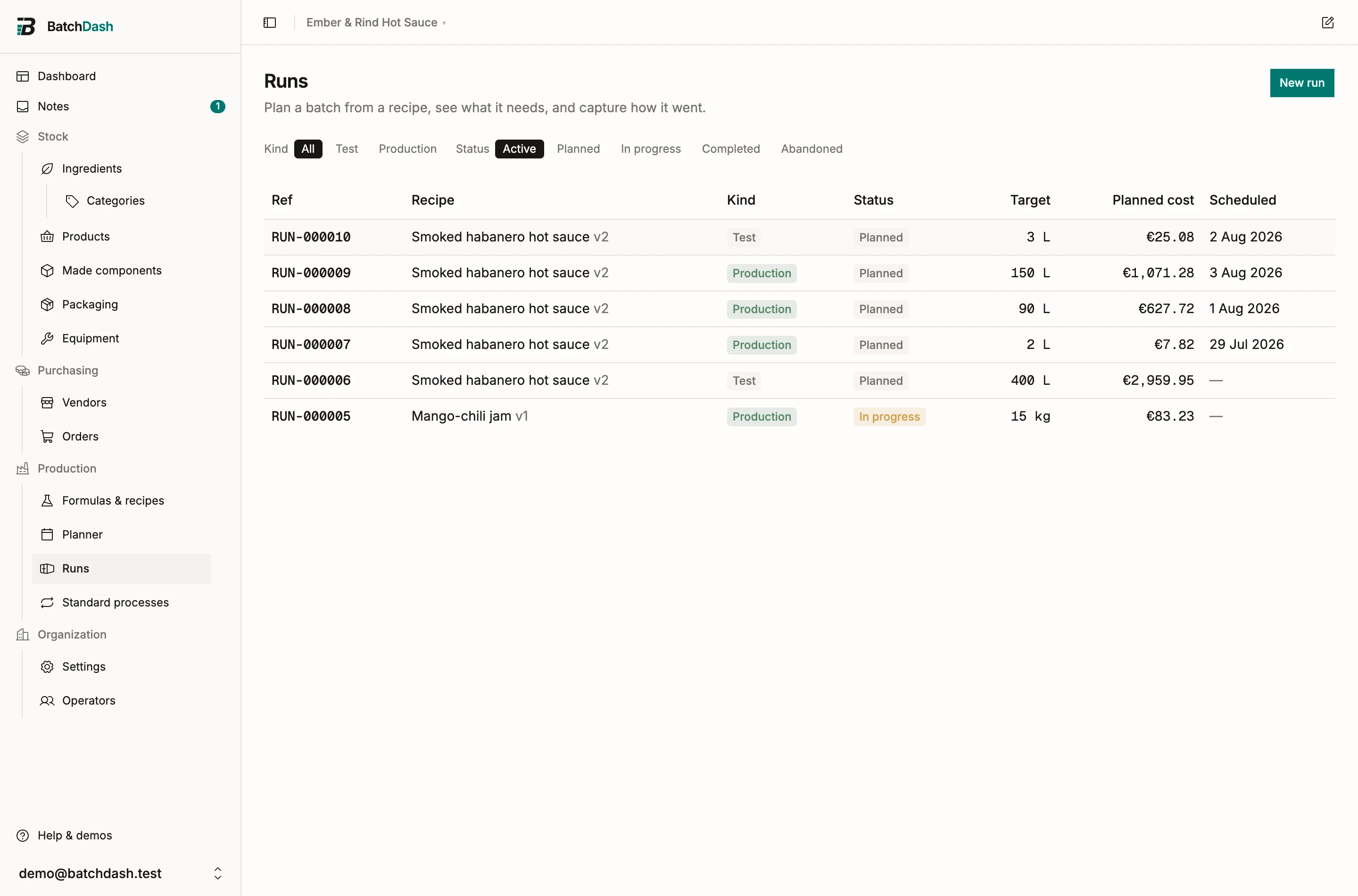
Plan a run from the Runs page with New run, or straight from a recipe with Run this recipe. Both offer only recipes with at least one ingredient line, since a recipe with none has nothing to weigh (a product before its recipe).
The list opens on the runs you can still act on, planned and in progress; the Kind and Status pills change that. Once your recipes are filed in categories, a Category: filter under the pills shows the runs of one category, subcategories included, and Export takes the same rows. A link that opens the list for one recipe, like “3 more runs” on a product’s Replenishment card, names it in a chip: Recipe: Habanero sauce. Change a pill and the chip stays. Its × shows every recipe again.
Test runs and production runs
Section titled “Test runs and production runs”| Kind | What it is for | Stock |
|---|---|---|
| Test | Trials while you iterate on a recipe | Consuming stock is optional. A completed test can be reverted. |
| Production | Real batches for sale or reuse | Consumes ingredients and books the output into stock with a lot code and an expiry. |
A test run answers a question like “is version 4 of the habanero sauce hotter than version 3”. A production run of the same recipe books 48 jars of 250 ml into sellable stock. Production runs are part of the larger plans.
Statuses
Section titled “Statuses”A run moves through four statuses:
- Planned: the bill of materials is computed and nothing is locked. Check stock, build the shopping list, order what is short.
- In progress: the run has started. Capture actual weights and checks as you go. A production run’s recipe sheet freezes here, so later recipe edits cannot move your targets mid-batch; a test run stays a sandbox and keeps reading the live recipe.
- Completed: the batch is closed. Stock has moved and the output is booked.
- Abandoned: the run is closed without output. Any stock it had consumed is returned.
The run as a record
Section titled “The run as a record”Starting a production run freezes the recipe sheet and the bill of materials, so the record shows the sheet you actually followed, even if the recipe changes next week. On top of that snapshot, the run stores what you captured: actual quantities per line, checks with their readings, the input lots behind each ingredient, the operators, and the finished-product check.
A test run seals no such document, and books no stock. It still records everything you capture, checks included, and keeps it on the run page after you close it.
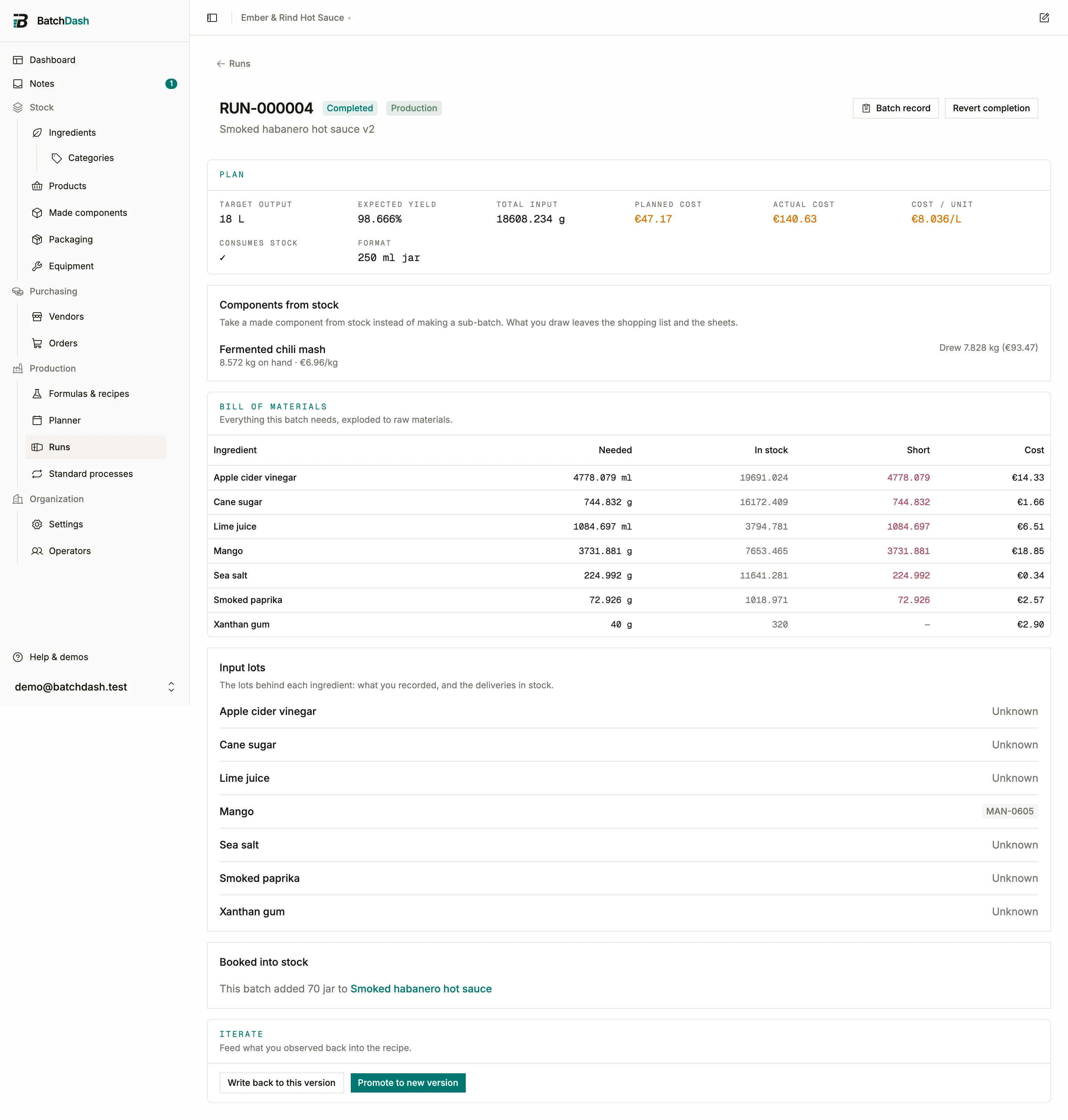
The Batch record ties all of it to one lot code. If a customer calls about lot HS-2026-014, you open the run and see what went in, who made it, and what it cost.
Read next: plan a run, then execute and complete it. If it was a trial, feed the result back into the recipe.